

Updating a contact's mailing preferences
If there is only one address for a contact, the Preferred Billing Address, Preferred Shipping Address, and Preferred Mailing Address flags are hidden. When a contact has more than one address, these flags are then available for selection when editing an address.
The following conditions can determine if the preferred address flags are displayed:
-
There is more than one address for a contact.
-
The address purpose can have a preference set. Only primary-purpose addresses can have a preference set. Primary addresses are those under the Address purpose settings (Settings > Contacts > System options).
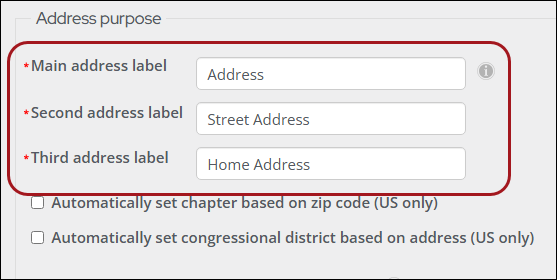
Do the following to update a contact's preferred mailing preferences:
-
Go to the contact's account page.
-
From the Overview tab, scroll down to the Addresses panel.
-
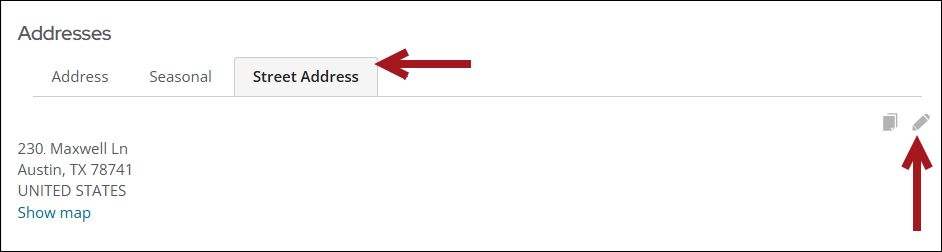
Click the address tab to update.
-
Click the edit icon.
-
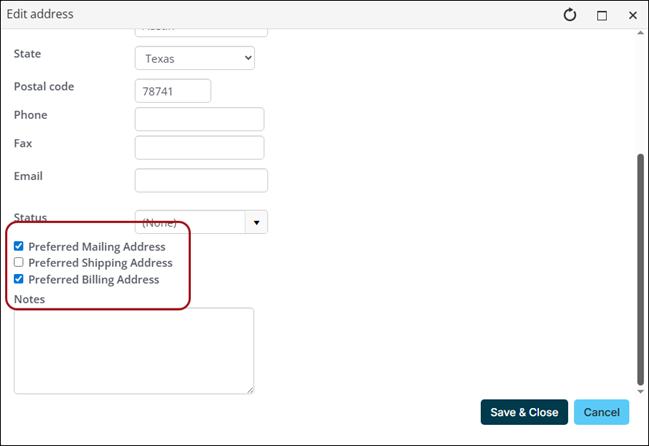
Enable the Preferred Mailing Address, Preferred Shipping Address, and/or Preferred Billing Address options.
-
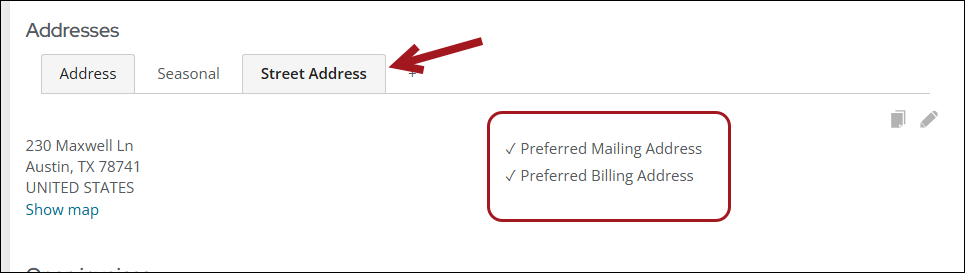
Click Save & Close.
Updated 3 months ago