

Applying partial credit
Access requiredTo perform this process, you must be a system administrator or a staff user with the OnBehalfOf role.
The following illustrates how a staff user can apply partial credit on behalf of a contact:
ExampleAlex Morgan has an open credit for a $500.00 prepayment that was entered on behalf of him. The staff user needs to apply $100.00 of that credit to an open invoice for Teresa Spain.
Do the following:
-
Go to Alex Morgan's profile and click the Transactions tab.
-
Scroll down to the Payments section and select the $500.00 payment on Alex Morgan's account (the prepayment or original payment that resulted in the open credit).
-
Click Adjust Payment, then select Unapply the payment.
-
Enter $100.00 as the Amount to unapply for the appropriate line item.
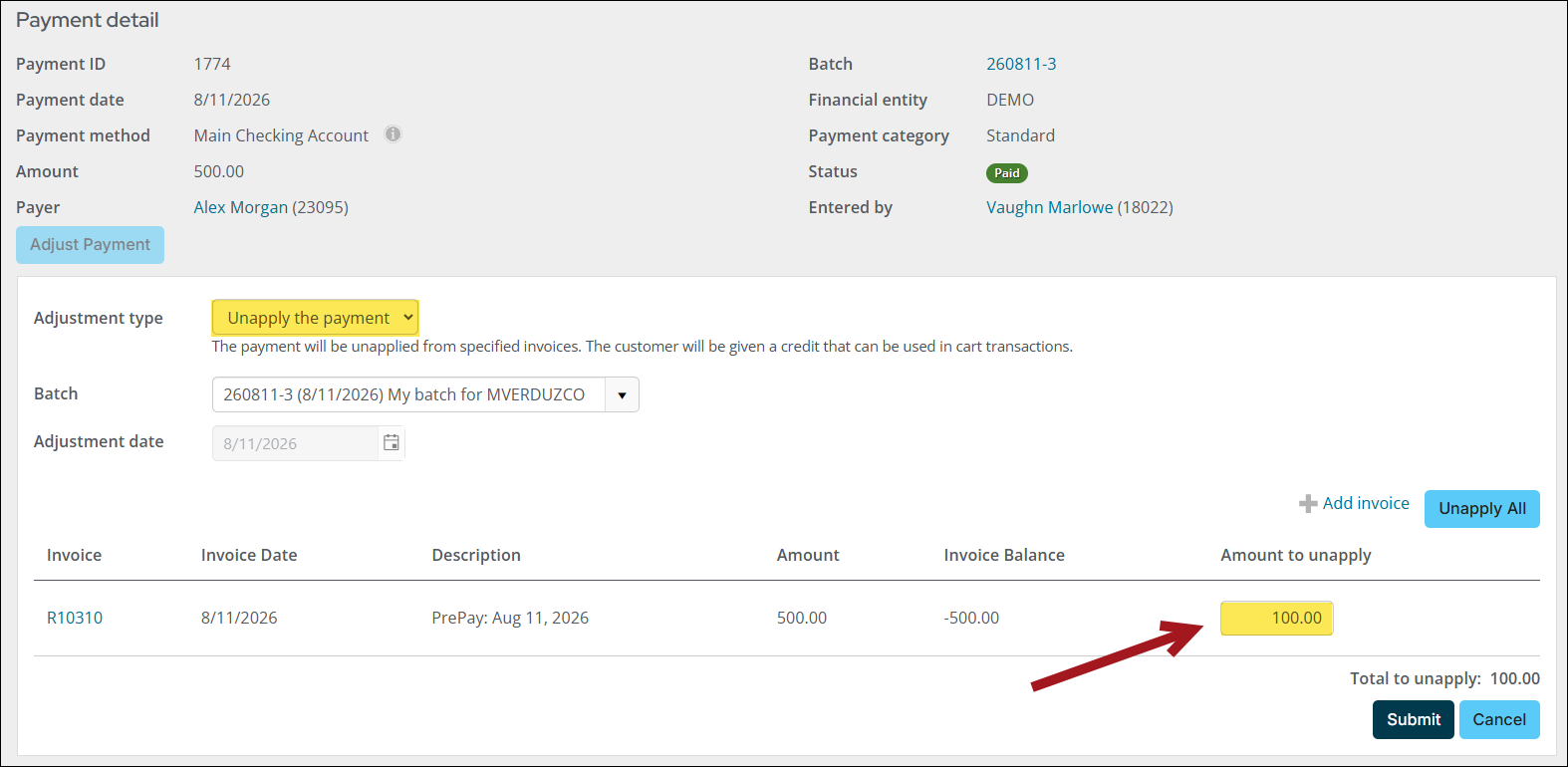
-
Click Submit.
This creates a separate open credit invoice for -$100.00. The original open credit balance is reduced to -$400.00.

-
Go On Behalf Of Teresa Spain.
-
Add items or invoices to the cart and navigate to the cart.
-
Under Applied credit, click Apply other credit.
-
Locate the -$100.00 open credit invoice and select it.
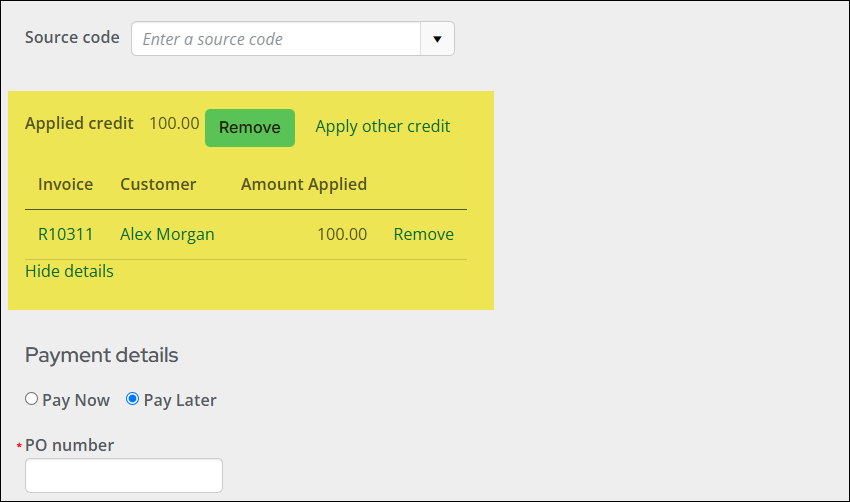
-
Choose Pay Later (or specify a payment for any remaining balance).
-
Click Submit.
Updated 27 days ago