

Printing an attached Report Writer report
Access requiredTo access the Report Writer, you must be a system administrator or a staff user in the Reporting Users Full Control security group.
A Report Writer report sent as an attachment can be printed from the recipient's account page.
Do the following to print an attachment:
-
Navigate to the contact's account page.
-
Click the Participation tab.
-
Select the communication Subject link under the Communications section.
-
Click Download.
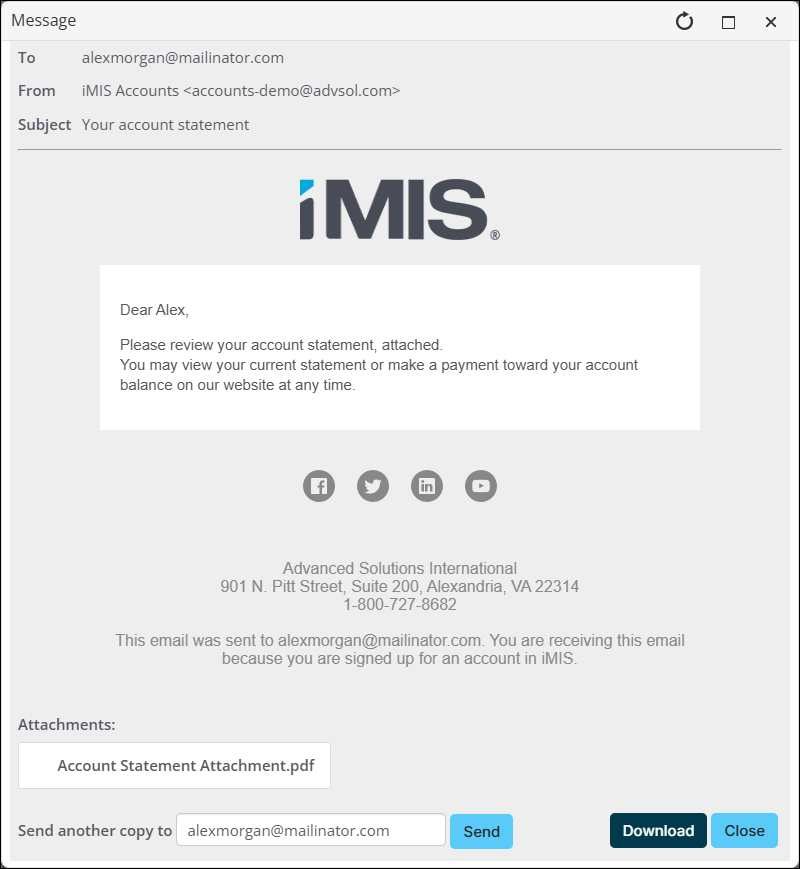
- If the attachment is a PDF, open the PDF and print.
- If the attachment is a file type other than PDF, open the attachment and save it as a PDF before printing.
NoteWhen exporting a report that contains a large image, the image may not appear in the exported PDF. The exact size threshold that triggers this is unknown. If you find that exporting to PDF is losing your image, instead export the report to RTF, then open it in Microsoft Word and save/export as PDF from there.
Updated 25 days ago
Did this page help you?