

Contacts Settings: Committee minutes
The minutes, or notes, taken during a committee meeting can be recorded in iMIS from the committee's landing page. See Recording or editing the minutes for more information.
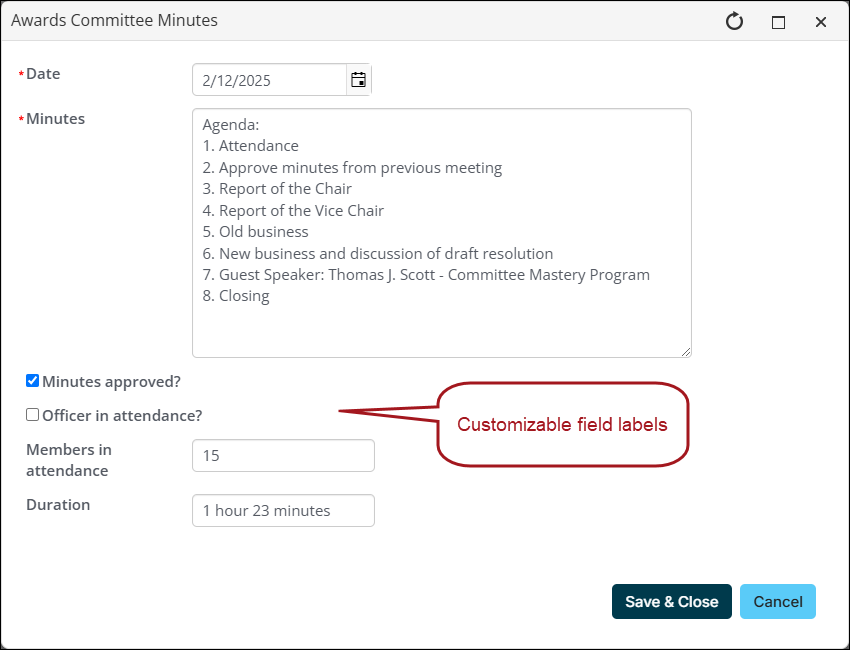
Do the following to customize the labels of the fields that appear when entering committee minutes:
-
Go to Settings > Contacts > Committee minutes.
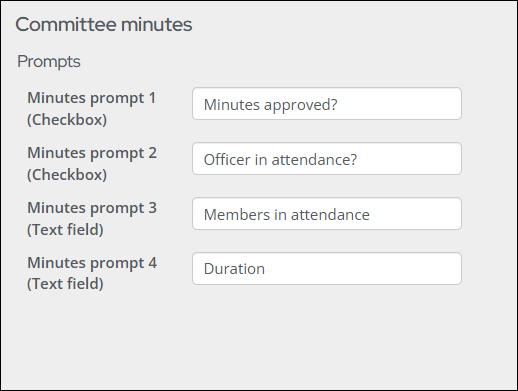
- Enter labels for the following checkbox options:
- Minutes prompt 1
- Minutes prompt 2
- Enter labels for the following text-field options:
- Minutes prompt 3
- Minutes prompt 4
- Click Save.
Updated about 1 month ago
Did this page help you?