

Creating a new order
Access requiredTo create an order on behalf of a contact, you must be a system administrator or a staff user with the OnBehalfOf role.
As a staff user, you can create a new order on behalf of a contact. Alternatively, contacts can create their own orders if you offer a public online store.
Do the following to create an order on behalf of a contact:
-
Click the On Behalf Of icon.
-
Search for and select the contact.
-
Go to Commerce > Find products.
-
Search for and select the product.
-
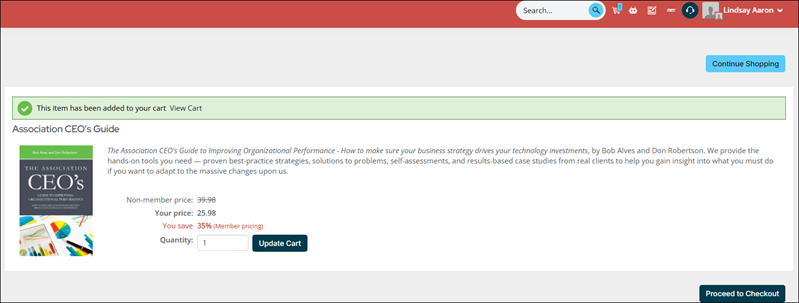
Click Add to Cart.
-
Click Proceed to Checkout.
-
Enter the Payment details, or choose Pay Later to create an open invoice for the contact to pay later.
-
Click Submit Order.
-
Go to Commerce > Find orders.
-
Enter a search filter, then click Find.
-
Select the Order Number.
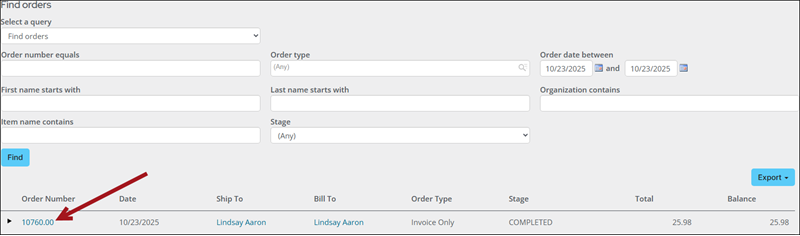
This is where you can manage the order and work it through the order stages, if applicable. See Processing orders.
Updated 20 days ago