

Defining order types
Order types determine the number and types of stages an order goes through in processing. Different order types require different processing stages. Order types must be defined before orders can be entered and processed. Order types that have been assigned orders cannot be deleted.
Order types fall into one of the following system-defined order type categories:
- Standard
- Debit memo
- Credit memo
- Pro forma
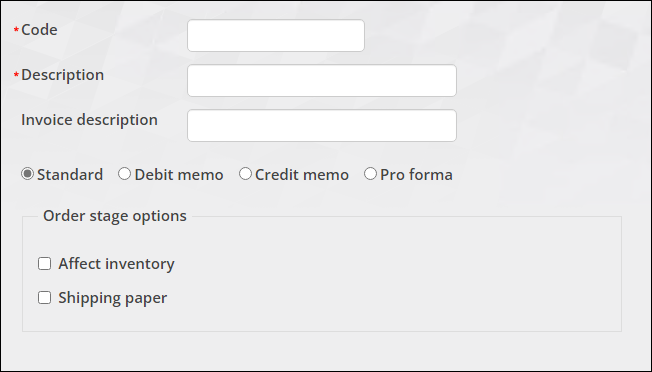
You can define an unlimited number of order types for each order type category. The category selected for an order type determines the available Type options or order processing stages for the order type. Of the available Type options, you select which are required, and determine if an order type affects inventory.
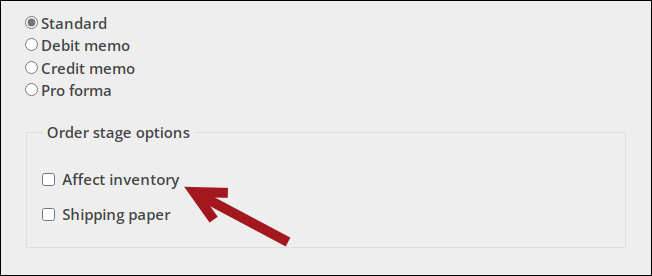
For each defined order type, you can specify whether it affects inventory and whether the Shipping papers stage is used. The Default order type in Settings > Commerce > General determines the order type of all orders placed on the web. Authorized staff users can override the default value by selecting a new order type in the cart.
The stage that an order is set to when the order is determined as follows:
NoteIf the default order type is a Pro-forma type, then it will use the PRINTQUOTE stages and must be manually converted to a standard order.
If the option Split orders with both inventory and non-inventory items into separate orders is selected, and the order contains both inventory and non-inventory items, two separate orders will be created. Each follows the rules above to determine the stage.
Incurs shipping charges and Incurs handling charges options on a product do not affect the order stage. An item could incur shipping charges but still skip the manual shipping stage depending on the settings described above.
Default settings
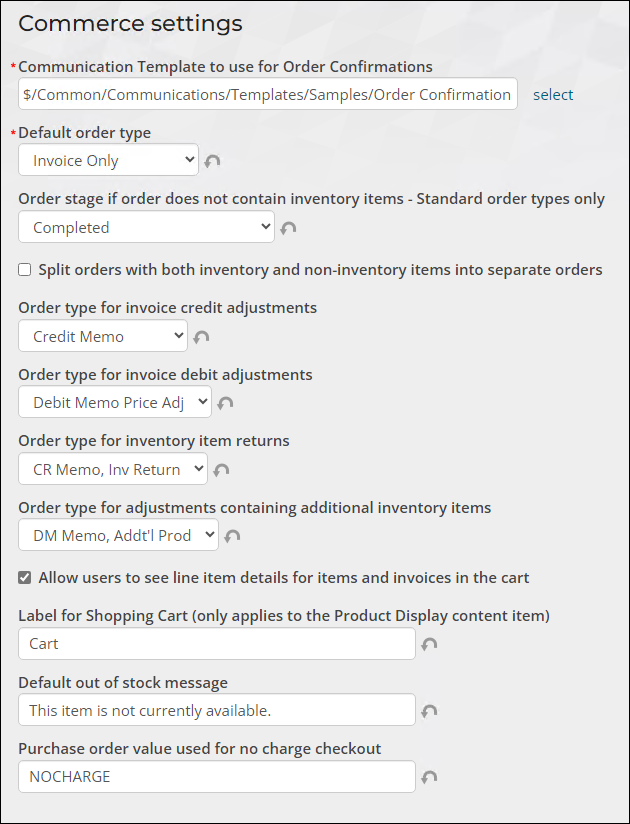
You can define the default order type and order stage in the Staff site at Settings > Commerce > General:
- Default order type - Select the default order type that populates the Order type field each time a new order is placed. Options include:
- Invoice Only
- Order with All Steps
- Pro-Forma
- Regular Order
- Walk-in Order
- Order stage if order does not contain inventory items - Standard order types only - Select the stage to which standard, non-inventory orders placed over the web are advanced:
- Default per order type settings - The stage is determined based on the configuration of the selected Default order type.
- Ready for invoice printing - The order is advanced to the invoice stage, ready for the invoice to be printed.
- Completed - The order is automatically invoiced and advanced to the completed stage. Invoice and Activity records are automatically generated.
Defining order types
Do the following to define order types:
-
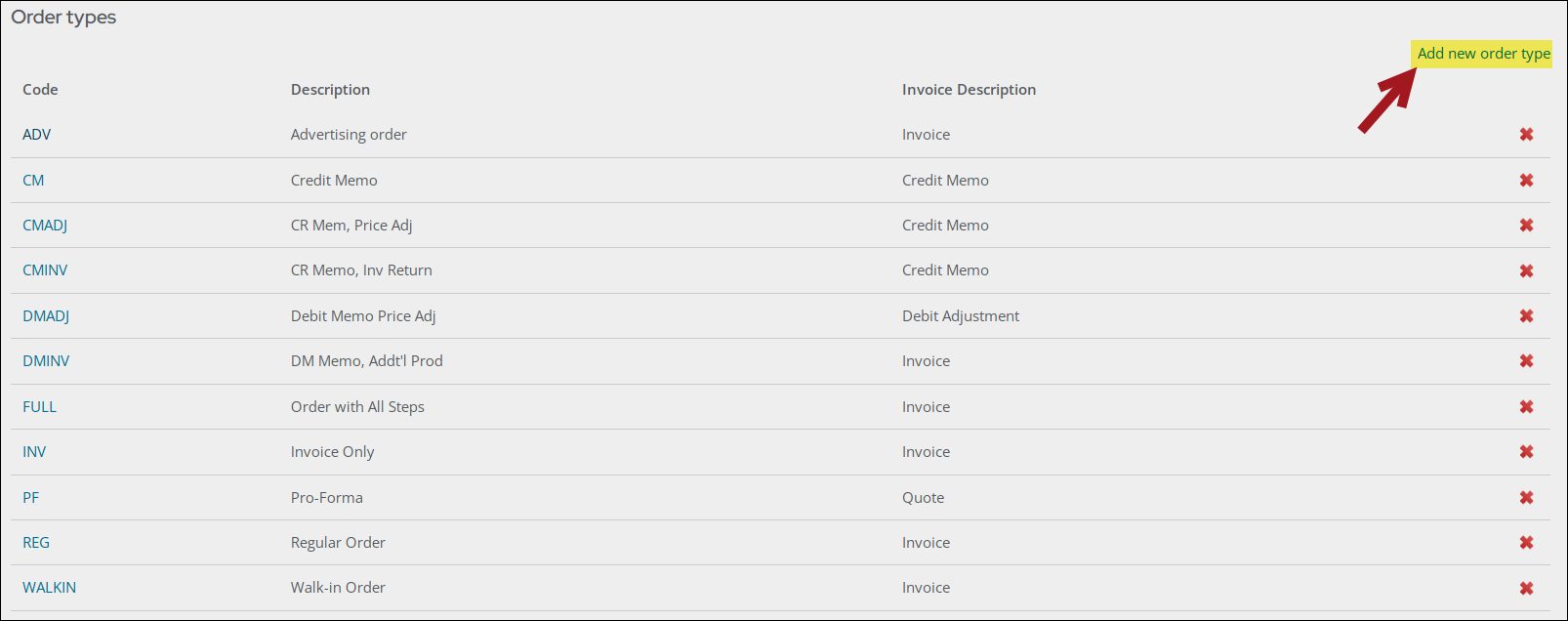
Go to Settings > Commerce > Order types.
-
Select Add new order type.
-
Enter a Code for the order type.
-
Enter a full-name Description for the order type. The Description entered here is the name displayed in the Order type drop-down.
-
(optional) Enter an Invoice description. This description will be printed on invoices.
-
Select a category for the order type:
-
Standard – Enable to classify an order type as standard, which is a regular sales transaction involving the exchange of goods or services for payment.
-
Debit memo – Enable to classify an order type as a debit memo order, which increases the amount the customer owes. This is typically used for billing adjustments or corrections.
-
Credit memo – Enable to classify an order type as a credit memo order, which decreases the amount the customer owes. This is often issued for refunds, returns, or billing overcharges.
-
Pro forma – Enable to classify an order type as a pro forma order. A pro former order is a preliminary invoice or estimate provided before the finalization of a sale. This is mainly used for quotes or proposals.
NoteCreate pro forma order types only after defining standard order types. This allows you to select a valid standard order type from the Convert to order type drop-down.
-
-
The category selected determines which Order stage options are displayed:
-
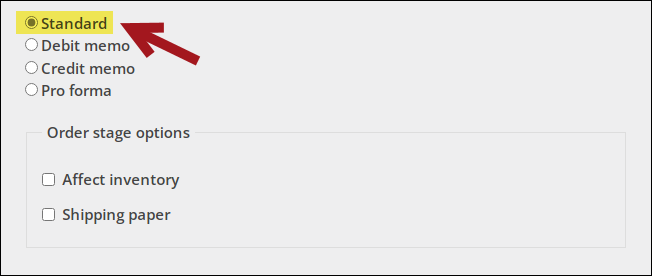
Standard:
-
Affect inventory – Enable if you want the order type to affect product inventory. For example, a standard order will reduce a product's physical inventory, and a credit memo order will increase a product's physical inventory if the Affect inventory option is enabled.
-
Shipping paper – Enable to process the order type through the SHIPPAPER order processing stage. Shipping papers (packing slips) will be printed for the order type.
NoteIf this option is not selected, the order is advanced directly to the INVOICE stage.
-
-
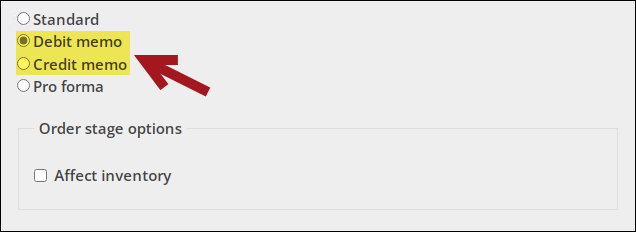
Debit memo and Credit memo:
-
Affect inventory
-
-
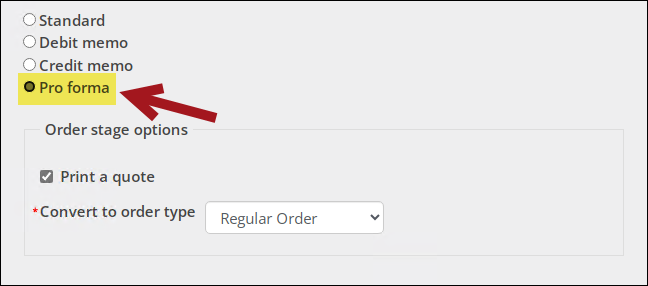
Pro forma:
-
Print a quote – Enable to process the order type through the PRINTQUOTE order processing stage. An order quotation is printed for the order type. The quote can be printed in hardcopy or emailed directly to the customer.
NoteIf this option is not selected, the order is advanced directly to the QUOTEREADY stage.
-
Convert to order type – Before a pro forma order can progress to the next stage, it must first be converted to a standard order type. Options include:
- Order with All Steps
- Invoice Only
- Regular Order
- Walk-in Order
-
-
Click Save & Exit.
Updated 20 days ago