

Purging or restoring deleted content records
Access requiredTo create and update RiSE content, you must be a system administrator or a staff user that belongs to at least one content authority group.
A content record that has expired and been deleted is moved to the Recycle Bin at the bottom of the content folder hierarchy.
Purging
Do the following to permanently purge specific content records:
- Go to RiSE > Page Builder > Manage content.
- Select Recycle Bin.
- Select the content you want to permanently purge.
- Select Organize > Purge.
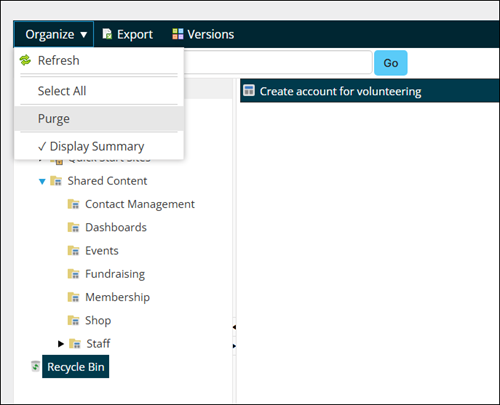
Do the following to permanently purge all items:
- Select Recycle Bin.
- Select Organize > Select All.
- Select Organize > Purge.
Restoring
Do the following to restore a deleted content record:
-
Select Recycle Bin.
-
Select the deleted content record to restore.
-
Click Versions.
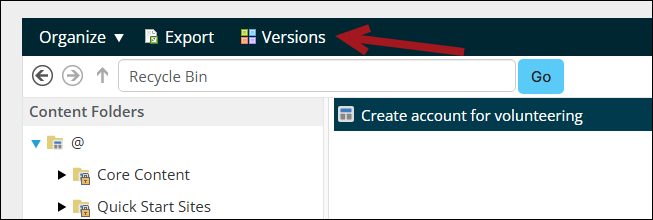
- Select the first Recycled version, or the desired earlier version.
- Click Revert. The content record is moved to its original content folder and its status changes to Working. You must republish the content record to create a rendered version again on all associated iMIS RiSE websites.

Updated 20 days ago
Did this page help you?