

Membership dashboard
NoteThe queries, dashboards, account pages, or other features on this page are part of the Client Success QuickStart template and are only available to organizations whose iMIS environment was implemented by ASI Client Success.
Access or update the QuickStart Membership Dashboard at Membership > Dashboard. The staff site displays this dashboard using a customized version of the StaffMembershipLanding shortcut.
Updating the QuickStart Membership dashboard
Do the following to update the QuickStart Membership dashboard:
- Go to Membership > Dashboard.
- Enable Easy Edit.
- Hover over the content item you need to edit, then click Configure.
- To edit the entire content record or add new content, select Open in Content Designer.
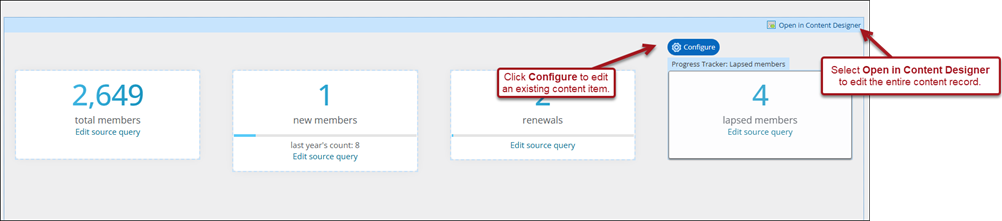
- Make the desired changes, then click Save & Publish.
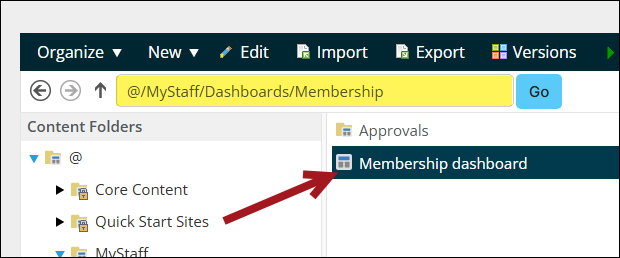
NoteAlternatively, edit the QuickStart Membership dashboard from RiSE > Page Builder > Manage content. Navigate through the following folder path: @/MyStaff/Dashboards/Membership
Updated 31 minutes ago
Did this page help you?