

Configuring paging for query results
Access requiredTo create and update RiSE content, you must be a system administrator or a staff user that belongs to at least one content authority group.
When multiple pages of results are returned for the query, a paging control is displayed so that users can navigate through the results.
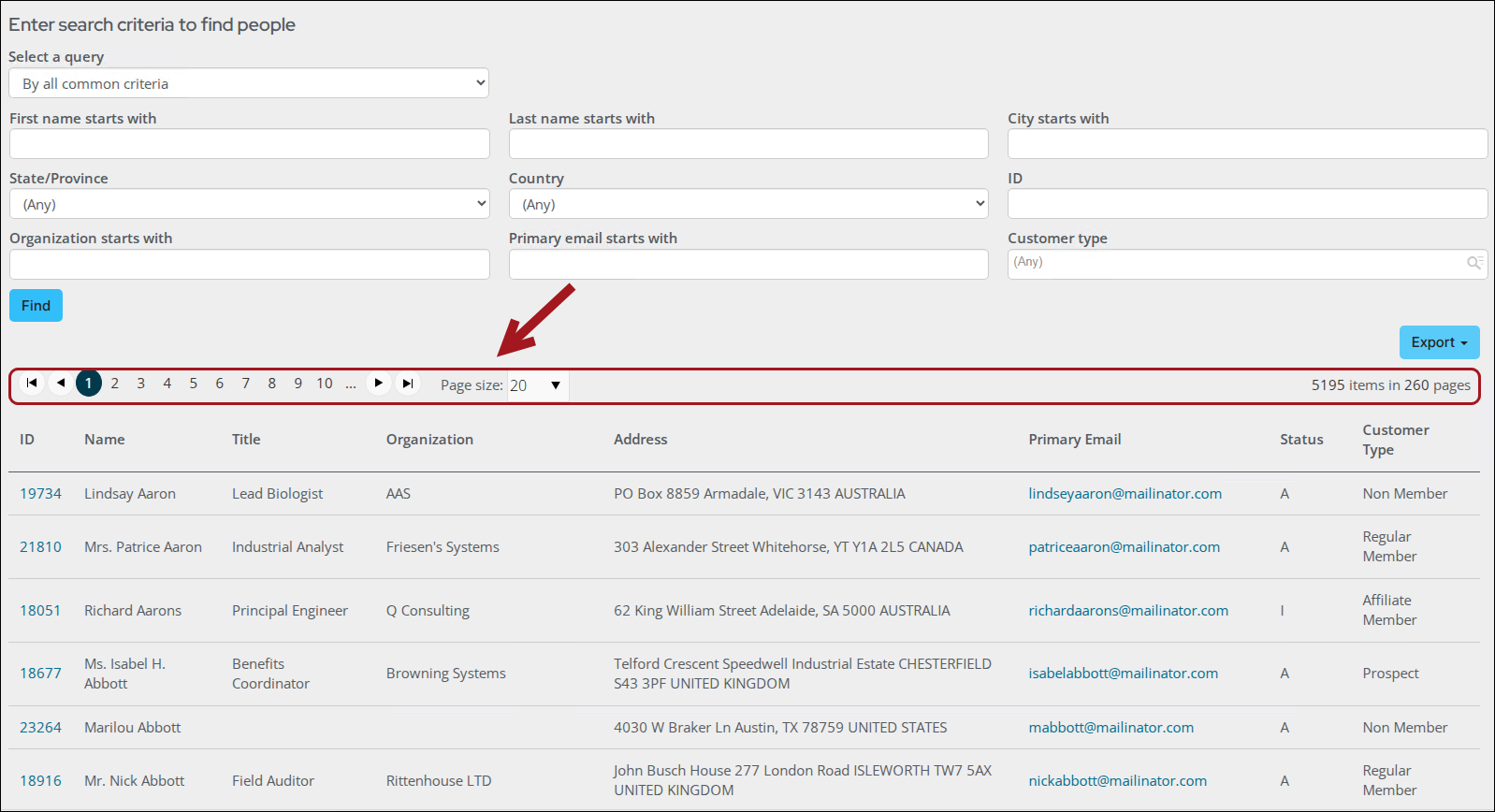
Paging can be configured on the following content items:
Do the following to configure paging:
- Add or edit either the Query Template Display, Query Menu, or Common Search content items. See Configuring content items.
- Select Configure.

-
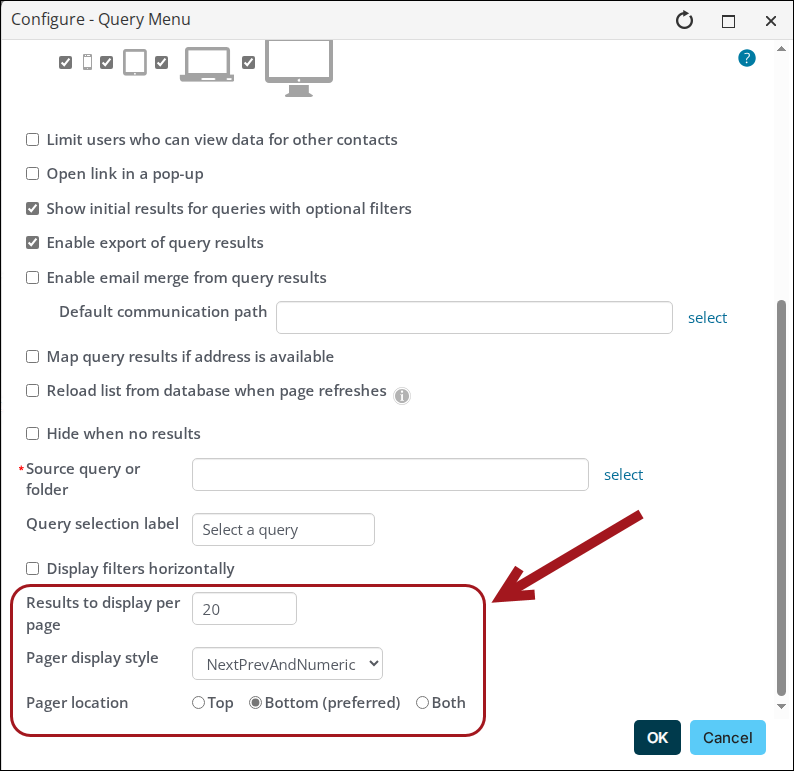
Configure the following:
- Enter the Results to display per page.
- Select a Pager display style from the drop-down.
- Choose a Pager location: Top, Bottom (preferred), or Both.
-
Click OK.
-
Click Save and then Publish.
Updated 20 days ago
Did this page help you?