

Updating media orders
Easily update rate cards, advertisement sizes, colors, frequencies, impressions, and advertisement costs for existing media orders.
NoteTo update posted media orders, you must unpost the orders. For more information, see Posting and unposting orders.
Do the following to update a media order:
-
Go to Advertising > Media orders.
-
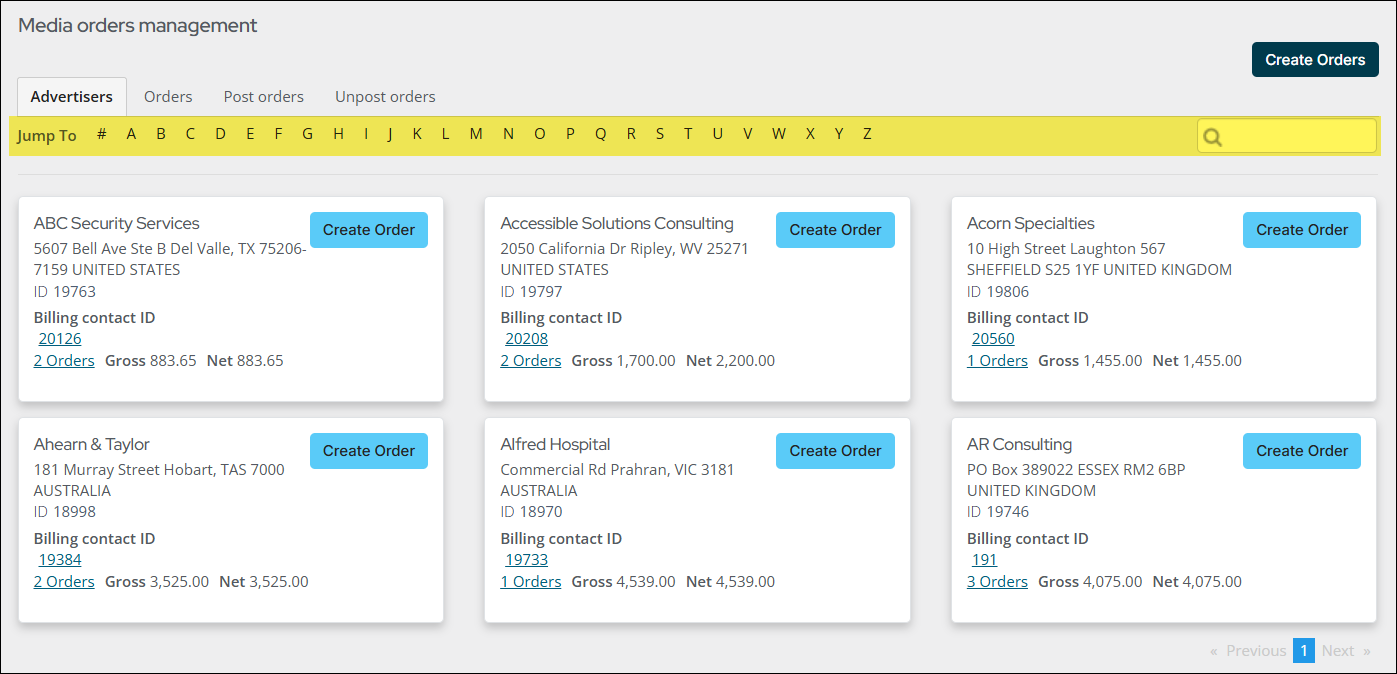
Locate the advertiser by selecting the first letter of the advertiser from the Jump To links.
-
Click on the Orders link.
-
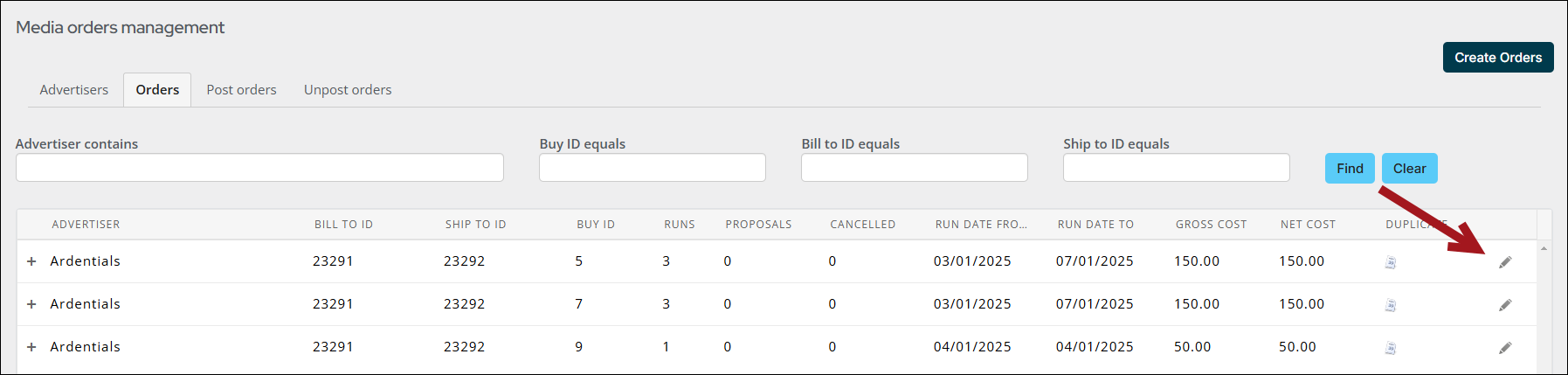
Click the edit icon for the buy that needs updating.
- Click Next to navigate to the tab you need to update.
- Update the rate card, advertisement size, color, frequency, impressions, purchase order number, and cost as necessary.
- (Adjustments tab) Click the Update button to update the media order. The Gross cost and Net cost are updated.
Updated 3 months ago
Did this page help you?