

Managing non-fee based chapters
Staff users and chapter administrators can modify the chapter rosters of non-fee based chapters. Members can be added, removed and their membership dates modified. Chapter membership roles can also be adjusted.
NoteNon-staff Chapter Administrators can access their chapters from the My chapters and sections area in the My Participation tab of their account page.
Updating the settings
Do the following to update the related settings:
- Go to Settings > Membership.
- Enable one or both of the following settings:
- (staff only) Allow staff to manage chapter memberships directly from member list (recommended only if all chapters are complimentary)
- (chapter administrators only) Allow Chapter Administrators to manage chapter memberships directly from member list (recommended only if all chapters are complimentary)
- Click Save.
Once the settings are enabled, authorized users can do the following tasks:
-
Add contacts to a chapter – Authorized staff users can add existing contacts to the chapter. Chapter Administrators can only add new contacts to the chapter.
-
Assign the Chapter Administrator role - Chapter Administrators can assign the Chapter Administrator role to existing chapter members.
-
Edit chapter memberships – Authorized staff can modify the Begin and End dates of chapter memberships. However, the chapter administrator role Begin and End date cannot be edited.
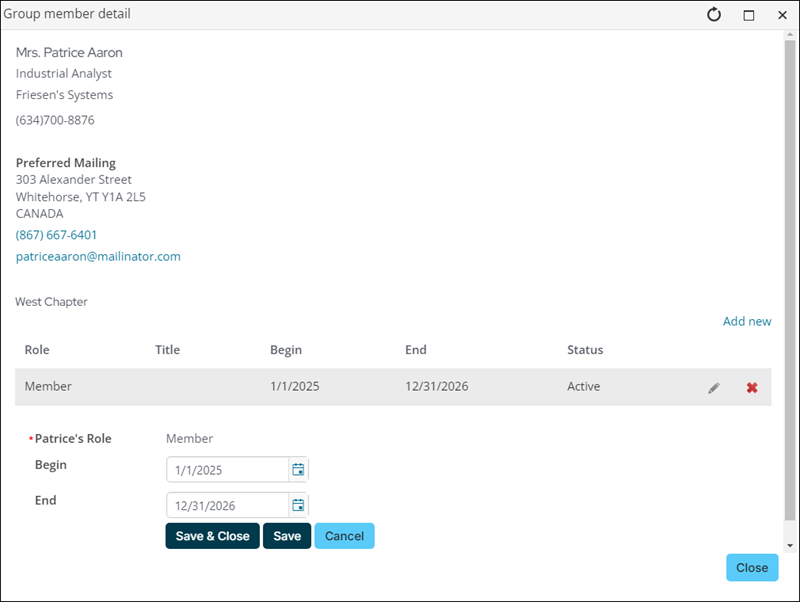
- Delete members from the chapter – Authorized staff and Chapter Administrators can delete members, and those assigned the Chapter Administrator role, from the chapter.
Updated about 1 month ago