

Adding activity attachments
Attach files to activity records through the use of multi-instance panels. Users can add up to fifty attachments to a panel.
Adding the Attachment property to a panel
Do the following to add the Attachment property to an activity panel:
-
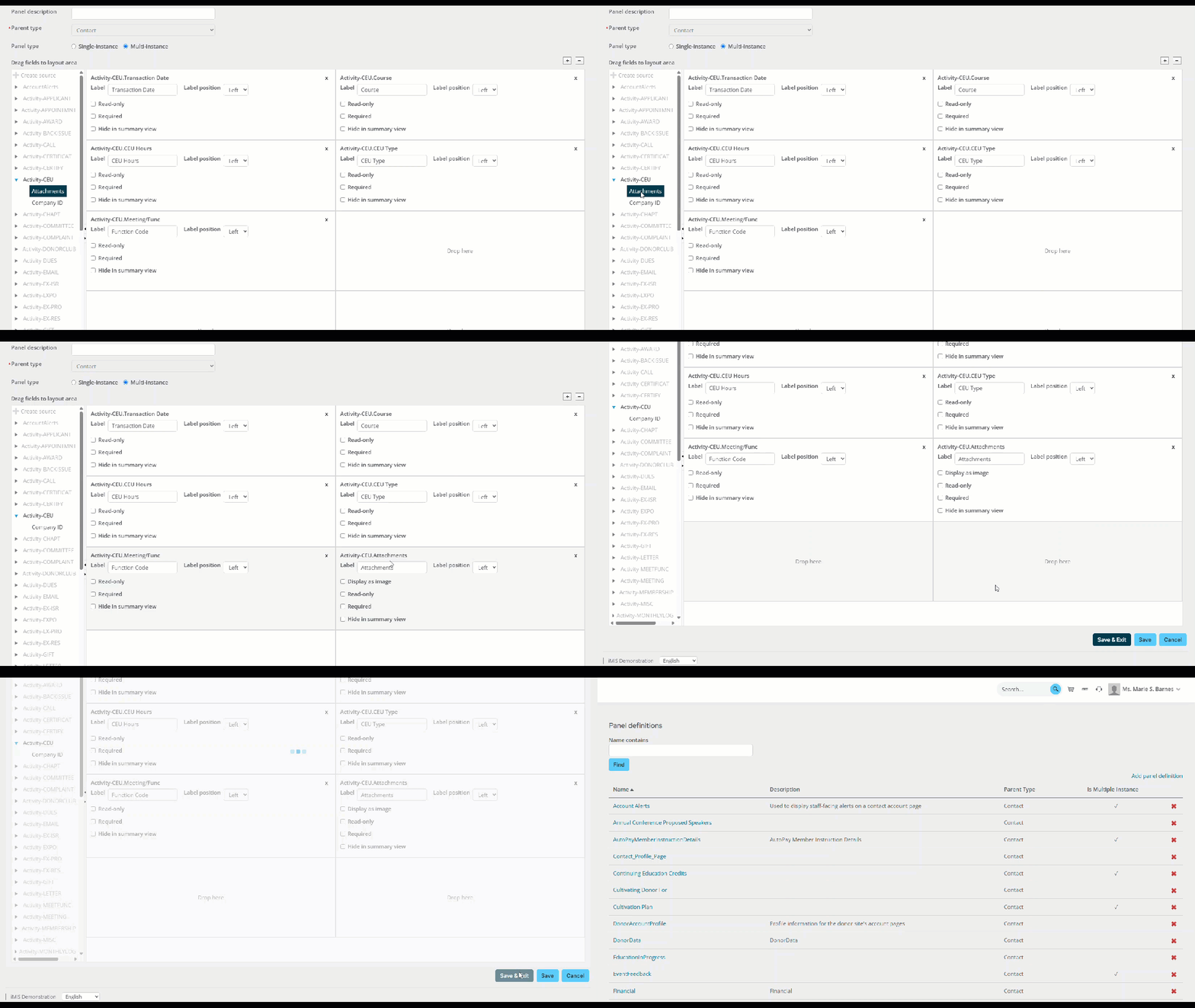
Go to RiSE > Panel Designer > Panel definitions.
-
Edit or create a new multi-instance panel. The following configurations are required:
- Parent type: Contact
- Panel type: Multi-instance
-
Open the related activity type.
-
Drag the Attachments property to the layout area.
 Tip
TipMost activity types have an Attachments property. This process must be repeated for any activity panel that requires attachments.
- Click Save & Exit.
Uploading documents to the property
After the Attachment property is added to the panel, you can upload attachments:
-
Navigate to the account page and locate the panel. To learn how to add a panel to an account page, see Creating a panel and adding it to account pages.
-
Click the + icon to add a new row.

-
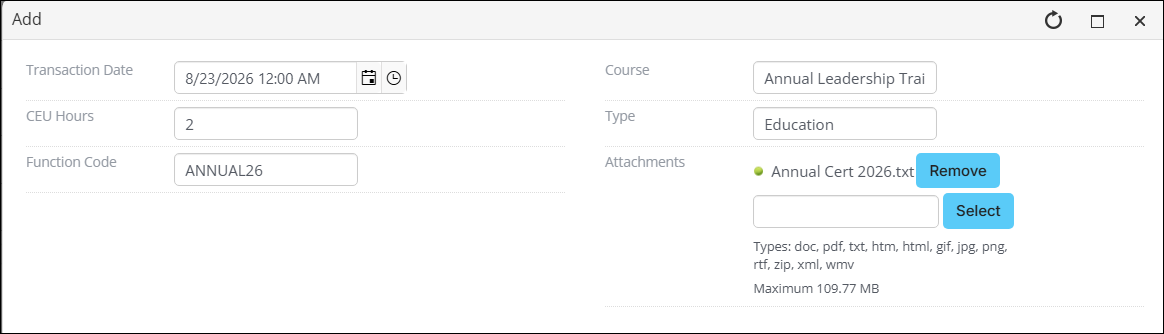
From the Attachments property, click Select and choose the attachment.
NoteAllowed file formats for attachments are specified in the Quick setup settings.
-
To continue adding attachments, click Select and choose the next attachment. The maximum amount of attachments is 50.
-
Click Save & Close.
-
Download the attachments by clicking on the file. Edit the attachment by clicking the pencil icon for the desired row.

Updated 27 days ago