

Hiding a page from the search
To hide a page from the search, add it to a content folder that is not included in search results.
Do the following to hide content pages from the search:
-
Go to RiSE > Page Builder > Manage content.
-
Select the website folder.
-
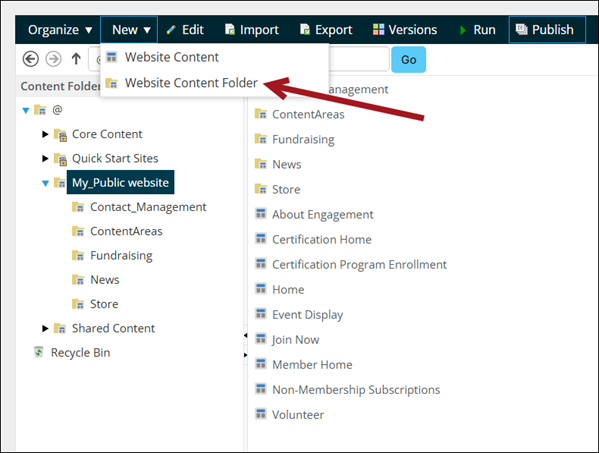
Click New > Website Content Folder.
-
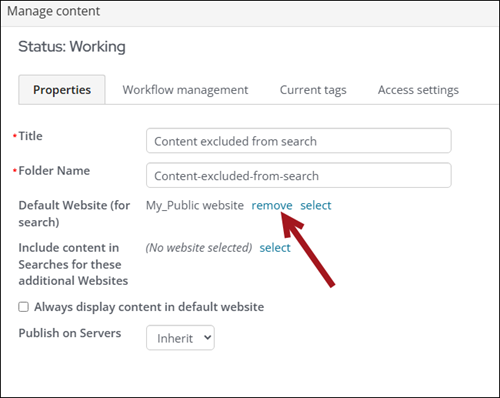
Enter a Title for the folder.
-
From the Default Website (for search) property, remove the website.
- Click Save.
- Create new content and save it to this folder. Any content added to this folder will not be included in the search results.
Updated 3 months ago
Did this page help you?