

Report Writer: Fundraising Reports
Access requiredTo access the Report Writer, you must be a system administrator or a staff user in the Reporting Users Full Control security group.
The following are out-of-the-box reports created with Report Writer.
In addition, any sample report can be duplicated and tailored to your organizations needs. This can be accomplished by using a Template. See Creating an Advanced Report based on a template for more information.
To find these reports, go to Reports > Report Writer.
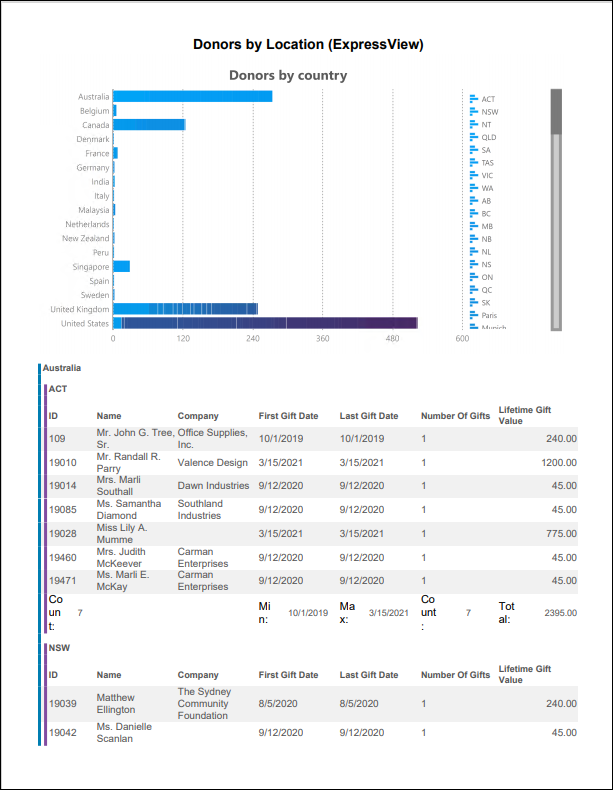
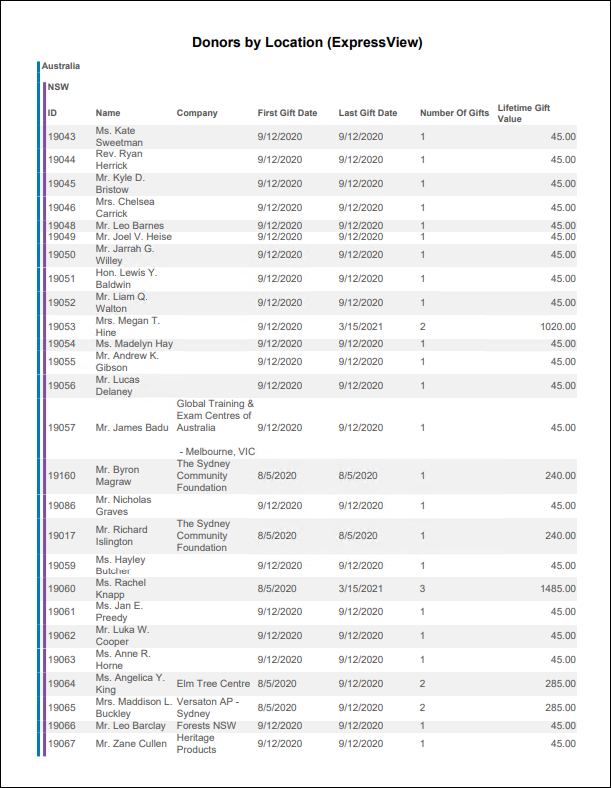
Donors by Location (ExpressView)
ExpressView report showing donors by country and state/province.
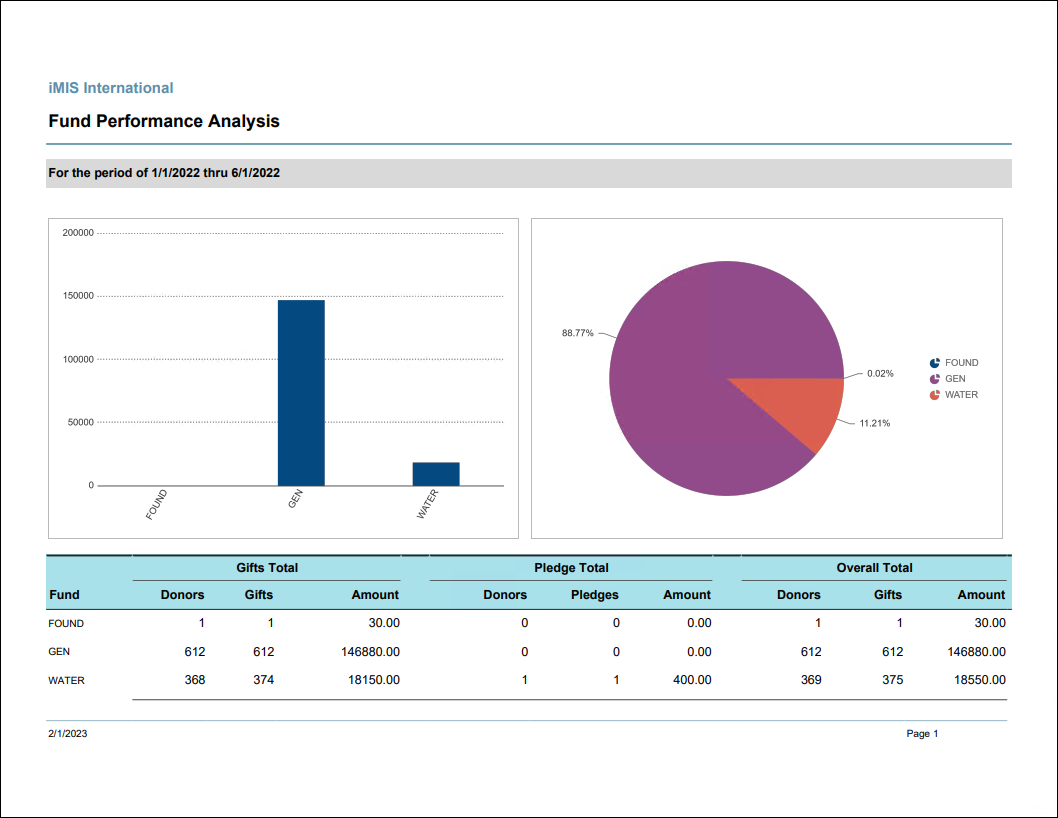
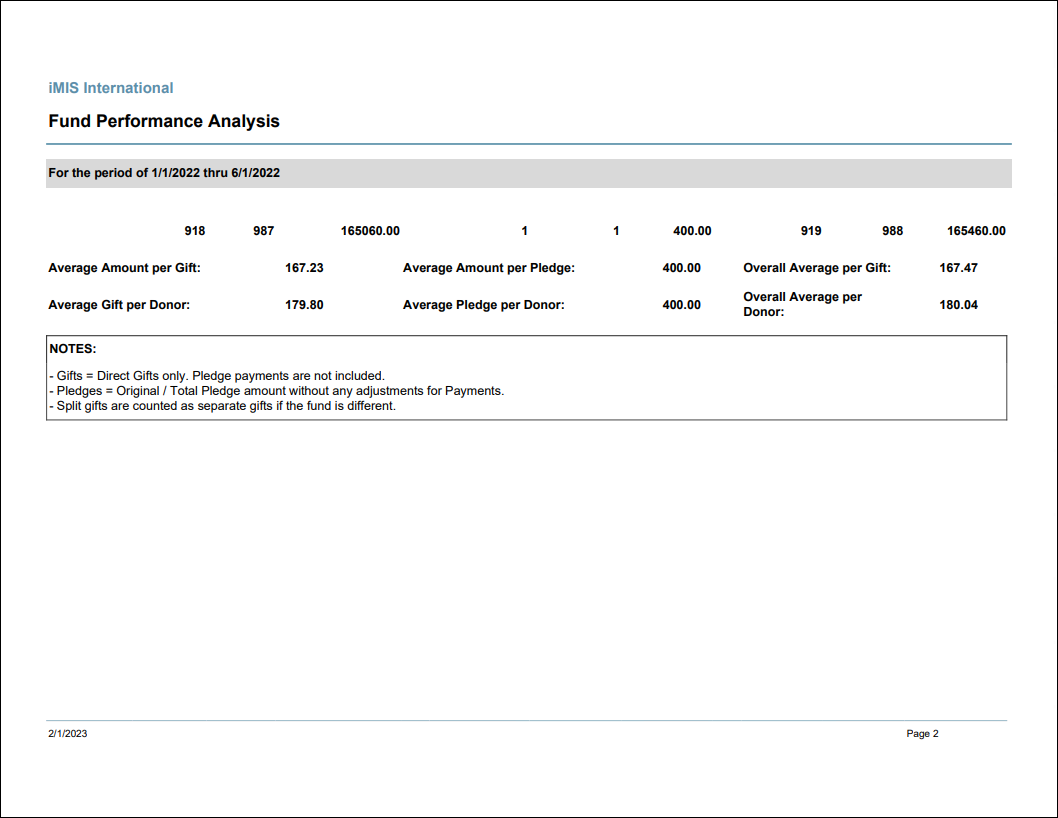
Fund Performance Analysis
Comprehensive summary of Fund results and statistics for a specified date range. Provides a snapshot of each Fund with a summary of number of donors, number of gifts, and amount for Gifts and Pledges separately.
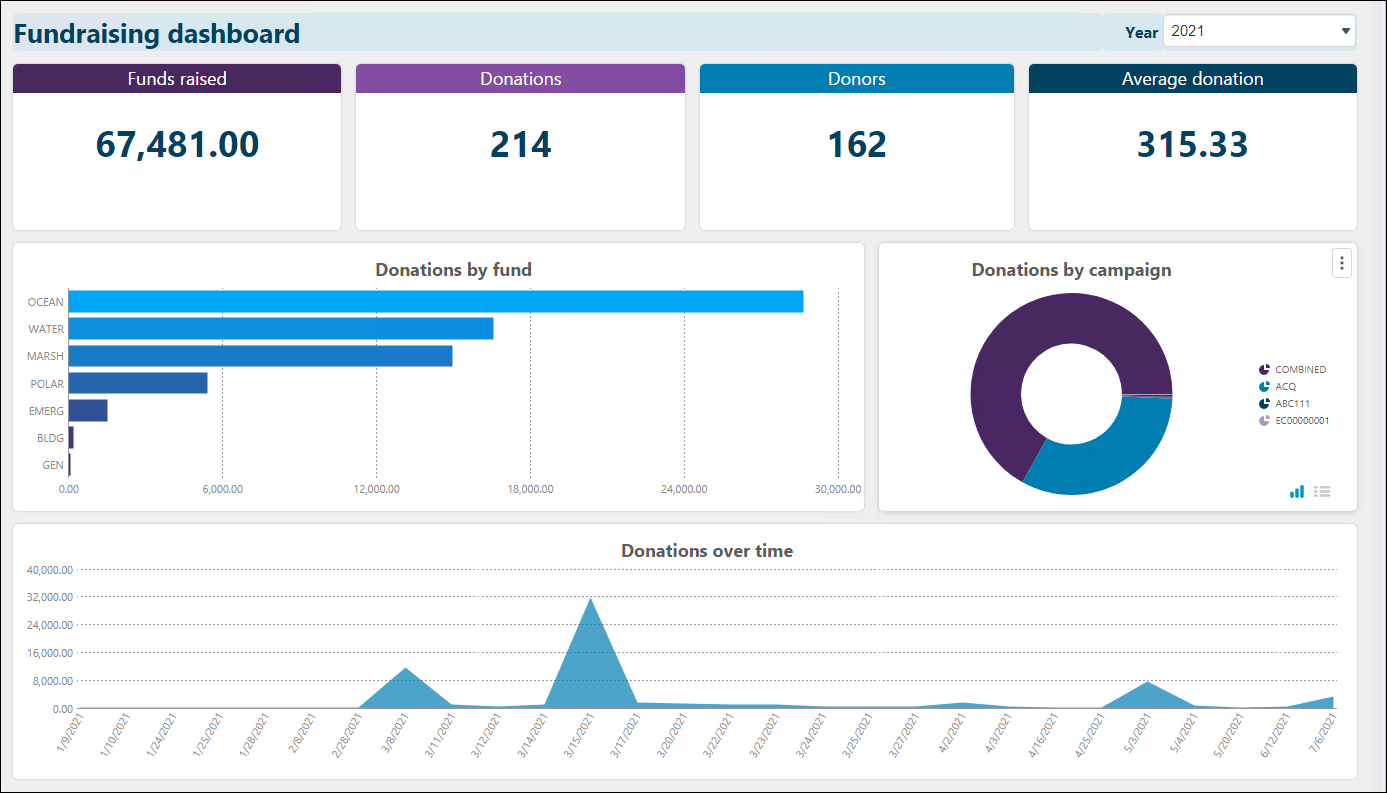
Fundraising Dashboard
Displays information such as, amount of funds raised, amount of donations, number of donors, average amount of donation, donations by fund, donations by campaign, and donations over time. Use the drop-down in the top-right to change the year.
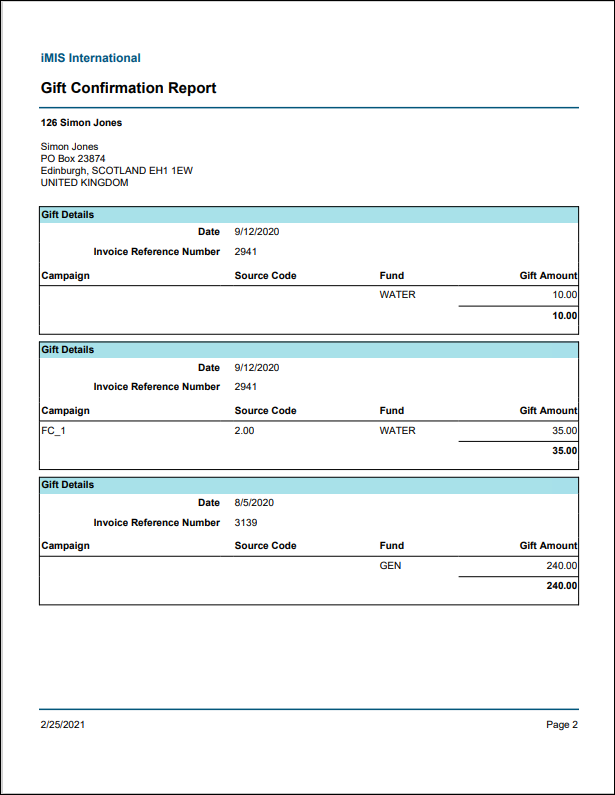
Gift Confirmation Report
Provides details for each Gift from Fundraising, Events, and Dues, grouped by donor.
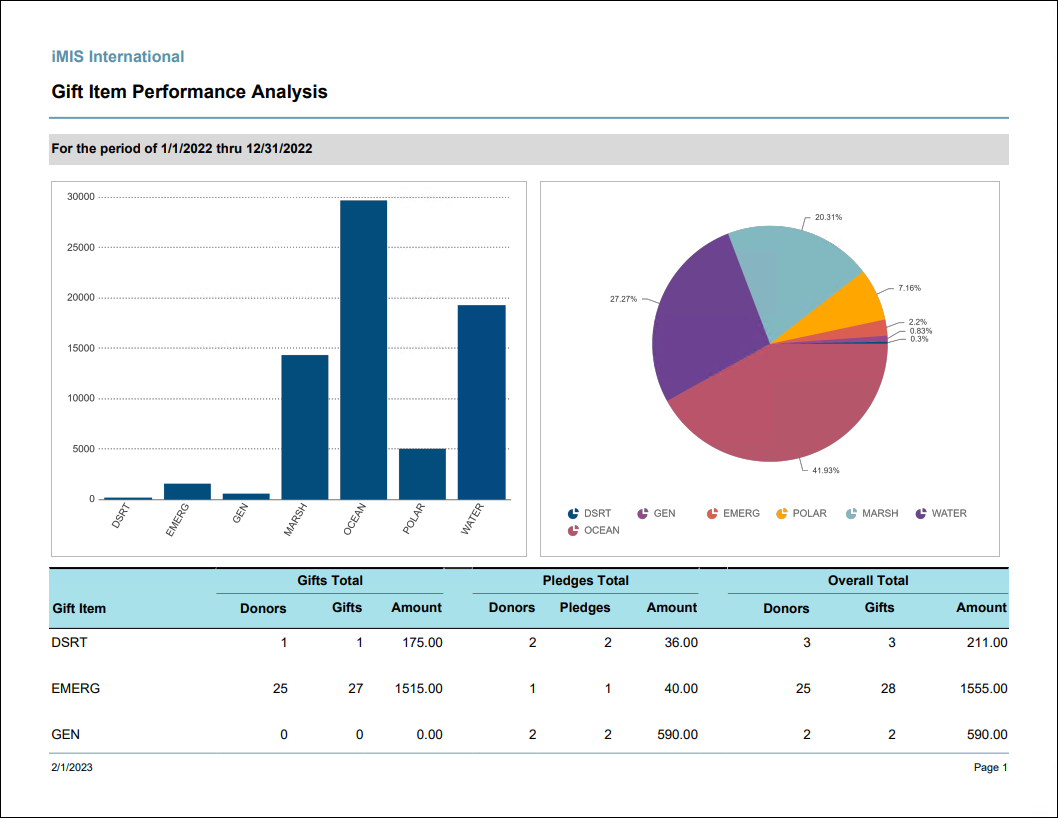
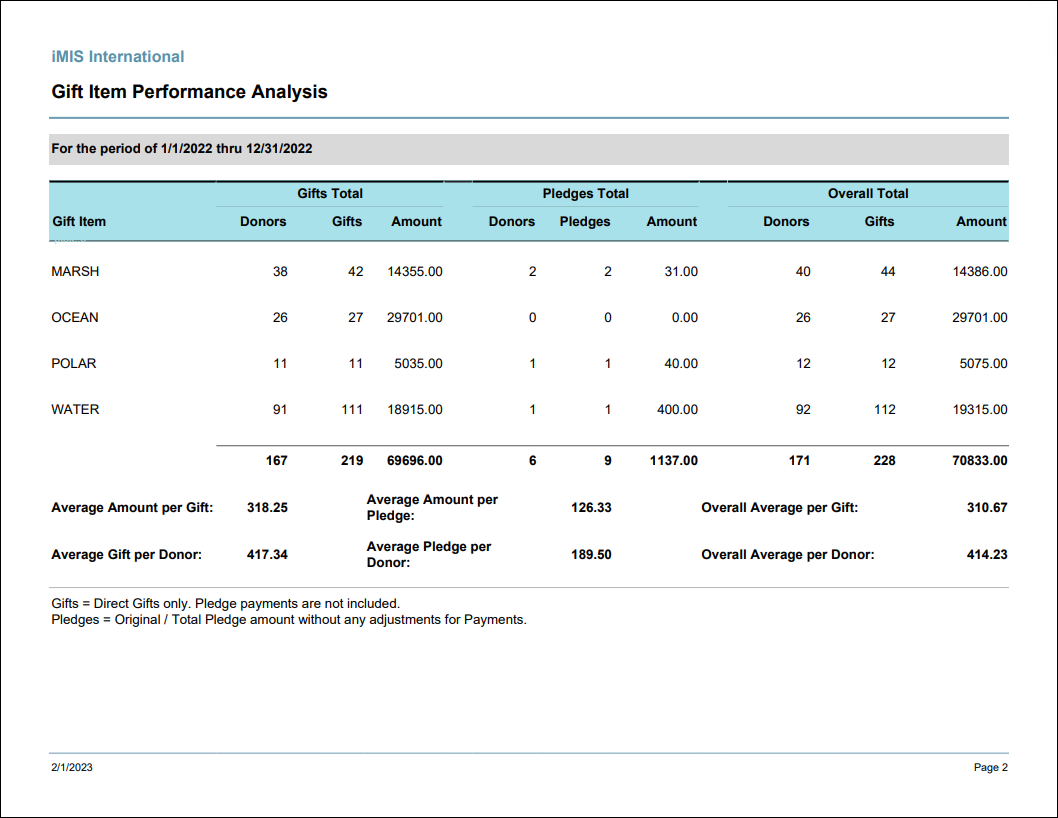
Gift Item Performance Analysis
Comprehensive summary of gift item results and statistics for a specified date range. Provides a snapshot of each gift item with a summary of number of donors, number of gifts, and amount for gifts and pledges separately. Split gifts created in iMIS Desktop are not included
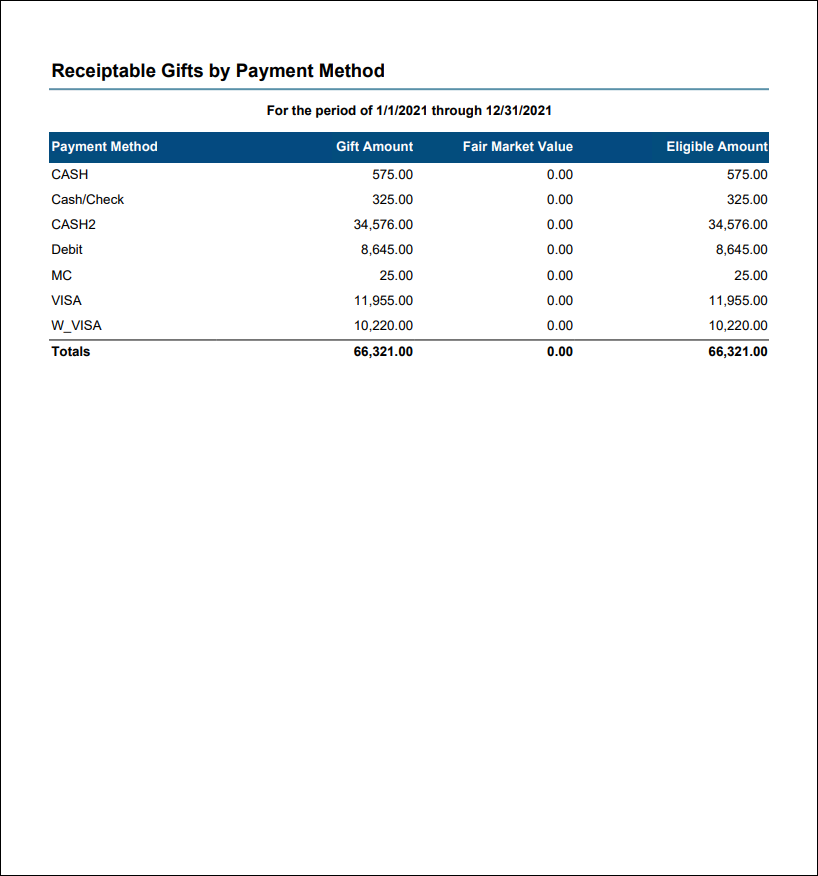
Gift Totals by Receiptability and Payment Method
Total gift amounts for the specified date range with Fair Market Value and Eligible Amount for Receiptable and Non-Receiptable gifts, broken out by payment method. Gifts with voided receipts are excluded. Optionally filter by one or more payment methods, or by Individuals or Organizations. This report can be used to report on total gift amounts for tax reporting purposes, with the ability to break out the totals by receiptable vs. non-receiptable gifts, In Kind vs. non-In Kind gifts, and gifts by Individuals vs. Organizations.
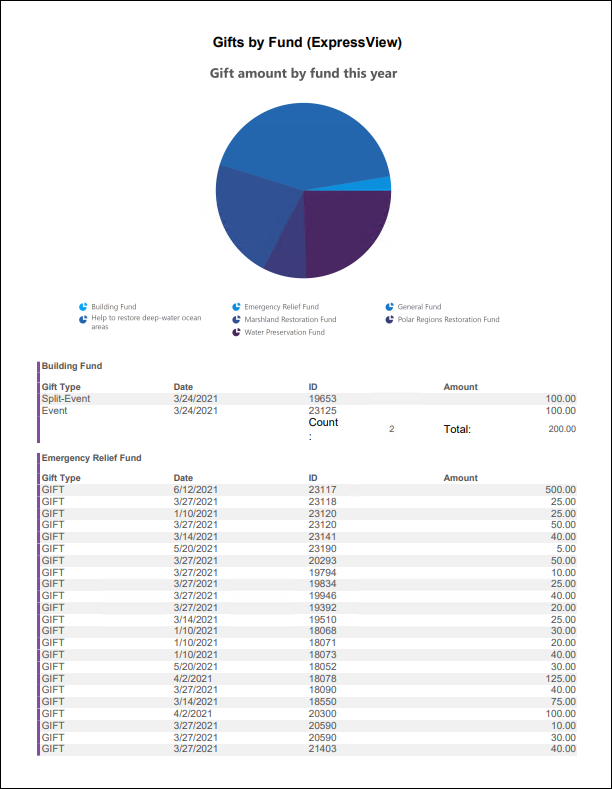
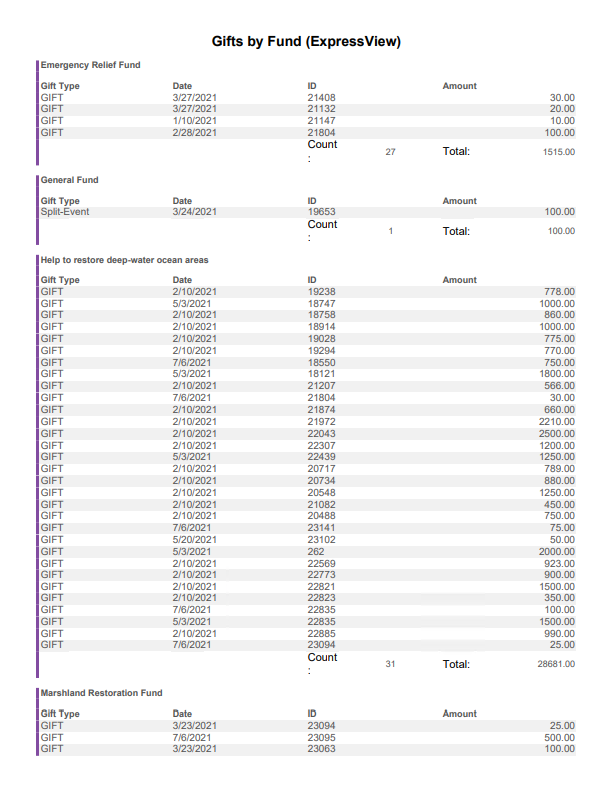
Gifts by Fund (ExpressView)
ExpressView report showing gift amounts by fund for the current year.
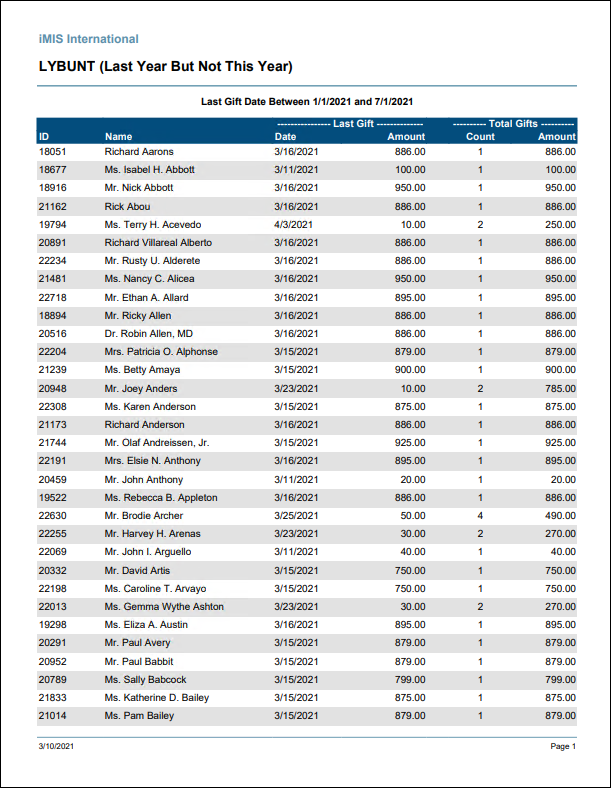
LYBUNT
Lists donors who made donations (including charitable dues and event functions) during a given time frame but have not given since that time frame (“Last Year But Not This Year”). Includes information about the last gift, and the total count and amount of lifetime gifts.
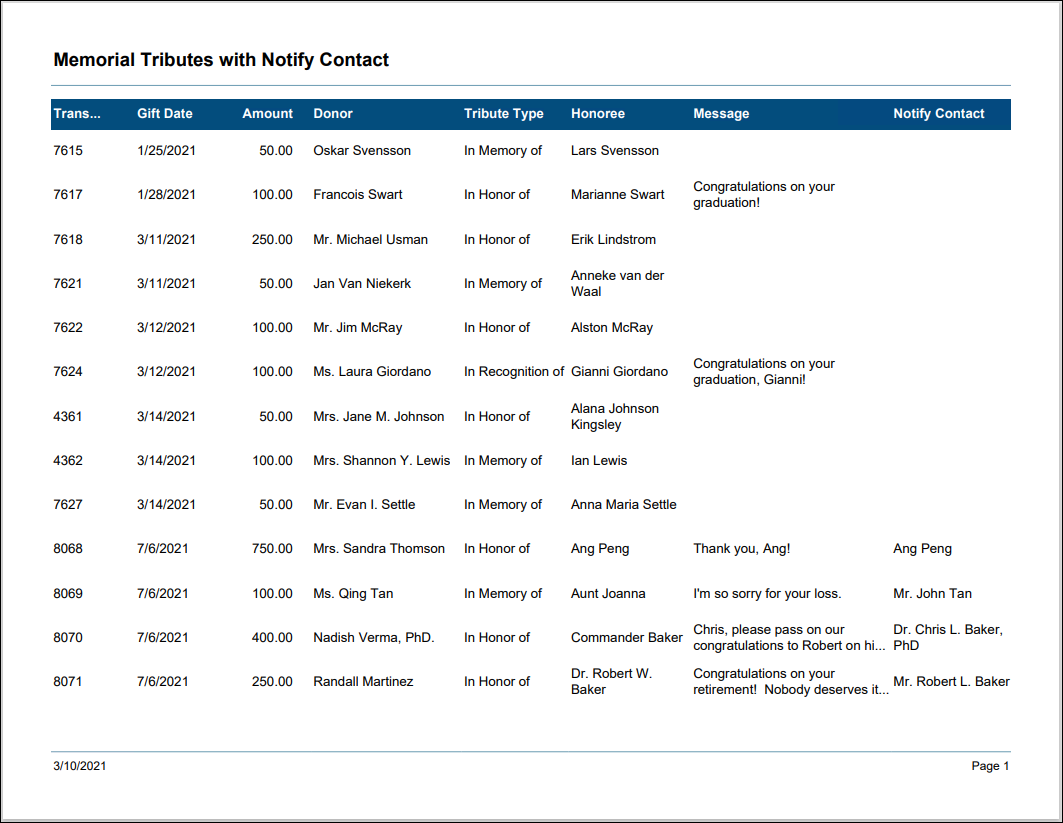
Memorial Tributes with Notify Contact
Lists gifts which are given as a tribute to someone, including the tribute type, honoree, message and notify contact. Can be filtered by gift date or amount, donor, honoree or notify contact.
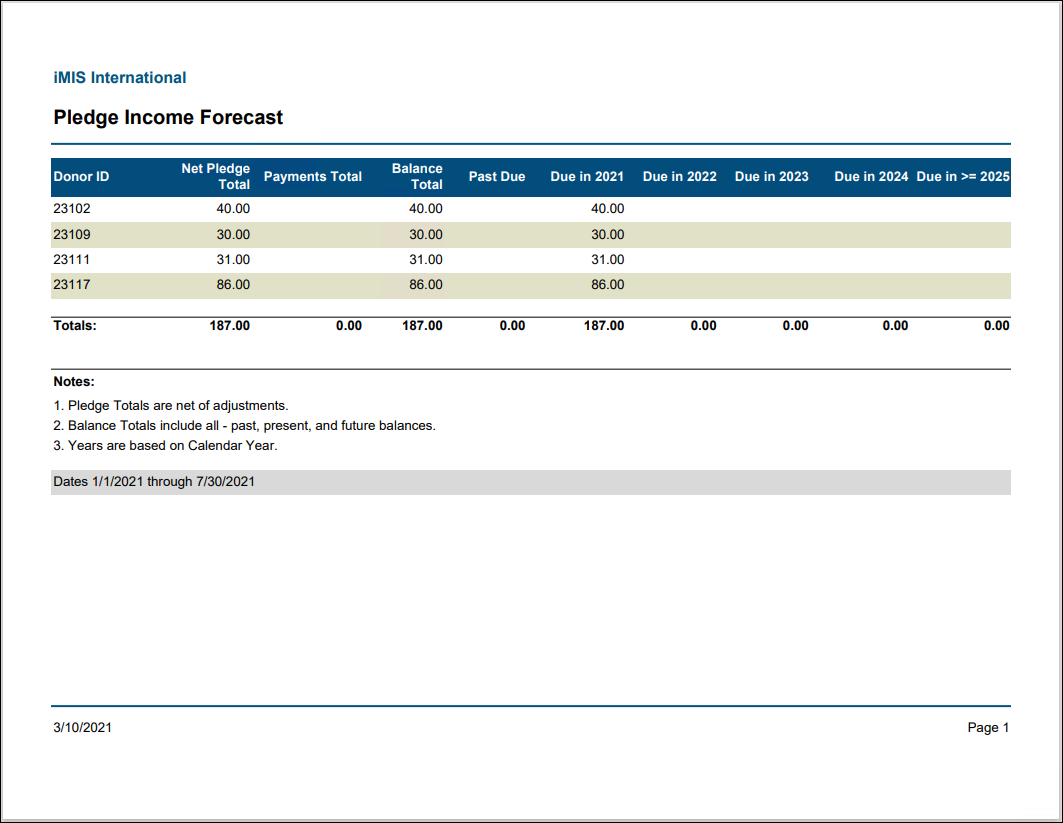
Pledge Income Forecast
Provides a summary of all pledge amounts, total amount paid, and the total outstanding balance for each donor, as well as the amount of expected pledge payments broken into each year.
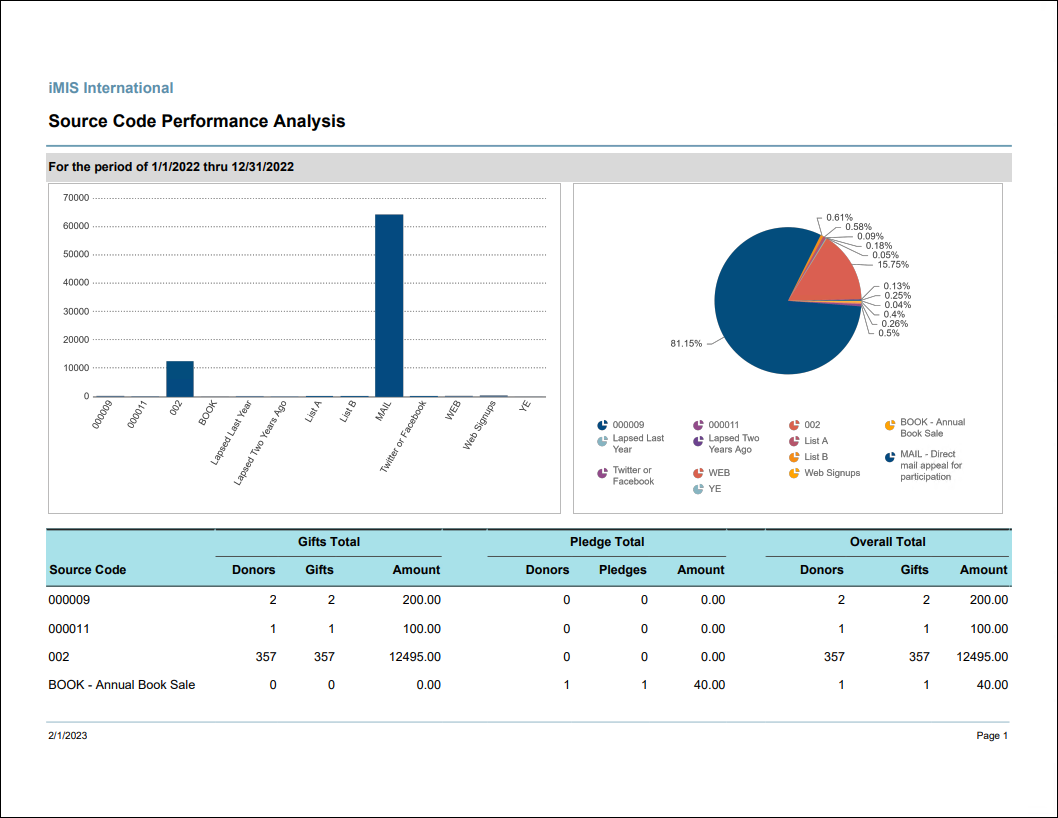
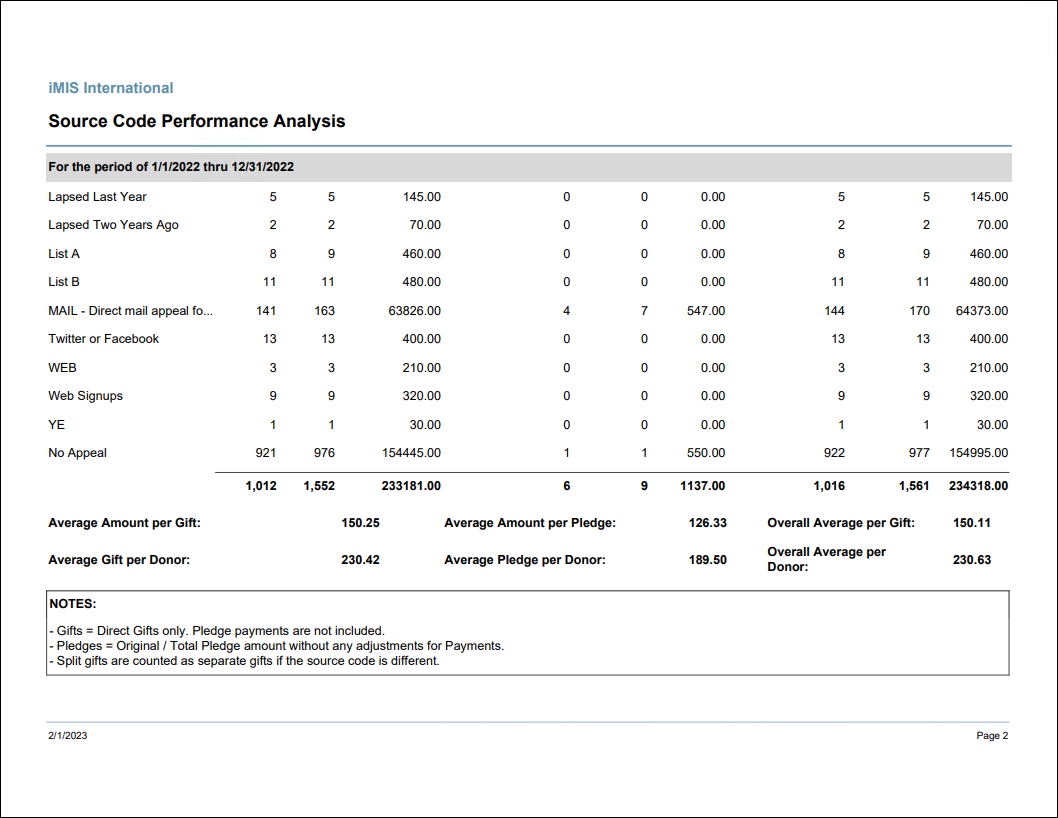
Source Code Performance Analysis
Comprehensive summary of source code results and statistics. Provides a snapshot of each source code with a summary of number of donors, number of gifts, and amount for Gifts and Pledges separately.
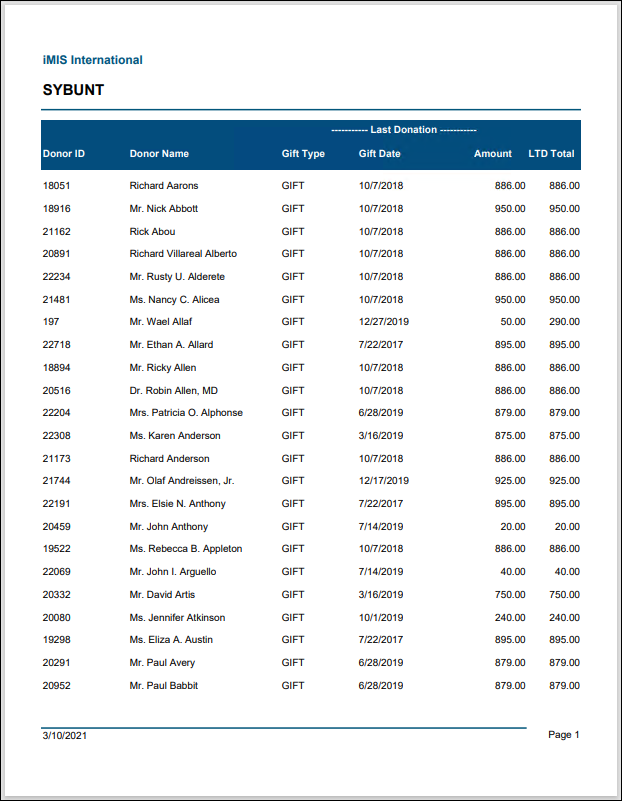
SYBUNT
Lists donors who made donations “Some Year But Unfortunately Not This Year”. Donors will be included if their last gift was more than two years prior to the run date of the report (based on calendar year; fiscal year is not taken into consideration).
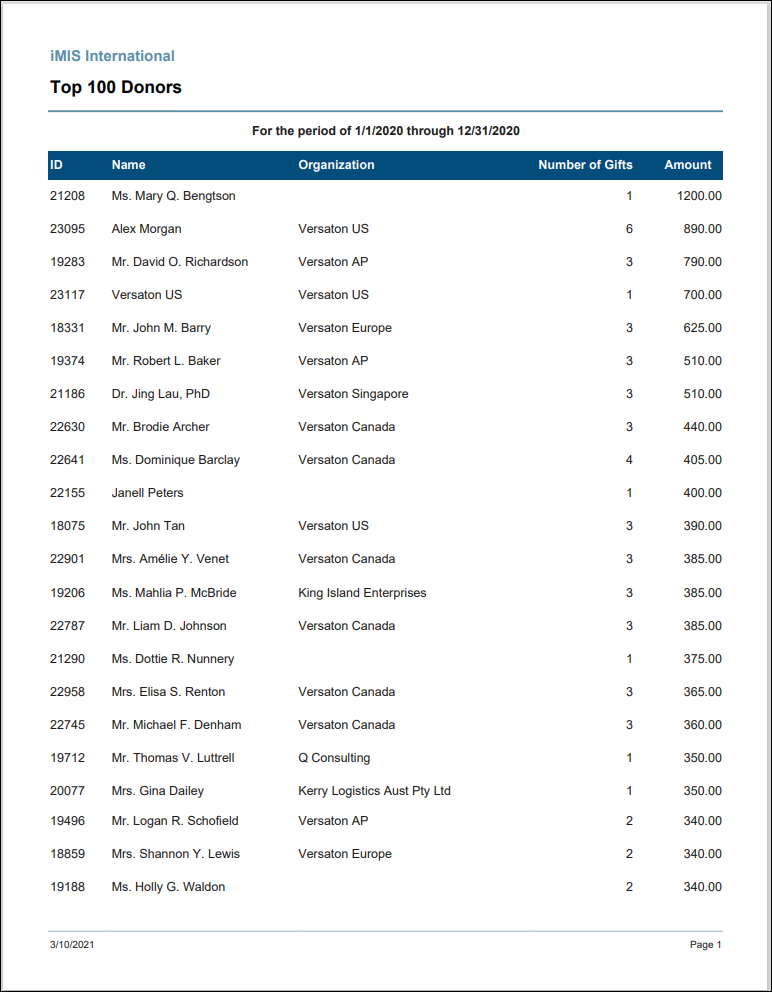
Top Donors
Prints a list of the top donors based on their gift amounts (including pledge payments) for the specified date range. User can select the number of donors to return, up to a maximum of 100 donors. This list can be filtered by donors only or organizations only.
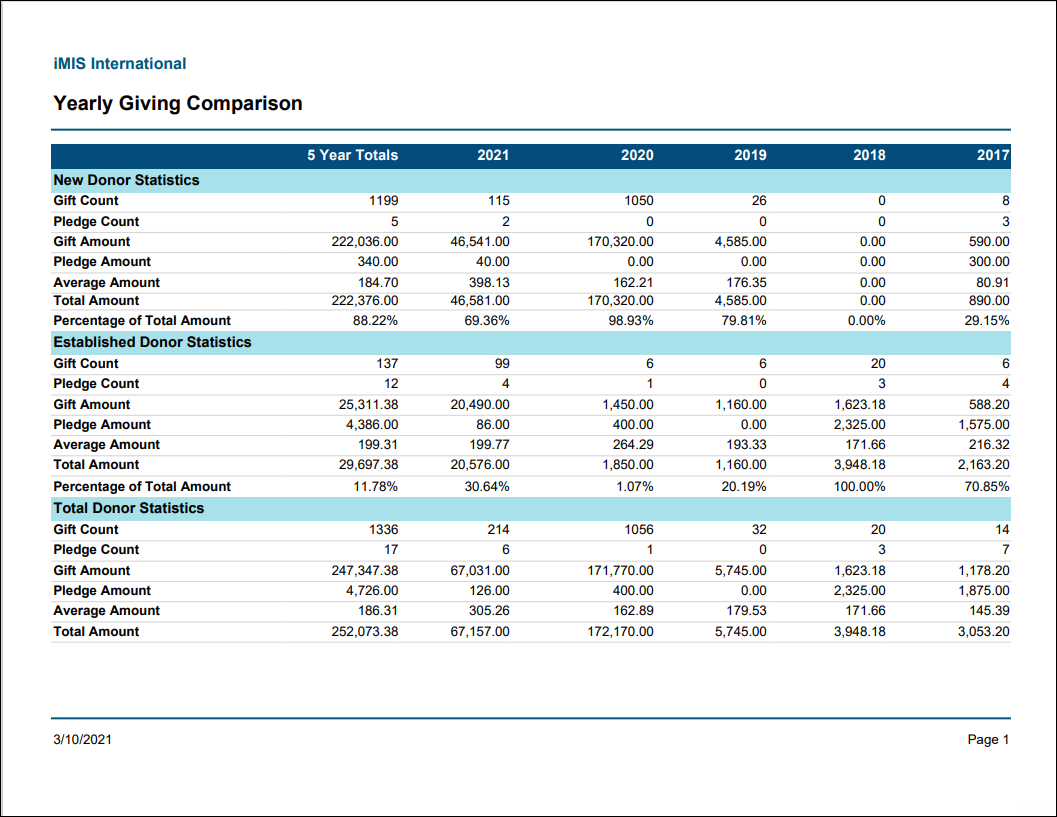
Yearly Giving Comparison
Prints a grid of gift and pledge counts and totals for the current year and the preceding four calendar years. Categorized by New Donors (the year the donor made their first contribution), Established Donors, and Total.
NoteThis report is resource-intensive, resulting in slow loading times. We recommend using the SRSS version of the Yearly Giving Comparison report as a faster alternative.
Updated 25 days ago