

Creating barcodes
Access requiredTo access the Report Writer, you must be a system administrator or a staff user in the Reporting Users Full Control security group.
Bar codes can be added to reports for things such as scanning attendee IDs for event registrations.
Do the following to add a bar code to a report:
-
Create a new report or open an existing report.
TipFor more information on report creation, see iMIS Report Writer.
-
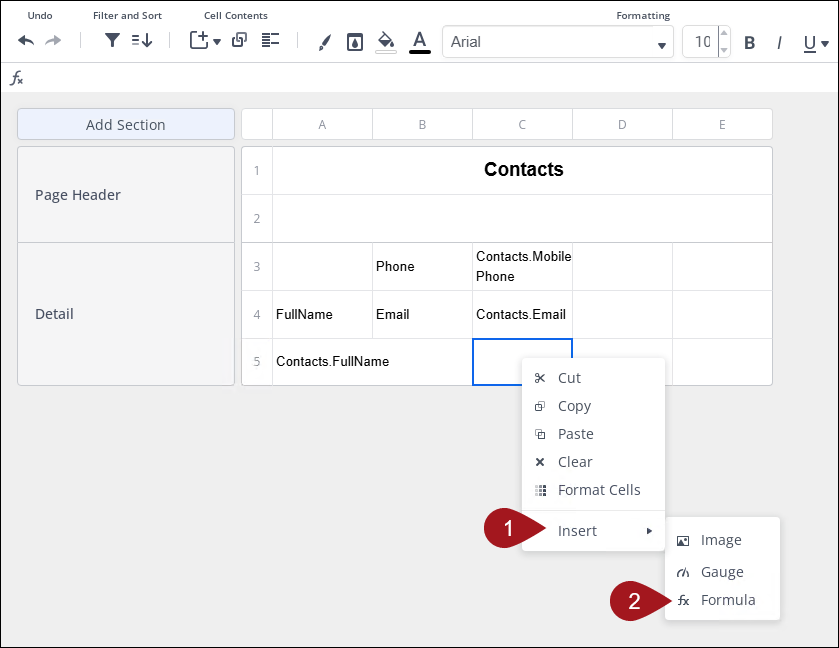
On the next empty column of the report, right click and select Insert > Formula.
-
Click the data source that contains the bar code information.
-
In the Search for Functions search bar, type Barcode or go to Other > Barcode.
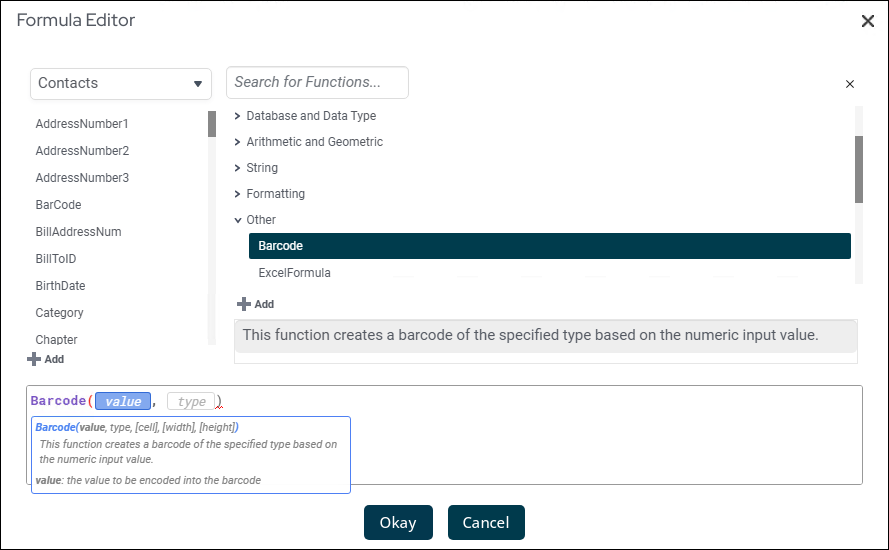
- Click Add.
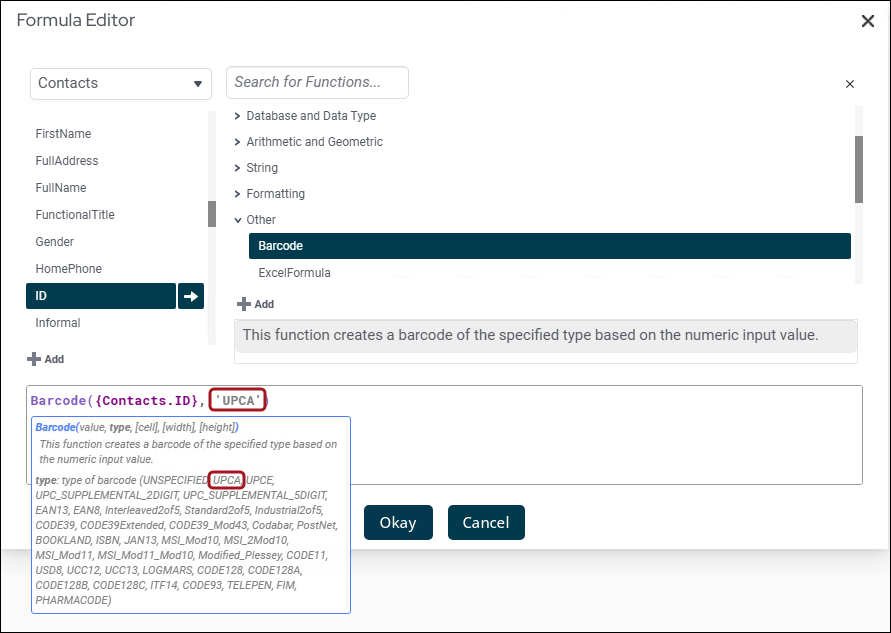
- Click type. A list of barcode types appears below.
- Choose the type of barcode you want and copy/paste it over type.
- Click Okay.
Updated 26 days ago
Did this page help you?