

Automatic Payment Enrollments
The Automatic Payment Enrollments content item displays a grid of recurring payment enrollments including membership renewals and donations. This iPart content item will only be displayed when there is a Join Now product or a renewal invoice (either accrual or persisted cash-based memberships) in the Cart.
Table 1: Viewing enrollment types, image, and notes
| Enrollment type | Image |
|---|---|
| Automatic Membership Renewal | 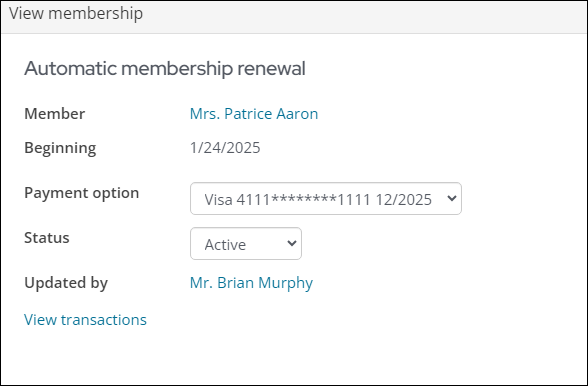 |
| Recurring Donations | 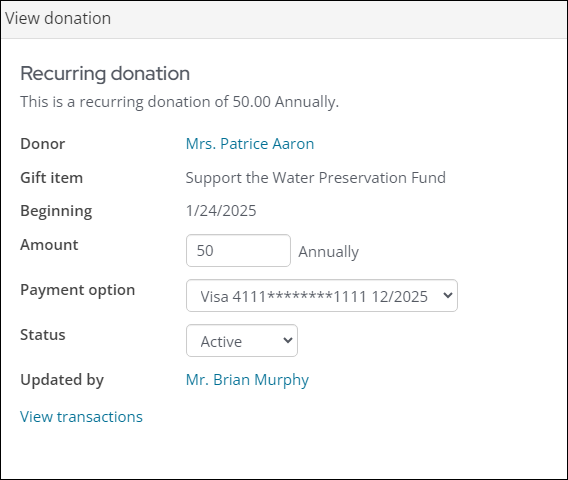 |
This content item uses the Common content item configuration options, in addition to the following:
- Enrollment types to display:
- Memberships - Select this option to display active auto-renew memberships.
- Donations - Select this option to display active recurring donations.
- Both - Select this option to display active auto-renew memberships and recurring donations.
- Display cancelled enrollments - Select to include cancelled transactions in the automatic payment enrollments grid.
- Hide when there are no enrollments to display - Select to hide the content item when there are no recurring enrollments.
- No enrollments message - You can create your own message to display in this field when there are no recurring enrollments.
- Allow public users to cancel enrollments - Enable to allow members and donors to cancel their AutoPay enrollments from a public-facing website.
- Public cancellation confirmation messages - The message that displays to members and donors confirming the cancellation of their enrollment.
Updated 5 months ago
Did this page help you?