

AI Course Description Generator
The AI Course Description Generator helps administrators quickly create a draft course description using AI, based on all native text content within a course.
After the course description is generated, administrators can review and refine the results to ensure it aligns with organizational standards.
NoteTopClass includes optional AI-powered features designed to enhance the learning and administration experience. When enabled, AI is used only to support specific application functionality. No personal, private, or identifiable user data is shared with or retained by AI services. All AI usage within TopClass adheres to TopClass data privacy, security, and compliance standards. See the AI addendum in your TopClass Subscription agreement for more information.
Enabling the AI Test Generator
To enable the AI Test Generator, do the following:
- Go to System Administration > System Settings.
- Click the AI Services tab.
- Ensure Enable AI Services is toggled on.
- Set the AI Course Description Generator value to Yes.
- Click Save. AI services are now available.
Using the AI Course Description Generator
To use the AI Course Description Generator to create a course description, do the following:
-
Go to Activities and Learning > Learning Activities.
-
Open the activity.
-
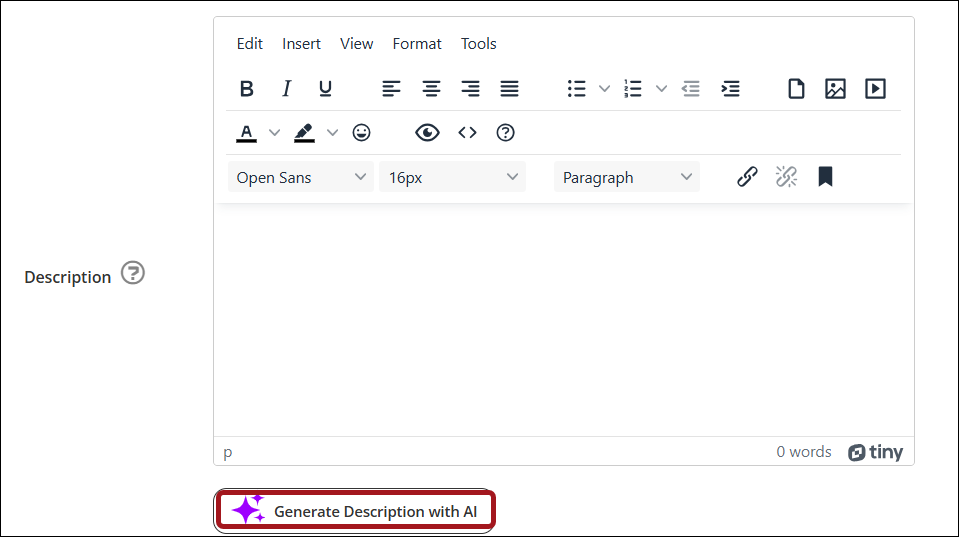
On the General Details tab, under Description click Generate Description with AI.
NoteAI generated descriptions are based on native text content only. Imported content (e.g. SCORM) and Interactive Video content will not be included.
ImportantPreviously AI generated descriptions will not be updated when new course content is added to an activity. To include new course content in the description, the AI Course Description Generator must be re-run.
Updated 3 months ago