

AutoPay Instruction Cancellation guide
This intermediate-level guide covers AutoPay instruction cancellations in iMIS EMS. Supported actions include insert, insert / update.
The following the process of creating an AutoPay Instruction Cancellation.
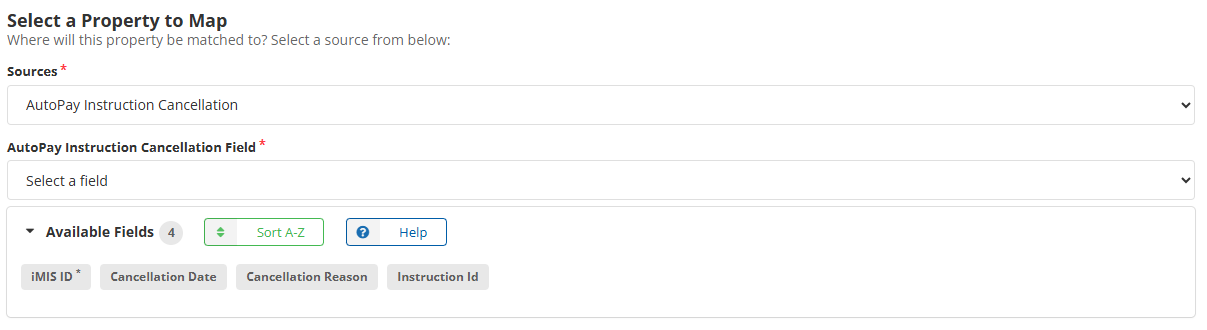
Mappings
Review the following required and optional mappings.
-
Required
- iMIS ID - ID of the record in iMIS you want to cancel the AutoPay instruction for.
-
Optional
- (Recommended) Cancellation Date - Date that the AutoPay Instruction was canceled.
- (Recommended) Cancellation Reason - Add notes as to why the AutoPay Instruction was canceled.
- (Recommended) Instruction ID - If an AutoPay Instruction ID is not (set) given then iDMS will need to find one for the given iMIS ID contact record.
Viewing AutoPay Instructions
AutoPay instruction details can also be accessed in iDMS using the Panel Data source. The following panels can be used to locate AutoPay instructions directly in iMIS:
- AutoPayMemberInstructionDetail – Use this panel for member dues AutoPay instructions.
- AutoPayInstructionDetail – Use this panel for donation AutoPay instructions.
For more information, see the Panel data guide.