

General Lookup Tables Guide
This beginner-level guide covers general lookup tables in iMIS EMS & iMIS 2017. Supported iDMS actions include Insert, Update, Insert / Update, and Delete.
This article shares details on how to work with general lookup tables data. For how to delete general lookup tables, see the Delete Action Guides.
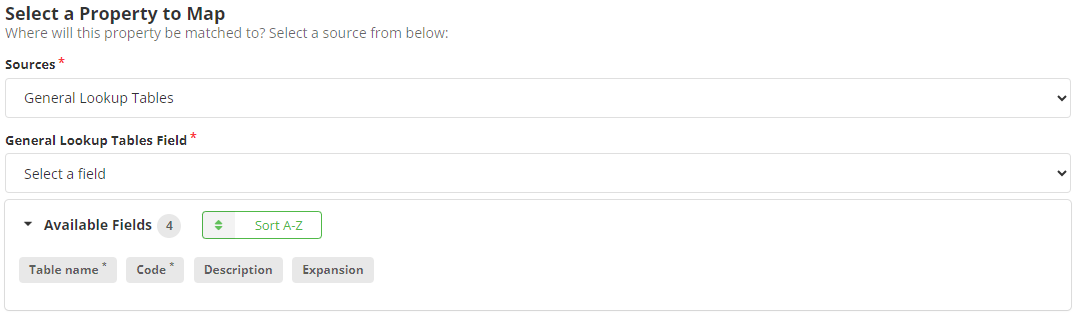
Mapping
Review the following required and optional field mappings:
Required
- Code - The code of the general lookup table.
- Table Name - The name of the general lookup table.
Optional
- (Recommended) Description - The description of the general lookup table.
- Expansion - Can be used to store additional data. Review Creating, editing, and deleting tables for information on using expansion as its usage can change the functionality of the data stored in a panel field.