

Gift Items Guide
This beginner-level guide covers gift items in iMIS EMS & iMIS 2017. Supported iDMS actions include Insert, Update, and Insert / Update.
Review the details below to learn how to work with gift items data.
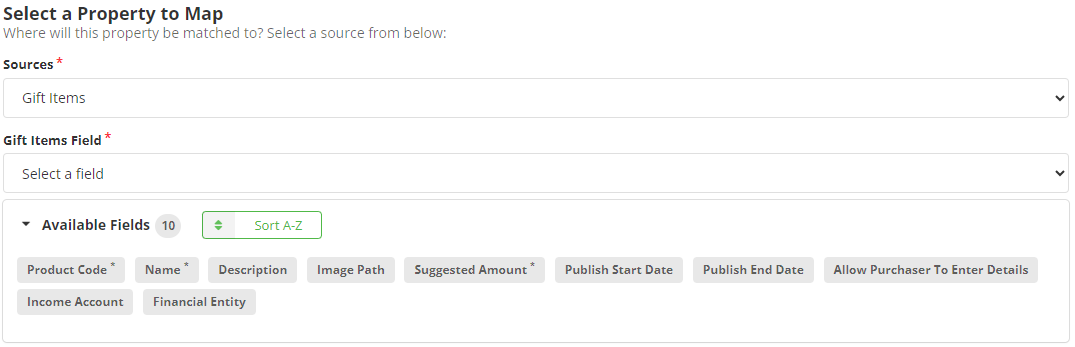
Mapping
Review the following required and optional field mappings:
Required
- Name - The name of the gift item.
- Product Code - The ID of the gift item.
- Suggested Amount - The amount to donate/gift.
Optional
- (Recommended) Description - The description of the gift item.
- (Recommended) Publish End Date - The date the item disappears from the gifts section.
- (Recommended) Publish Start Date - The date the item appears in the gifts section.
- Allow Purchaser to Enter Details - The option to allow purchasers to enter details about gifting an item.
- Financial Entity - The financial entity used for transactions associated with this gift item.
- Image Path - The path for the item’s image.
- Income Account - The income account for money associated with this gift item.