

Communication Preferences guide
This intermediate-level guide covers communication preferences in iMIS EMS & iMIS 2017. Supported iDMS actions include Insert, Insert with Matching Help, Update, and Insert / Update.
By using the Communication Preferences source within iDMS, you will have access to opt people in or out of different options.
Mapping
Review the following required and optional mappings.
-
Required
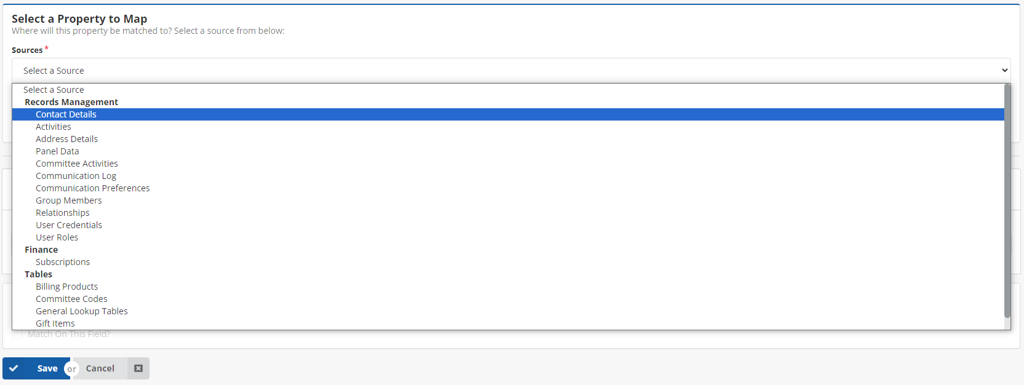
- iMIS ID - The iMIS ID of whose communication preferences are being set. Alternatively, matching on multiple fields, such as email and last name, will also work. These fields can be found under the Contact Details Source.
-
Optional
- All fields under Communication Preferences Source are optional. These are the Communication Preferences found in iMIS. Each iMIS instance will have their own unique Communication Preferences. Go to Settings > Contacts > Communication preferences.
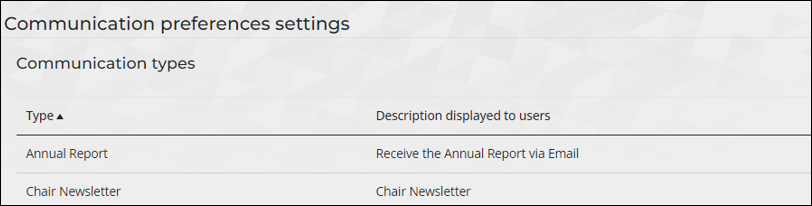
NoteTo opt someone into a certain communication preference, use one of the following: Yes/1/True. To opt someone out of a communication preference, use one of the following: No/0/False.
The following is an example of a spreadsheet for importing communication preferences:
