

Inventory Receipts Guide
This intermediate-level guide covers inventory receipts in iMIS EMS. Supported iDMS actions include Insert and Insert with Matching Help.
Inserting inventory receipts into iMIS allows staff to create new receipt records or update existing ones based on matching criteria.
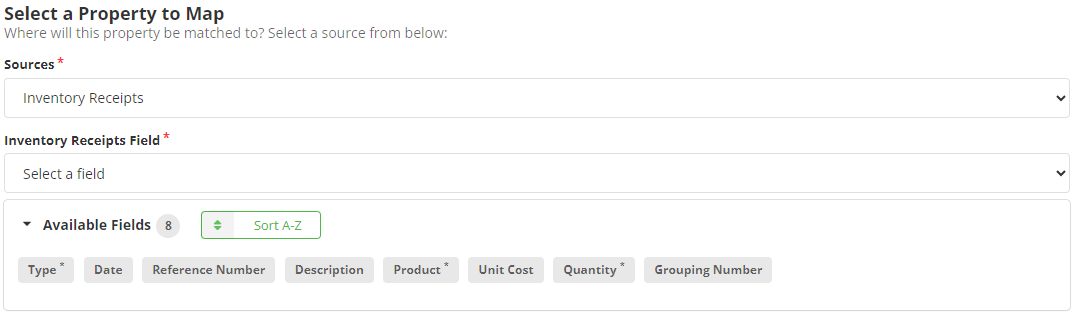
Mapping
Review the following required and optional field mappings:
Required
- Product - The Item Code of the product.
- Quantity - The amount the item should be adjusted.
- Type - Receipt or Adjustment.
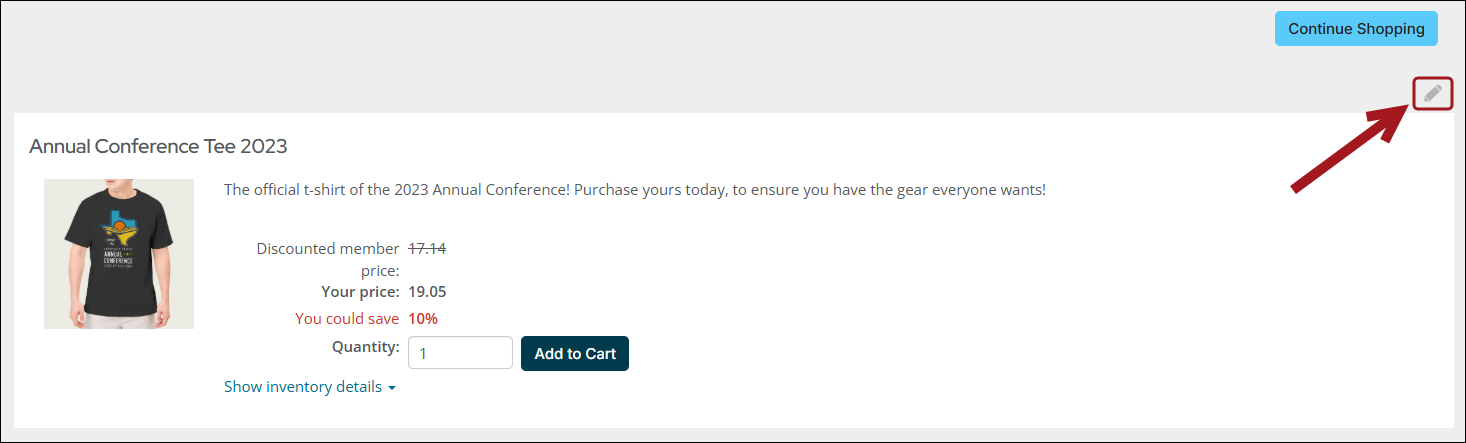
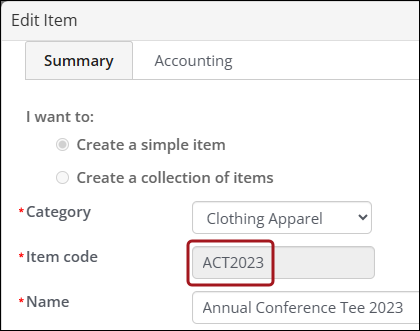
To locate the Item Code of the product, do the following:
- Go to Commerce > Find products.
- Search for and open the product.
- Click the edit icon.
- The Item code is listed.
Optional
- (Recommended) Date - The date of the inventory receipt or adjustment.
- (Recommended) Description - Description of inventory receipt or adjustment.
- Grouping Number - Ability to group products in the same receipt or adjustment. See the example mapping below.
- Reference Number - Reference number for receipt or adjustment.
- Unit Cost - Ability to set the Unit Cost (otherwise defaults to what is set on the product).
Example Mapping
