

Allowing members and donors to cancel their own enrollments
To allow members and donors to cancel their own enrollments, enable Allow public users to cancel enrollments on the Automatic Payment Enrollments content item. Once enabled, members and donors have access to cancel their own enrollments directly from their account pages.
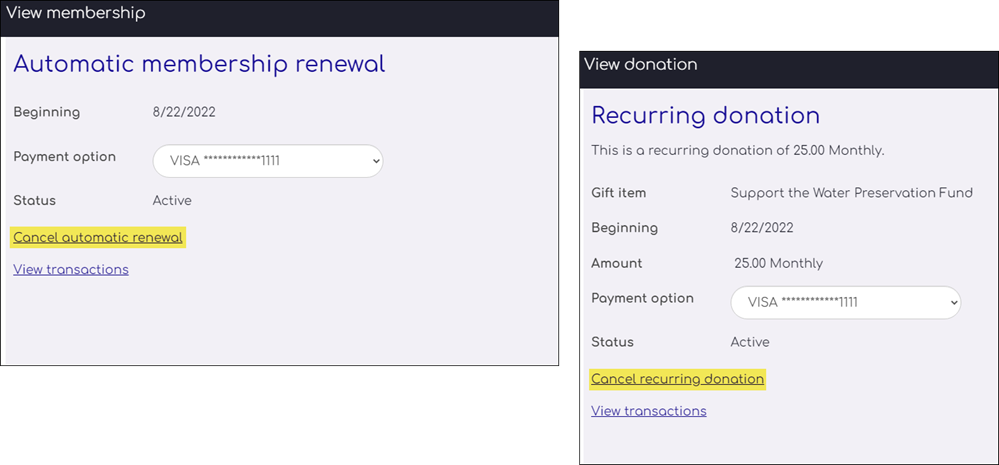
NoteYou must be using custom account pages to perform the following task. See Understanding and modifying account pages.
To allow public users to cancel their own enrollments, do the following:
- Open the public-facing content record that contains the Automatic Payment Enrollments content item. Out-of-the-box, this is the About Me or My participation content record.
- Locate the Automatic Payment Enrollments content item. Out-of-the-box, this is renamed to Automatic renewal (for memberships on the About me tab) or Recurring donations (for donations on the My participation).
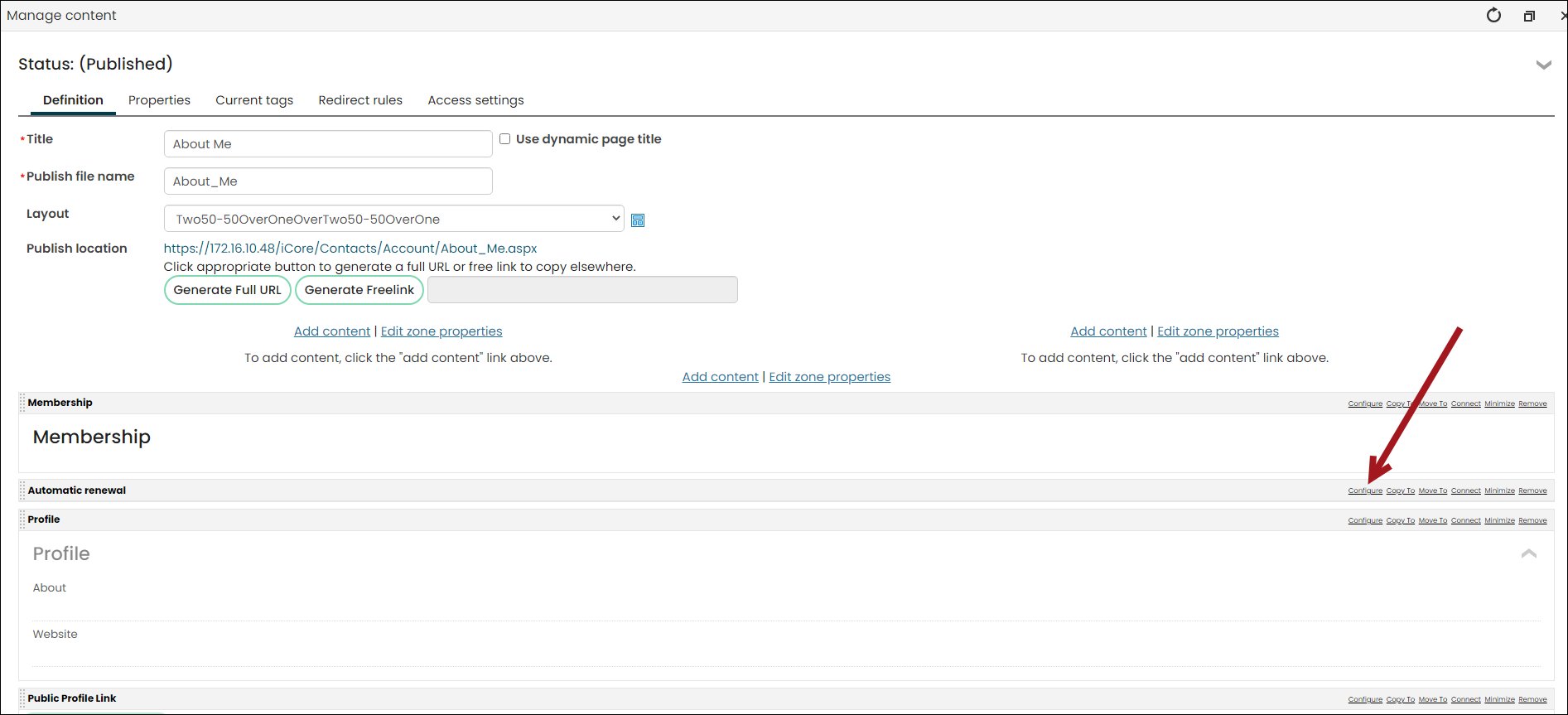
- Select Configure.
- Enable Allow public users to cancel enrollments and enter a Public cancellation confirmation message.
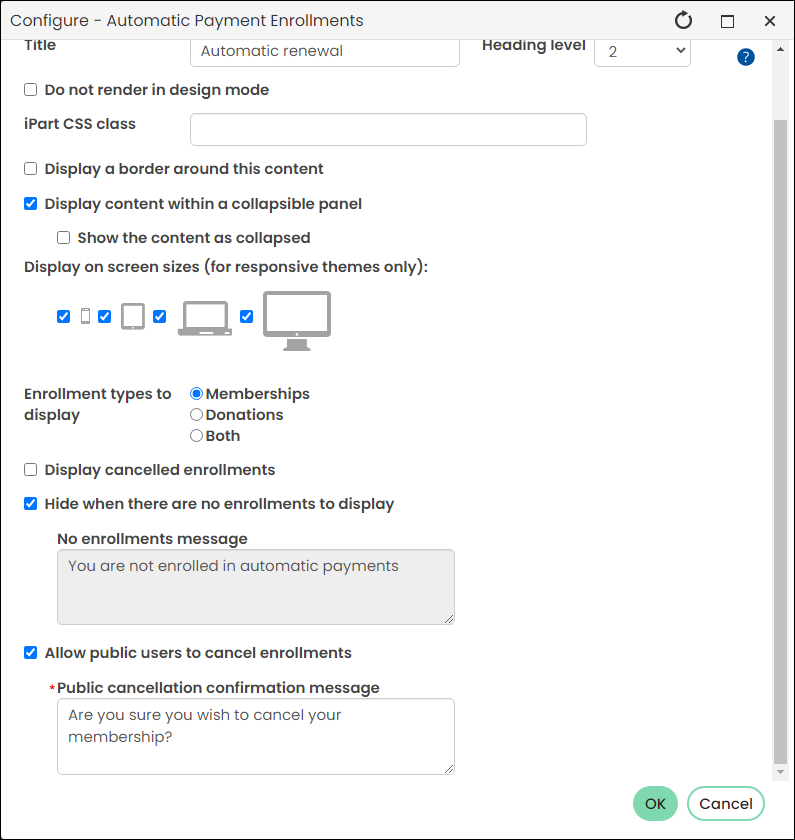
- Click OK, then click Save & Publish.
- Repeat the process if there is a separate content item for recurring donations or membership renewals.
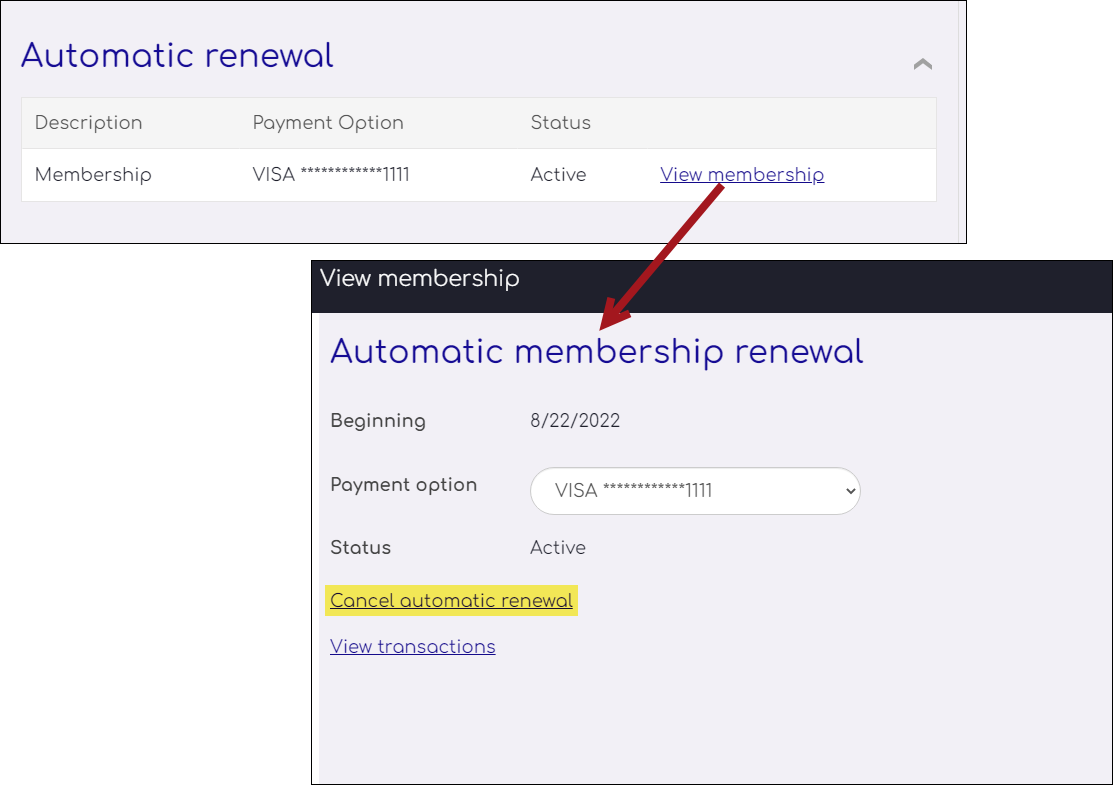
When a member or donor navigates to their account page on the My participation tab, they see the option to cancel their enrollment after selecting the View membership or View donation.
Updated 5 months ago
Did this page help you?