

Commerce reports
All reports in the Staff site are created using either IQA, or an extension of Microsoft called SQL Server Reporting Services (SSRS). There are also reports that combine IQA and SSRS, where the IQA is used to define and pull the data, while SSRS is used to define the layout of the report.
You can run out-of-the-box reports on a variety of data within iMIS. Using an IQA or SSRS report is how you can get report data on the web.
You may in certain situations want to modify an existing SSRS report. To add or remove information from the report, you must download its RDL file and make adjustments to the SQL that the report uses. For more information about modifying a report, see Modifying and creating reports.
NotePrinting a report using IE11 requires that the browser be in Enterprise Mode. Contact Tech Support for assistance.
NoteTo print a report, export the report using the PDF or Excel buttons, then print the exported report.
iMIS provides several out-of-the-box Commerce reports. To access Commerce reports from the Staff site, go to Reports > Commerce reports.
The following Commerce reports are available:
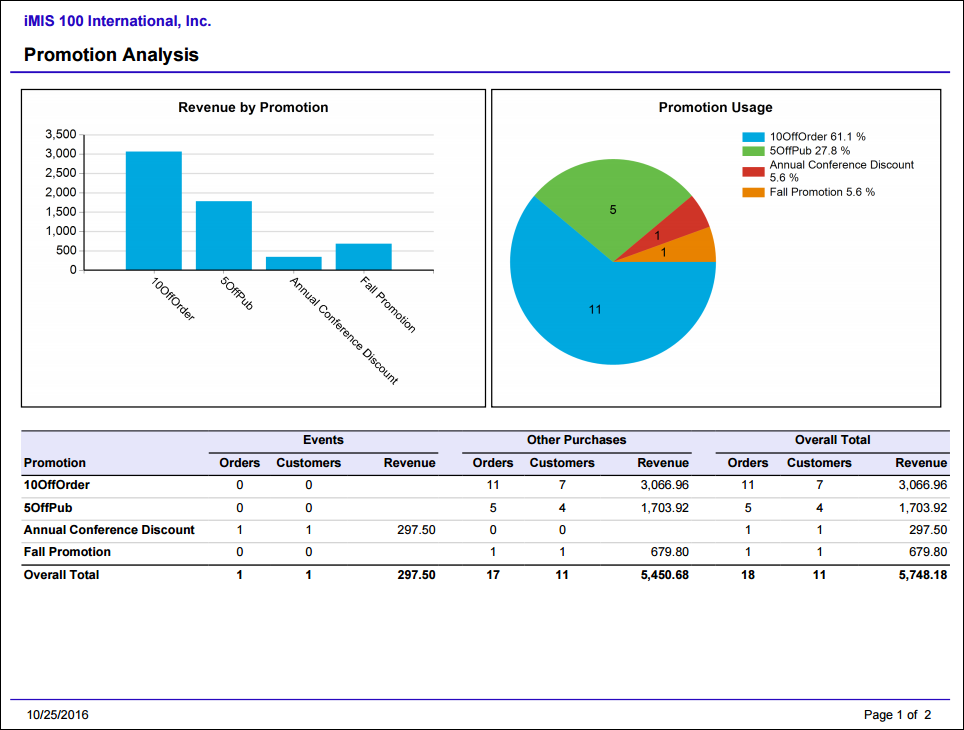
Order Details
Status, products in order, ship to/bill to information.
- Source file path - -$/Orders/DefaultSystem/Reports/Queries
- Source IQA - -Order Details
-
Source Business Objects:
- OrderReport
- OrderDetailReport
- ContactReport
- ContactReport1
- ContactReport2
- FullAddressAllReport
- FullAddressAllReport1
- FullAddressAllReport2
- PaymentReport
-
Relationships:
- Custom (When OrderReport.Order Key = OrderDetailReport.Order Key)
- Custom (When OrderReport.Bill To Contact Key = ContactReport.Contact Key)
- Custom (When OrderReport.Sold To Contact Key = ContactReport1.Contact Key)
- Custom (When OrderReport.Bill To Full Address Key = FullAddressAllReport.Full Address Key)
- Custom (When OrderReport.Sold To Full Address Key = FullAddressAllReport1.Full Address Key)
- Custom (When OrderDetailReport.Ship To Full Address Key = FullAddressAllReport2.Full Address Key)
- Custom (When OrderReport.Order Number = PaymentReport.InvOrderNumber)
- Custom (When OrderDetailReport.Ship To Contact Key = ContactReport2.Contact Key)
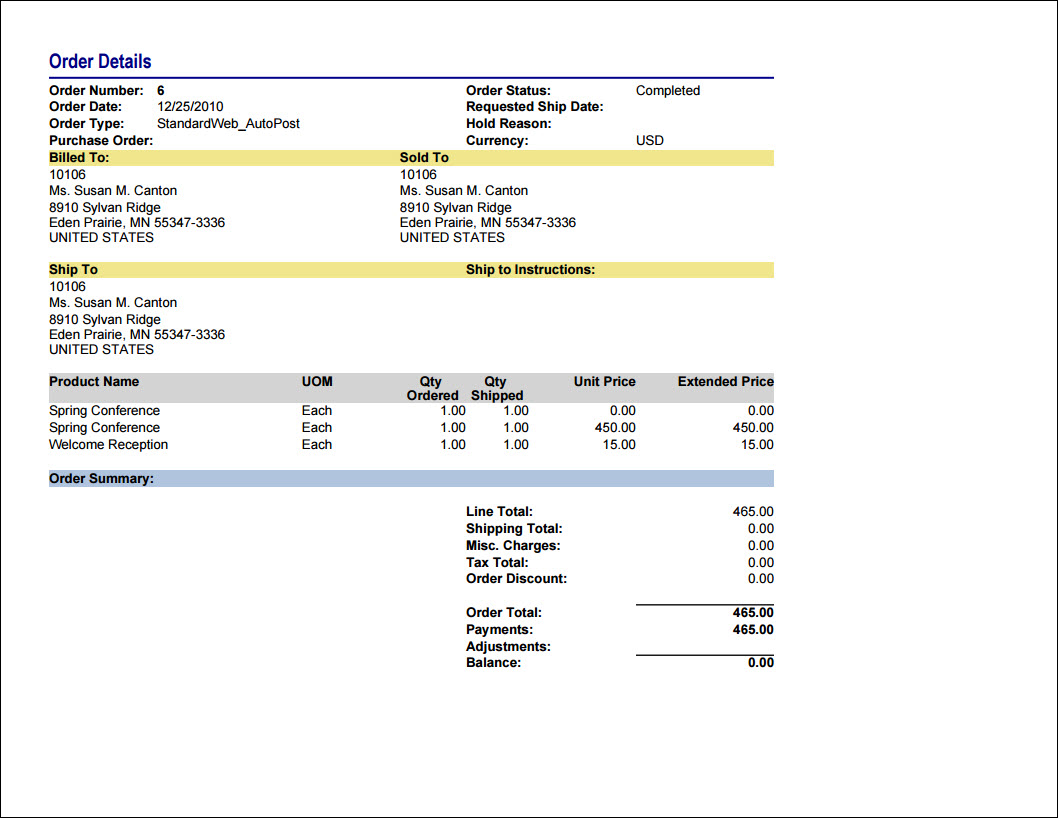
Orders Summary
One-line summary information for each order within the parameters
- Source IQA -Order Details
- Source file path -$/Orders/DefaultSystem/Reports/Queries
-
Source Business Objects:
- OrderReport
- OrderDetailReport
- ContactReport
- ContactReport1
- ContactReport2
- FullAddressAllReport
- FullAddressAllReport1
- FullAddressAllReport2
- PaymentReport
-
Relationships:
- Custom (When OrderReport.Order Key = OrderDetailReport.Order Key)
- Custom (When OrderReport.Bill To Contact Key = ContactReport.Contact Key)
- Custom (When OrderReport.Sold To Contact Key = ContactReport1.Contact Key)
- Custom (When OrderReport.Bill To Full Address Key = FullAddressAllReport.Full Address Key)
- Custom (When OrderReport.Sold To Full Address Key = FullAddressAllReport1.Full Address Key)
- Custom (When OrderDetailReport.Ship To Full Address Key = FullAddressAllReport2.Full Address Key)
- Custom (When OrderReport.Order Number = PaymentReport.InvOrderNumber)
- Custom (When OrderDetailReport.Ship To Contact Key = ContactReport2.Contact Key)
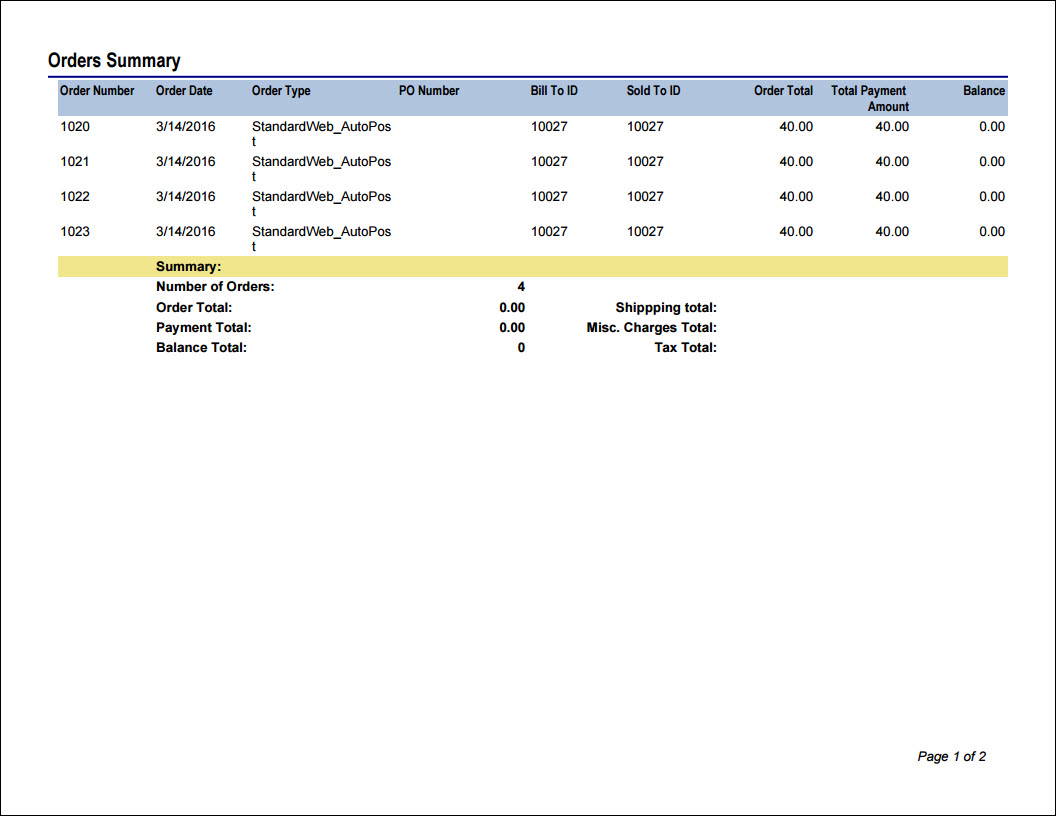
Product Sales by Category
List of order product sales grouped by category and then title within the date range specified.
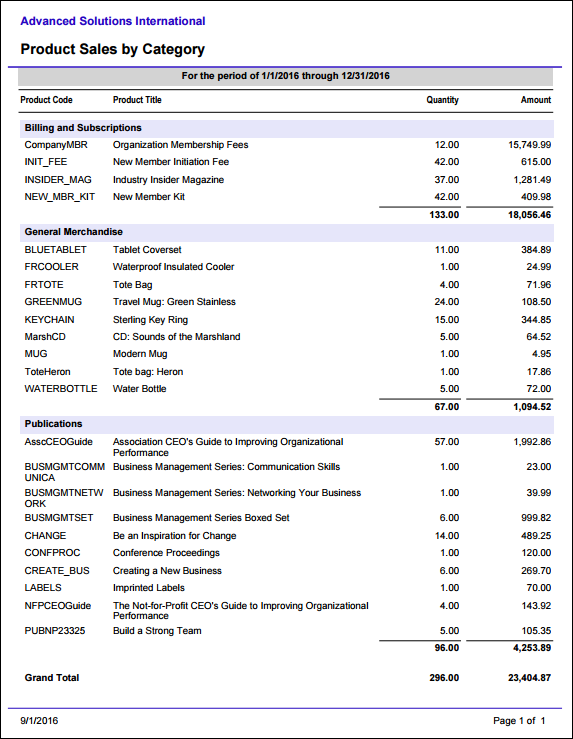
Promotion Analysis
Comprehensive summary of promotions including revenue received, number of times used, and items purchased. This report can also be launched from the Top promos tab of the Commerce dashboard.
Updated 5 months ago