

Sample Report Writer reports
The following are out-of-the-box reports created with Report Writer. Several of these reports can be seen on out-of-the-box content, but the report cannot be modified without the Report Writer license. Contact your AiSP or CPIL to learn more about the Report Writer license.
In addition, any sample report can be duplicated and tailored to your organizations needs. This can be accomplished by using a Template. See Creating an Advanced Report based on a template for more information.
To find these reports, go to Reports > Report Writer.
Club Reports
Commerce Reports
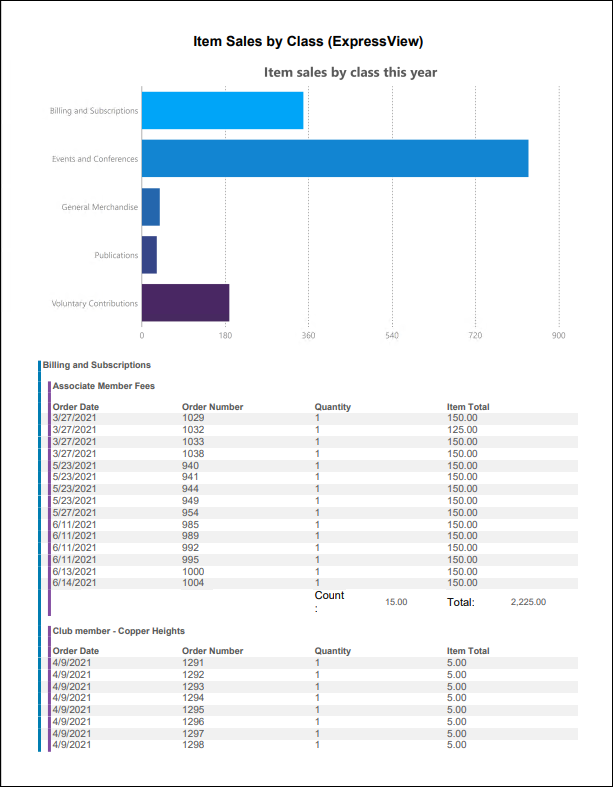
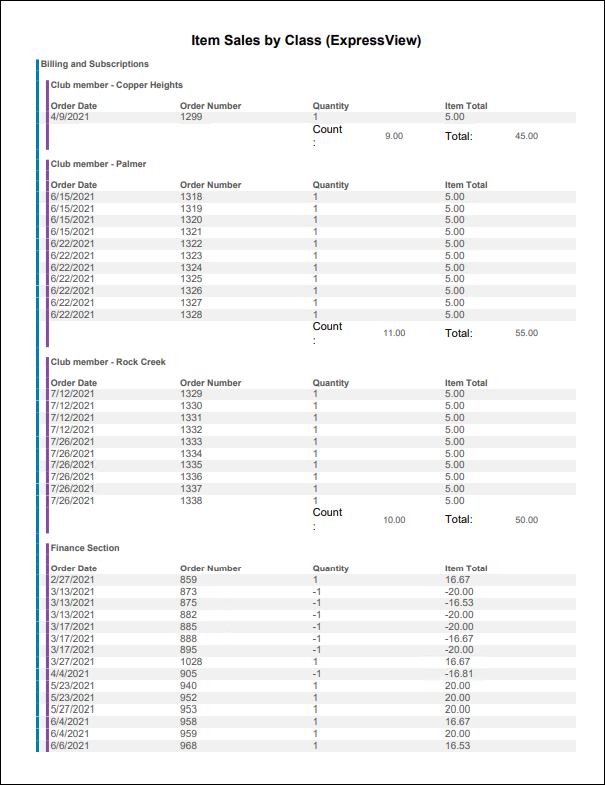
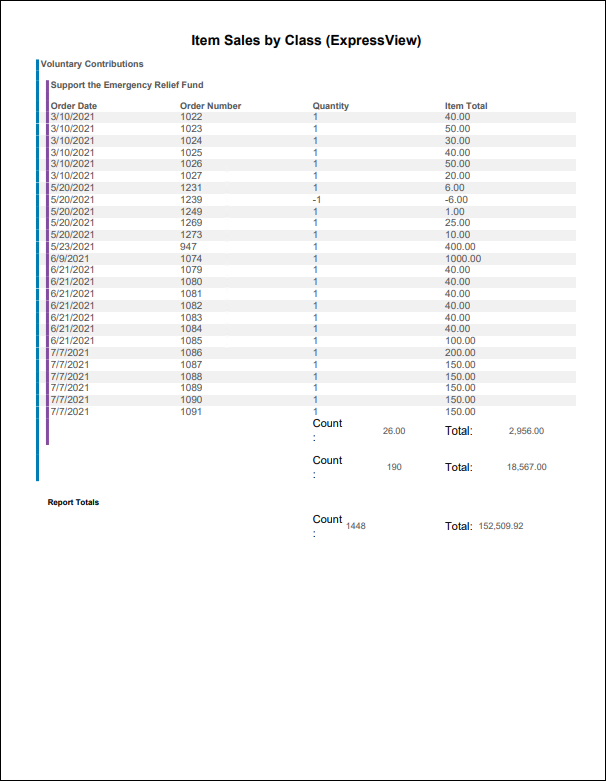
Item Sales by Class (ExpressView)
Total quantity sold and revenue for item sales this year by item class.
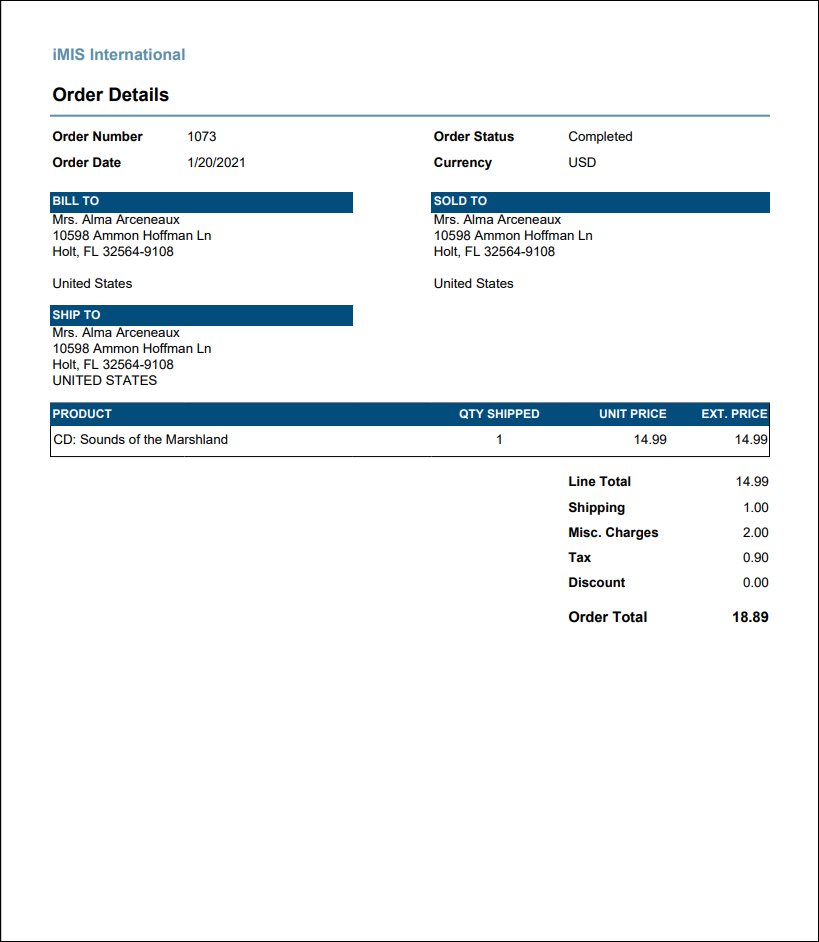
Order Details
Prints details for each order in the specified date range, including a listing of the products ordered.
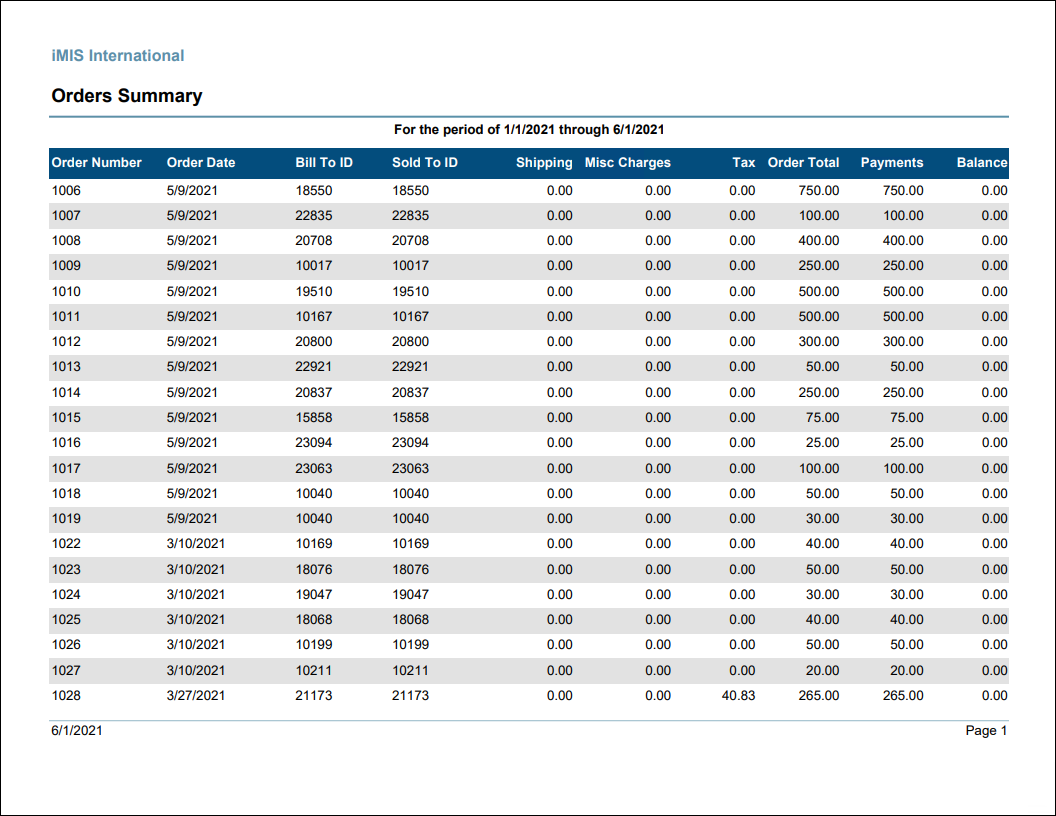
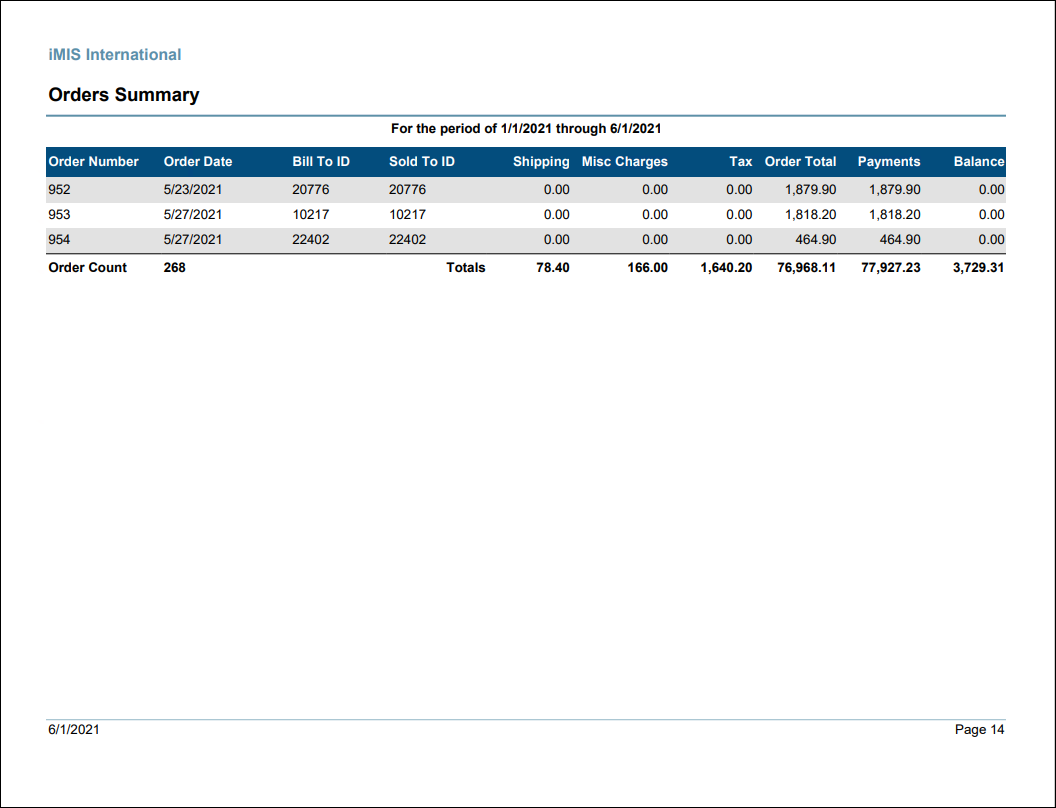
Orders Summary
Listing of orders for the specified date range including Bill To and Ship To ID, order amounts, payments amounts, and balances. Includes a grand total for orders in the date range.
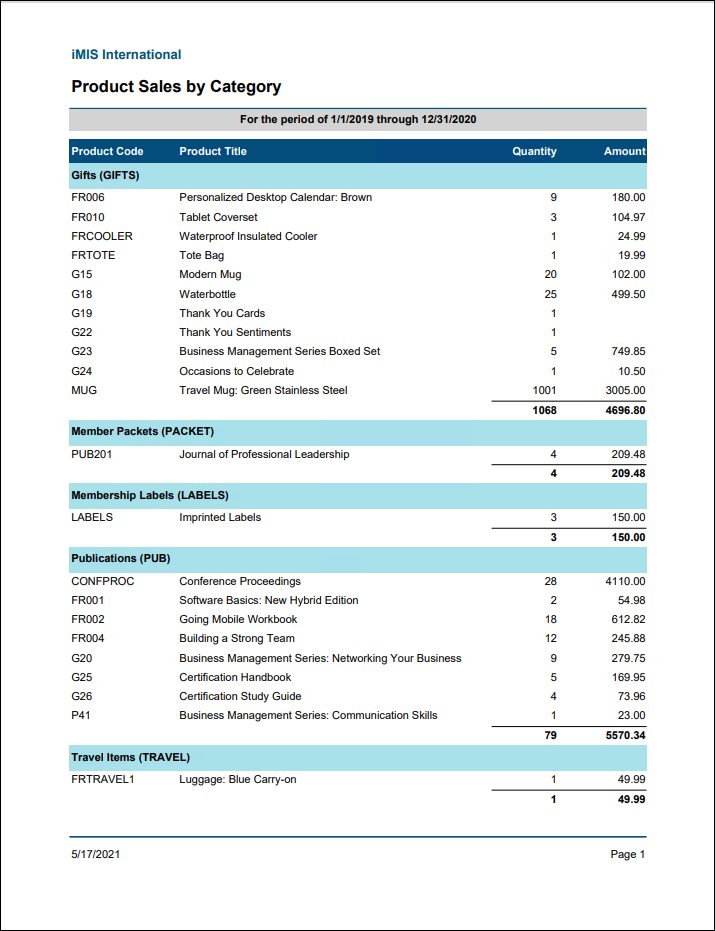
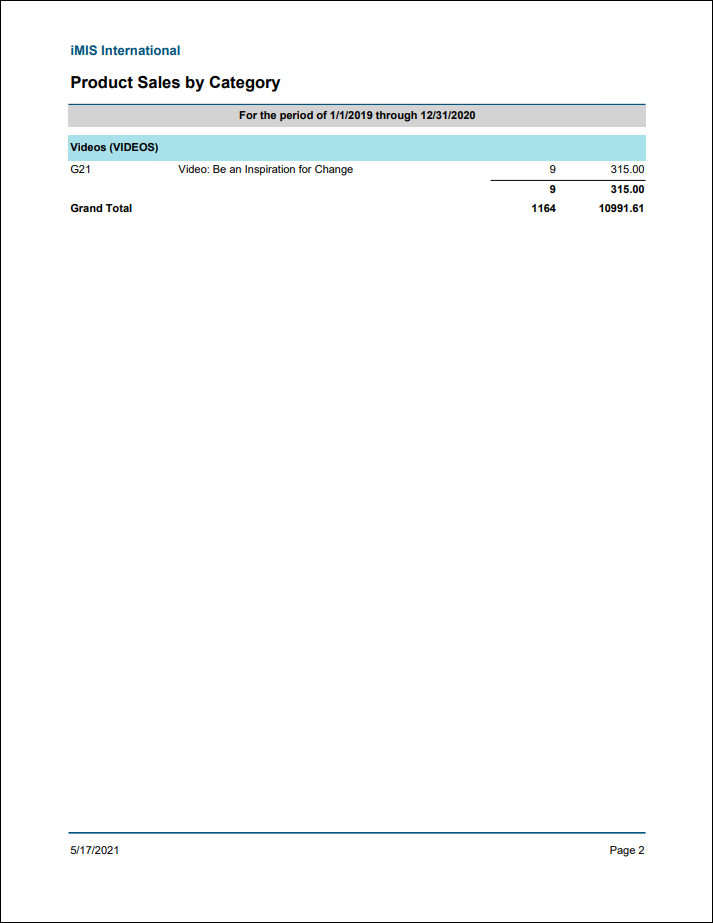
Product Sales by Category
List of order product sales grouped by category and then title within the date range specified. Includes only orders that have been ordered within the selected date range.
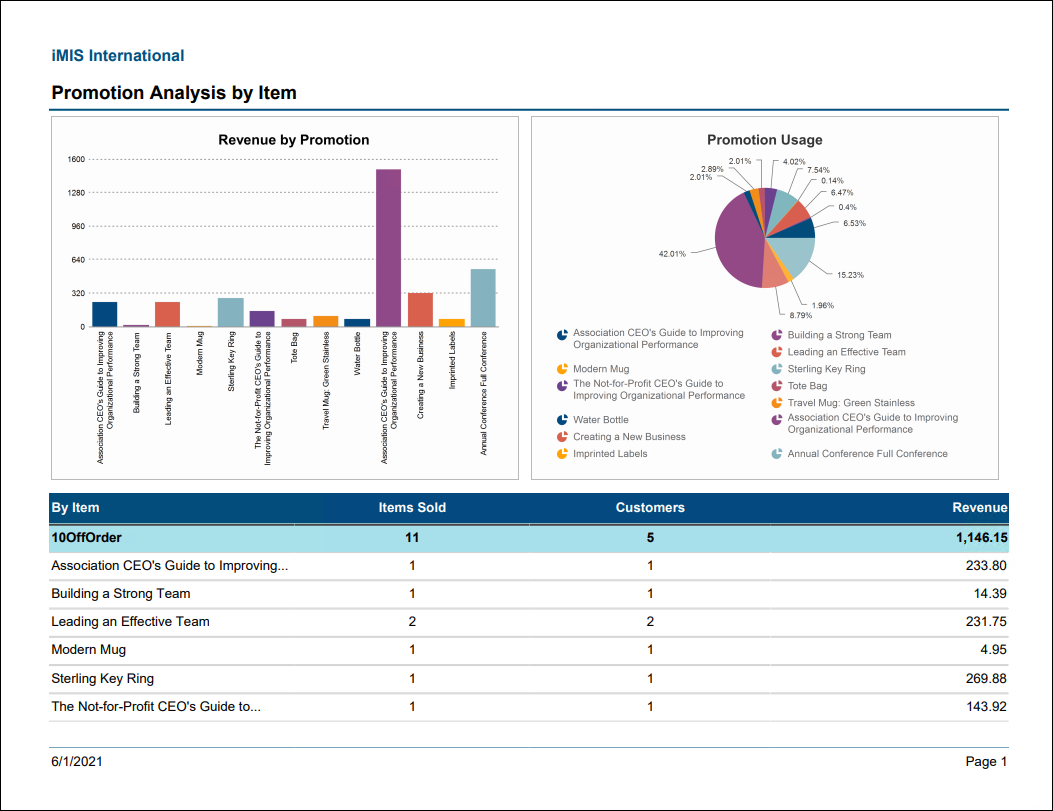
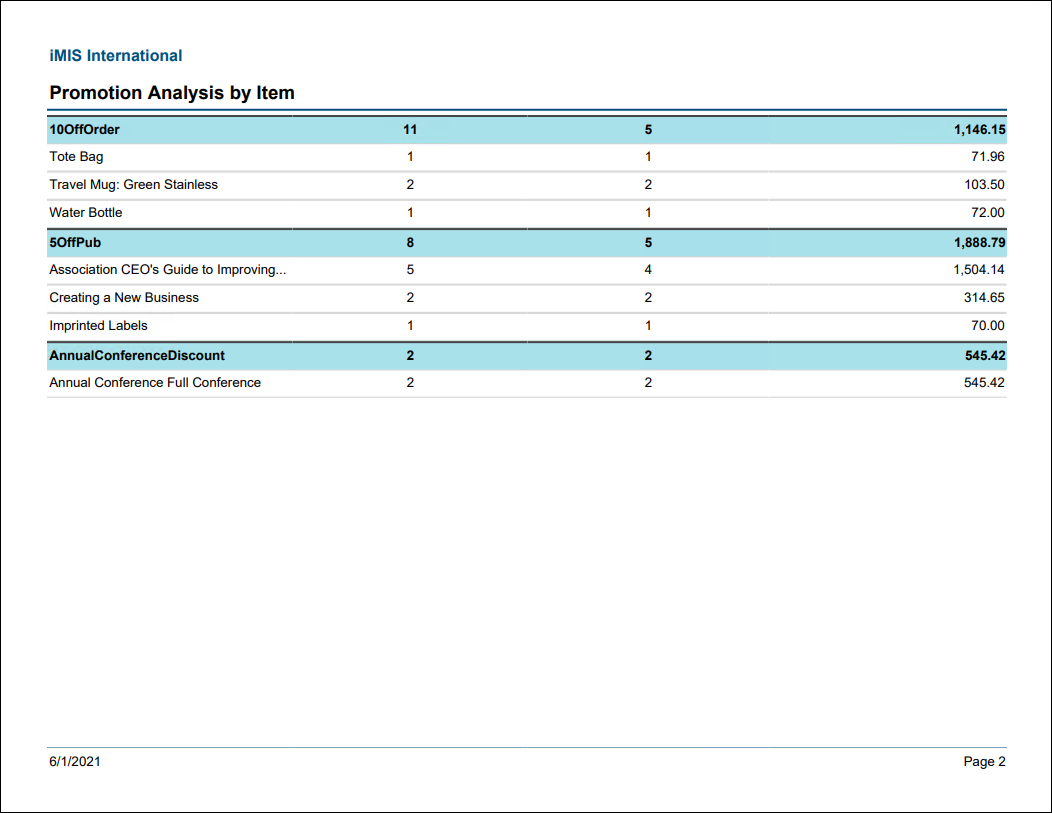
Promotion Analysis by Item
Comprehensive summary of promotions including revenue received by item, number of times used by item, and items purchased.
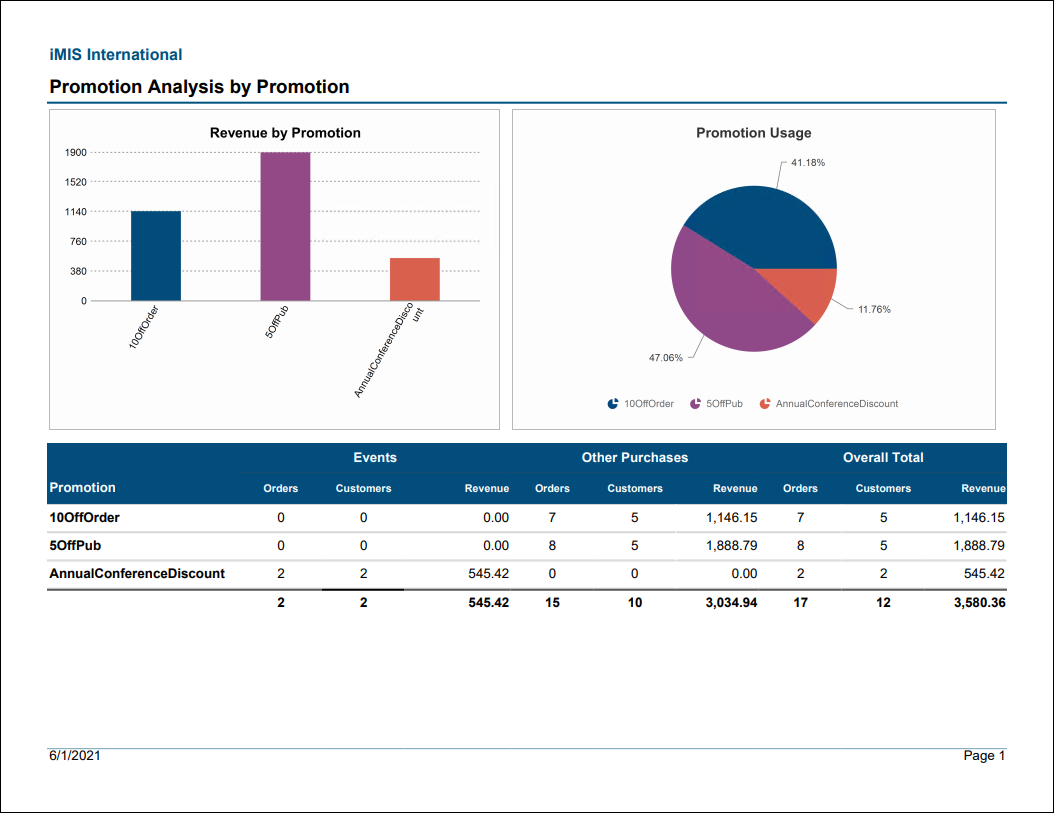
Promotion Analysis by Promotion
Comprehensive summary of promotions including revenue received by promotion and number of times used by promotion.
Contacts Reports
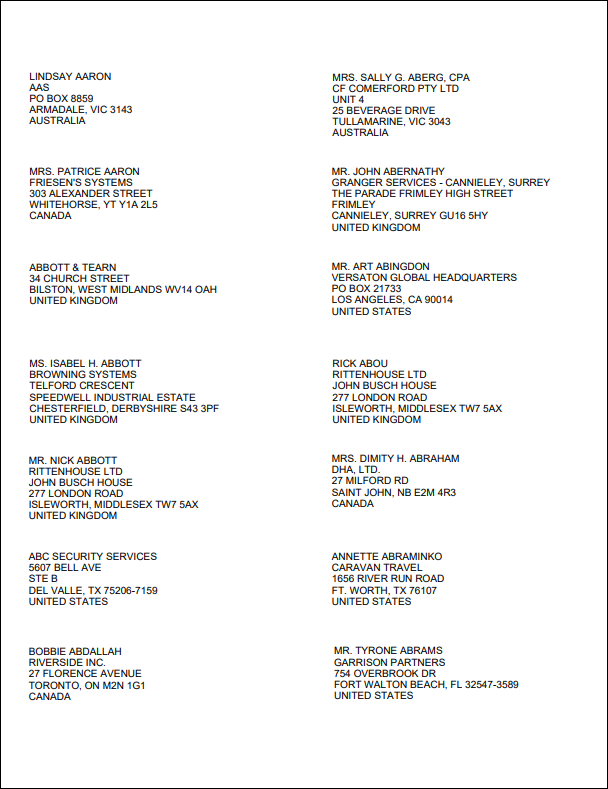
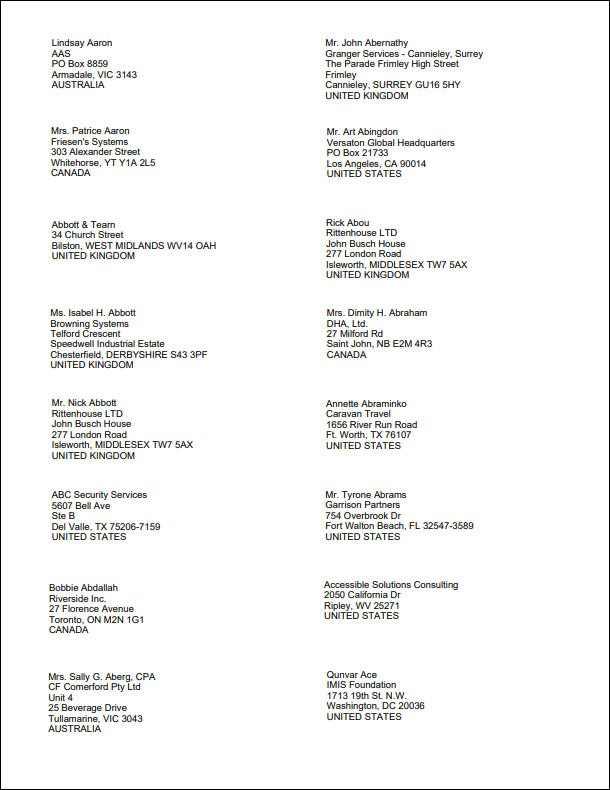
2 Up Labels
This report prints labels on letter-size (8.5 x 11 inches) Avery 5162 or 5262 stock. Contacts are included only if their Status starts with A.
2 Up Labels A4
This report prints labels on A4-size (210 x 297 mm) Avery L7162 stock.
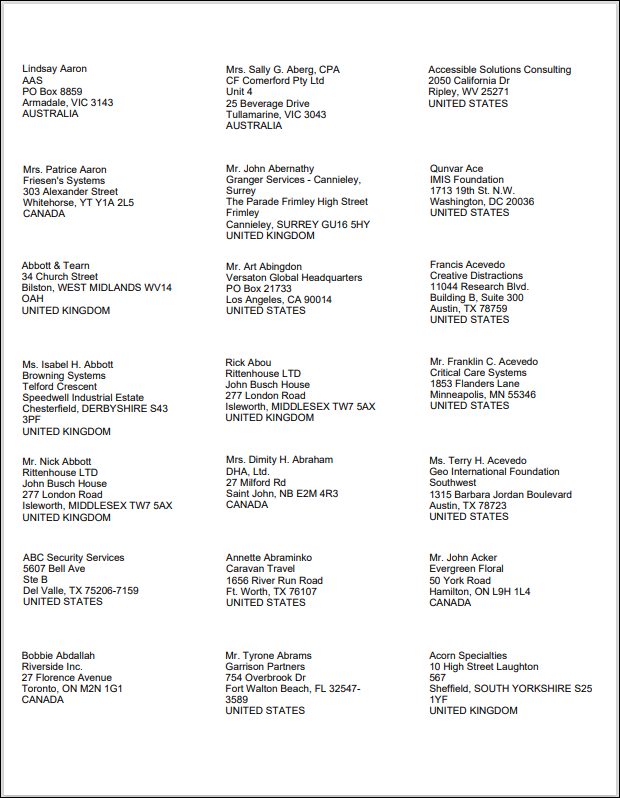
3 Up Labels
This report prints 3-column labels on letter-size stock.
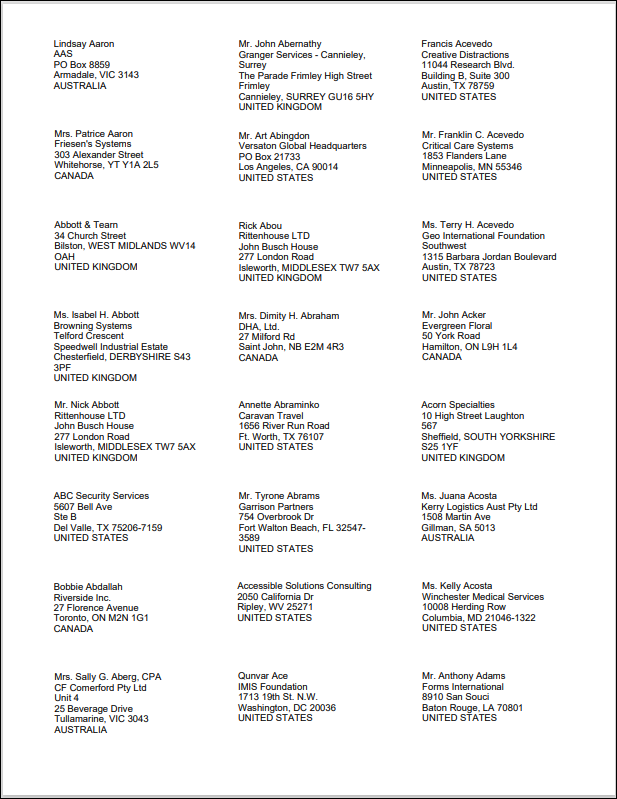
3 Up Labels A4
This report prints 3-column labels on A4-size stock.
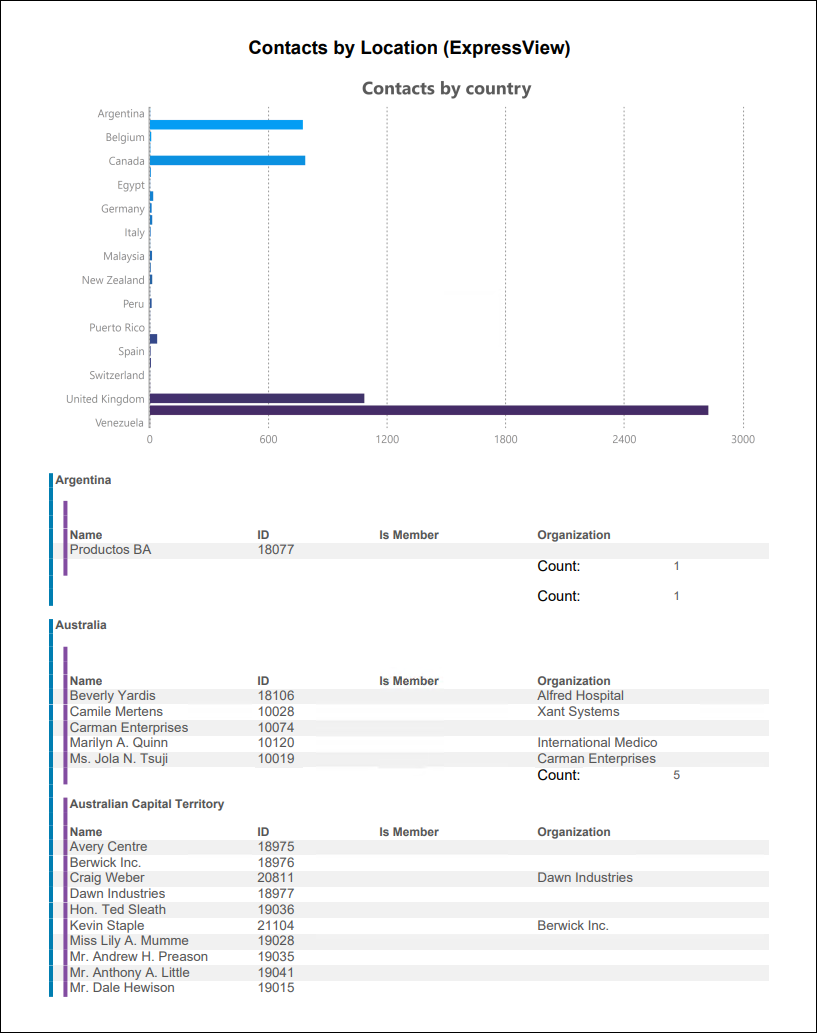
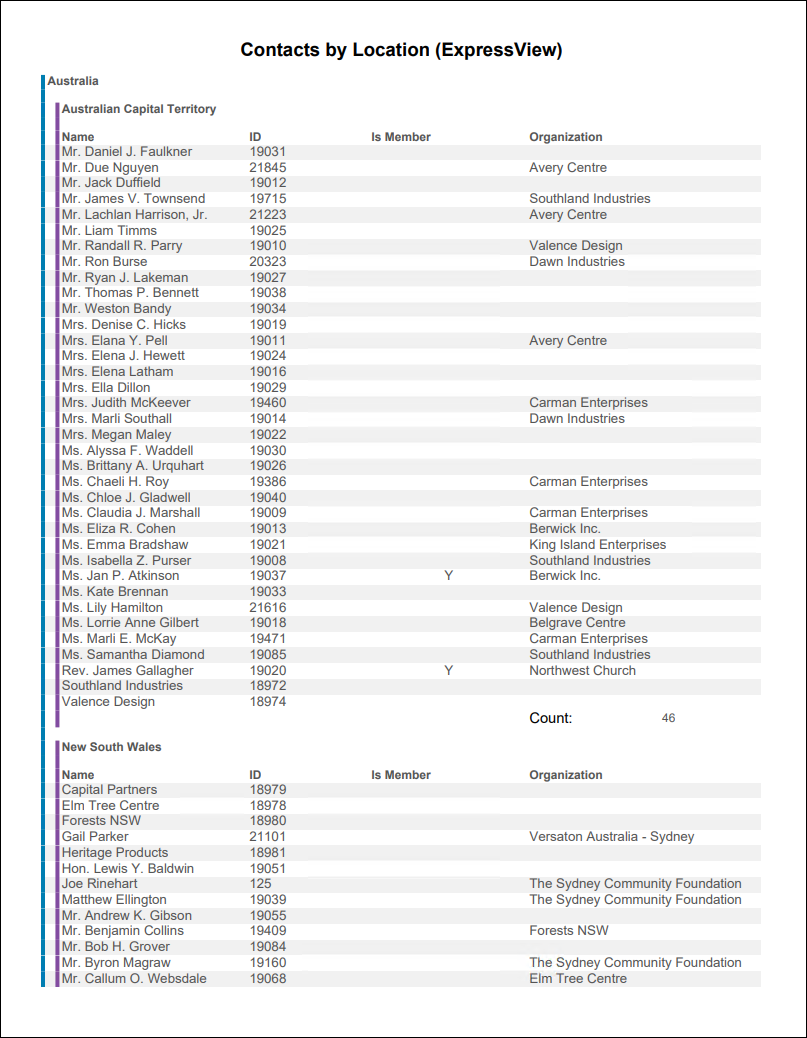
Contacts by Location (ExpressView)
ExpressView report showing all contacts in the system by Country and State/Province.
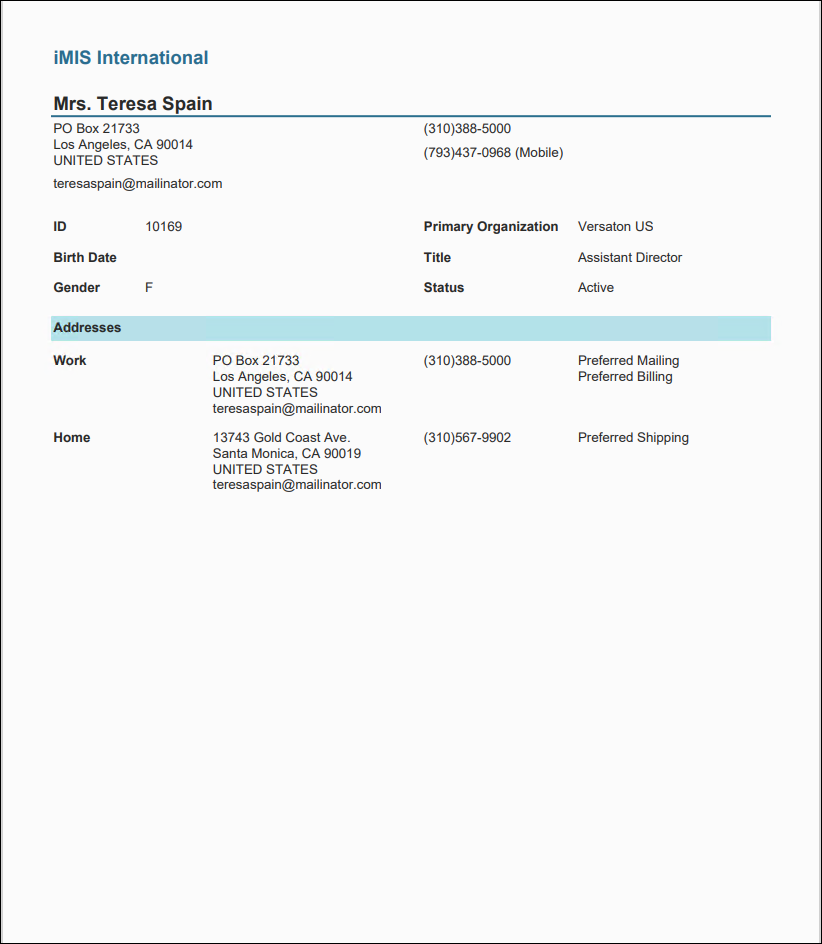
Individual Profile by ID
Contact profile information for individuals, including all addresses.
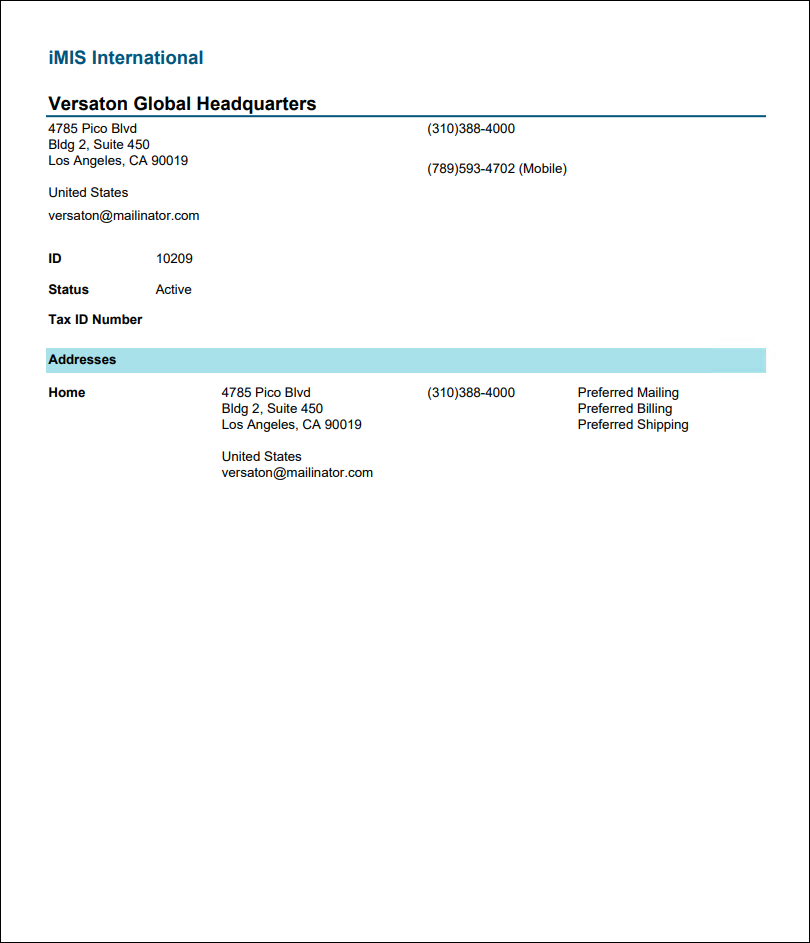
Organization Profile by ID
Contact profile information for organizations, including all addresses.
Events Reports
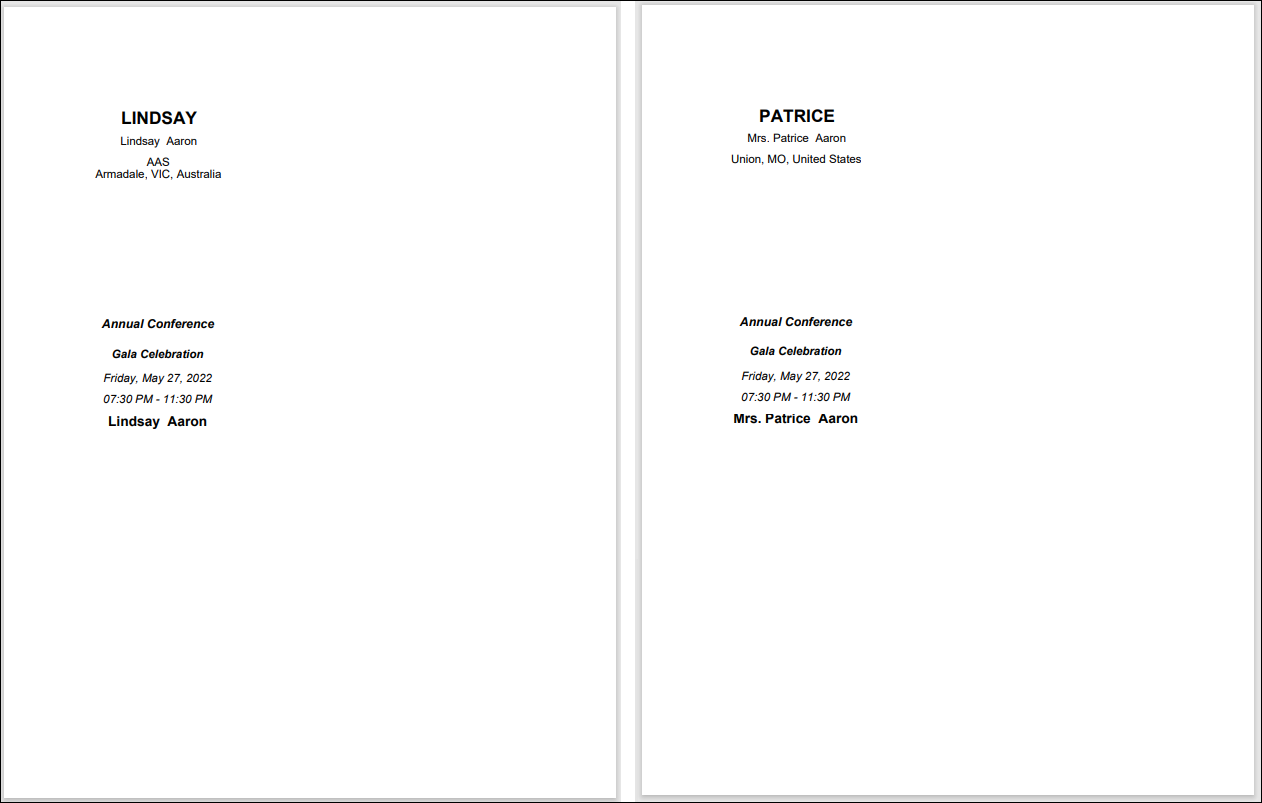
Combined Badge and Tickets
Prints event badge and tickets for any registration options and program items for the selected event that have Print tickets enabled. Separate page for each registrant.
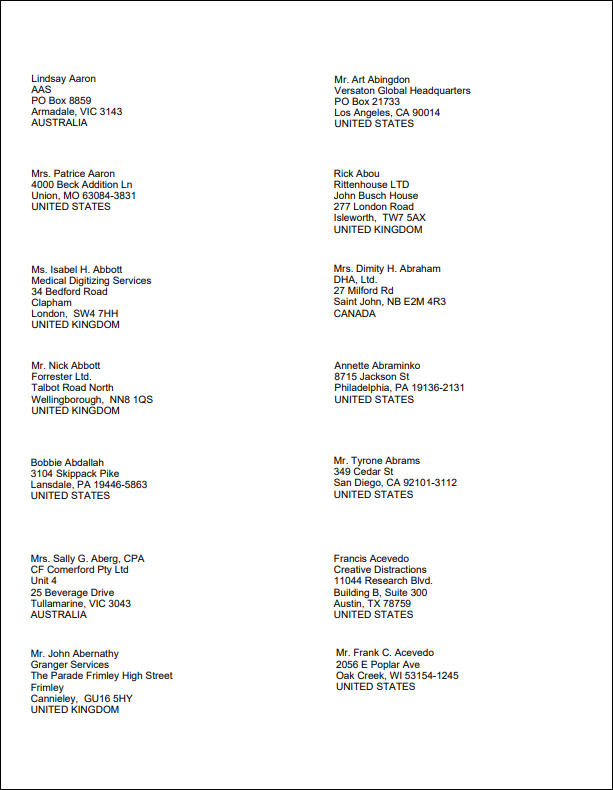
Event 2 Up Labels
Fourteen labels per sheet of 8.5 x 11-paper using Avery 5162/5262 template. Export to PDF for formatting.
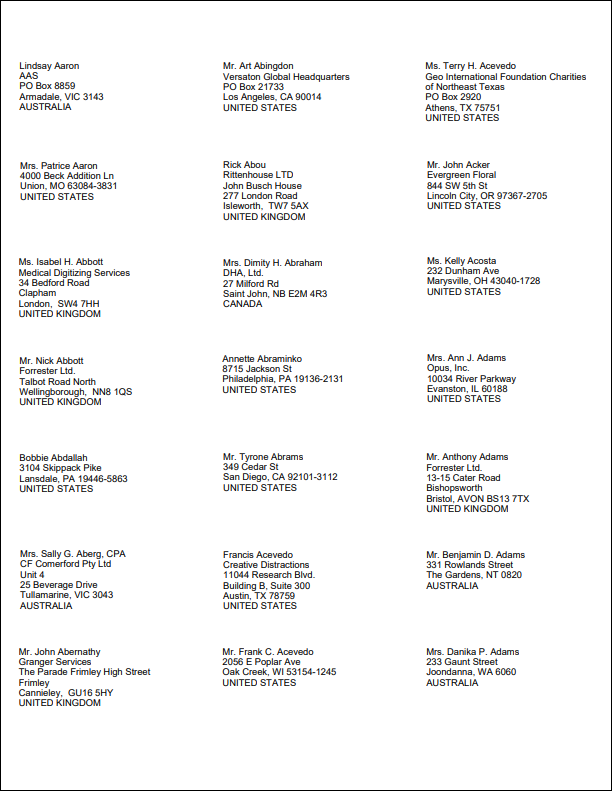
Event 3 Up Labels
Thirty labels per sheet of 8.5 x 11-inch paper using Avery 5160 template. Export to PDF for formatting.
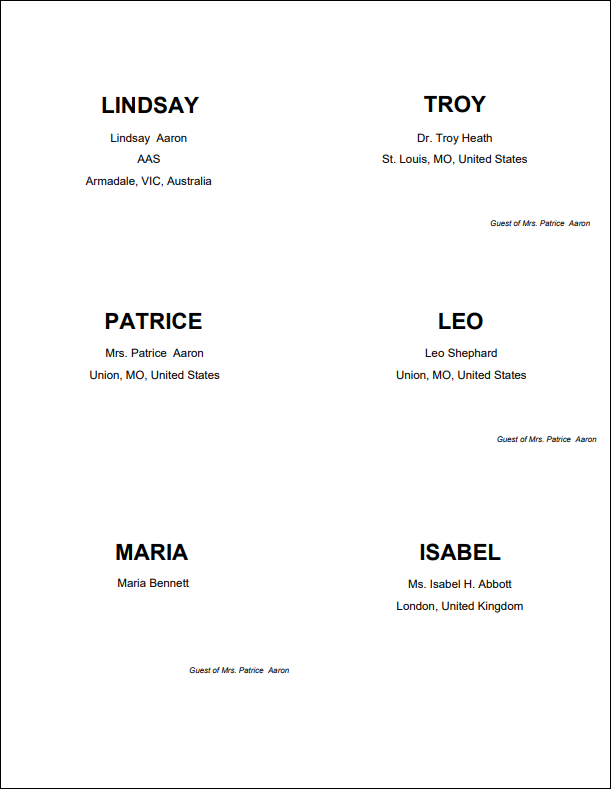
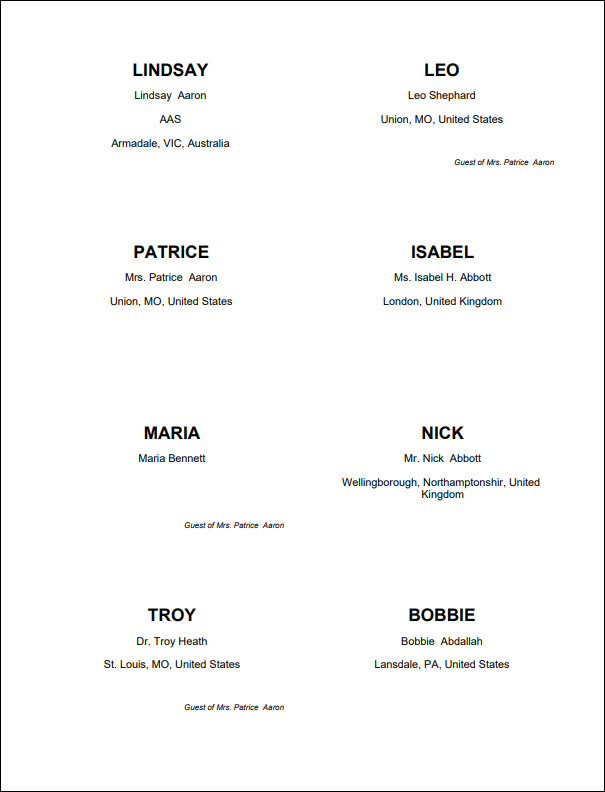
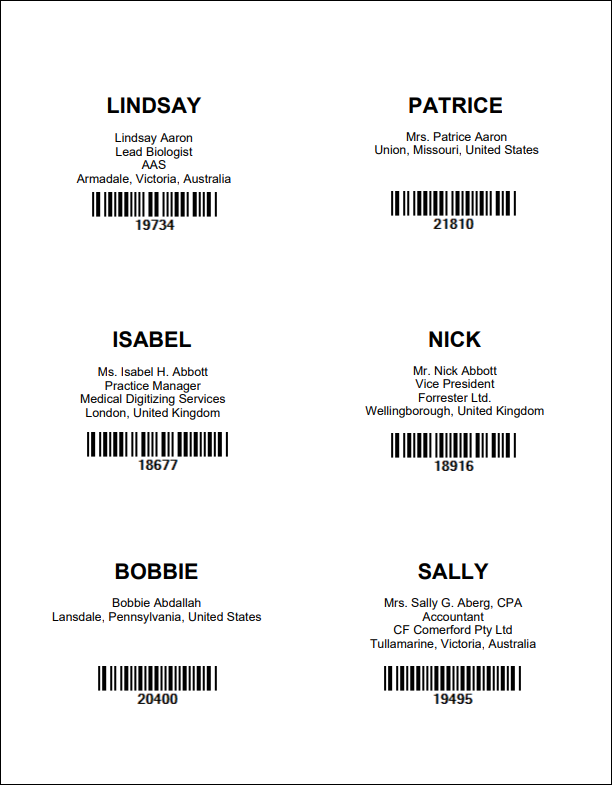
Event Badges with Barcode 6 Per Page
Prints event badges 6 per page including a barcode for the registrant's ID. Formatted for Avery 5392 badge stock.
Event Certificates
Prints a certificate of completion for each attendee of the selected event. Choose whether or not to include the event dates.

Event Program Item Certificates
Prints a certificate of completion for each attendee of the selected program item. Text of the certificate can be customized using parameters, including a logo and signature.

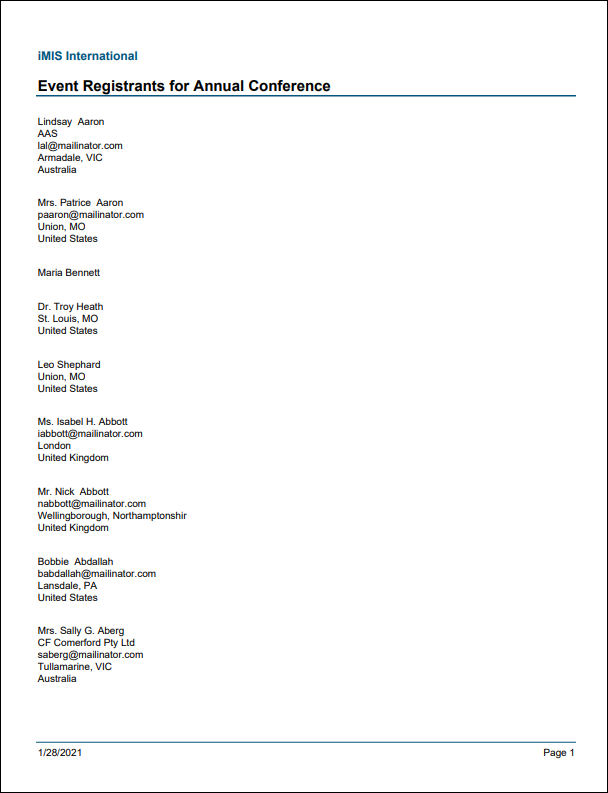
Event Registrants Report
Displays a list of all event registrants for the selected event. Includes the attendee's name, company, email, city, state/province, and country.
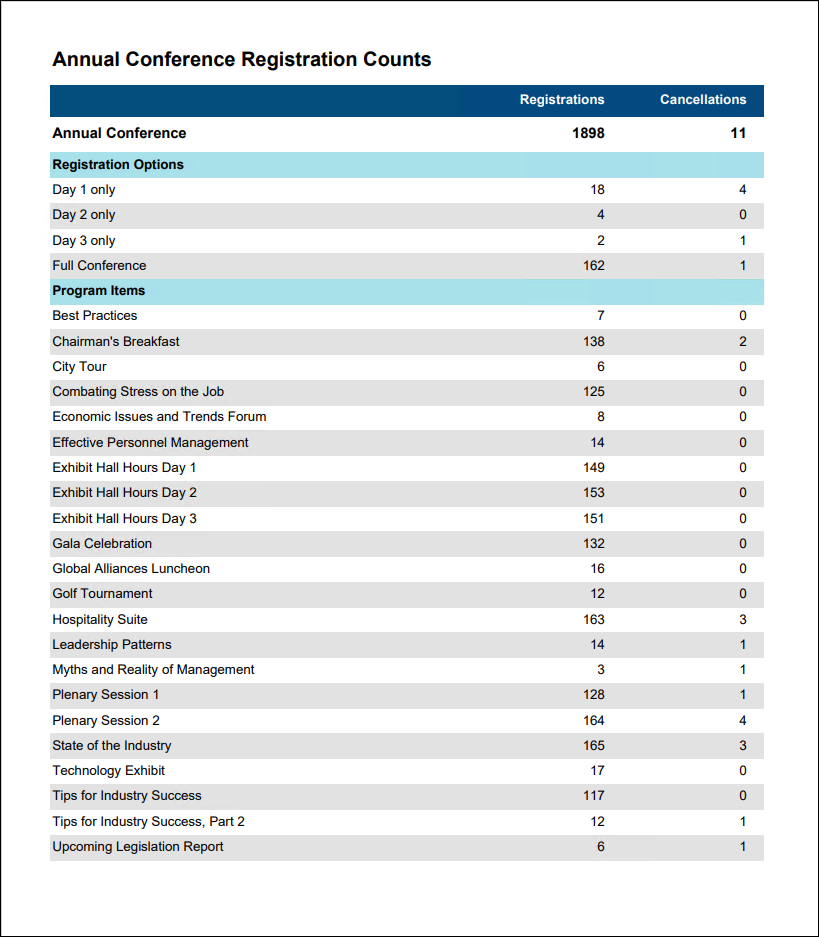
Event Registration Counts
Provides a count of registrations and cancellations for the overall event, each registration option, and each program item.
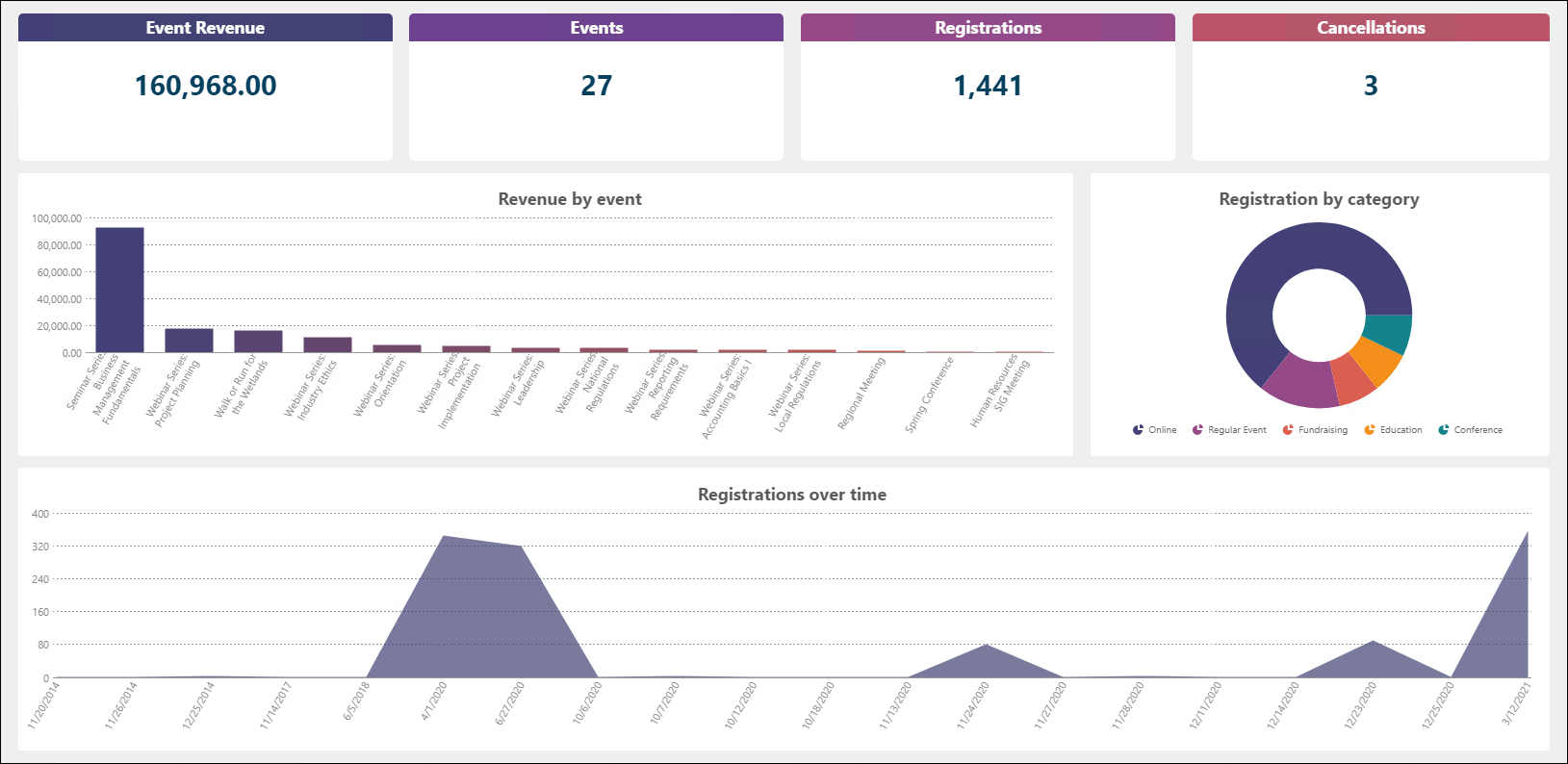
Events Dashboard
Displays valuable event information such as, total event revenue, number of events, total registrations across all events, cancellations, revenue by event, and more.
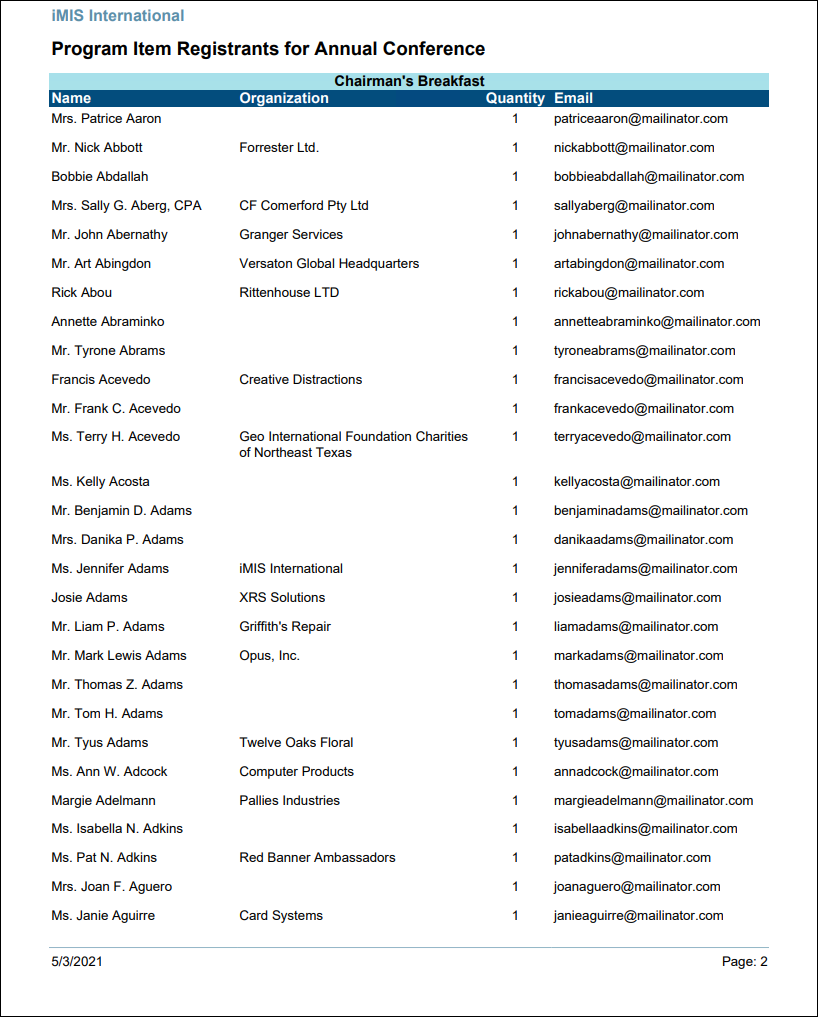
Program Item Registrants
Displays who registered for the program items of an event. Contains the registrant's name, organization, quantity purchased, and email address.
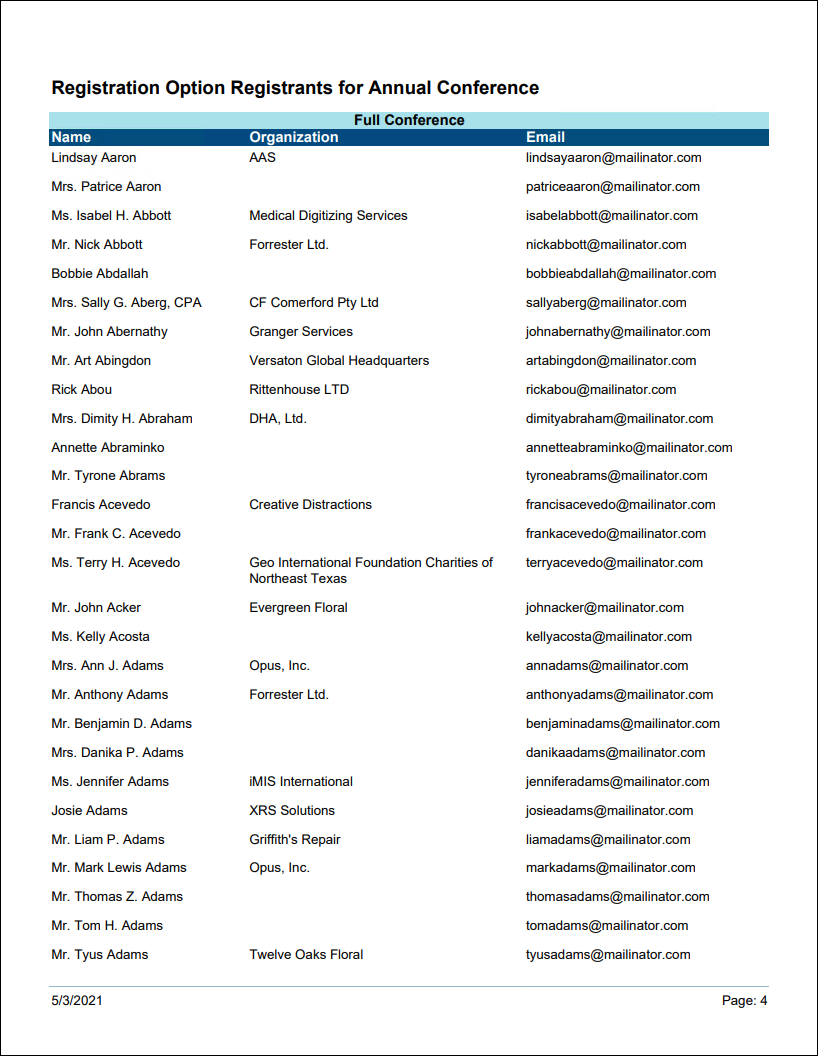
Registration Option Registrants
Displays who registered for the registration options of an event. Contains the registrant's name, organization, quantity purchased, and email address.
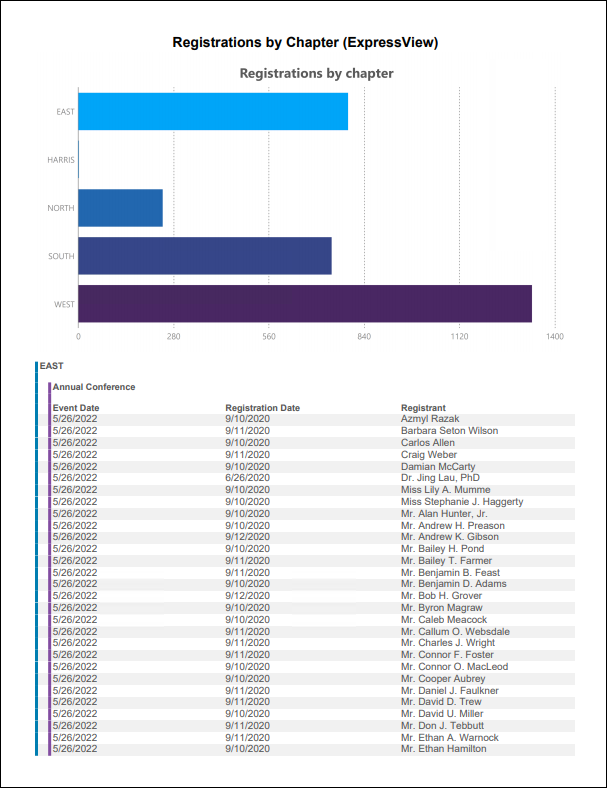
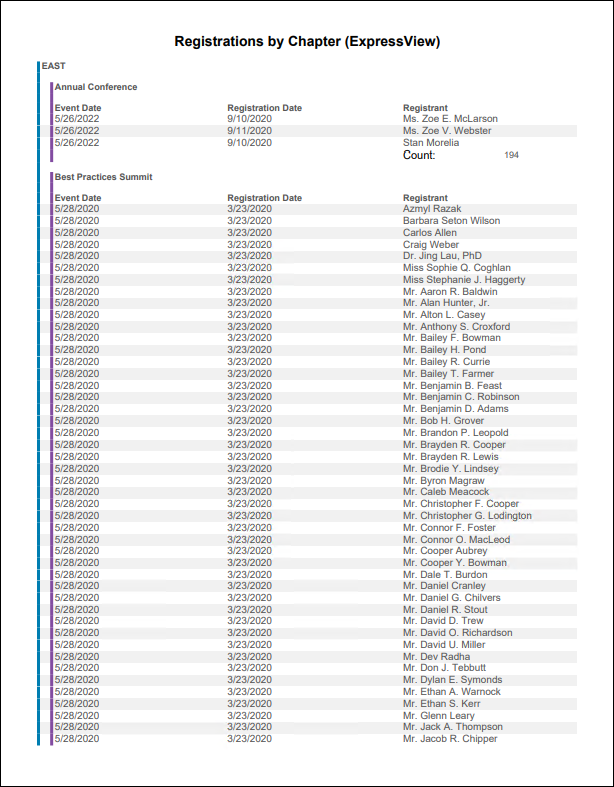
Registrations by Chapter (ExpressView)
ExpressView report showing event registrations by chapter.
Finance Reports
AR Statement
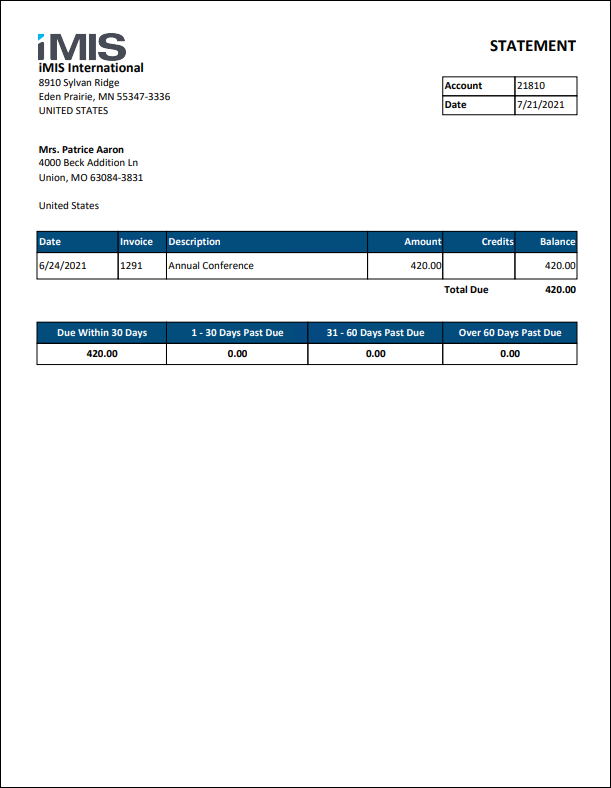
Statement per contact listing invoices with an outstanding balance. Aging categories are included, and there is an option to include cash invoices. Future invoices are excluded.
AR Statement for Selected Contact
Statement for the selected contact listing invoices with an outstanding balance. Intended for use from a profile page with a ContactKey specified in the URL. Aging categories are included, and there is an option to include cash invoices. Future invoices are excluded.
Do not run this report in Report Writer. Do the following to replace the out-of-the-box Account Statement report with the AR Statement for Selected Contact report:
- Make sure you are working with custom account pages. If you are not, see Understanding and modifying account pages.
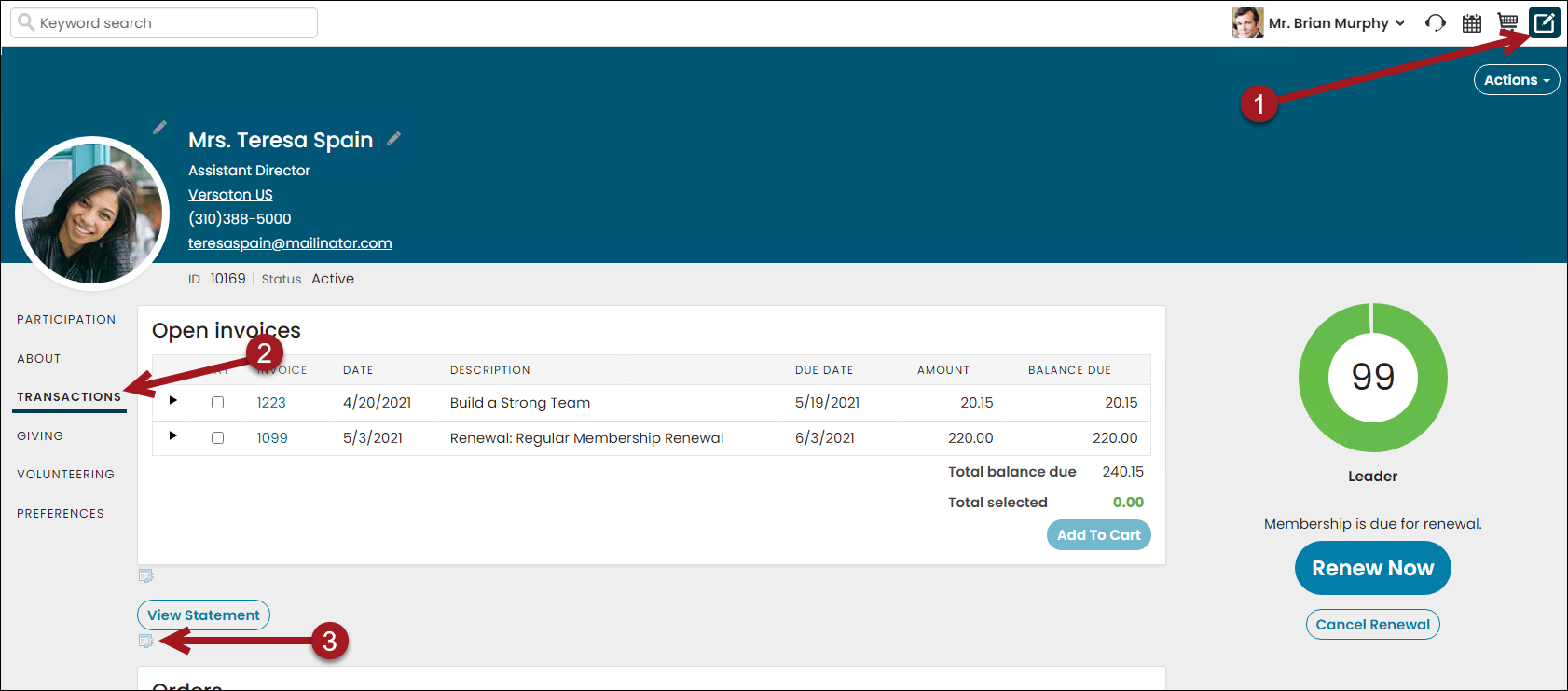
- Navigate to the member account page.
- Enable Easy Edit.
- Click the Transaction tab, or whichever tab has the View Statement button on it.
- Click the edit bar under the View Statement button.
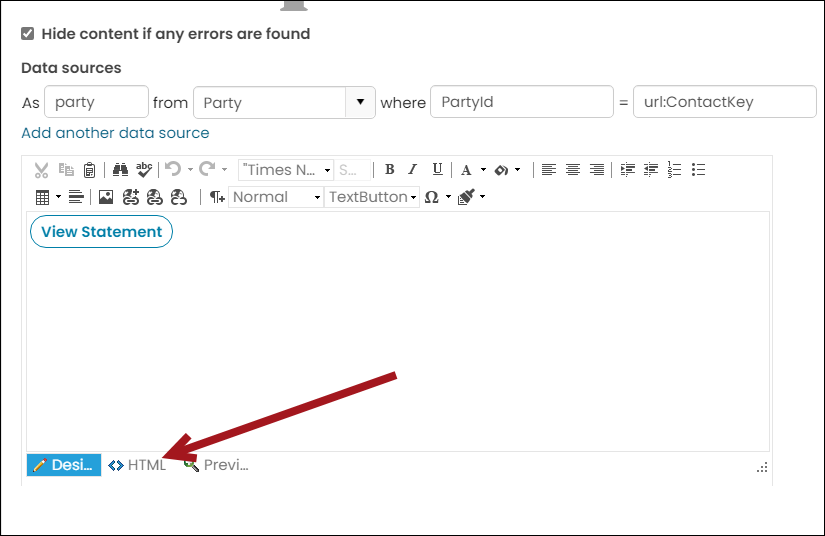
- From the Data Showcase content item, click the HTML tab.
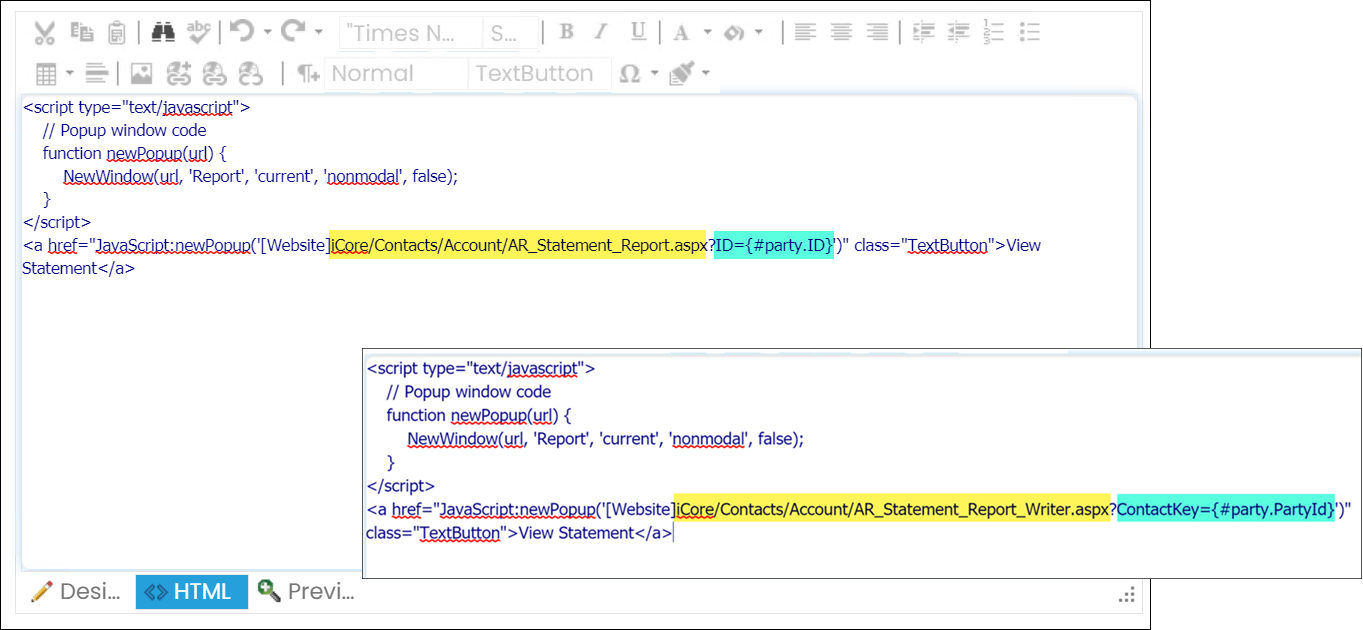
- Update and replace the following:
- Click Save & Publish.
- Click View Statement and note the report is now using the Report Writer version.
| Current Value | New Value |
|---|---|
| iCore/Contacts/Account/AR_Statement_Report.aspx | iCore/Contacts/Account/AR_Statement_Report_Writer.aspx |
| ID={#party.ID} | ContactKey={#party.PartyId} |
GST Invoice Details
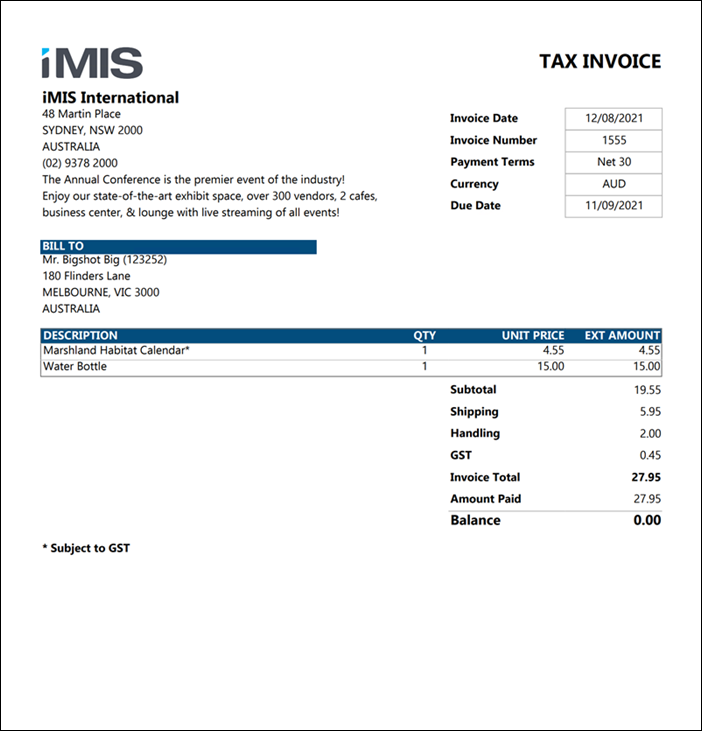
Displays invoice details with formatting for GST taxation. Can be filtered by invoice date, invoice number, bill to contact, or open balance amount.
GST Print Selected Invoice
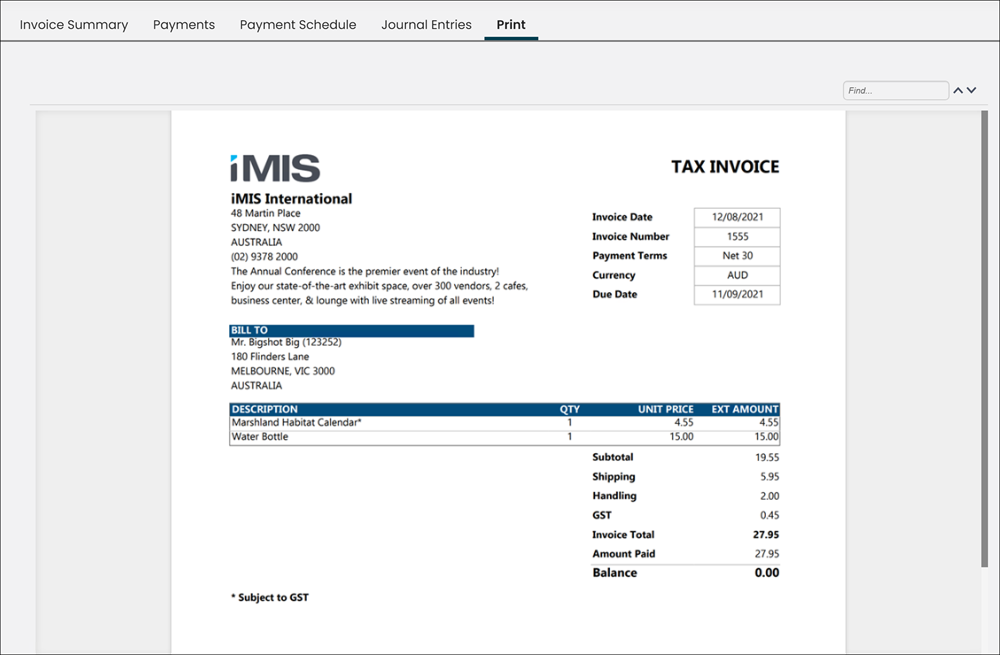
Displays invoice details with formatting for GST taxation. Intended for use in the Print tab of the Invoice detail screen (report is filtered by the iUniformKey specified in the URL).
👍 Tip
Do not run this report in Report Writer. To use this report on the Print tab, see Using Report Writer invoices on the Print tab of the invoice display.
Invoice Details
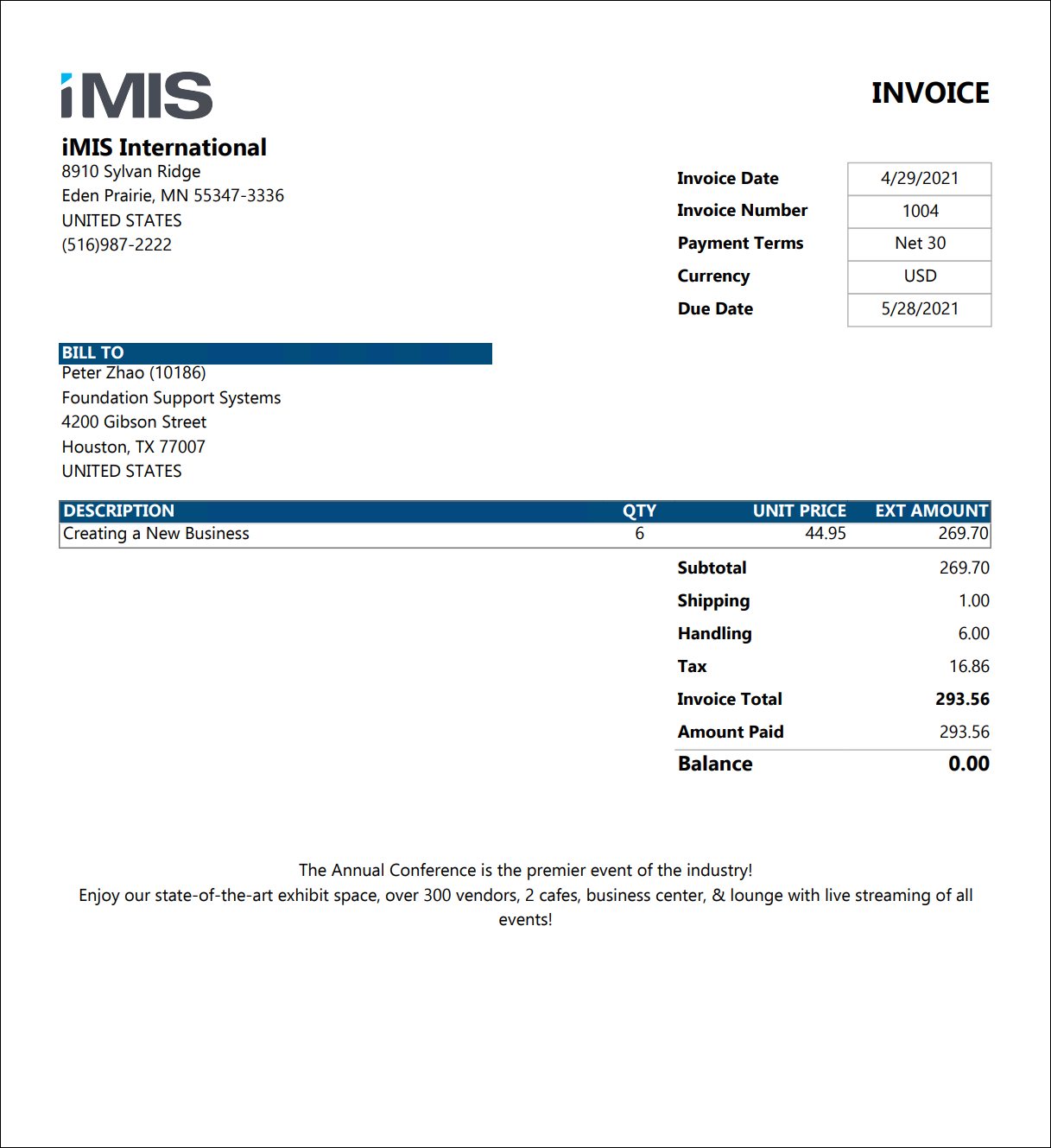
Displays invoice details without any special formatting for GST or VAT taxation. Can be filtered by invoice date, invoice number, bill to contact, or open balance amount.
Payment Statement
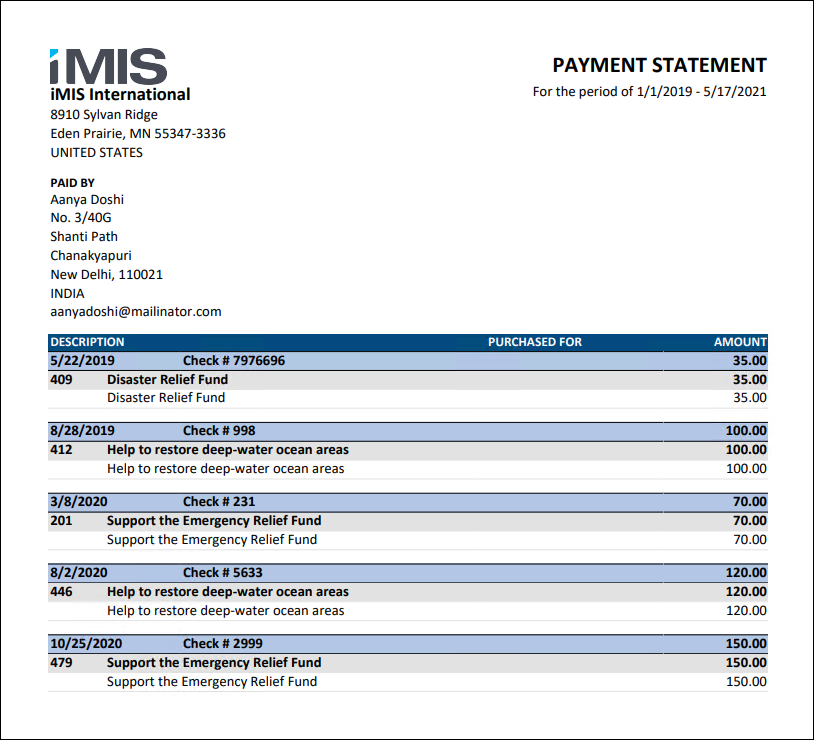
A statement of payments made by the specified contact during the specified date range, including what items the payment was applied to. Does not include prepayments that have not yet been applied to any items.
Payment Statement for Selected Contact
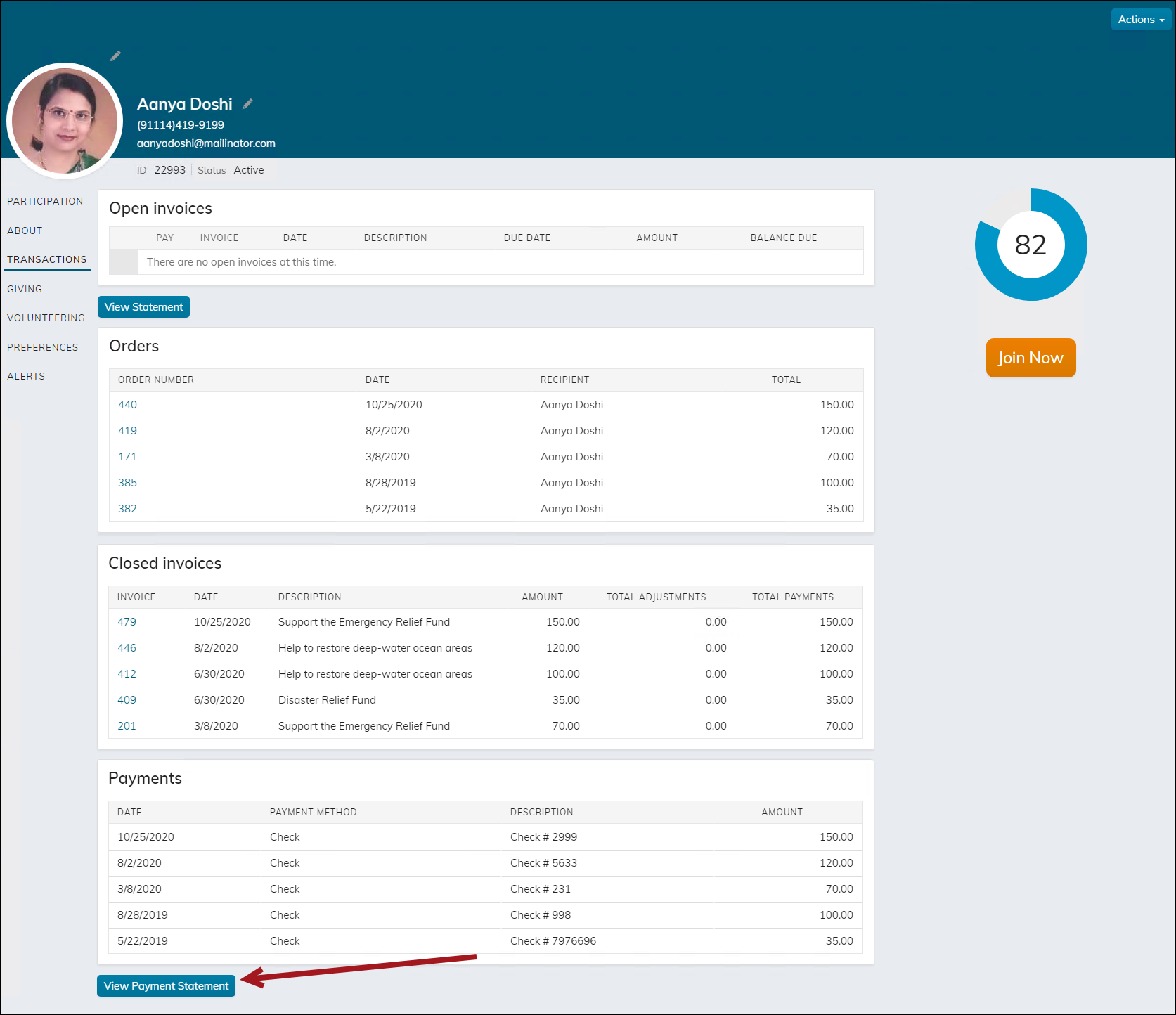
A statement of payments made by the selected contact during the specified date range, including what items the payment was applied to. Intended for use from a profile page with a ContactKey specified in the URL. Does not include prepayments that have not yet been applied to any items.
Do not run this report from Report Writer. If licensed for Report Writer, easily access the report from the Transactions tab on staff account pages, staff club household account pages, and organization account pages from the View Payment Statement button. Public users also have access to this button from their public account pages, including the household contact pages (iMIS for Clubs).
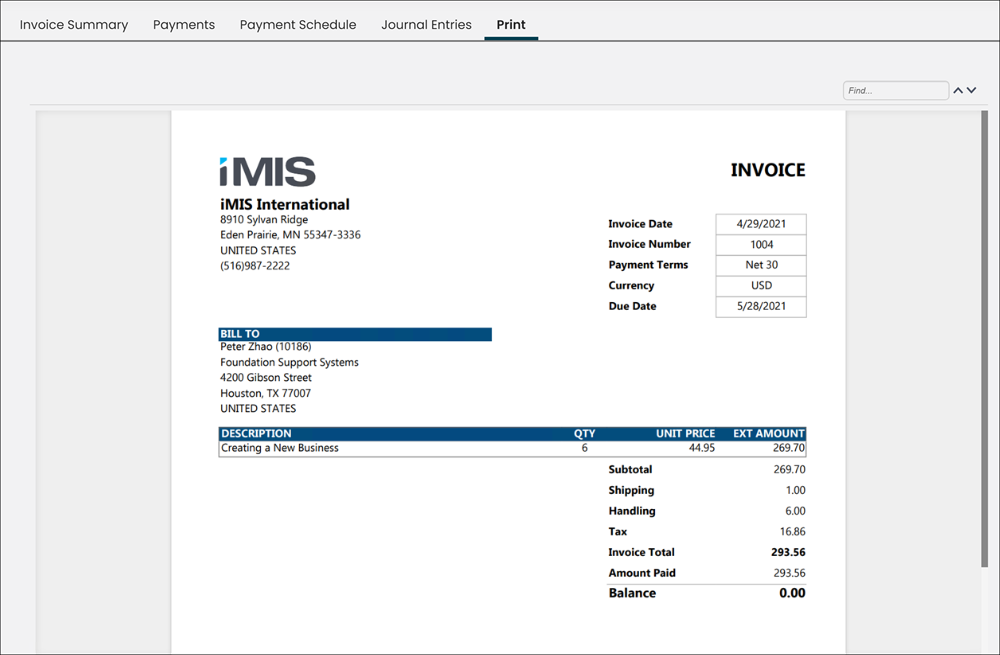
Print Selected Invoice
Displays invoice details without any special formatting for GST or VAT taxation. Intended for use in the Print tab of the Invoice detail screen (report is filtered by the iUniformKey specified in the URL).
👍 Tip
Do not run this report in Report Writer. To use this report on the Print tab, see Using Report Writer invoices on the Print tab of the invoice display.
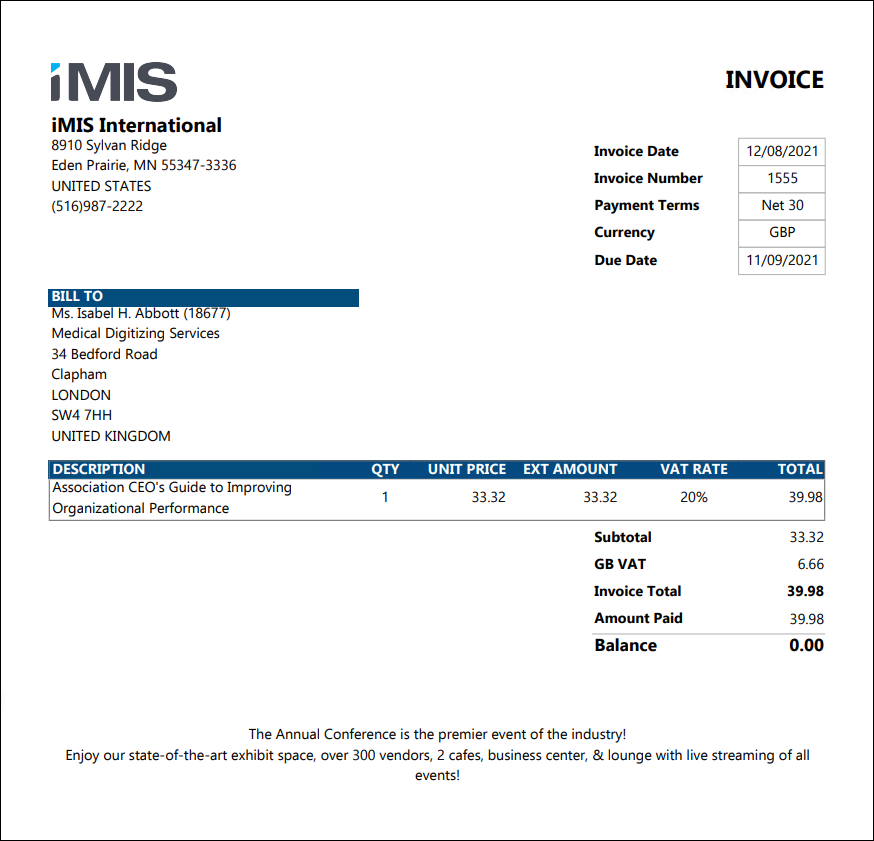
VAT Invoice Details
Displays invoice details with formatting for VAT taxation. Can be filtered by invoice date, invoice number, bill to contact, or open balance amount.
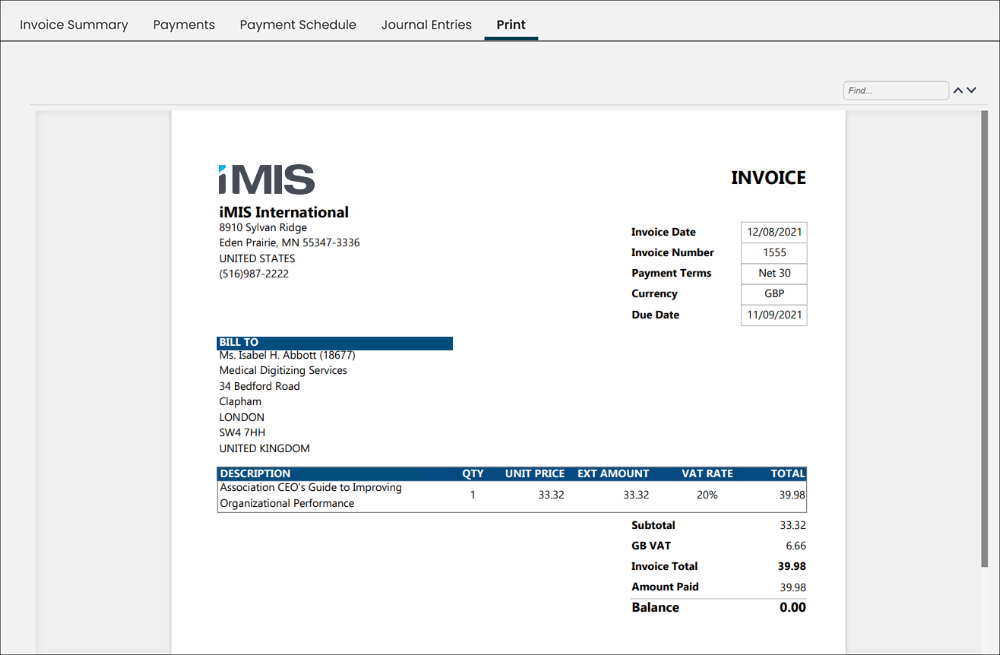
VAT Print Selected Invoice
Displays invoice details with formatting for VAT taxation. Intended for use in the Print tab of the Invoice detail screen (report is filtered by the iUniformKey specified in the URL).
👍 Tip
Do not run this report in Report Writer. To use this report on the Print tab, see Using Report Writer invoices on the Print tab of the invoice display.
Fundraising Reports
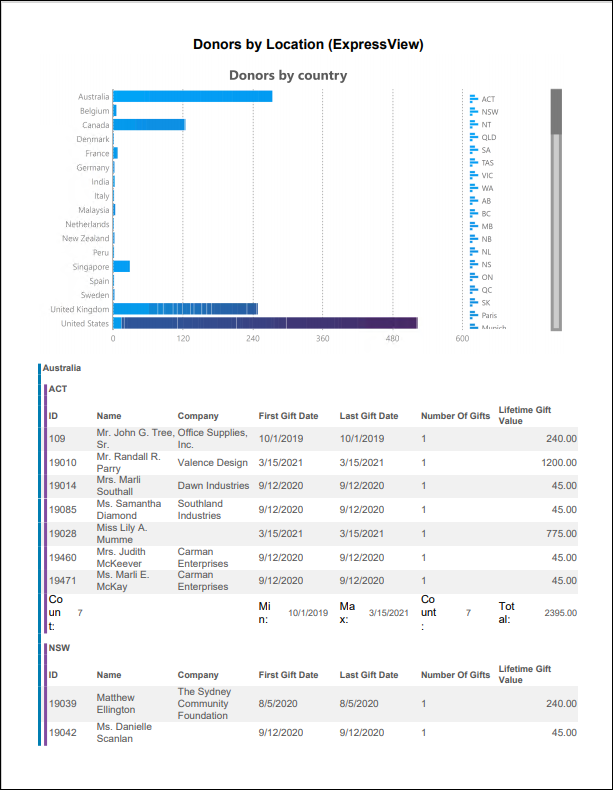
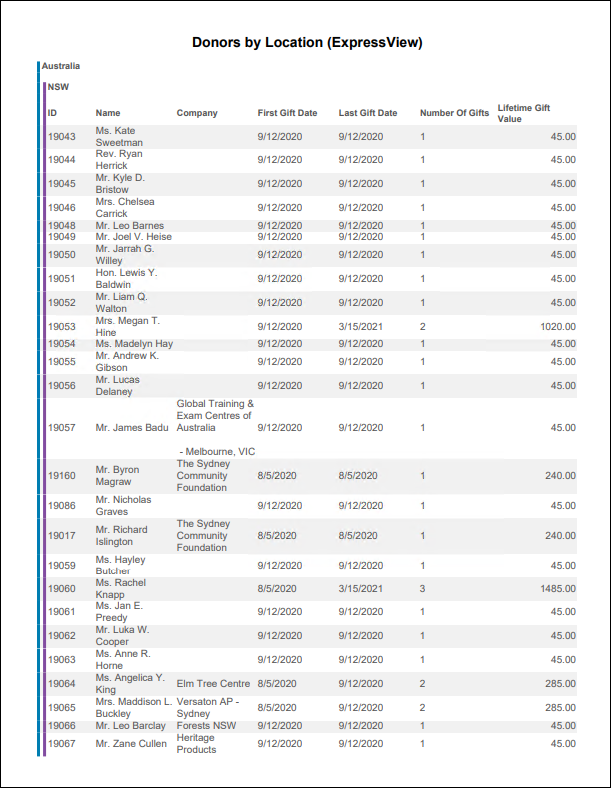
Donors by Location (ExpressView)
ExpressView report showing the number of donors and their Total Giving Amount by Country and State/Province.
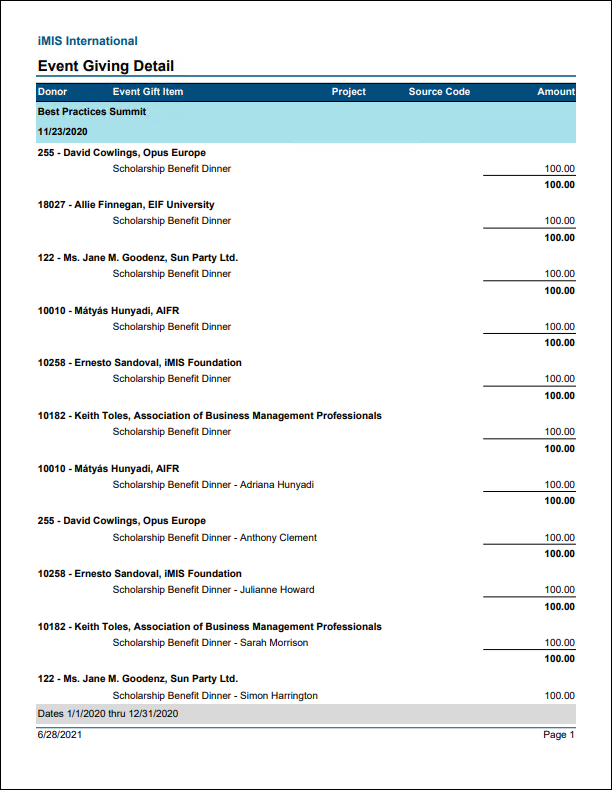
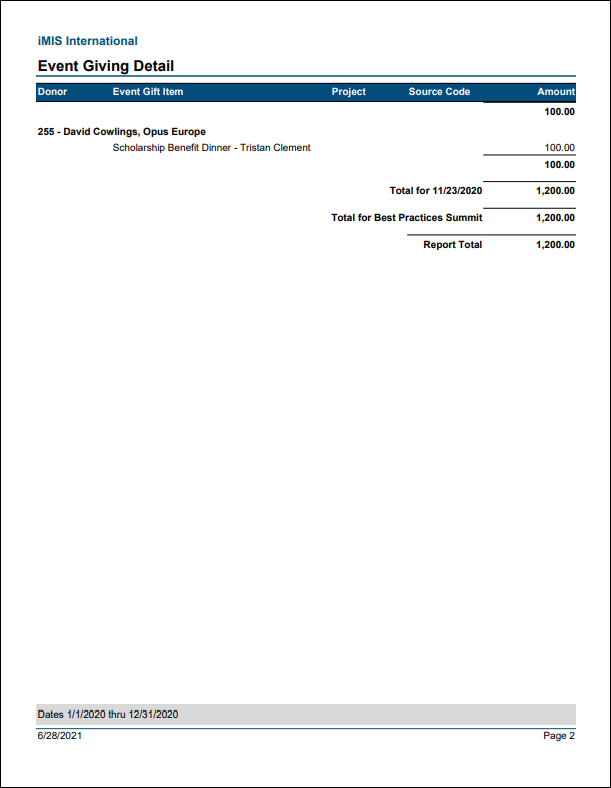
Event Giving Detail
Details all gifts from charitable events, grouped by event and transaction date.
Fundraising Dashboard
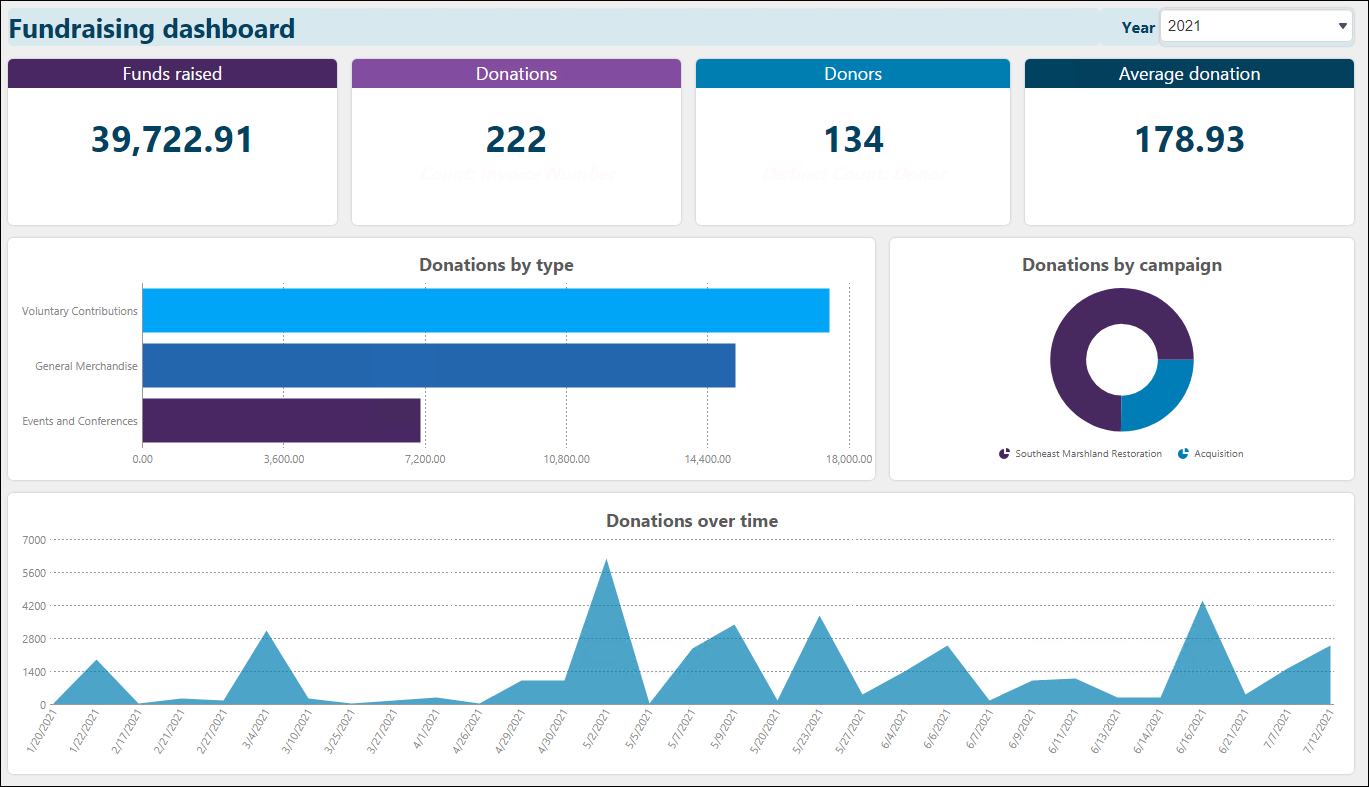
Displays information such as, amount of funds raised, amount of donations, number of donors, average amount of donation, donations by type, donations by campaign, and donations over time. Use the drop-down in the top-right to change the year.
Gift Item Performance Analysis
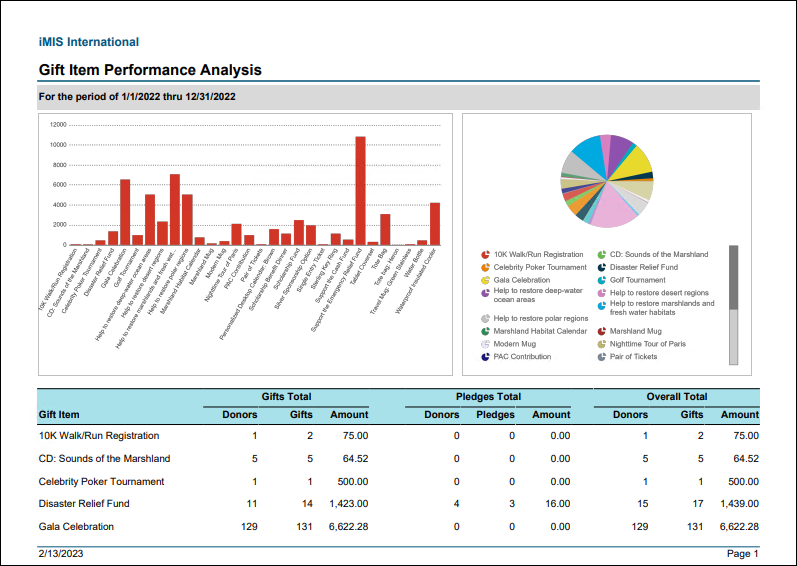
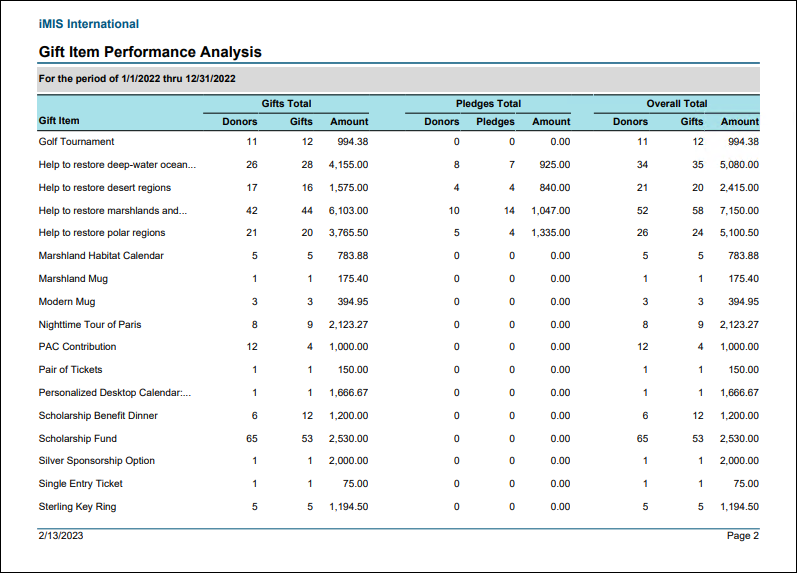
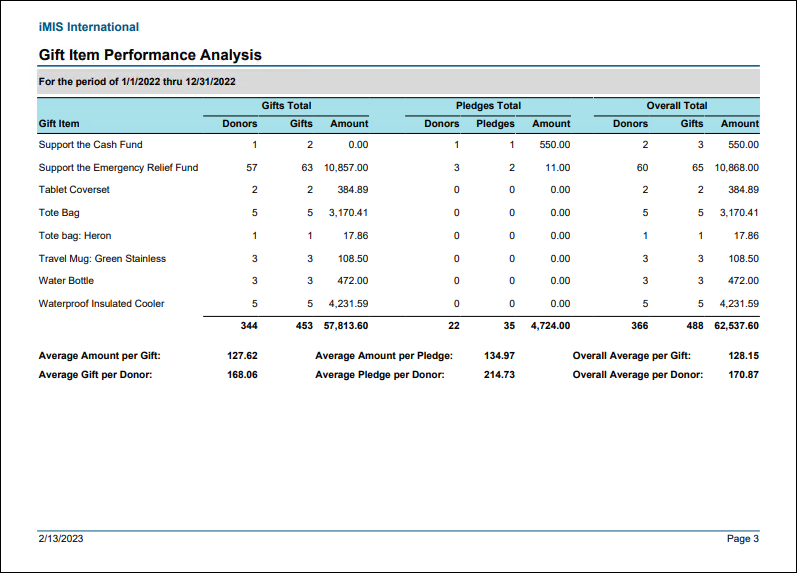
Comprehensive summary of project results and statistics for a specified date range, including events. Provides a snapshot of each gift item with a summary of number of donors, number of gifts, and amount for gifts and pledges separately.
Gift Totals by Receiptability and Payment Method
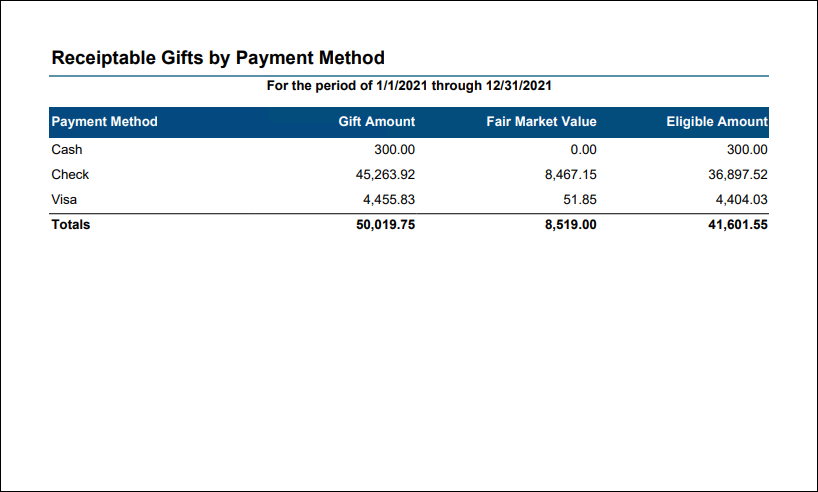
Total gift amounts for the specified date range with Fair Market Value and Eligible Amount for Receiptable and Non-Receiptable gifts, broken out by payment method. Gifts with voided receipts are excluded. Optionally filter by one or more payment methods, or by Individuals or Organizations. This report can be used to report on total gift amounts for tax reporting purposes, with the ability to break out the totals by receiptable vs. non-receiptable gifts, In Kind vs. non-In Kind gifts, and gifts by Individuals vs. Organizations.
Gifts by Project (ExpressView)
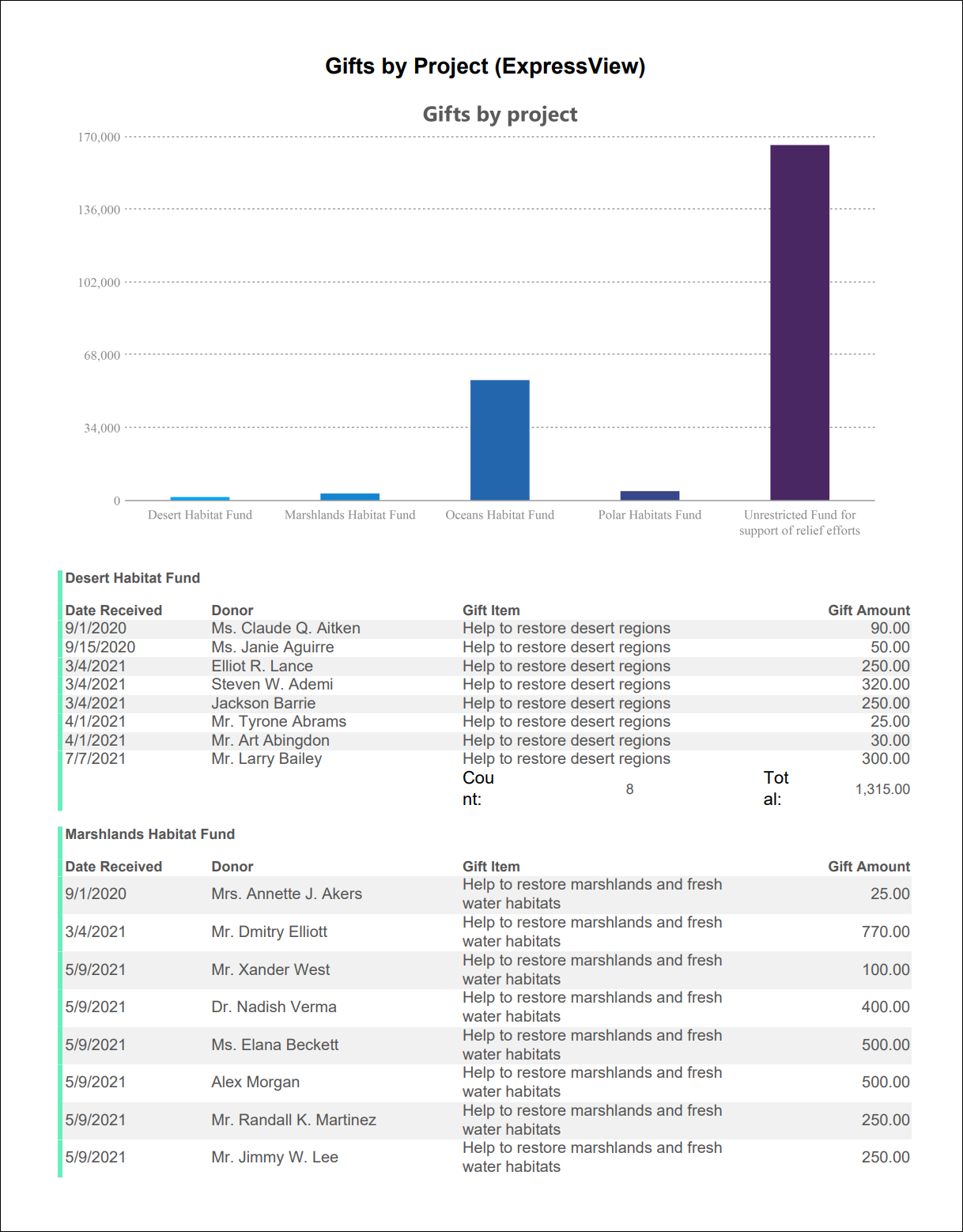
ExpressView report showing gifts by the related Project.
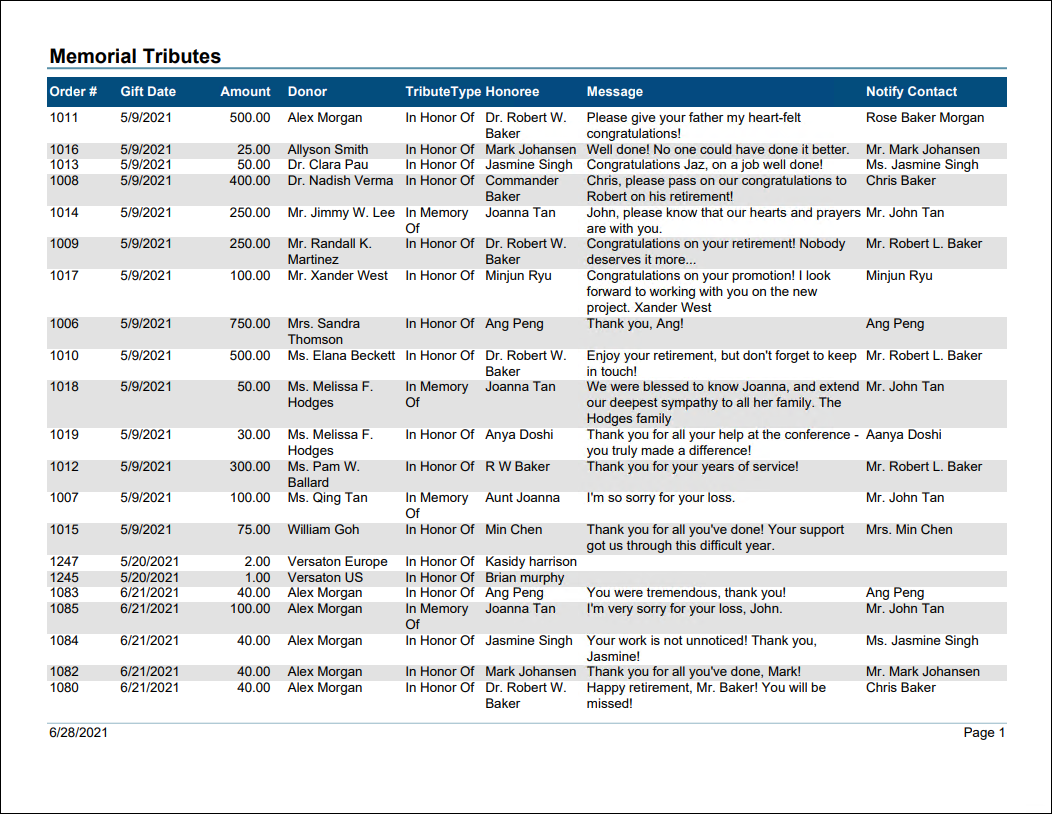
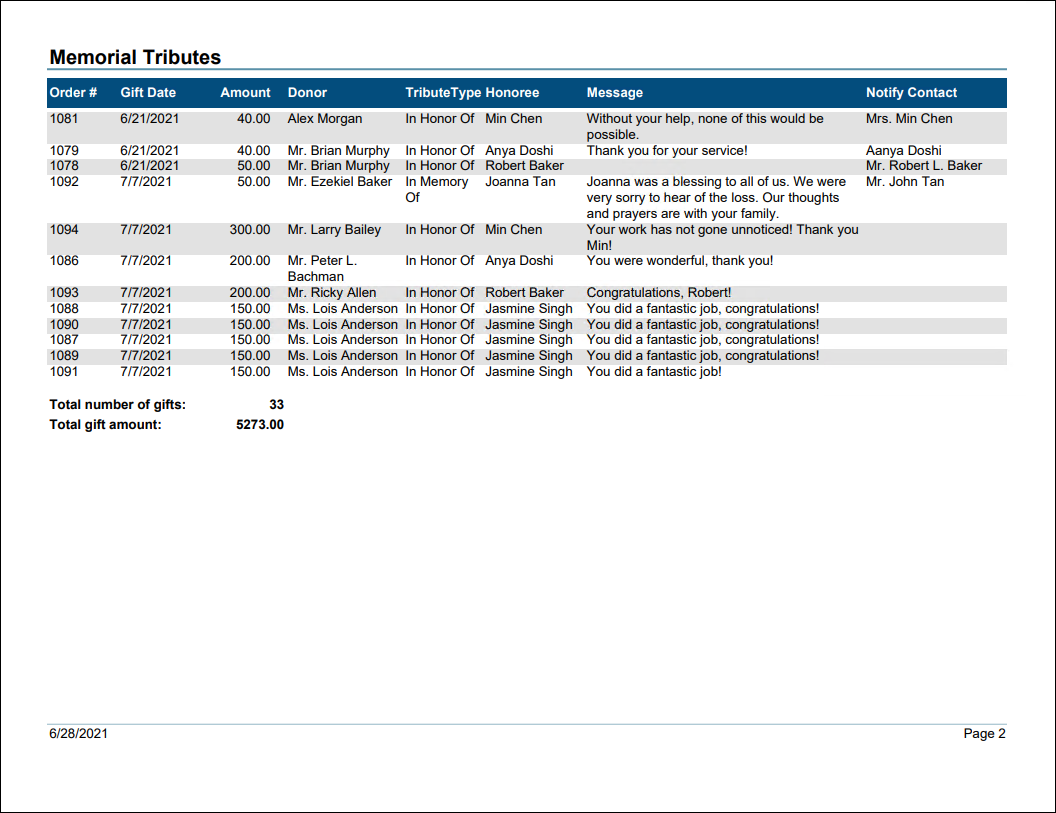
Memorial Tributes
Lists gifts that include a memorial tribute for the specified date range including the gift information, honoree, message, and notify contact.
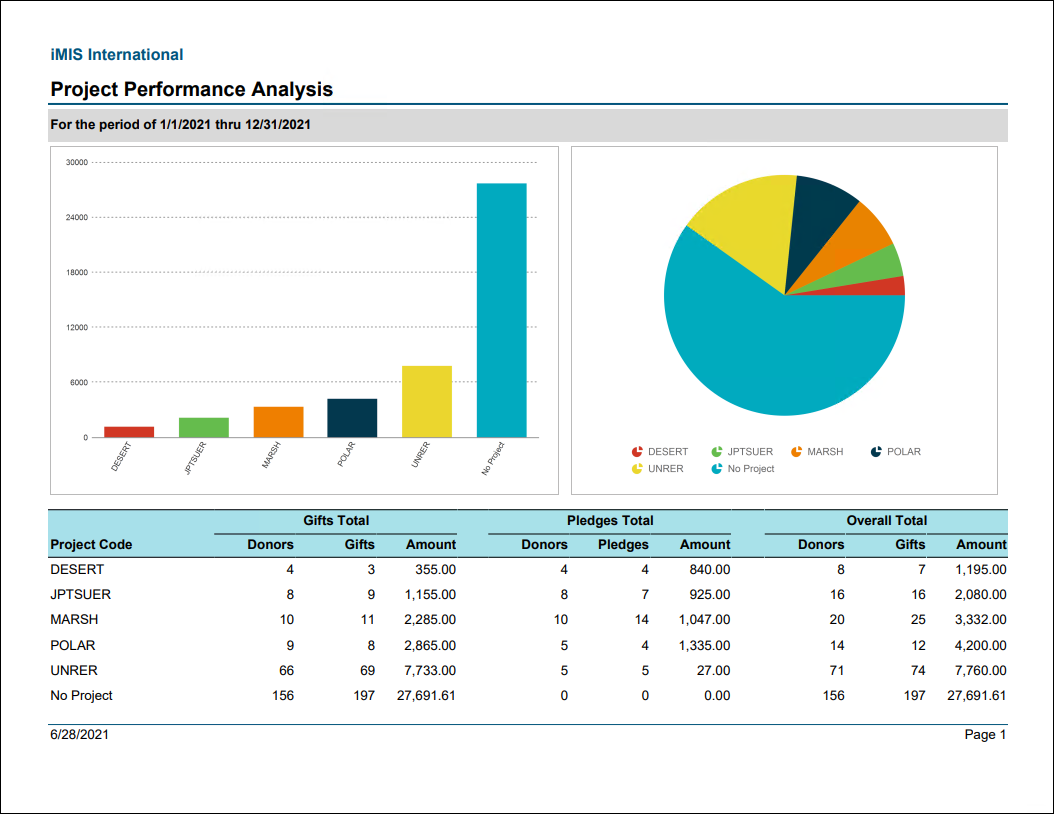
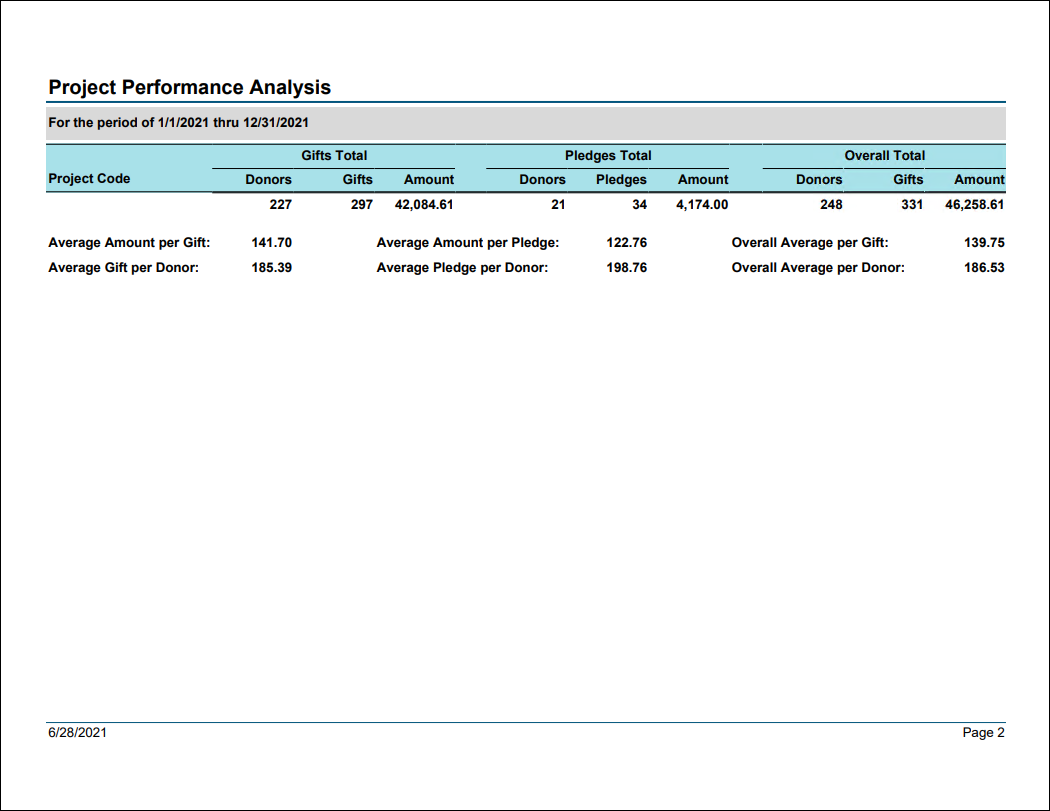
Project Performance Analysis
Comprehensive summary of project results and statistics for a specified date range, including events. Provides a snapshot of each gift item with a summary of number of donors, number of gifts, and amount for gifts and pledges separately.
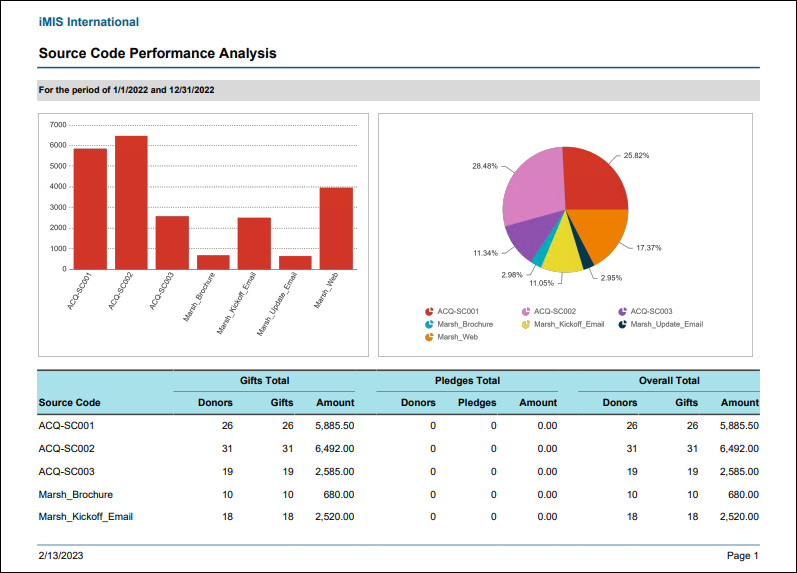
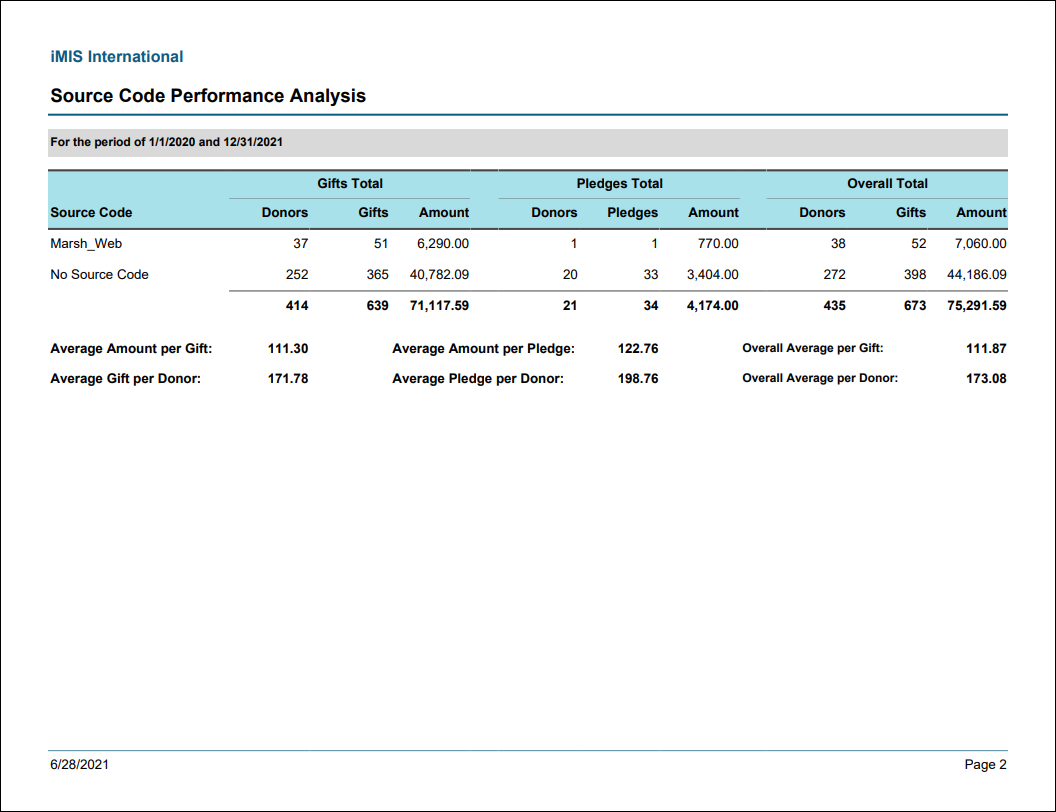
Source Code Performance Analysis
Comprehensive summary of source code results and statistics. Provides a snapshot of each source code with a summary of number of donors, number of gifts, and amount for Gifts and Pledges separately.
Membership Reports
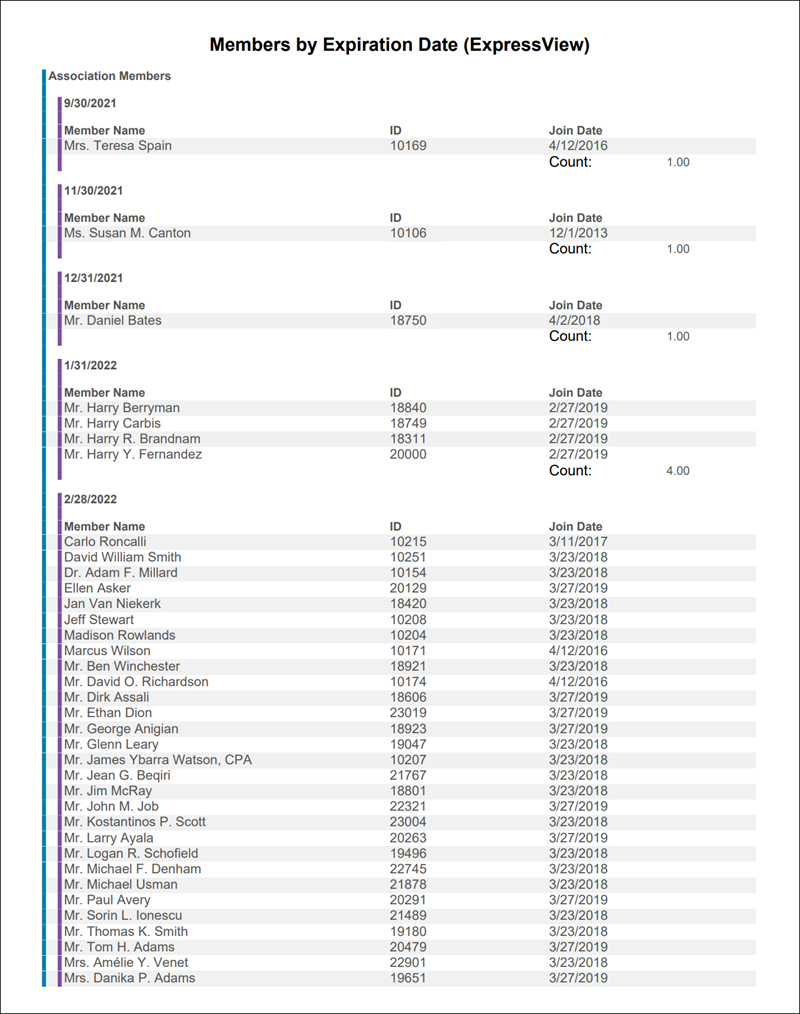
Members by Expiration Date (ExpressView)
ExpressView report showing a list of active members by membership group and expiration date.
Membership Card for Selected Contact
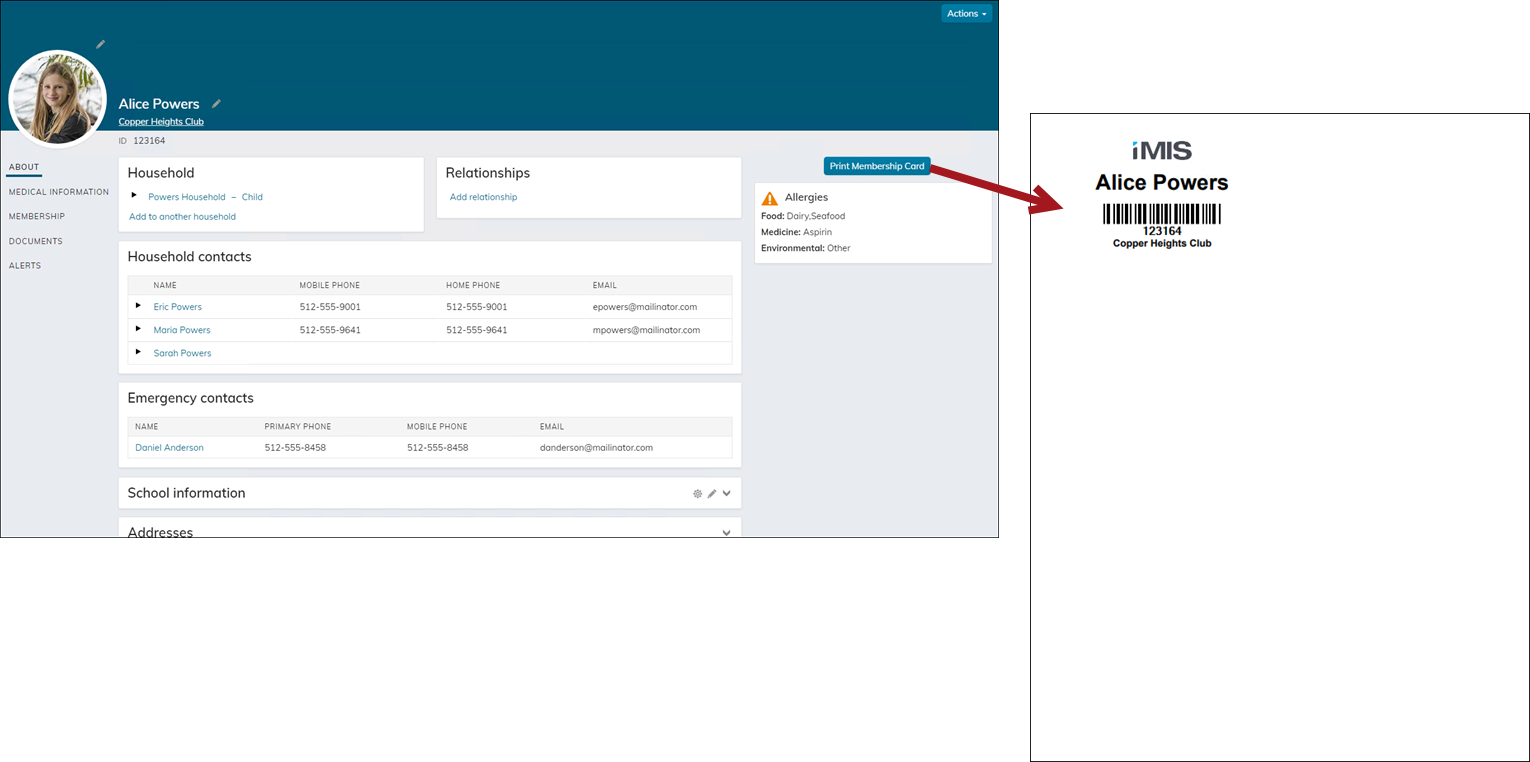
Prints a membership card for the selected contact with a barcode for the member's ID. Uses the logo from the default financial entity. Easily access this report from the out-of-the-box Club account pages using the Print Membership Card button.
👍 Tip
Do not run this report in Report Writer. To learn how to add this report to the Staff account pages, see Adding reports to account pages.
The Print Membership Card button uses the PrintMembershipCard shortcut. Update this shortcut to point to a custom version of this report on the Club Staff account pages.
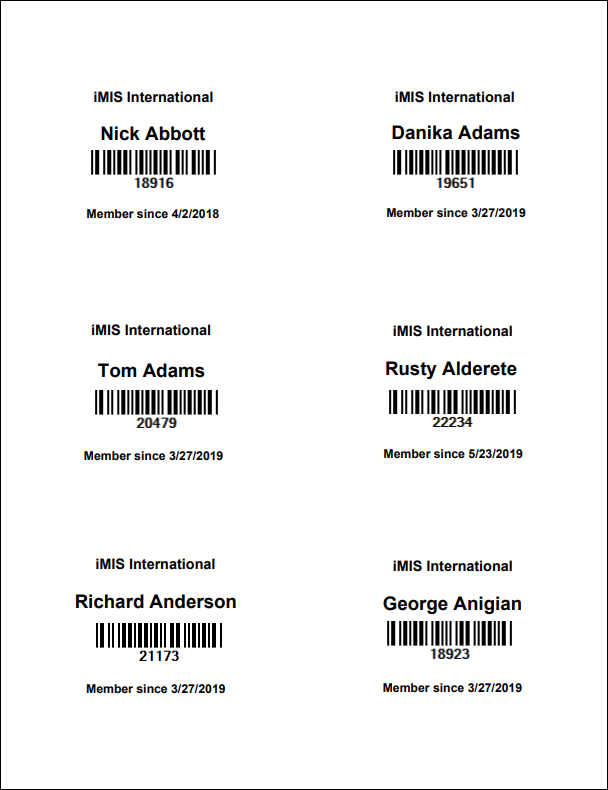
Membership Cards
Prints membership cards formatted for Avery 5392 badge stock with a barcode for the member's ID. Export to PDF template for correct formatting.
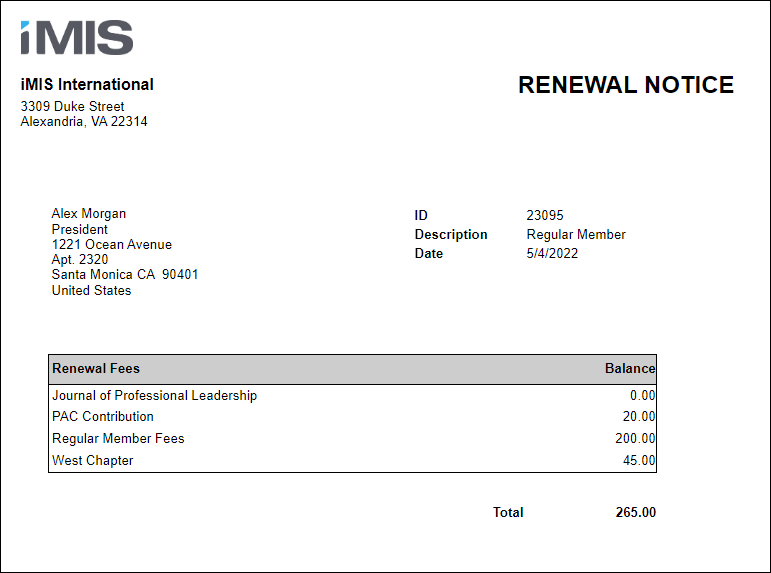
Renewal Notice Attachment
Generates a membership renewal notice invoice that can be attached to a communication template.
Updated 3 months ago