

Creating barcodes PLUS
Bar codes can be added to reports for things such as scanning attendee IDs for event registrations.
Do the following to add a bar code to a report:
- Create a new report or open an existing report.
TipFor more information on report creation, see iMIS Report Writer.
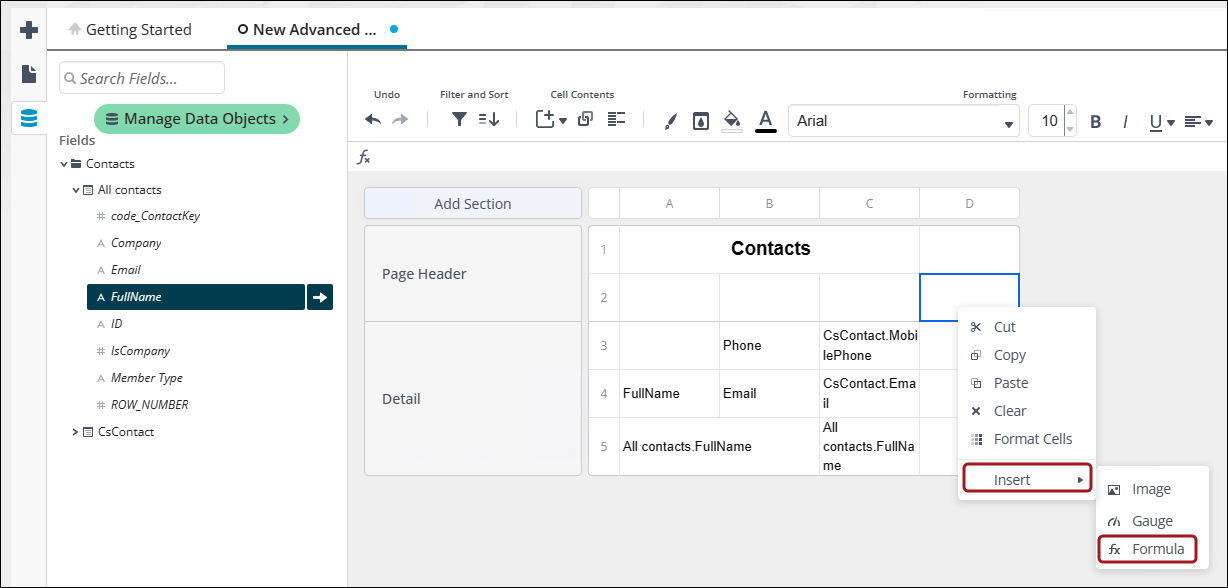
- On the next empty column of the report, right click and select Insert > Formula.
- Click the data source that contains the bar code information.
- In the Search for Functions search bar, type Barcode or go to Other > Barcode.
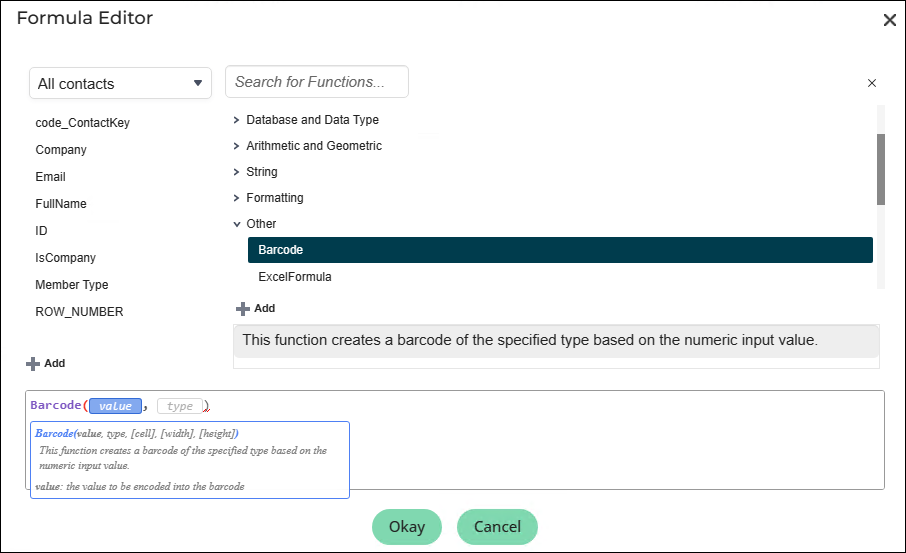
- Click Add.
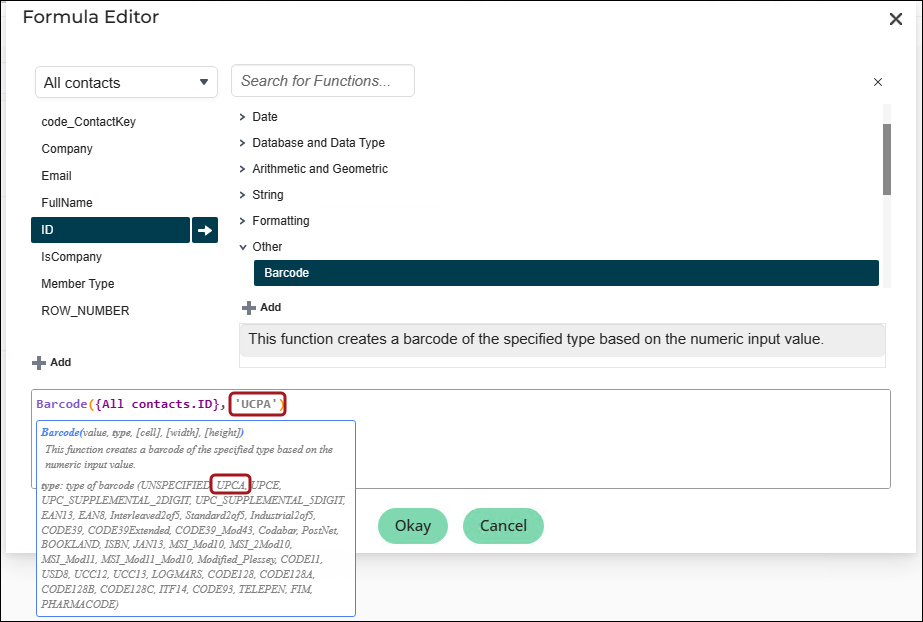
- Click type. A list of barcode types appears below.
- Choose the type of barcode you want and copy/paste it over type.
NoteThe bar code type needs to be enclosed in single quotes; for example, UPCA should be ‘UPCA’.
- Click Okay.
Updated 5 months ago
Did this page help you?