

Clubs
NoteYou must be licensed for Clubs to use a club-related functionality. Contact ASI for more information.
Staff users can easily add and edit a club organization from the Staff site. The Club Staff site also gives you the ability to edit a club, as well as add members, households, and contacts.
The Club Staff site is intended for use within a single club organization. You can choose which club you are working with within the site navigation. Checking contacts in and out of the club, as well as data shown in the site, applies to the club that was selected.
Attendance tracking
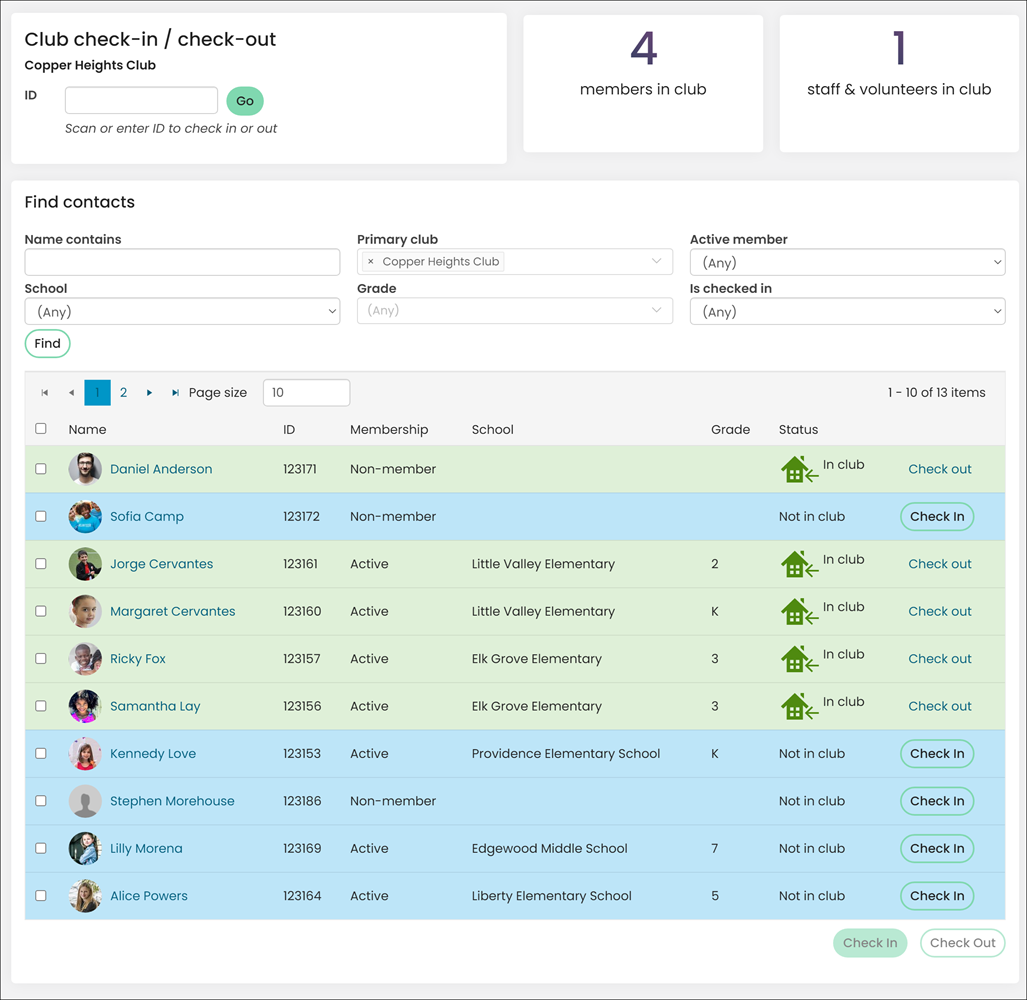
Monitor member attendance for programs and events as well as staff timecards for payroll.
Organizations can properly track attendance by checking an individual in-and-out of a specific club, using a scanner or finding the individual using various criteria and then checking them in.
This ensures records are accurate and creates a seamless user experience by saving a significant amount of time.
Parent portal access
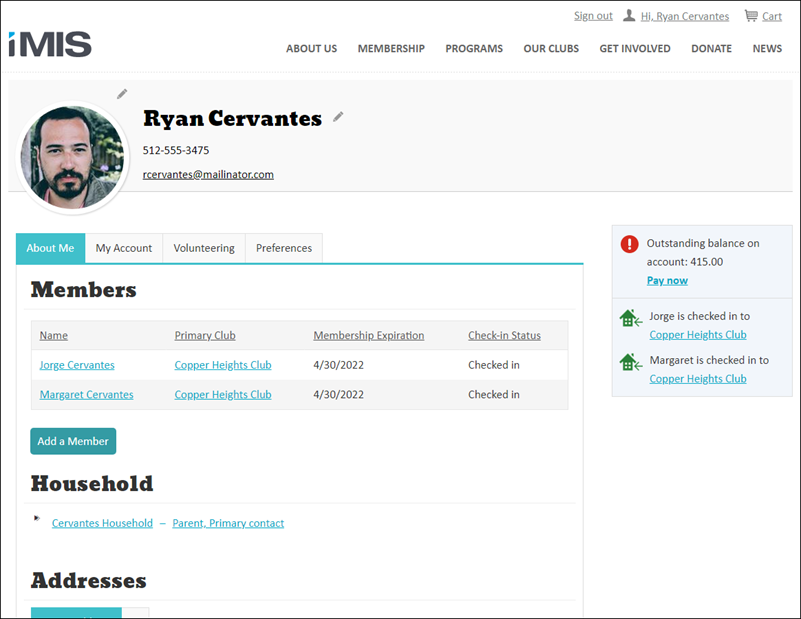
iMIS for Clubs utilizes households wherein parents or guardians have access to pay fees, register for programs or events, and update demographic information on behalf of the club member.
From the portal, household members can review information related to their household account, such as outstanding balances, if household members have checked into a club, demographic information, and more!
Recurring programs
Manage the programs and services you offer on a recurring basis, such as exercise classes, daycare, nutrition, group therapy sessions, or troop activities and easily track progress against goals for grant reporting.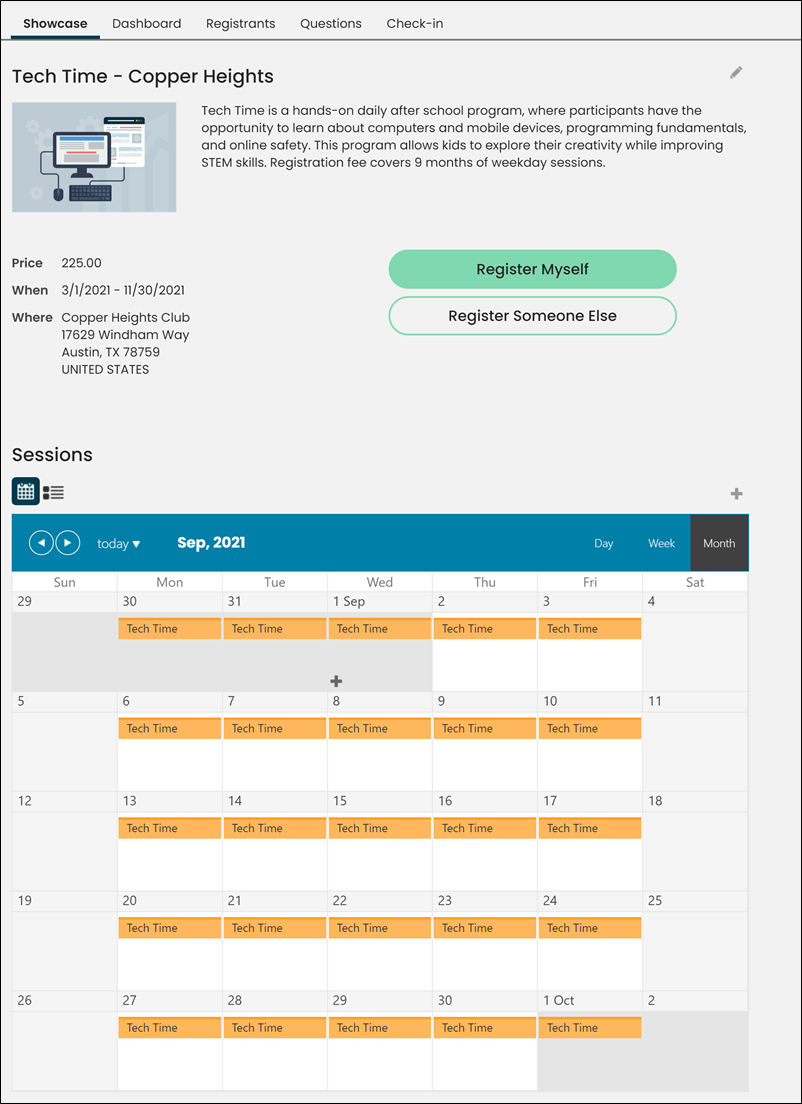
You can choose the start and end dates, start and end times, the frequency of the program, and which days the program will recur.
If the program item allows registration or charges a fee, the registration or fee applies to the parent program item as a whole, not to individual sessions. A registrant can add a recurring program item to their itinerary to register for all of the sessions.
Club Dashboards
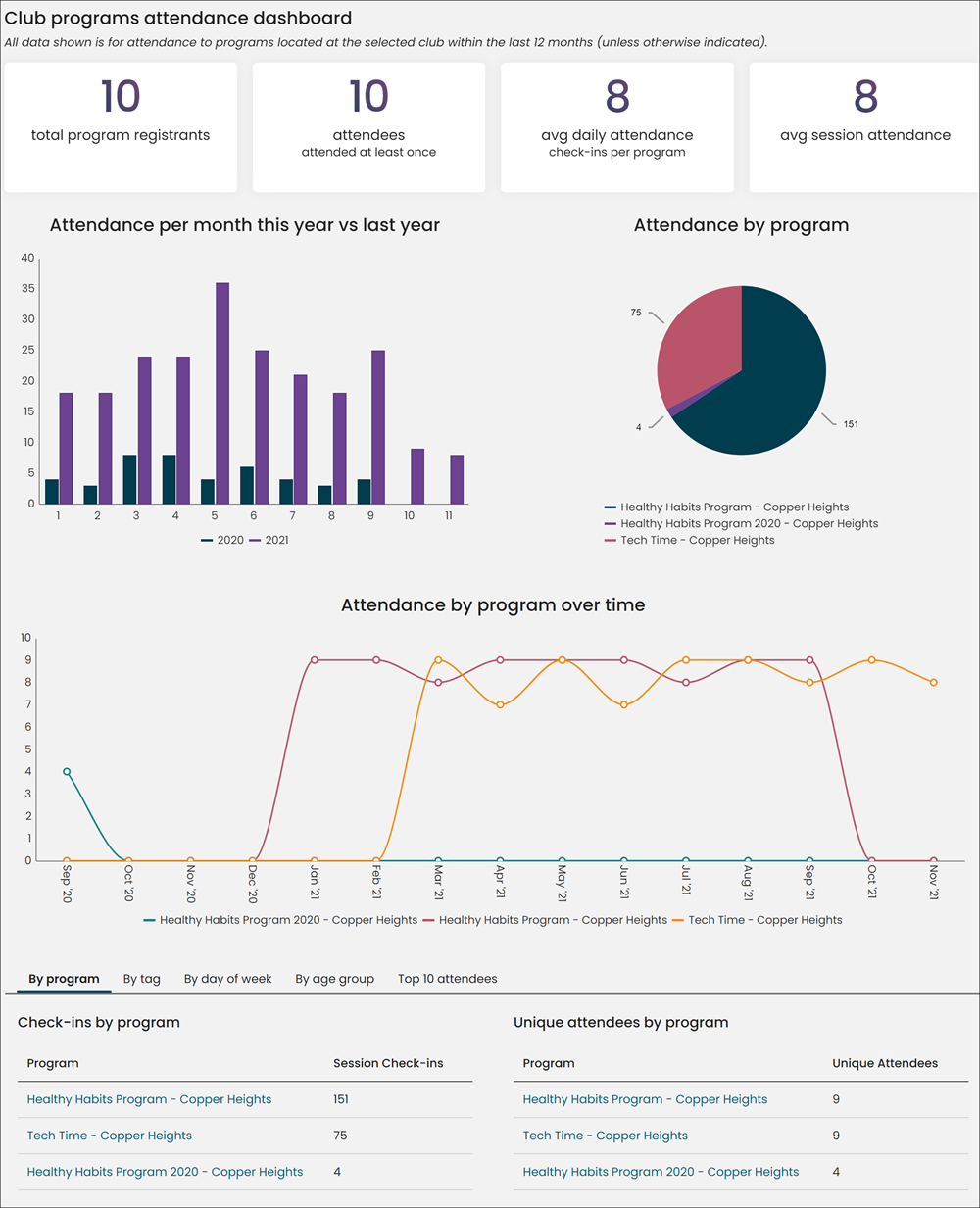
Leverage and configure real-time KPIs through easily configured dashboards based on industry best practices. The dashboards include attendance metrics related to all clubs, specific clubs, events, sessions, and more.
Club Reports
There are several out-of-the-box reports and business objects available that will help you retrieve and review data related to Clubs. The following are examples of the club-specific reports included with iMIS for Clubs:
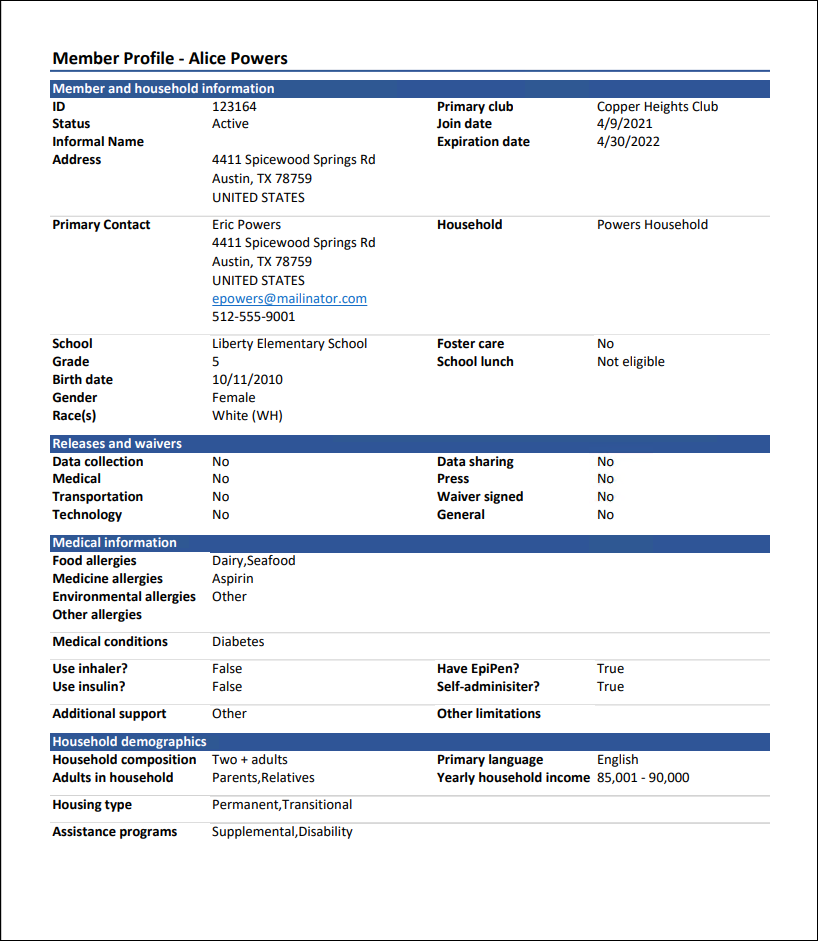
Member Profile
Displays information about the member and their household.
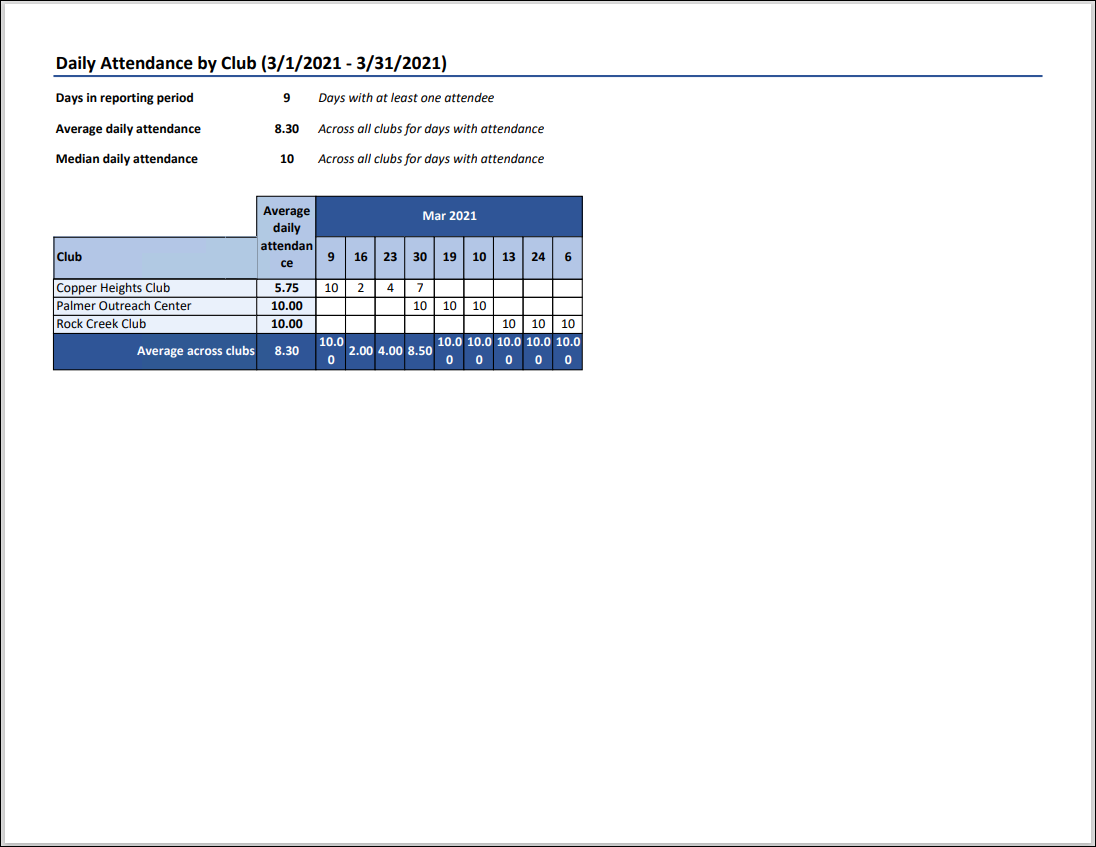
Daily Attendance by Club
Daily attendance by club for each day in the specified date range, with summary averages per day, as well as overall median attendance. Report results can be filtered by date, day of week, and club.
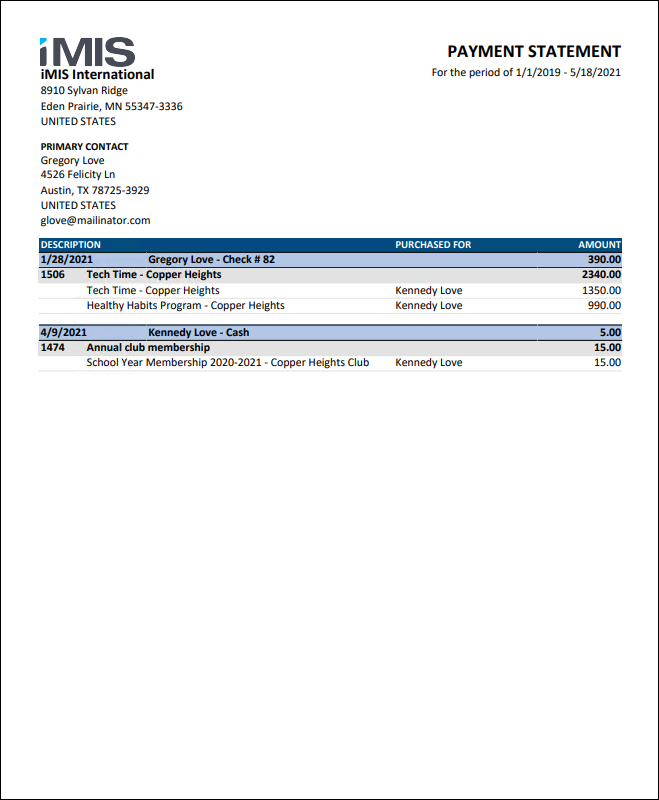
Payment Statement by Household
A statement of payments made by contacts in the specified household during the specified date range, including what items the payment was applied to. Does not include prepayments that have not yet been applied to any items.
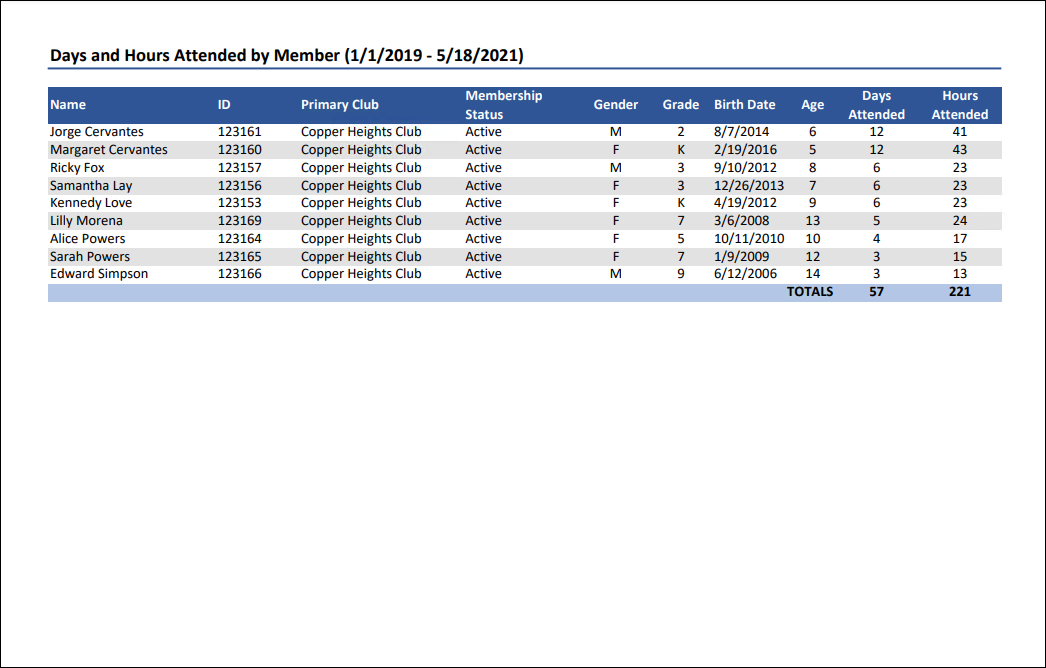
Days and Hours Attended by Member
Displays the number of days and number of hours that each member attended during the specified date range, with columns for the member's primary club, membership status, grade, gender, birth date and age. The number of hours attended is rounded from the number of minutes attended.
Only days which include a check-out are counted as a day attended, and only days with both a check-in and check-out will have the duration of hours attended included.
Checked In Contacts
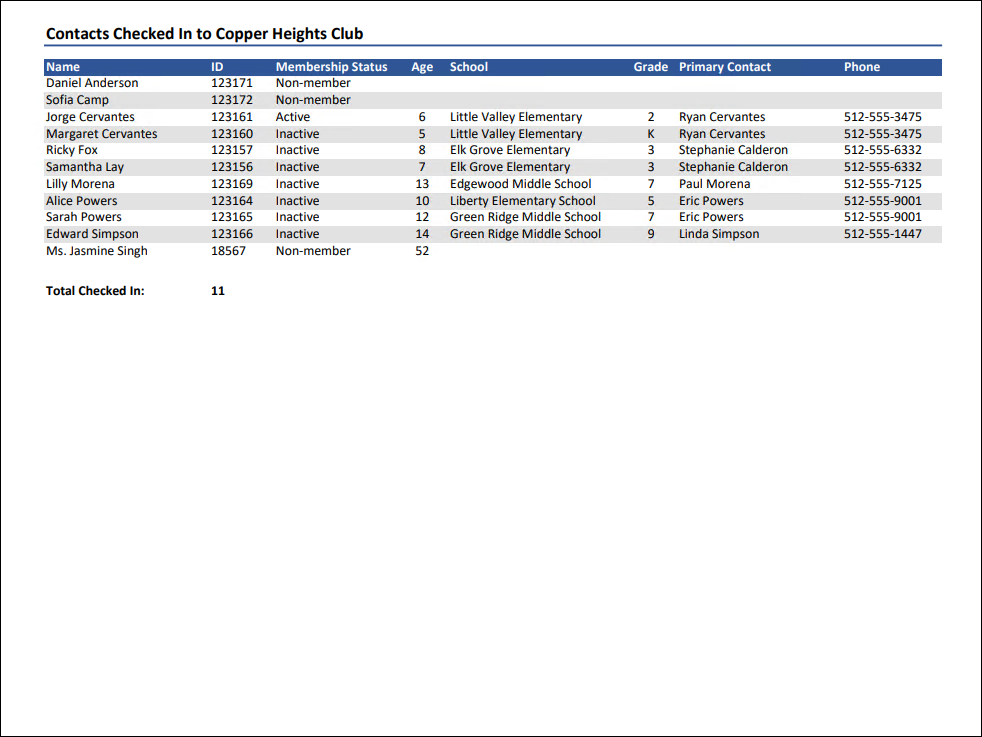
Displays a list of all contacts currently checked into the selected club, with their iMIS ID, membership status, age, school, grade, primary contact, and phone number. At the bottom is the total number of checked in contacts.
Enable your members to do business with you 24/7
Give all constituents, including members, donors, and staff, full access to your website and data while they're on the go. Choose from a gallery of configurable, responsive site templates or integrate to your existing web Content Management System (CMS).
Updated 5 months ago