

Displaying hierarchical grids
You can use the Subtotal option to display query results in a hierarchical grid of summary rows and detail rows. Subtotaled columns are displayed as high-level items. Expanding one of these items displays the detailed (non-subtotaled) items.
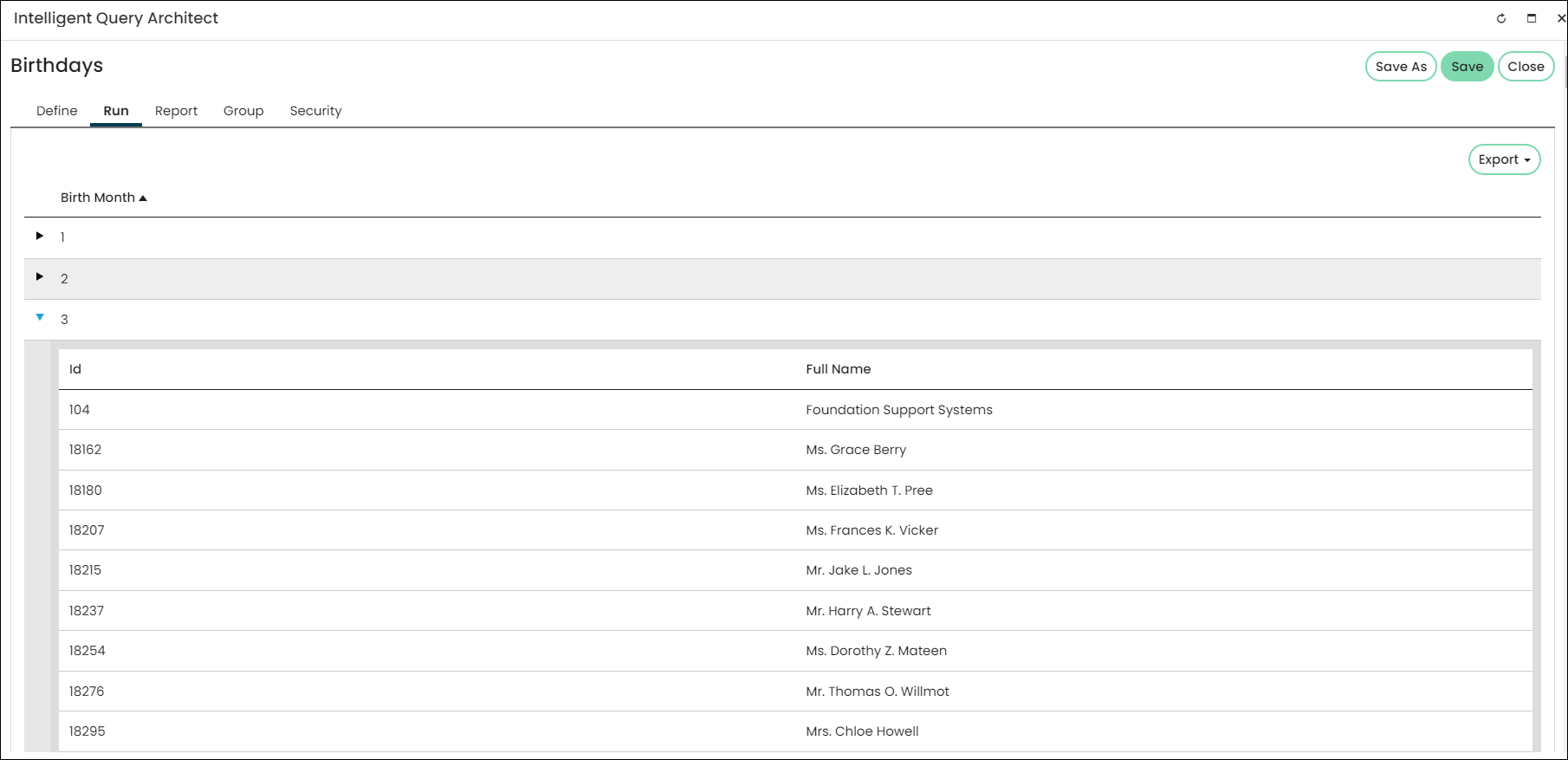
Notes and tips about the Subtotal option
The following are tips for creating a query displayed in a hierarchical grid.
Subtotal not compatible with certain properties
The Subtotal option is not compatible with the following:
- Custom SQL Expressions
- The Subtotal option cannot reliably be used for Float columns or DateTime columns that include times. If you want to use Float or DateTime columns, a SQL Expression must be used to cast the column to another type. For example, CAST([vBoMyTable].[MyDateTimeField] AS DATE).
Using Subtotal with numeric properties
- Any properties that are not subtotaled are displayed in the detail rows only, unless they are numeric properties.
- When any property in a query is subtotaled, then numeric, decimal properties are automatically summed and displayed in the summary rows and also displayed in the detail rows. To display these properties in the summary rows only, select the Subtotal option.
- Non-decimal numeric properties are not automatically summed.
Other notes about the Subtotal property
- If you select the Subtotal option for all properties in a query, the results will not be displayed in a hierarchical grid.
- To display a non-numeric property in the summary rows, select the Subtotal option.
- If a property has Subtotal enabled with a Link defined and that link is referencing another property in the query, then the linked property must also have Subtotal enabled. Not enabling Subtotal on both properties will result in a query error.
Updated 5 months ago
Did this page help you?