

Donating as an organization
As a Group Member Administrator or Group Administrator, you can make donations on-behalf-of your organization. Payment is taken at the time of submission, and the donation appears on the organization's account page.
To donate as an organization, do the following:
- Log in as a Group Member Administrator or Group Administrator.
- Navigate to the donation page, and enter the amount of the donation.
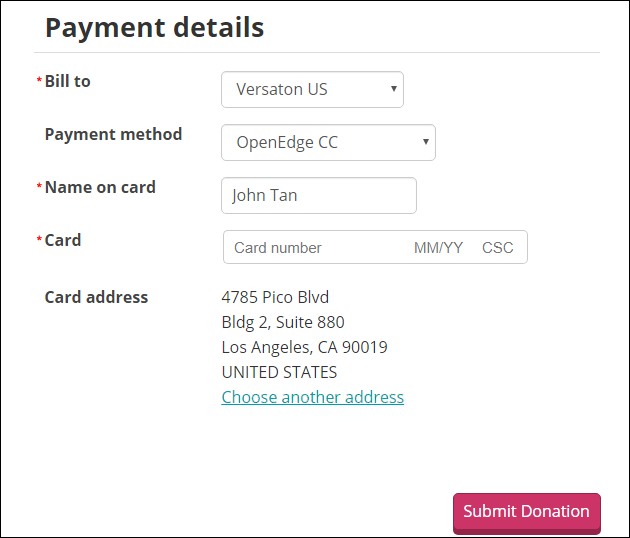
- In the Payment details area, select your organization from the Bill to drop-down.
Note
A bill is not created. This selection simply determines which account page the donation will appear on.
-
Enter the remaining Payment details, then click Submit Donation.
-
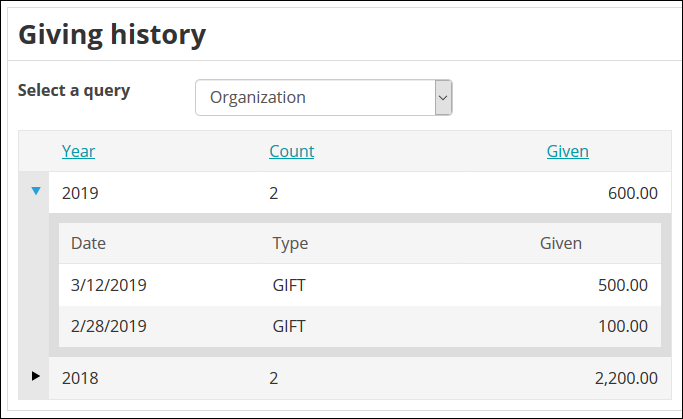
Navigate to your organization's account page, then click the Giving tab.
-
Review your organization's donation from the Giving history panel.
Updated 5 months ago
Did this page help you?