

Group Full Roster
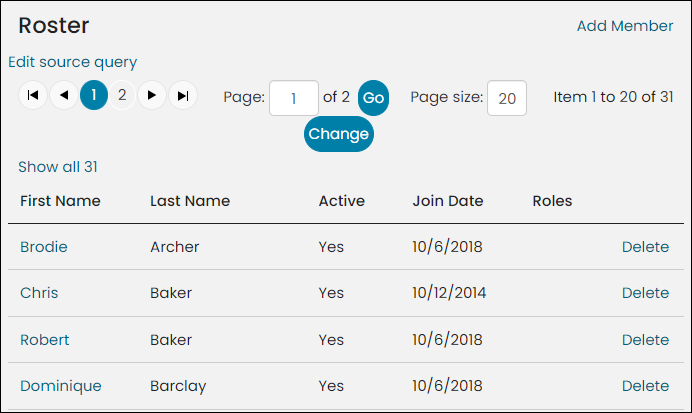
The Group Full Roster content item displays the full roster for a group, and includes support for paging of results. The Group Full Roster content item includes the ability to add a member to the roster by clicking Add Member.
The Group Full Roster content item also supports editing of an existing member record by selecting the FIRST NAME hyperlink for the desired member. You can also delete a member from the roster (removes contact from the group; the contact will remain in your database). You will be prompted to confirm the deletion.
Group Full Roster configuration options
- Name - Enter a name for the content item.
This text appears during design mode (configuration). - Title - Enter the text to display above this
content item on the rendered page. If blank, no title displays. - Do not render in design mode - Select this option
to prevent content record data from being loaded in the content editor.
This improves performance during design time (configuration). - Display a border around this content - Select
this option to display a border around this content item on the rendered page. - Enable paging of roster list - Select to allow the roster list to be displayed across pages.
- Number of members to display per page when paging is enabled (applies only if Enable paging of roster list is selected) - Enter the number of members to be displayed on each page. The default value is 20.
Notes
- This content item obtains the key of the desired Group object from the iUniformKey specified in the URL Parameters field for the navigation item.
Updated 5 months ago
Did this page help you?