

Unlocking a user's account
Accounts become locked after several incorrect login attempts.

To have access to unlocking an account or changing a password, you must be a system administrator or staff user.
To unlock an account, do the following:
-
Go to the contact's account page.
-
Click the Security tab.
-
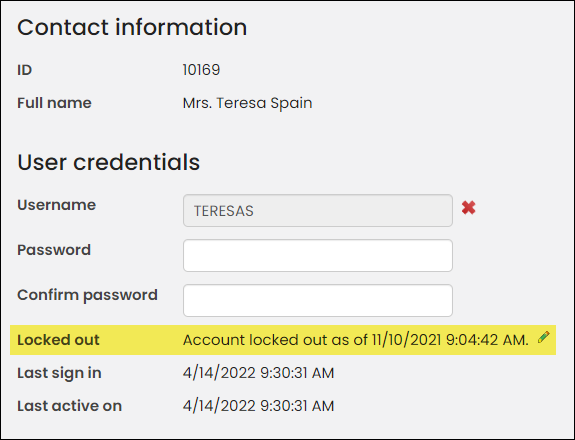
In the User credentials panel look for the Locked out field.
-
The message will state that the account has been locked out. Click the pencil icon to unlock the account.
- Click Save.
The changes may take a few minutes to take effect.
Updated 5 months ago
Did this page help you?