

Keeping users logged in while navigating through subdomains
If you are using subdomains, you may need to share cookies across the subdomains, so users remain logged in while navigating through the various websites. A subdomain is an additional part to your primary domain name. The following table details examples of domains and subdomains:
| URL | Domain | Subdomain |
|---|---|---|
| abc.org | abc.org | |
| www.abc.org | abc.org | www |
| members.abc.org | abc.org | members |
It is important to note that in the examples above, “www” is technically considered a subdomain. Follow the below steps to keep users logged in across the naked domain (abc.org) and the subdomain (www.abc.org).
To keep users logged in while navigating through subdomains, do the following:
- From the Staff site, go to Settings > RiSE > Quick setup.
- Enable Share cookies across subdomains.
- In the Share cookies across subdomains for these domains text field, enter the domain, separating each domain with a comma (if you have more than one domain). Do not include any subdomains, including ‘www’, in the domain listings.
Example
The website is abc.org, and you also use www.abc.org and members.abc.org. In the Share cookies across subdomains for
these domains text field, enter abc.org.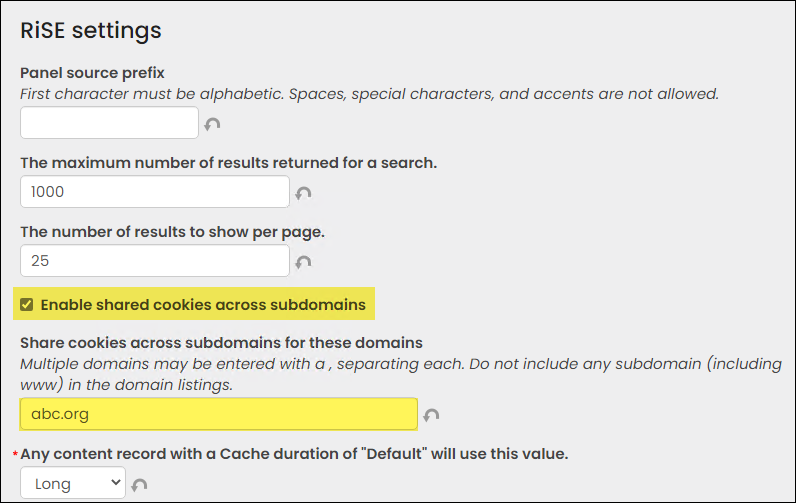
- Click Save.
Important notes about sharing cookies across subdomains
Keep the following in mind:
- Do not include any subdomains, including ‘www’, in the domain listings.
- You cannot share cookies across imiscloud.com subdomains.
Updated 3 months ago