

Product reports
All reports in the Staff site are created using either IQA, or an extension of Microsoft called SQL Server Reporting Services (SSRS). There are also reports that combine IQA and SSRS, where the IQA is used to define and pull the data, while SSRS is used to define the layout of the report.
You can run out-of-the-box reports on a variety of data within iMIS. Using an IQA or SSRS report is how you can get report data on the web.
You may in certain situations want to modify an existing SSRS report. To add or remove information from the report, you must download its RDL file and make adjustments to the SQL that the report uses. For more information about modifying a report, see Modifying and creating reports.
NotePrinting a report using IE11 requires that the browser be in Enterprise Mode. Contact Tech Support for assistance.
NoteTo print a report, export the report using the PDF or Excel buttons, then print the exported report.
iMIS provides several out-of-the-box Product reports. To access Product reports from the Staff site, go to Reports > Product reports.
The following Product reports are available:
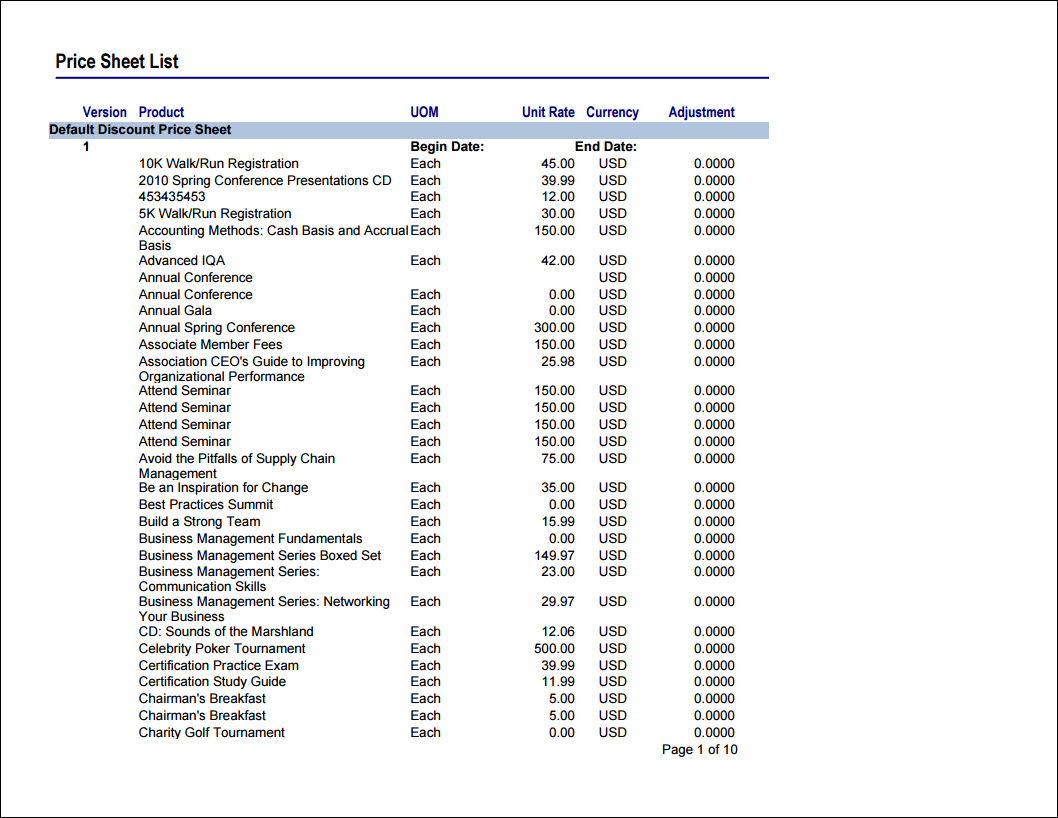
Price Sheet List
Price sheet summaries, including products that use the price sheet
- Source IQA - PriceSheet Report
- Source file path - $/Inventory/DefaultSystem/Reports/Queries
-
Source Business Objects:
- PriceSheetReport
-
Relationships:
- Not applicable
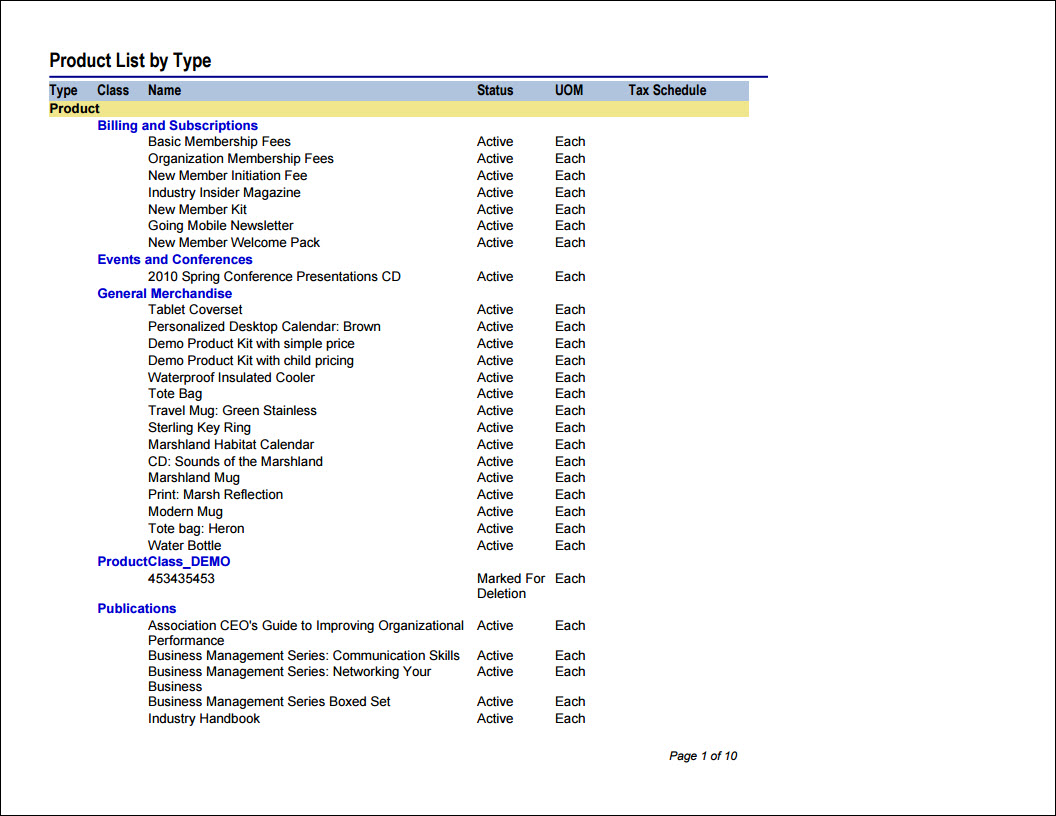
Product List by Type
Commerce items listed by type, such as publication or event.
- Source IQA - Product Detail Report Query
- Source file path - $/Inventory/DefaultSystem/Reports/Queries
-
Source Business Objects:
- ProductDetailReport
-
Relationships:
- Not applicable
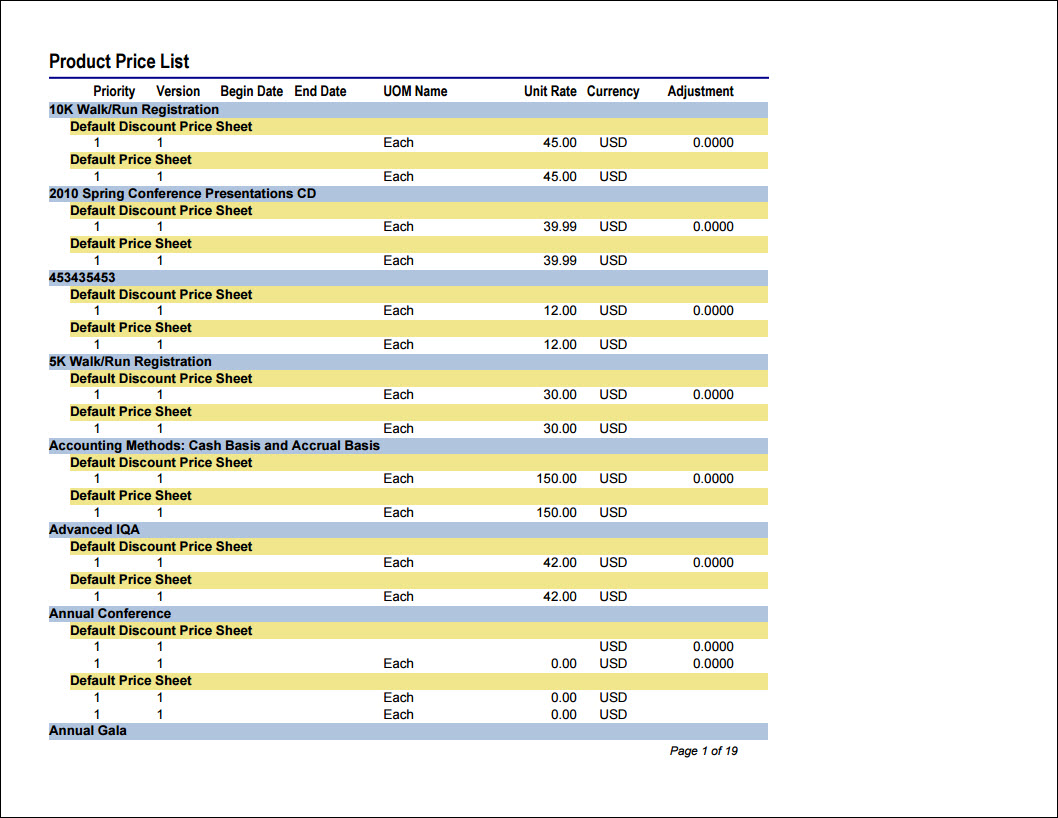
Product Price List
Details about unit pricing, default currency, and price sheets
- Source IQA - PriceSheet Report
- Source file path - $/Inventory/DefaultSystem/Reports/Queries
-
Source Business Objects:
- PriceSheetReport
-
Relationships:
- Not applicable
Updated 5 months ago