

Understanding an empty group renewals batch
The following are a few things to check if your group renewals batch is empty after having been processed.
Group renewal policy for each role
Be sure your group has a group renewal policy set up for each role in the group that you want to renew:
-
Go to Membership > Groups.
-
Select the membership group from the list.
-
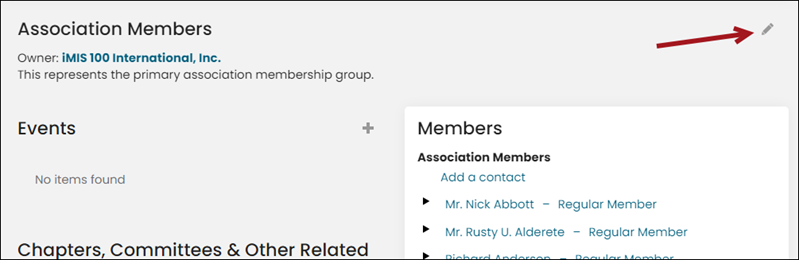
Select the pencil icon.
-
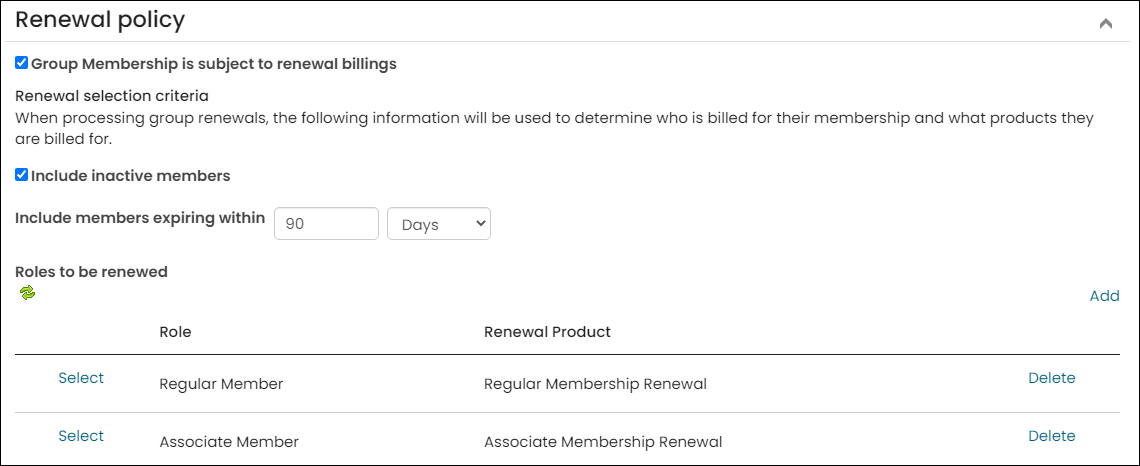
Under Renewal policy, be sure the Group Membership is subject to renewal billings checkbox is selected, and ensure each role you want to renew is attached to a renewal product. Enable Include inactive members to also include inactive members when processing renewals. If this is not enabled, only active members of this group will be processed for renewal.
Renewal products should assign the purchaser to a group
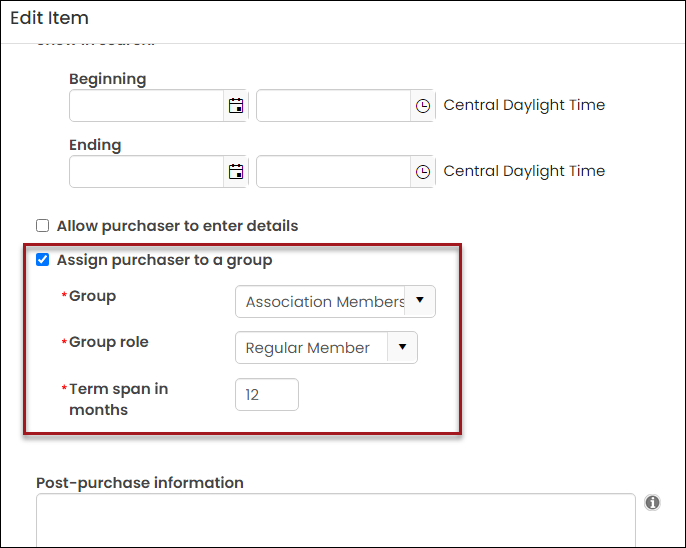
Check that your renewal products also assign the purchaser to the same group:
-
From the Staff site, go to Commerce > Find products.
-
Search for your renewal group product, then select the pencil icon to edit.
-
Assign the product to a Group and Group role.
Updated 5 months ago