

Formatting dates in Report Writer reports
To format dates in Report Writer reports, do the following:
- Right-click the cell with the date, then choose Format Cells.
- Click the Date category.
- Choose the desired format from the list.
Note
For information about each Date/Time Format, see Date Functions.
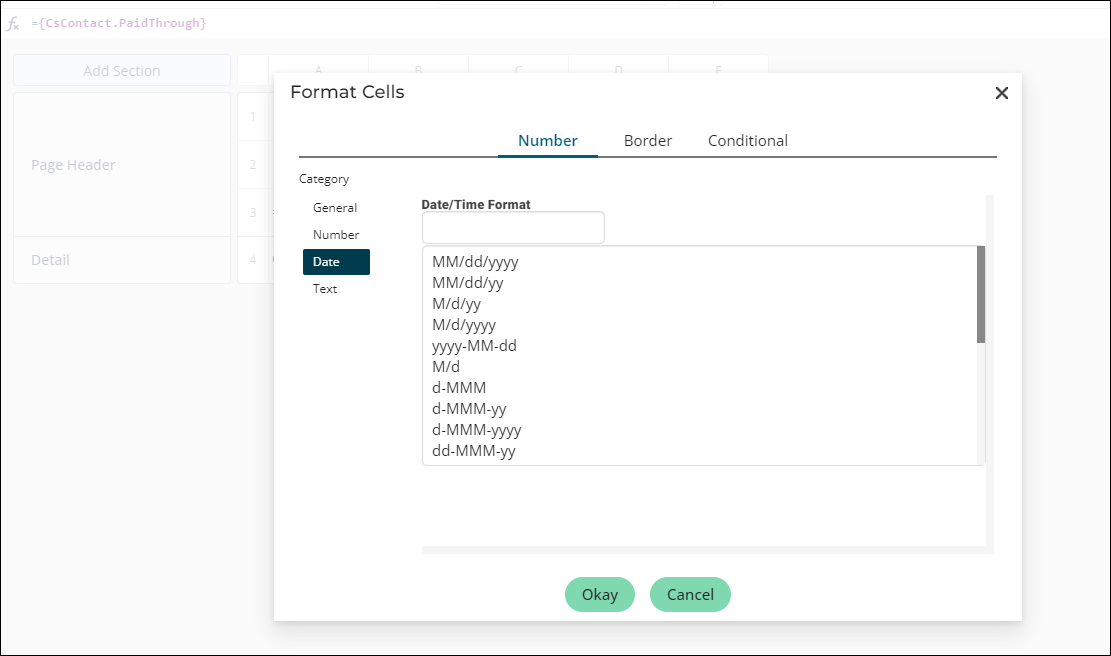
- Click Okay.
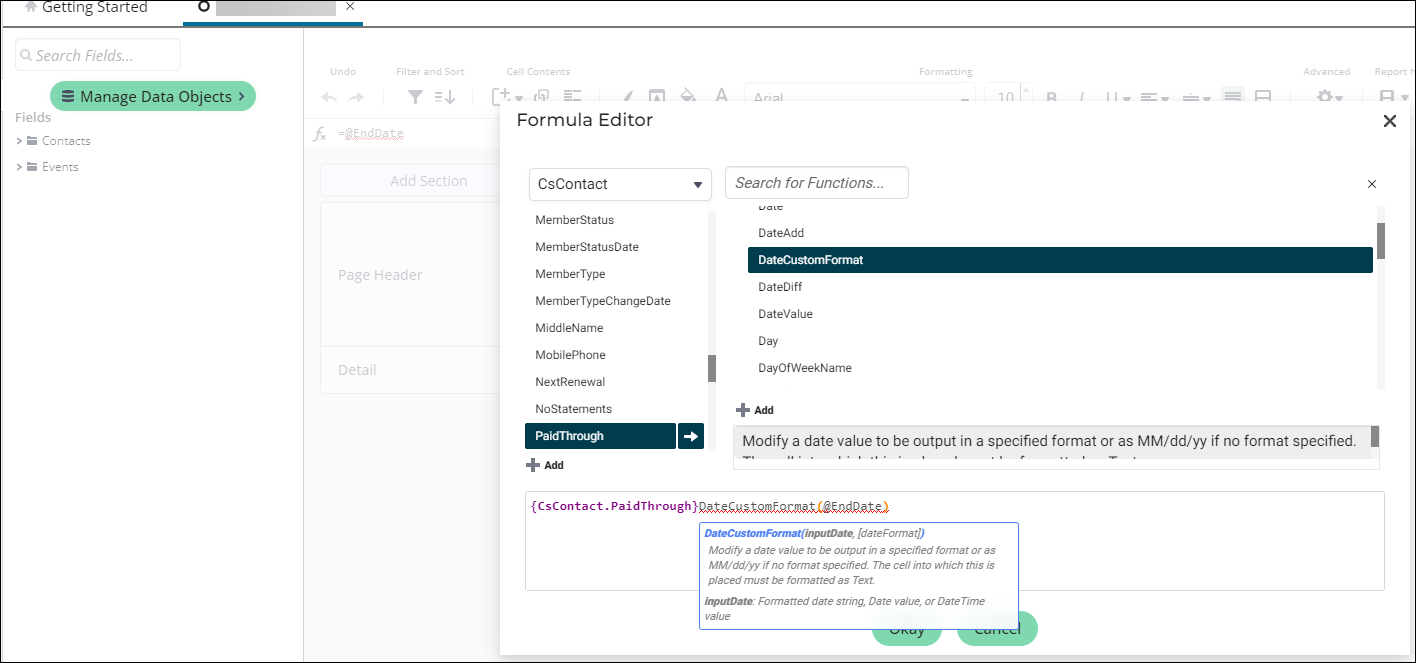
If you are using a formula, open the Formula Editor (Right-click cell > Edit Formula) and use the DateCustomFormat function.
To make sure the date respects the user's browser language for date formats, use the formula GlobalDateFormat or GlobalDateTimeFormat.
ExampleGlobalDateFormat({Payments.PaymentDate}).
Updated 5 months ago
Did this page help you?