

Understanding the Group Member Detail
NoteThe following information does not apply to Simple Groups. See Setting up groups for more information.
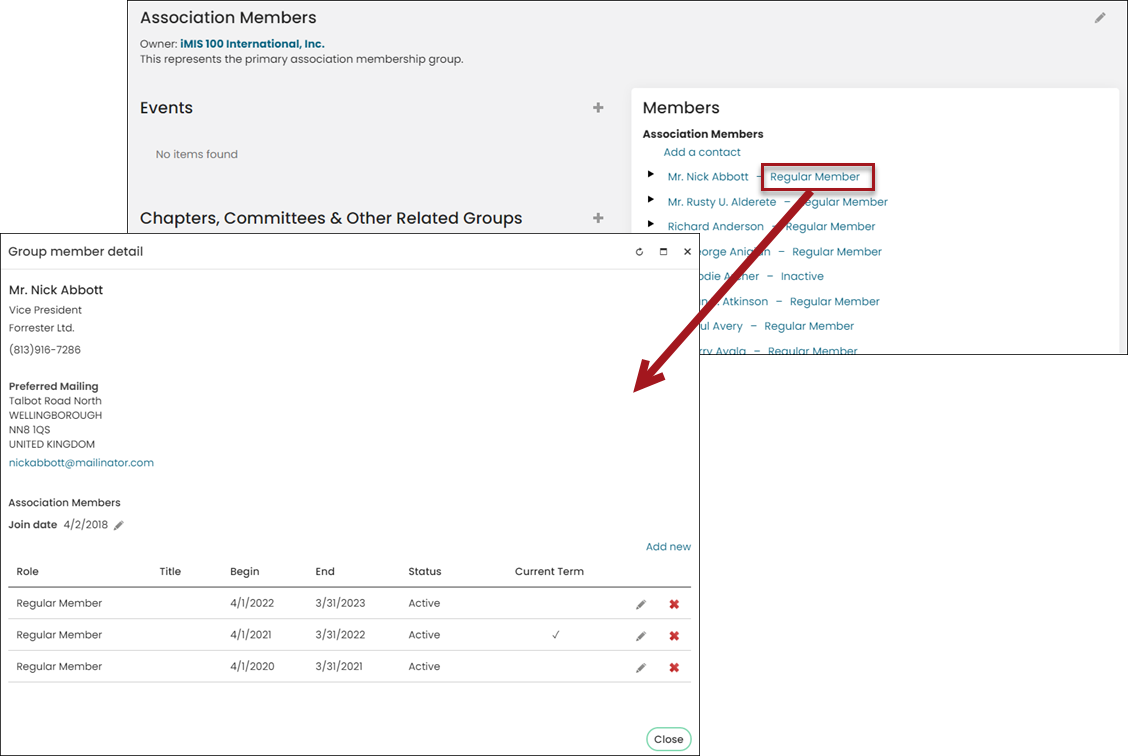
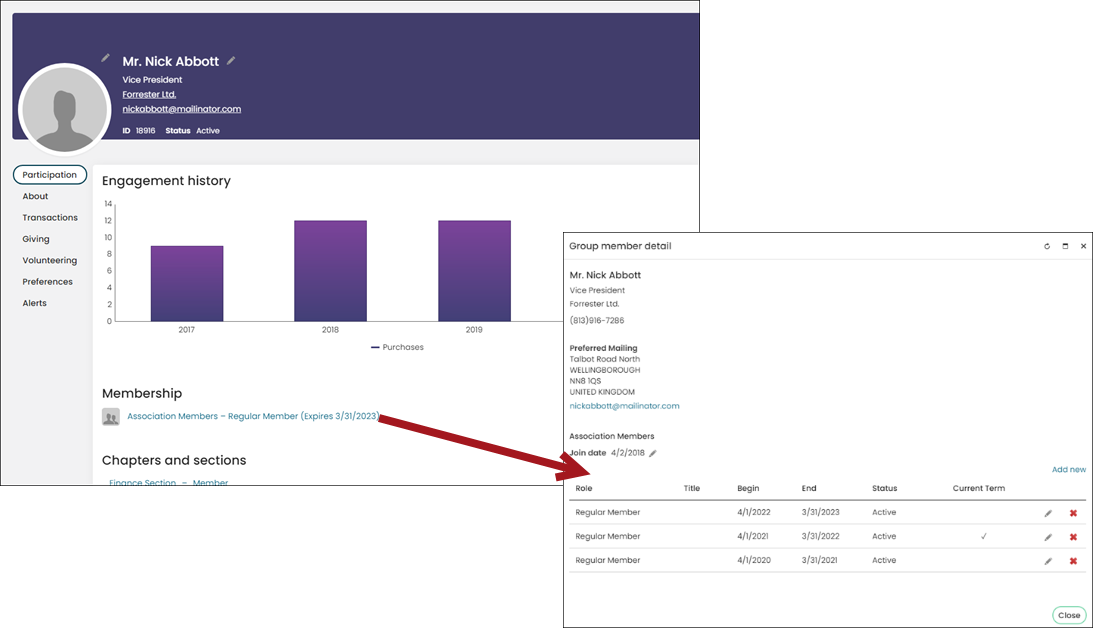
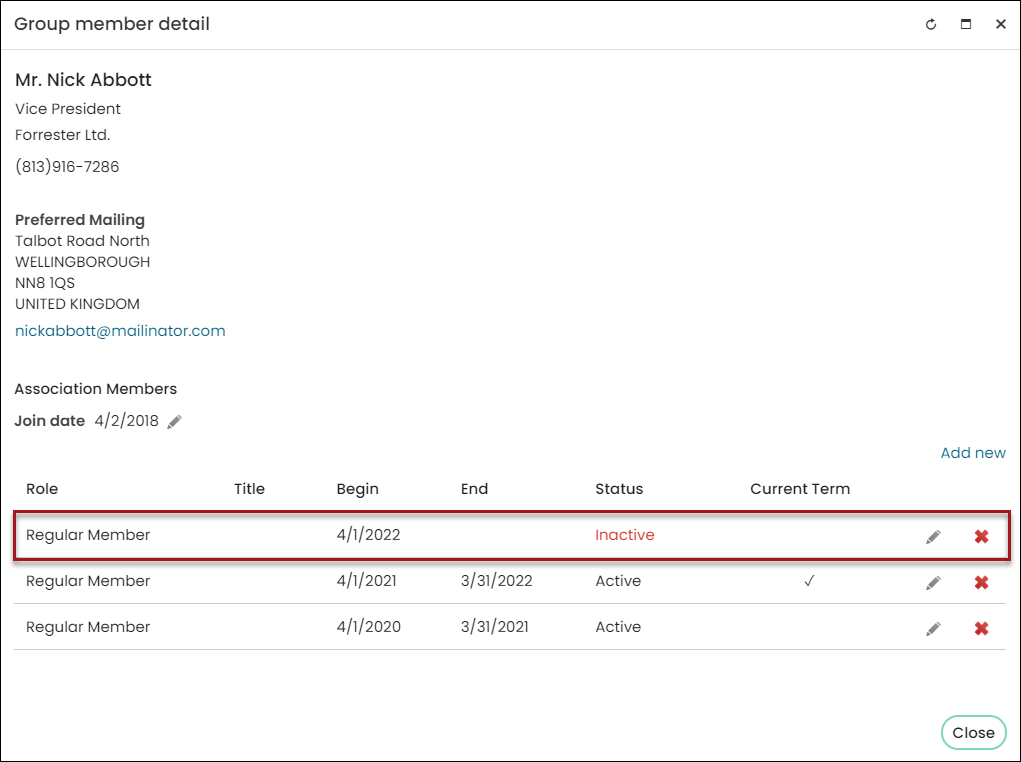
The Group member detail outlines the following for a member:
- The member’s Role for each membership term
- Begin and End dates for each membership term
- Status of the membership term
- Whether the term is the Current Term
Do one of the following to review a member's Group member detail:
-
Select the member’s role from the group landing page.
-
Select the link under the Membership section on their account page.
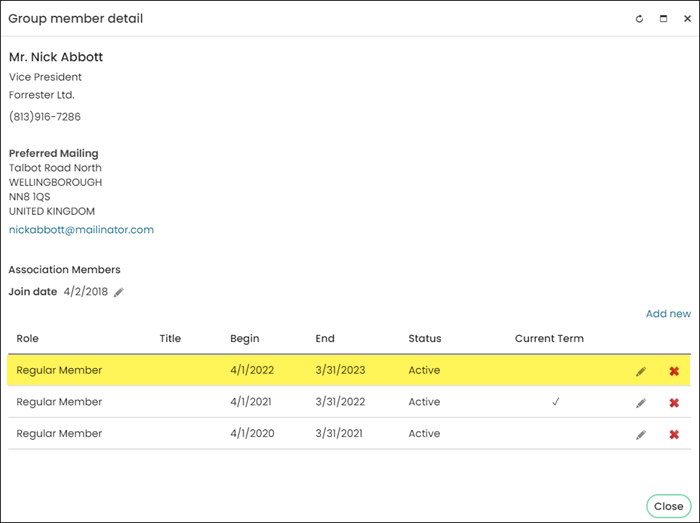
The Current Term column designates which term is the current active term. It is possible for a member to have a future Active term that is not designated as the current term. If a member has a future active term, that term becomes the current term on the Begin date.
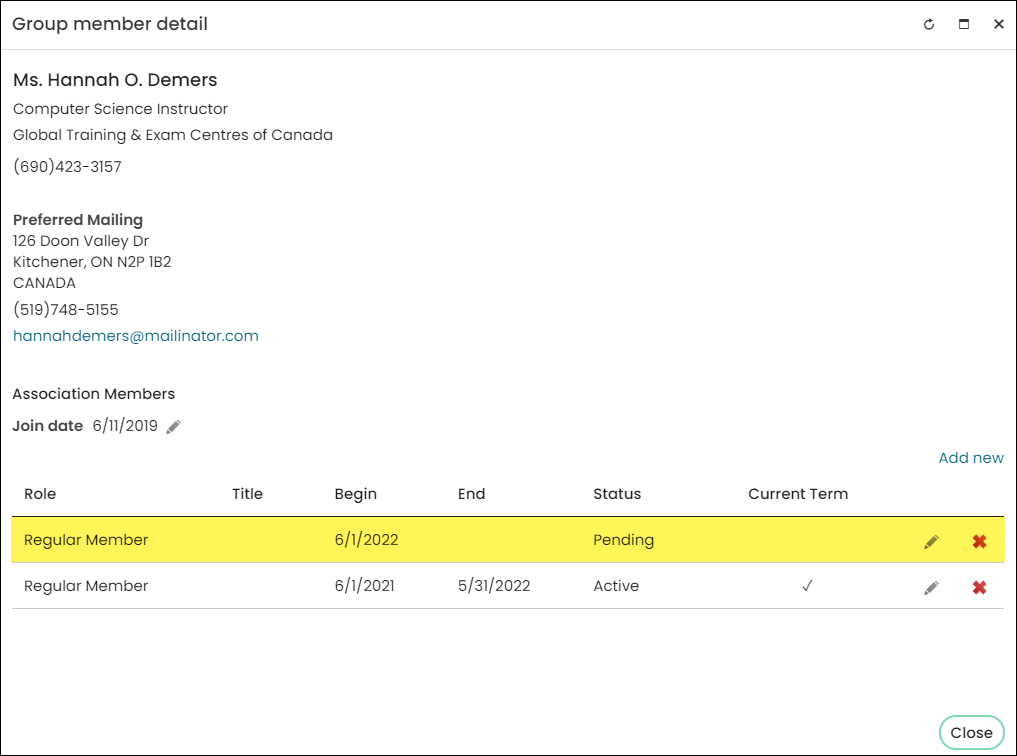
It is possible for the member to have a future Pending term. The term is pending directly after membership has been generated for the next term. The future pending term becomes a future active term after the member has paid for that term.
If the related term’s membership invoice is reversed, the membership term row displays as Inactive with red text.
Updated 5 months ago