

Fundraising reports
All reports in the Staff site are created using either IQA, or an extension of Microsoft called SQL Server Reporting Services (SSRS). There are also reports that combine IQA and SSRS, where the IQA is used to define and pull the data, while SSRS is used to define the layout of the report.
You can run out-of-the-box reports on a variety of data within iMIS. Using an IQA or SSRS report is how you can get report data on the web.
You may in certain situations want to modify an existing SSRS report. To add or remove information from the report, you must download its RDL file and make adjustments to the SQL that the report uses. For more information about modifying a report, see Modifying and creating reports.
NotePrinting a report using IE11 requires that the browser be in Enterprise Mode. Contact Tech Support for assistance.
NoteTo print a report, export the report using the PDF or Excel buttons, then print the exported report.
In the out-of-the-box Fundraising reports, a gift is considered to be any purchase of an item that is marked as a Charitable item.
To access Fundraising reports from the Staff site, go to Reports > Fundraising reports:
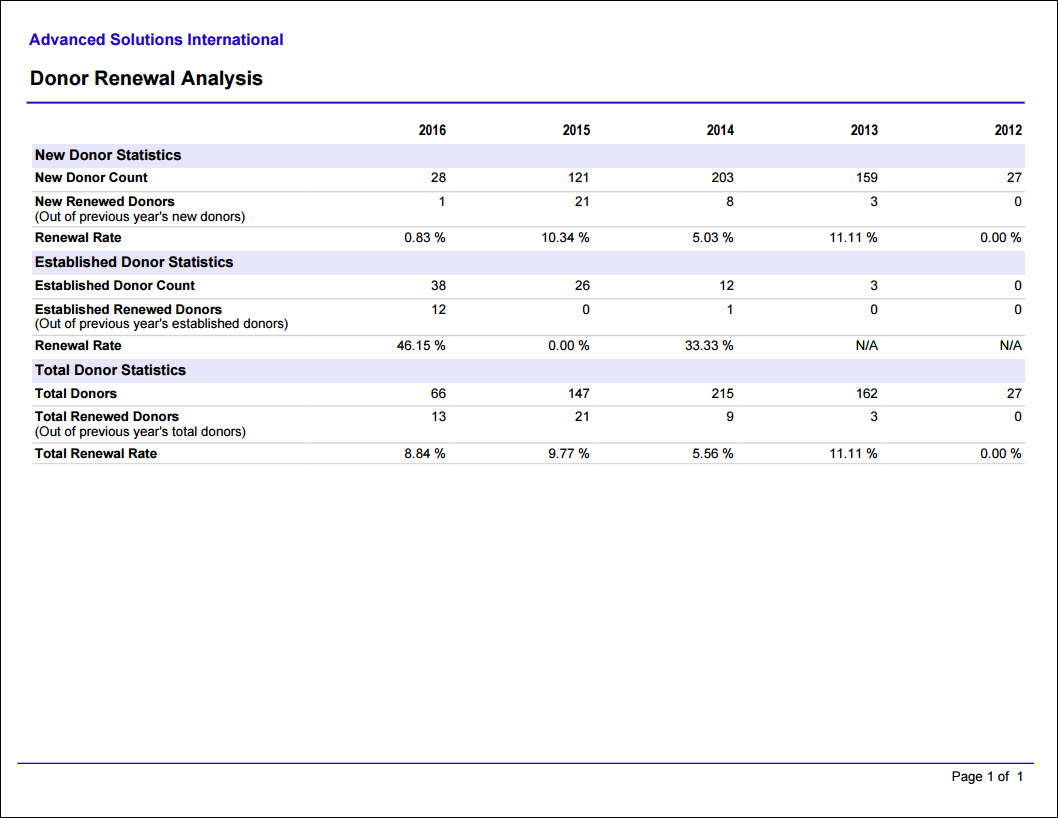
Donor Renewal Analysis
Prints a grid of the number of donors and donor renewals (donors that gave in the previous year and again this year) for the past five calendar years. Categorized by New Donors, Established Donors, and Total.
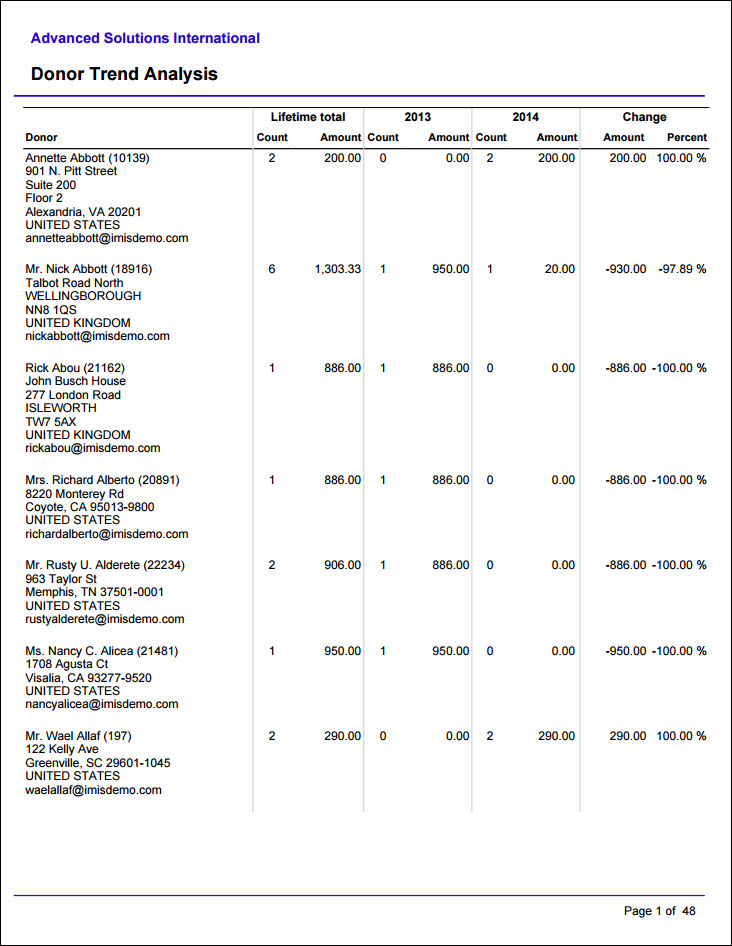
Donor Trend Analysis
Compares gifts by donor across two specified calendar years, and Year One should be earlier than Year Two. Donors are included only if they donated in one of the specified years.
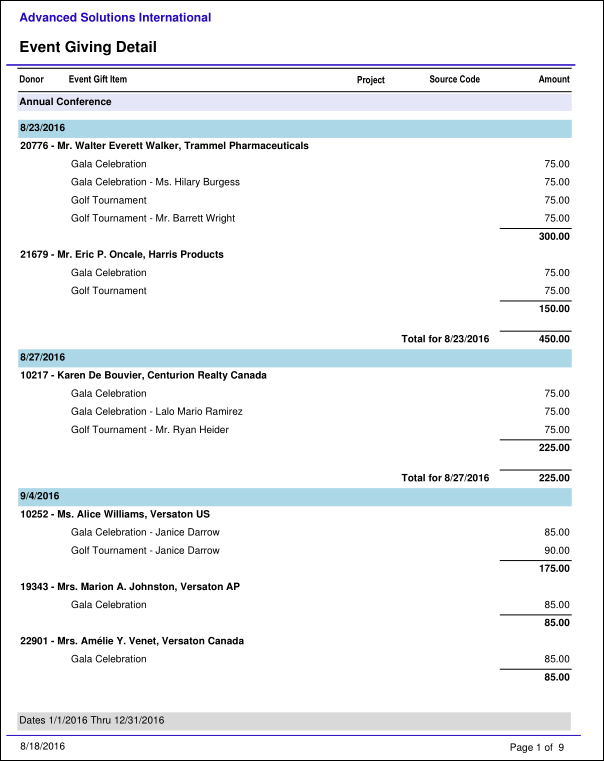
Event Giving Detail
Details all gifts from charitable events, grouped by event and transaction date.
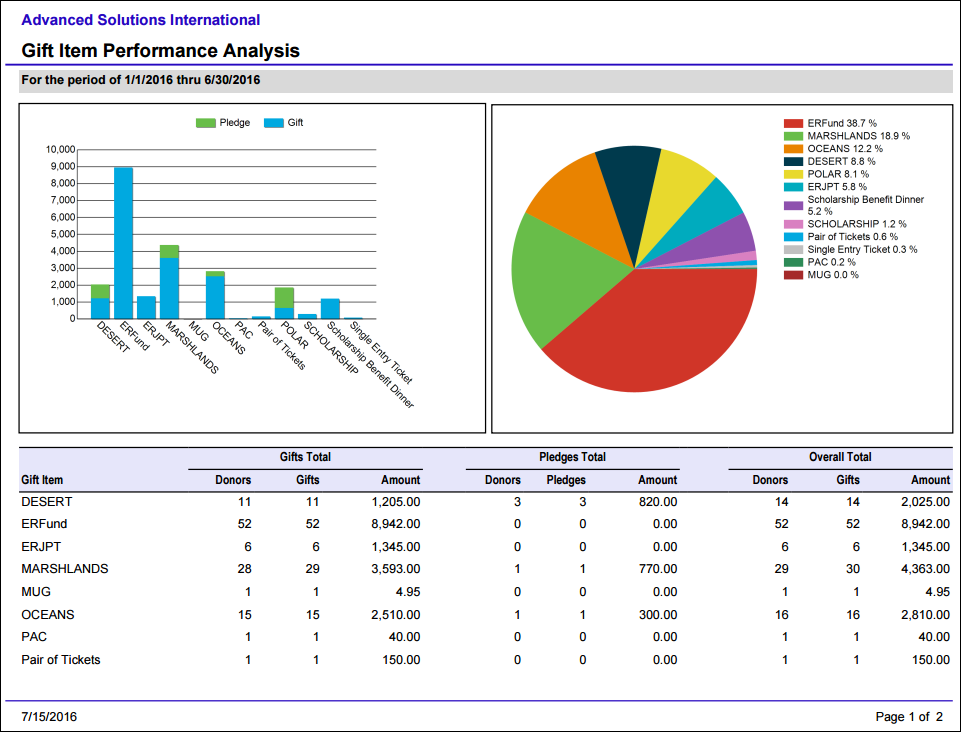
Gift Item Performance Analysis
Comprehensive summary of gift item results and statistics for a specified date range, including events. Provides a snapshot of each gift item with a summary of number of donors, number of gifts, and amount for gifts and pledges separately.
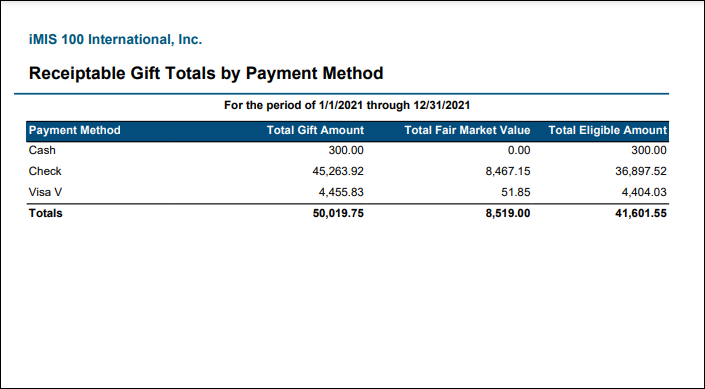
Gift Totals by Receiptability and Payment Method
Total gift amounts for the specified date range with Fair Market Value and Eligible Amount for Receiptable and Non-Receiptable gifts, broken out by payment method. Gifts with voided receipts are excluded. Optionally filter by one or more payment methods, or by Individuals or Organizations. This report can be used to report on total gift amounts for tax reporting purposes, with the ability to break out the totals by receiptable vs. non-receiptable gifts, In Kind vs. non-In Kind gifts, and gifts by Individuals vs. Organizations.
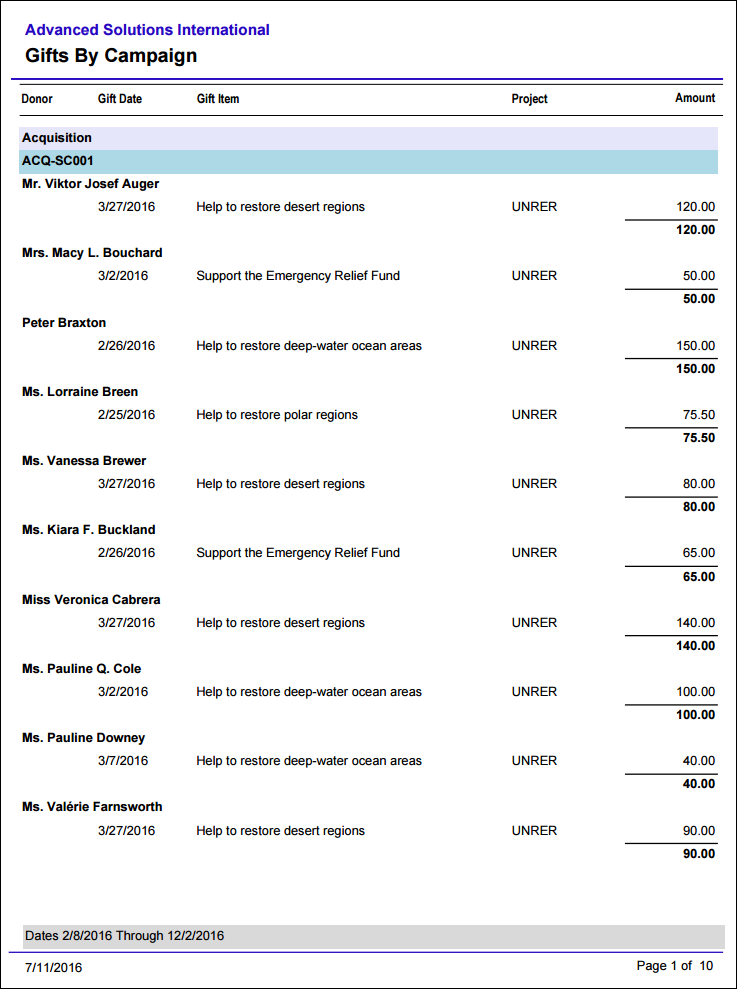
Gifts By Campaign
Provides a detailed listing of all the gifts and pledges for a given period of time, grouped by campaign and source code.
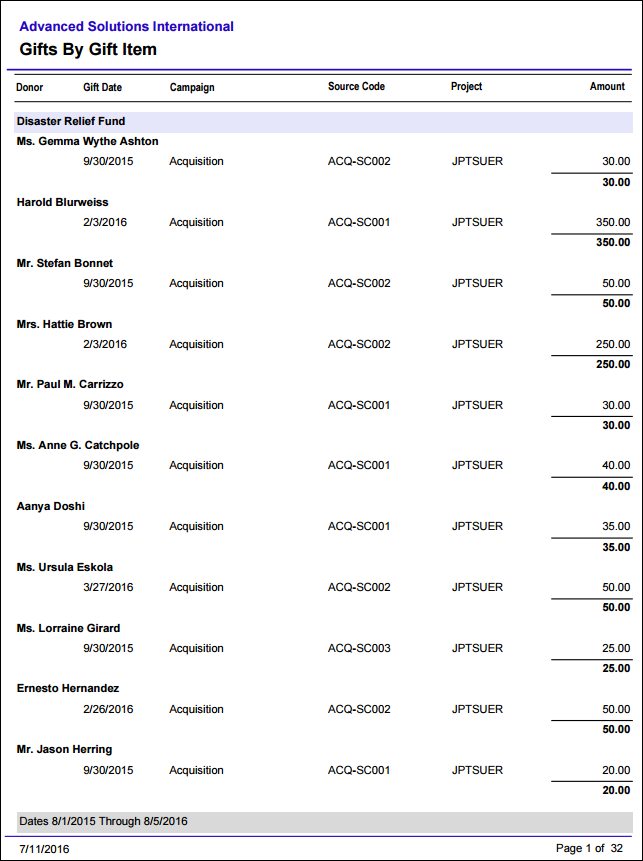
Gifts By Gift Item
Provides a detailed listing of all the gifts and pledges related to each gift item for a given period of time.
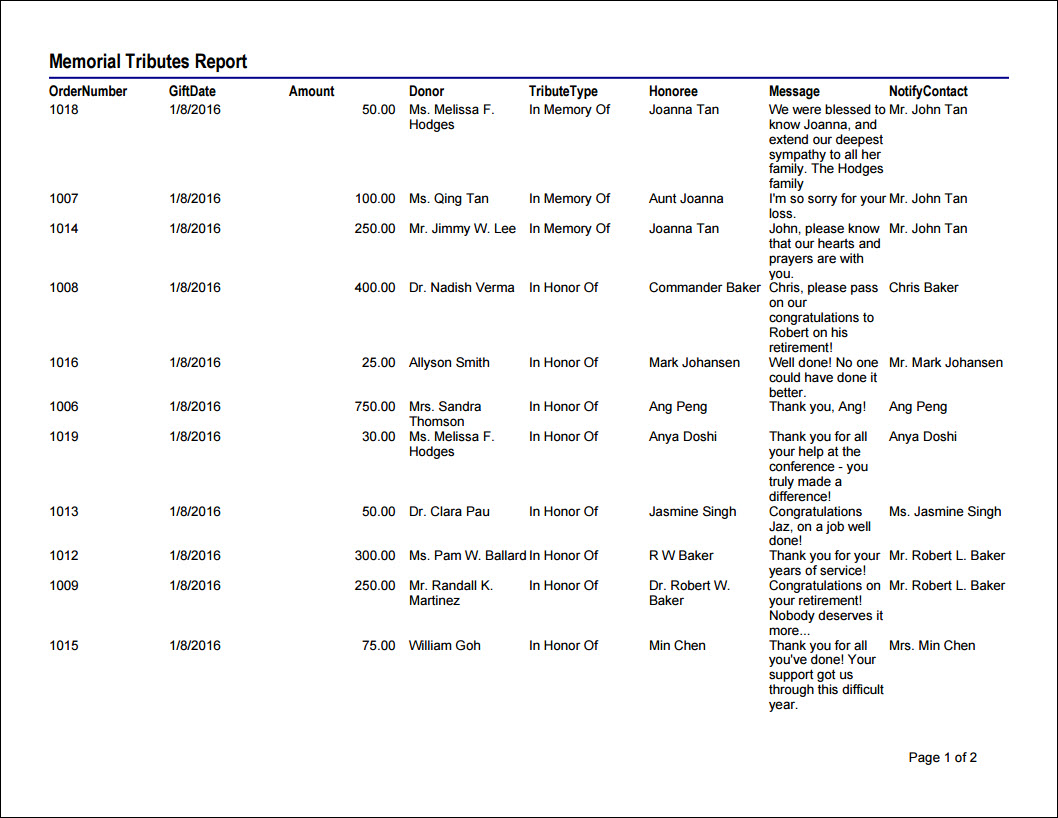
Memorial Tributes Report
By gift date, amount, donor or honoree, and contact to notify.
- Source IQA - Memorial Tributes
- Source file path - $/Fundraising/DefaultSystem/Queries/MemorialTribute
-
Source Business Objects:
- SalesHistoryMemorialTribute
- GiftsReceived
-
Relationships:
- Custom (When SalesHistoryMemorialTribute.Sales History Key = GiftsReceived.Sales History Key)
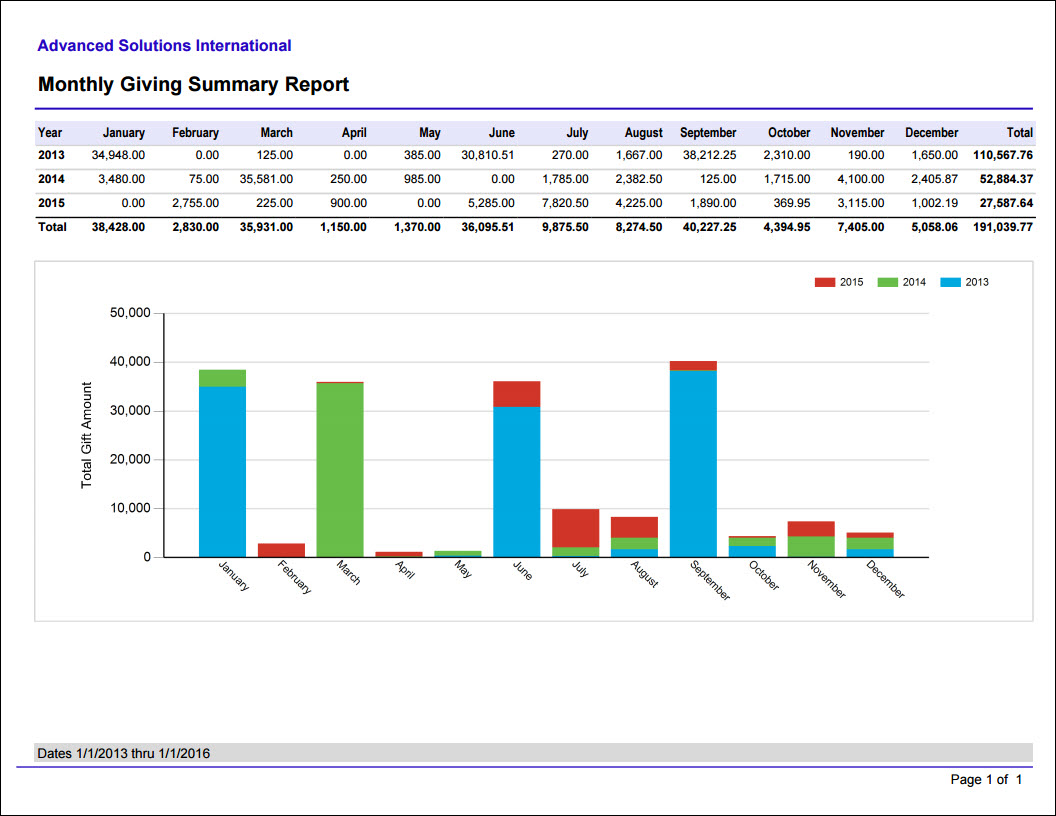
Monthly Giving Summary
Lists all the gifts, pledges, and total donation amounts for each month in a calendar year.
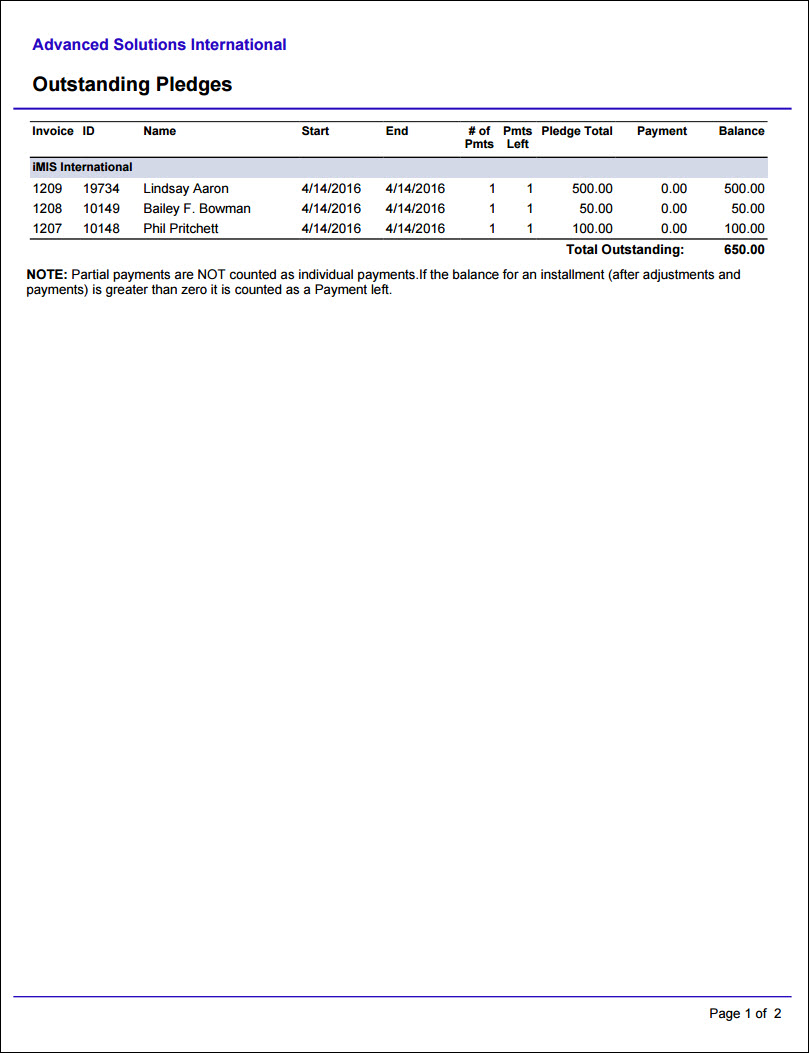
Outstanding Pledges
Prints a list of the outstanding amount for all pledges, grouped by fund. .
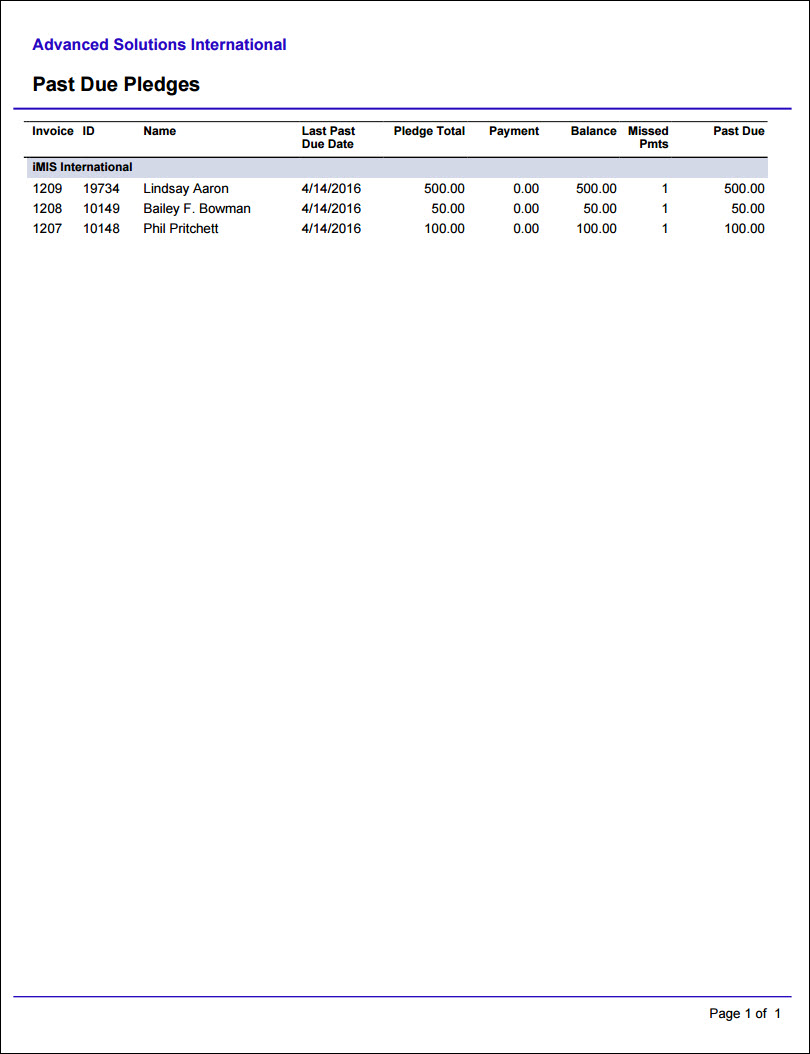
Past Due Pledges
Prints a list of the past-due amount for all pledges, grouped by fund. For non-Fundraising system pledges, the due date is considered to be 30 days after the transaction date.
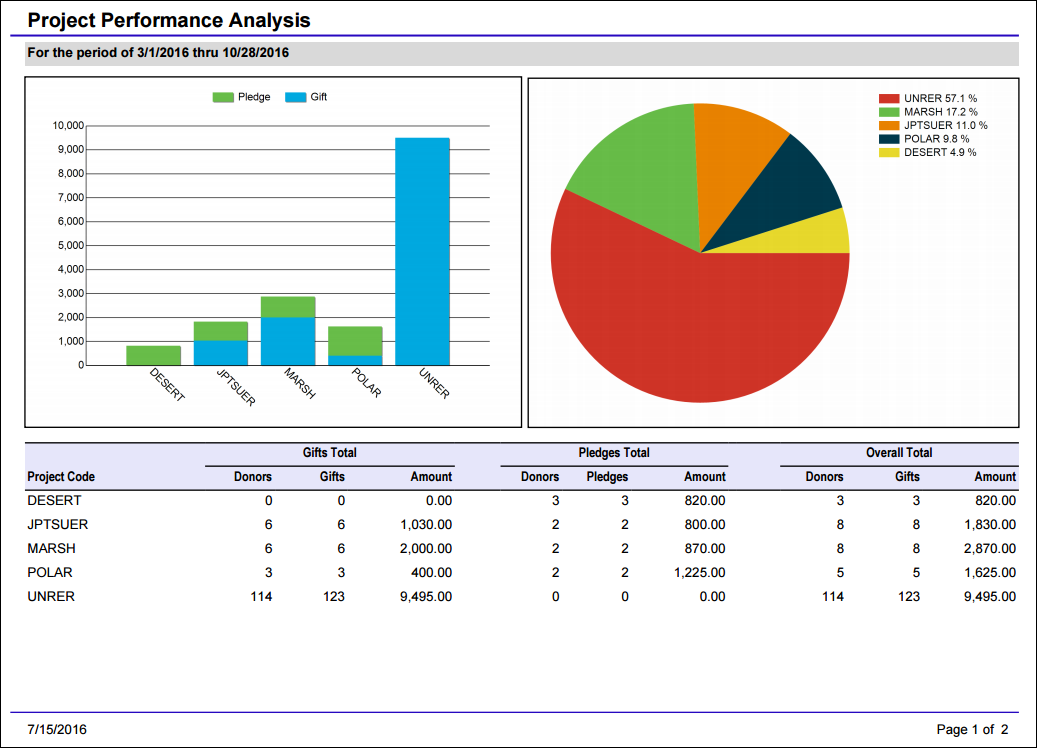
Project Performance Analysis
Comprehensive summary of project results and statistics for a specified date range, including events. Provides a snapshot of each gift item with a summary of number of donors, number of gifts, and amount for gifts and pledges separately.
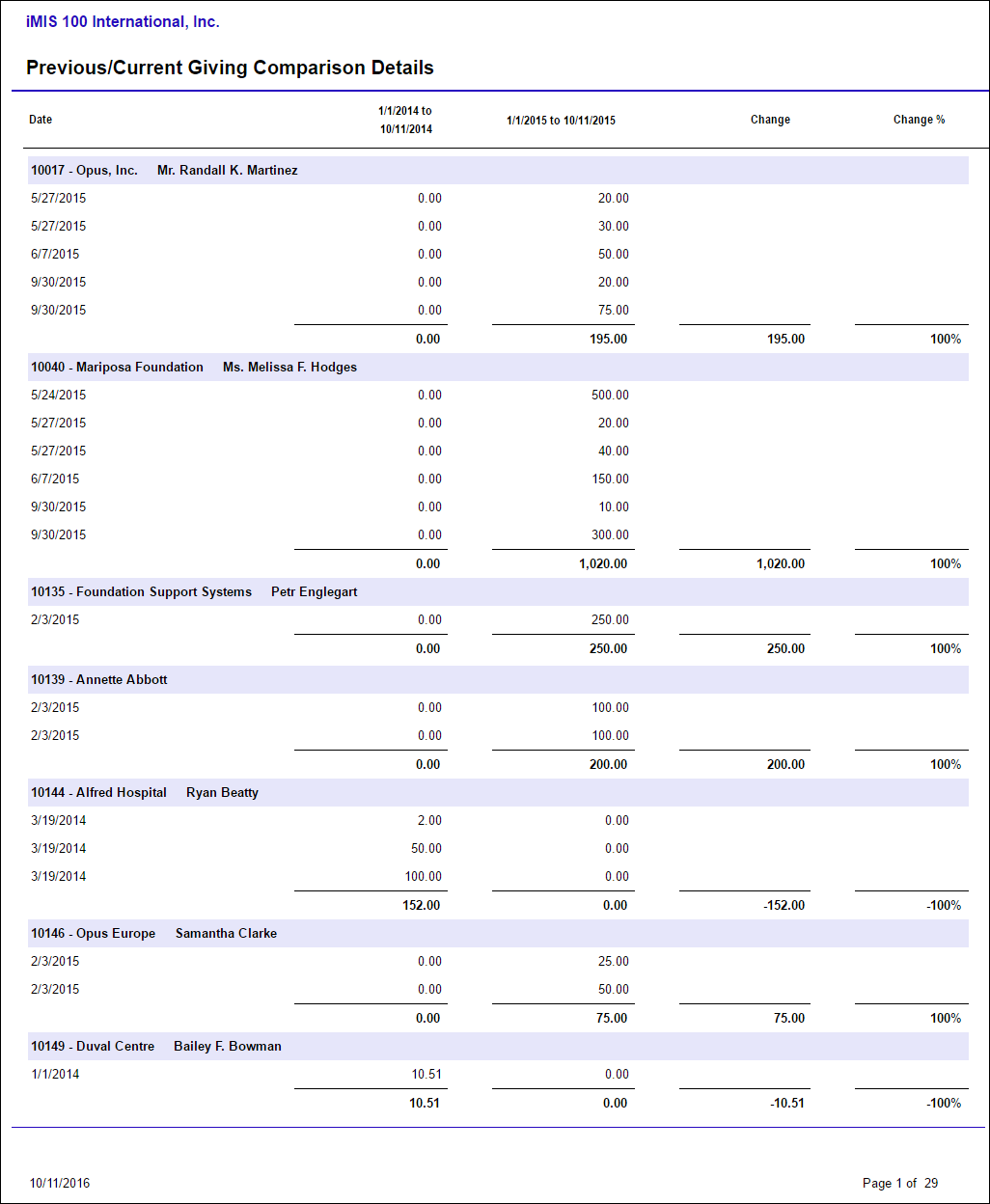
Previous/Current Giving Comparison Details
Lists gift details by donor across two specified time periods, displaying the difference in amounts and percentage of change.
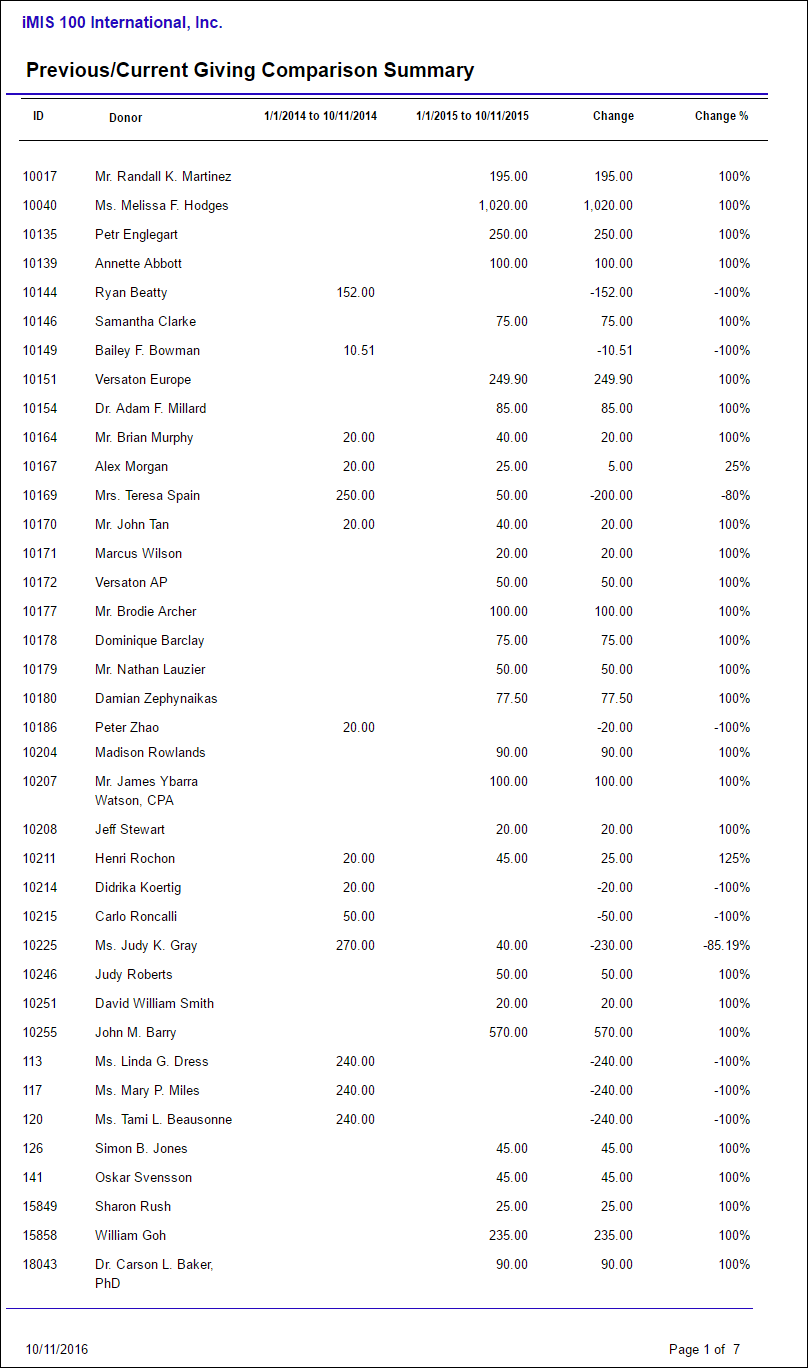
Previous/Current Giving Comparison Summary
Compares the total gift amount per donor across two specified time periods, displaying the difference in amounts and percentage of change.
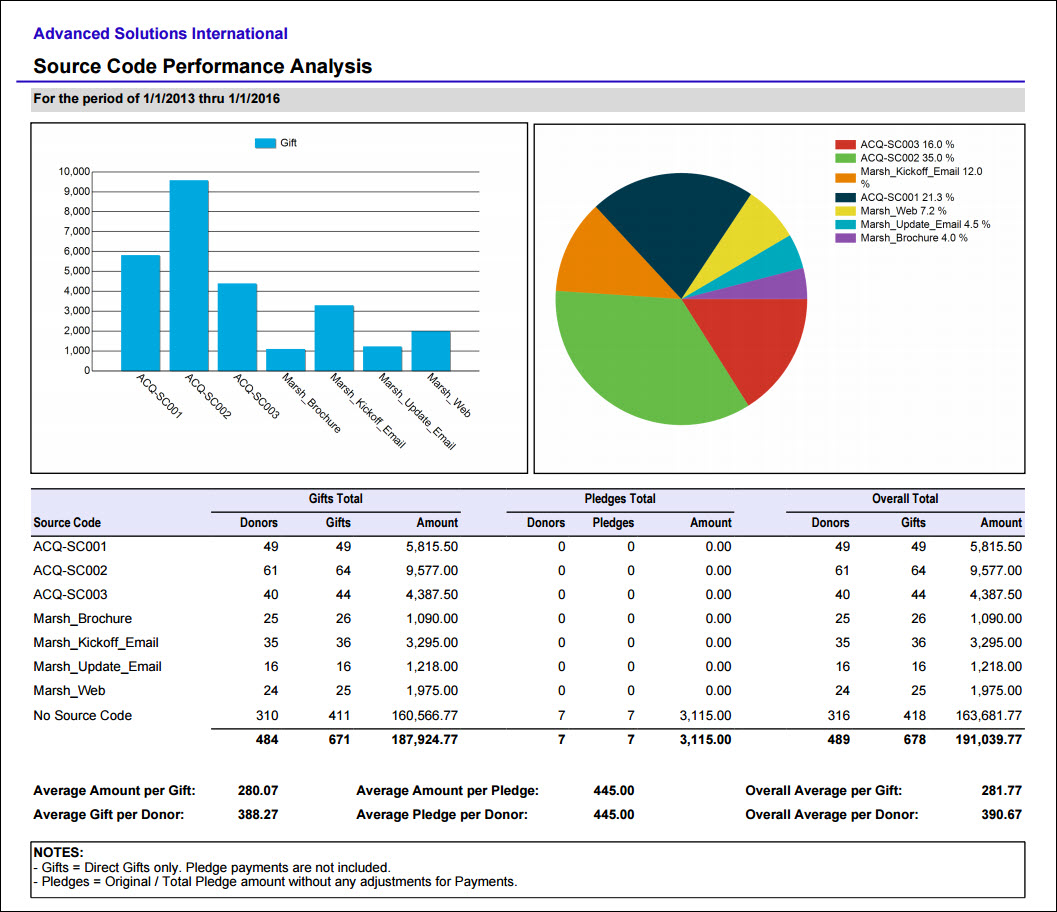
Source Code Performance Analysis
Comprehensive summary of source code results and statistics. Provides a snapshot of each source code with a summary of number of donors, number of gifts, and amount for Gifts and Pledges separately.
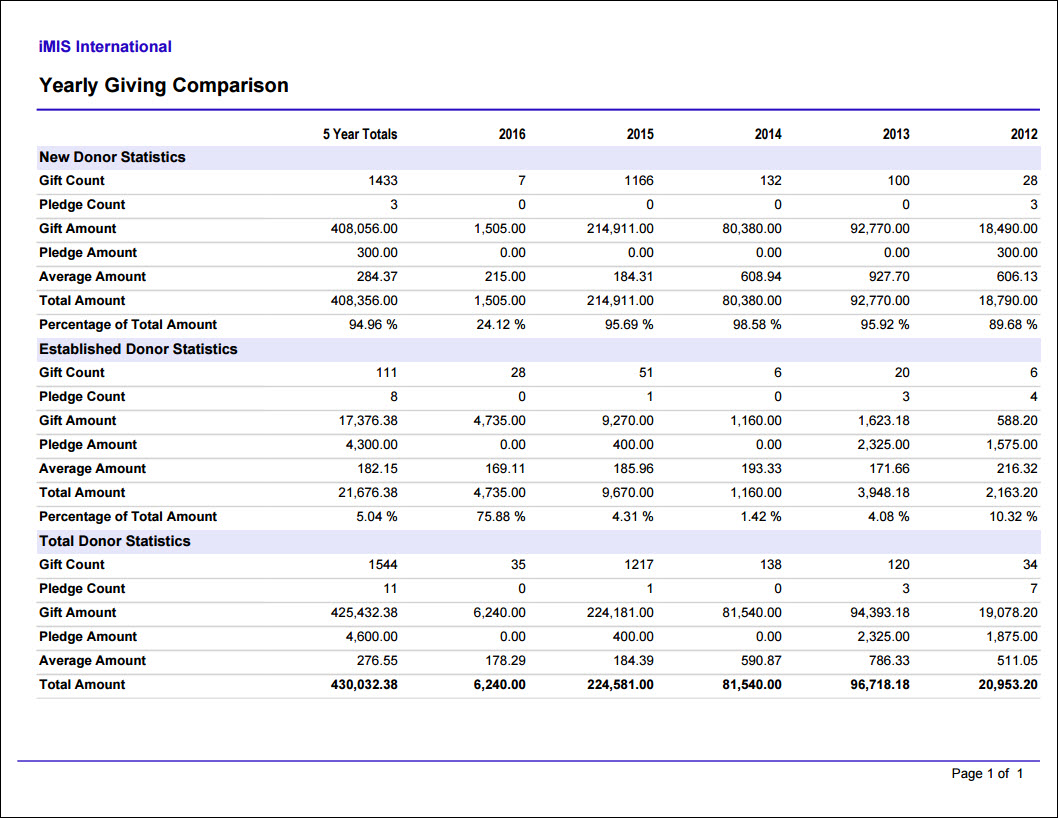
Yearly Giving Comparison
Prints a grid of gift counts and totals for the current year and the preceding four calendar years. Categorized by New Donors (the year the donor made their first contribution), Established Donors, and Total.
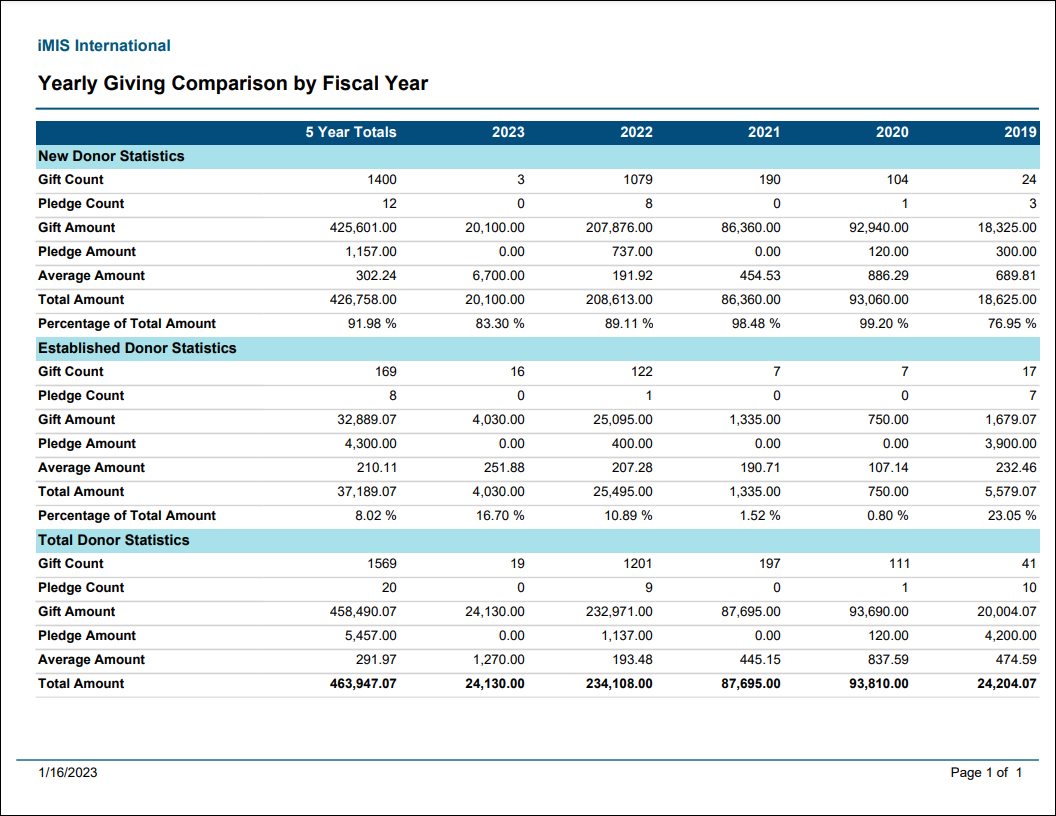
Yearly Giving Comparison by Fiscal Year
Prints a grid of gift and pledge counts and totals for the current fiscal year and the preceding four fiscal years. Categorized by New Donors (the fiscal year the donor made their first contribution), Established Donors, and Total Donor statistics.
Updated 5 months ago