

Allowing members to change roles during renewal
Offer members the chance to upgrade their membership during the renewal period by creating a product collection that contains different group roles within a single membership group. This capability, which allows a member or prospective member to make a single choice from a list of membership category or type options, is easily defined through a traditional product collection where the member is allowed to make a single choice from the list of available options.
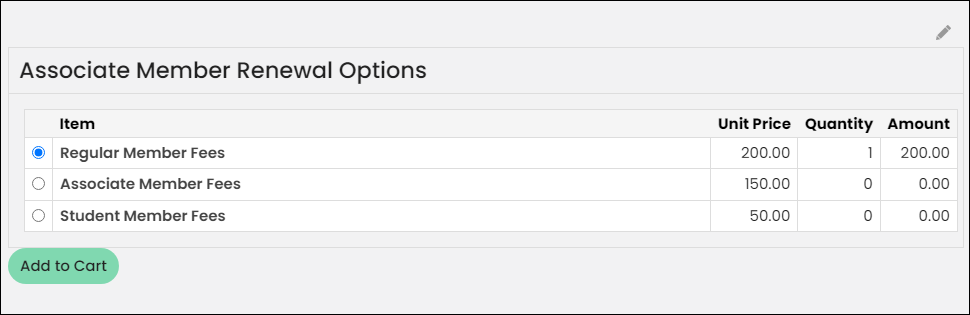
For each existing membership category (or group role), you can create a specific collection that contains only the products related to the roles which an existing member of the renewed membership role is eligible to switch to. For example, a student member is allowed to switch to a regular member but not to a retired member. Likewise, a regular member cannot change to a student member but may switch to a retired member and could therefore choose the retired membership role option upon renewing.
Creating the item set that contains the various role offerings
Do the following to offer role changing during renewals:
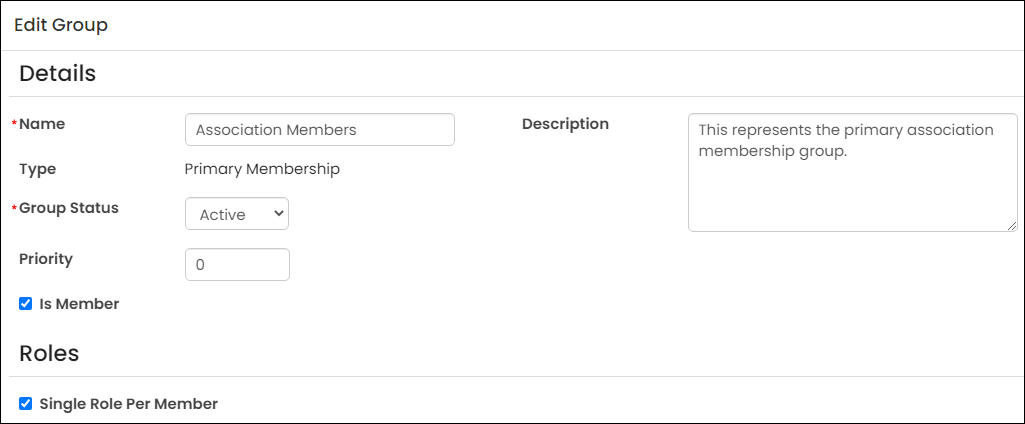
- Create a new membership group or open an existing group for edit, and ensure the following are configured:
-
Type - Primary Membership
-
Is Member - Enabled
-
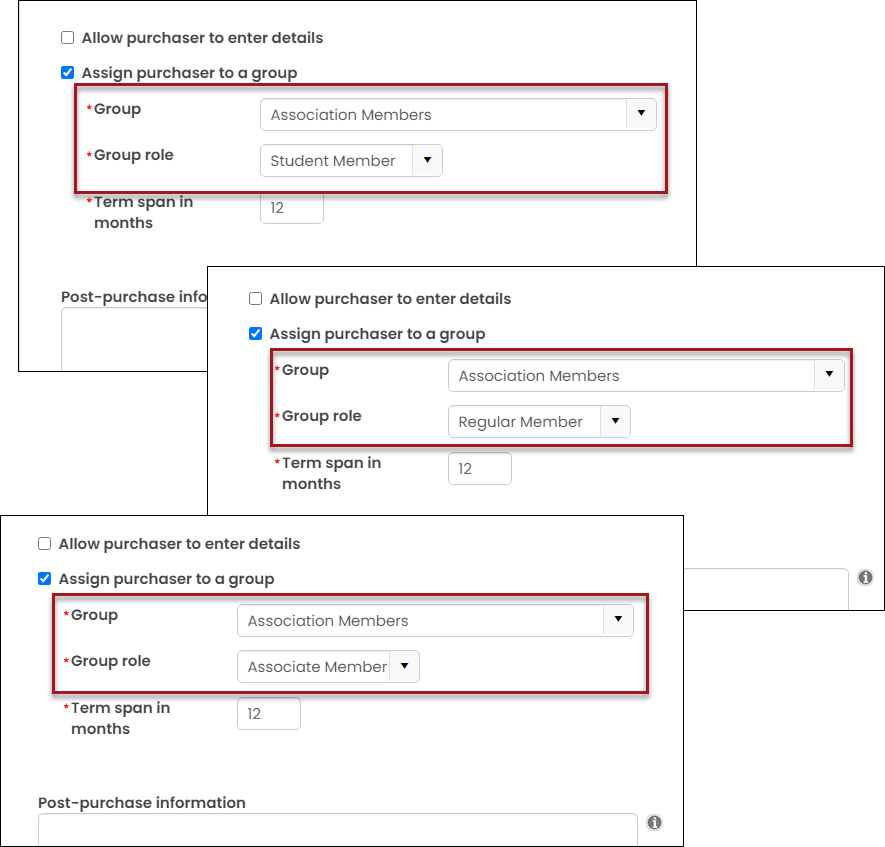
- Create or edit the simple products that are offered as upgraded roles during renewal. For this example, there are three roles offered:
Each product must have the same Group (from step 1) selected and point to a distinct role.
-
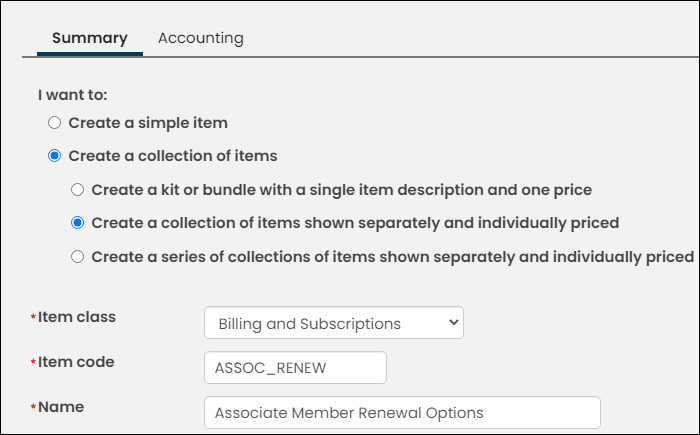
Create or edit the item set, ensuring the following:
-
Create a collection of items and Create a collection of items shown separately and individually priced are enabled.
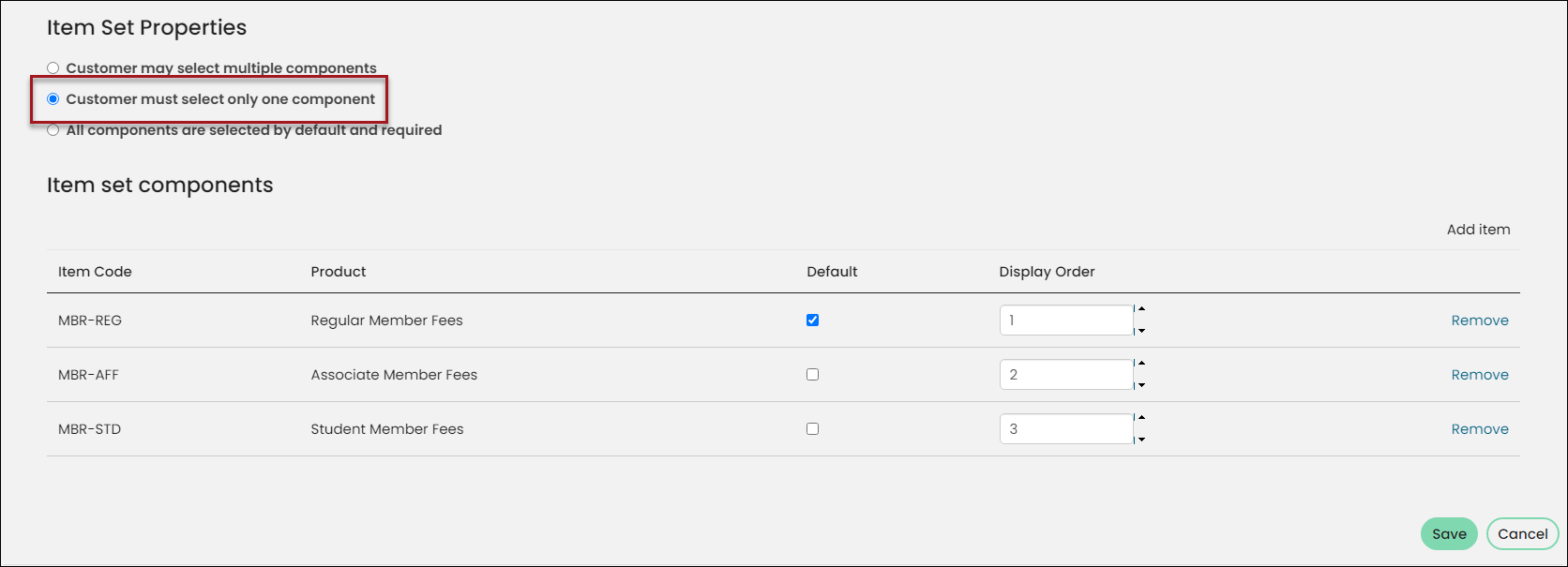
- Under Item Set Properties, Customer must select only one component is selected.
- Under Item Set Components, all available products are selected.
 Tip
TipIt is suggested that the product selected as the Default is first in the list of components.
The completed item set contains all three available membership options:
-
-
Go to Membership > Groups.
-
Open and edit the group from step 1.
-
Enable Group Membership is subject to renewal billings.
-
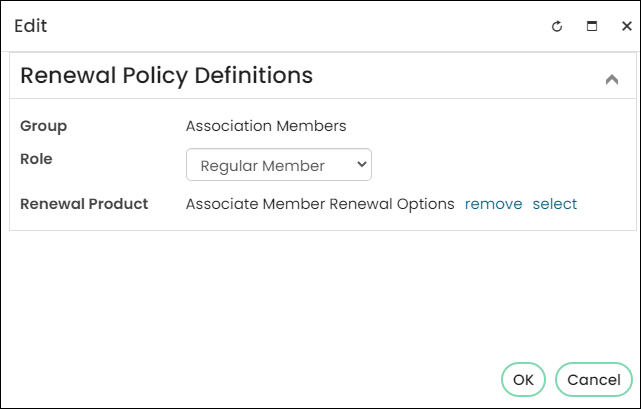
In the Roles to be renewed selection, select Add:
-
From the Role drop-down, choose the role associated with the Default product in the pick one item set created in step 3.
-
Choose the item set you created in step 3 as the Renewal Product.
-
-
Click OK, then click Save.
When the renewals are processed for the group and a member selects a new group role, the new role is shown as Inactive until the previous role’s End date is in the past. The new role does not take effect until the previous role has expired.
Embedding the item set to provide additional or mandatory offerings
The collection defined above in step 2 can be embedded into another overarching collection, so that you may provide additional mandatory or optional choices that apply to all roles within the collection. For example, offering optional choices to add chapters, section memberships, or journal subscriptions.
If you need to provide additional offerings, do the following:
- Create a new item set with the following configurations:
- Create a collection of items
- Create a series of collections of items shown separately and individually priced
- From the Item set components, add the product collection you created in step 2 (above).
- Add the additional product collections that contain mandatory or optional products.
The saved item set will contain all collections:
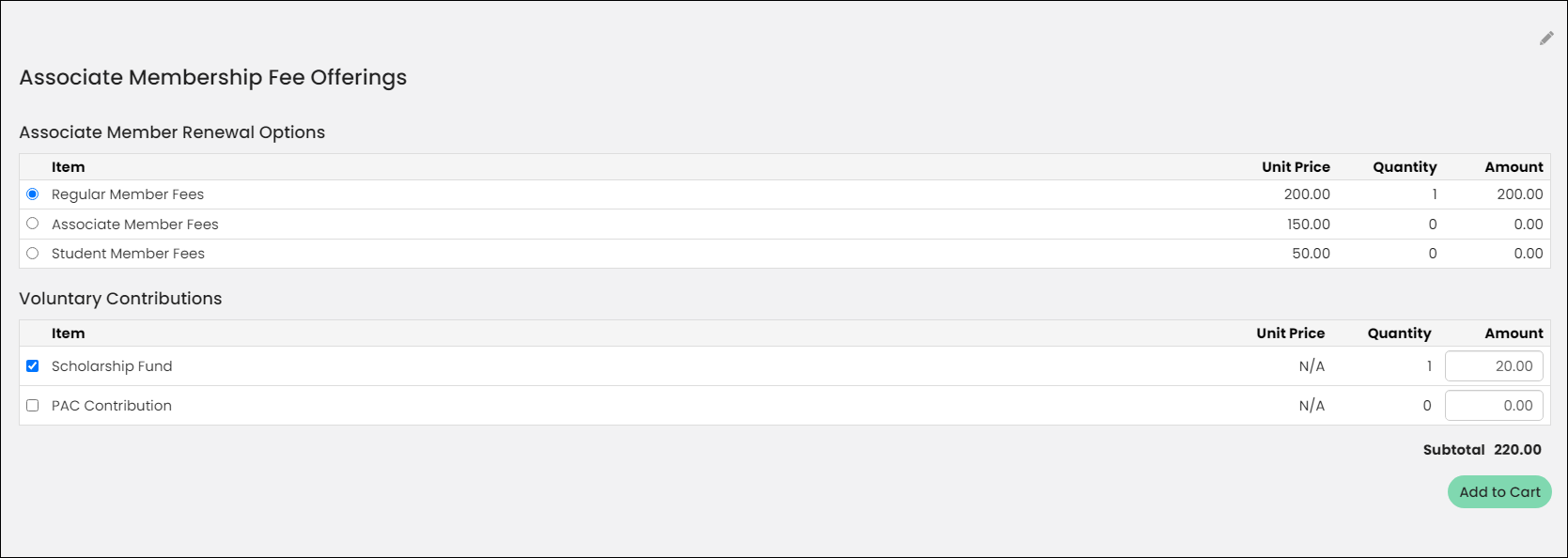
Example: Changing from Student to Regular member
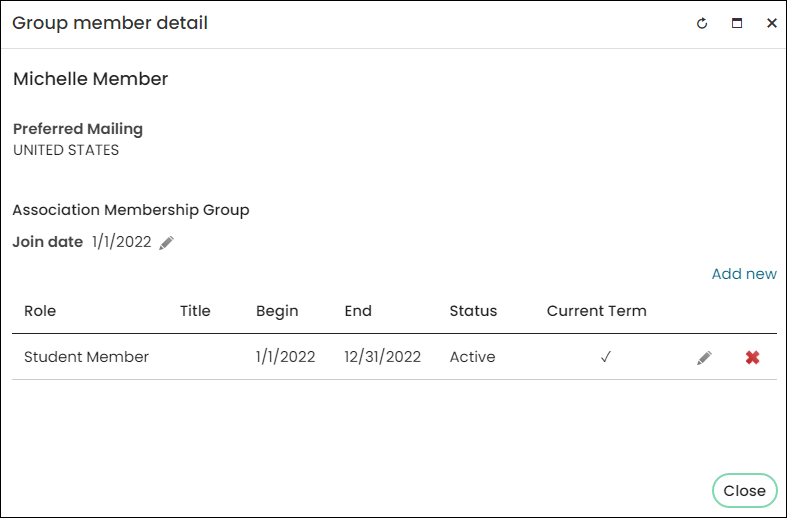
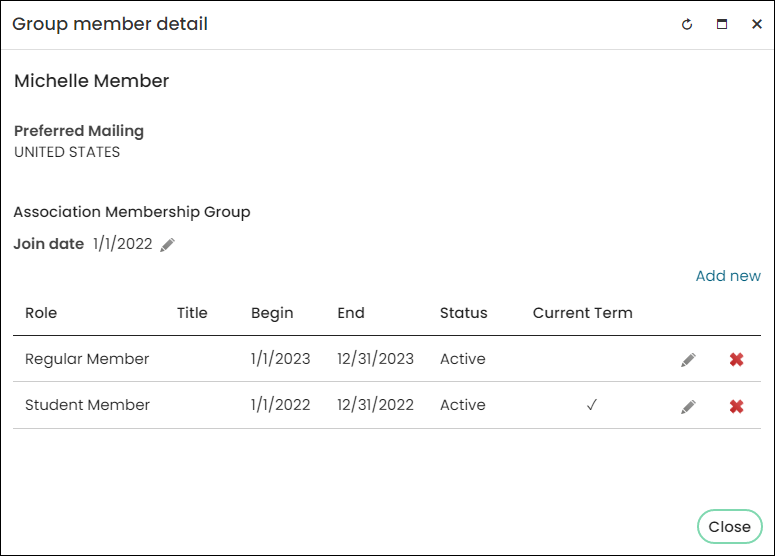
Michelle Member is currently a student member with term dates of January 1, 2022 – December 31, 2022.
It is December, and staff members are processing group renewals for the 2023 renewal year.
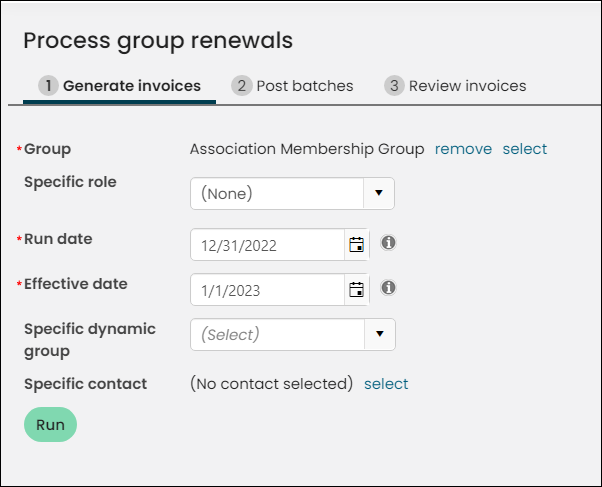
When Michelle clicks Renew Now, she decides she wants to become a Regular Member instead of renewing her Student Member role, since she is no longer a student.
After Michelle pays for the Regular Membership, her Group member detail displays the Regular Member role as her future role. The Regular Member role will become her current term on January 1, 2023.
Updated 3 months ago