

Generating renewal for single contact
Staff users can bill individual members instead of generating a mass billing.
Generating a renewal from the member profile page
Out-of-the-box, the Generate renewal link is located on all member profile pages that only authorized staff users can see from the Actions button.
From the member’s profile page, click Actions > Generate renewal.
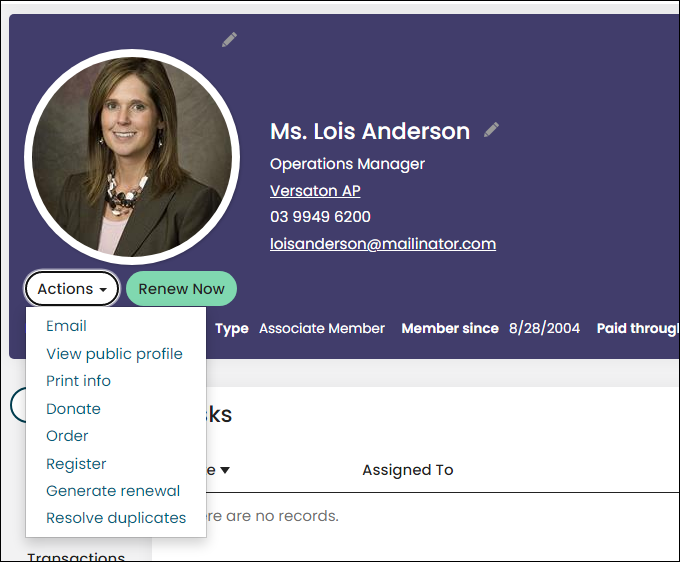
When clicked, the Generate Renewal link takes the staff user directly to Process group renewals page (Membership > Process group renewals), with the selected member already defined.
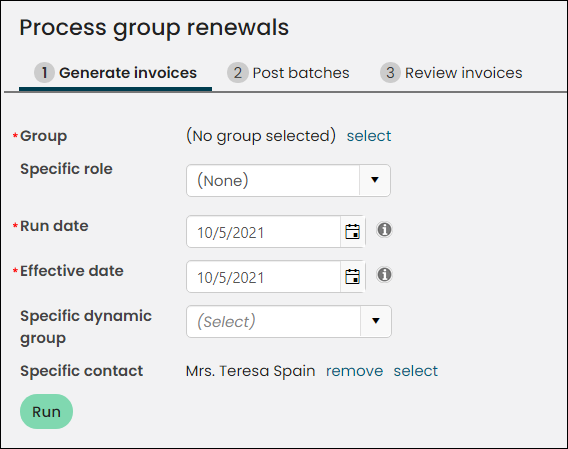
Continue configuring the remaining options, as outlined in the Processing group renewals article.
Renewing memberships
If the individual or contact already has a payment method on file, you can renew memberships from their account page. Do the following to renew an individual or contact’s membership from their account page:
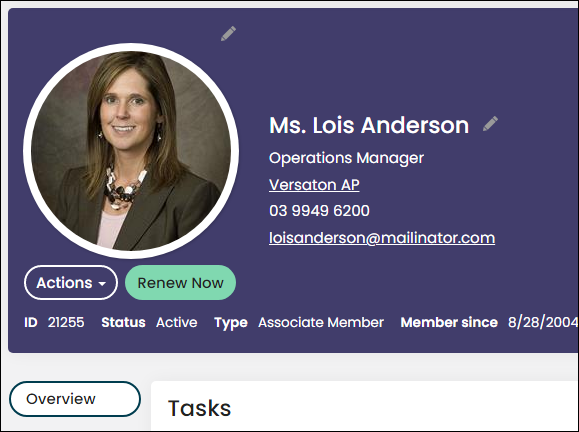
From the member’s profile page, click Renew Now.
From the itemized renewal page, click Update Cart. If the individual or contact does not have a payment method already on file, but would like an invoice of their dues, go to Transaction tab > Open Invoices on the individual or contact’s profile and print from there. For more information, see Viewing and paying renewal invoices.
Updated 5 months ago