

Configuring the itemized renewal page
Out-of-the-box, there is a Renew Now button on all user profile pages, which appears when the member has been billed for membership renewal. Clicking this button displays details about the membership fees.
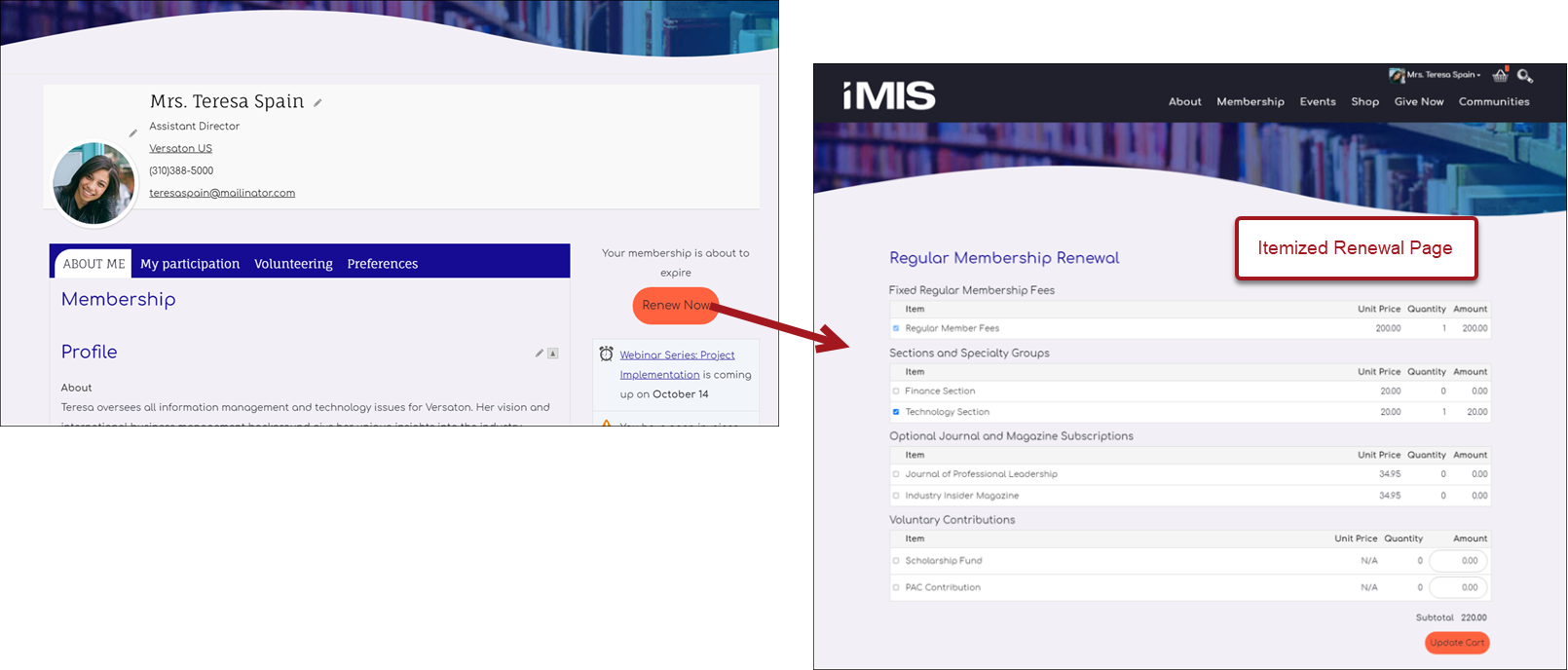
Customizing the itemized renewal page
The default renewal page can be found at @/iCore/Membership/Itemized renewal.
To edit or add items to this page, do the following:
- From the Staff site, go to RiSE > Page Builder > Manage content.
- Open the @/iCore/Membership folder.
- Select the Itemized renewal content record, then click Organize > Copy.
- Paste the content record in a Shared Content folder.
- Make the desired changes to the content record, then Save & Publish.
- Go to RiSE > Site Builder > Manage shortcuts.
- Open the ItemizedRenewal shortcut for edit.
- From the URL or Content Record field, select the content record you just modified.
- Click OK, then click Update.
Understanding the Renew Now button
Out-of-the-box, the Renew Now button is located on user account pages and is displayed using the Invoice Payment Link content item.
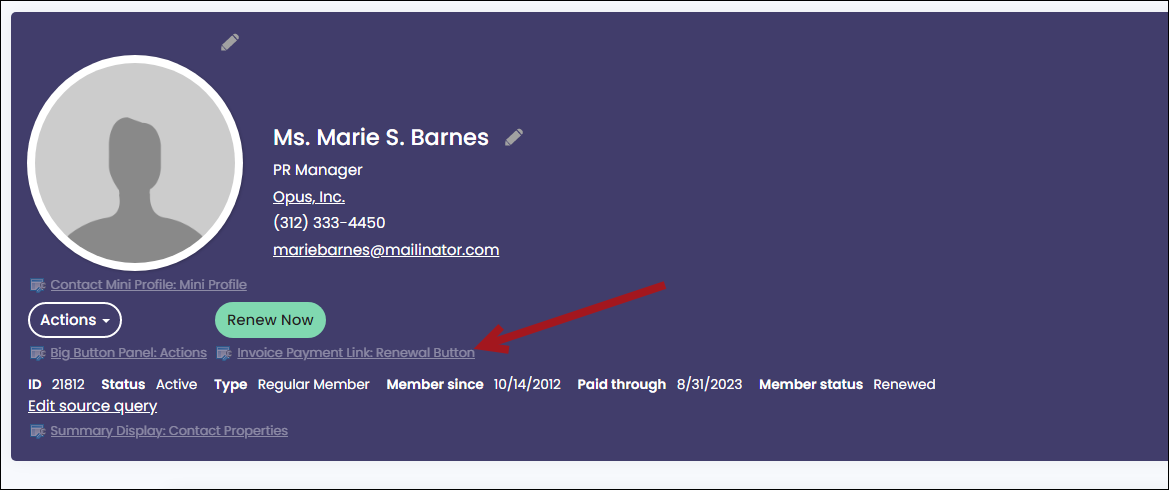
If you are working with a copy of the out-of-the-box account pages, you can modify the Renew Now button:
- Change the label text from "Renew Now" to the desired text
- In addition to displaying a renewal button, the Invoice Payment Link content item can be configured to display as a Pay open invoices option. See Paying open invoices for more information.
Updated 5 months ago
Did this page help you?