

Defining the default financial accounts
The Chart of accounts and Default accounts are an important financial setup in iMIS. Even more importantly, the Default accounts must have real, legitimate accounts assigned to them. The Chart of accounts are defined at Settings > Finance > GL accounts on the Chart of accounts tab.
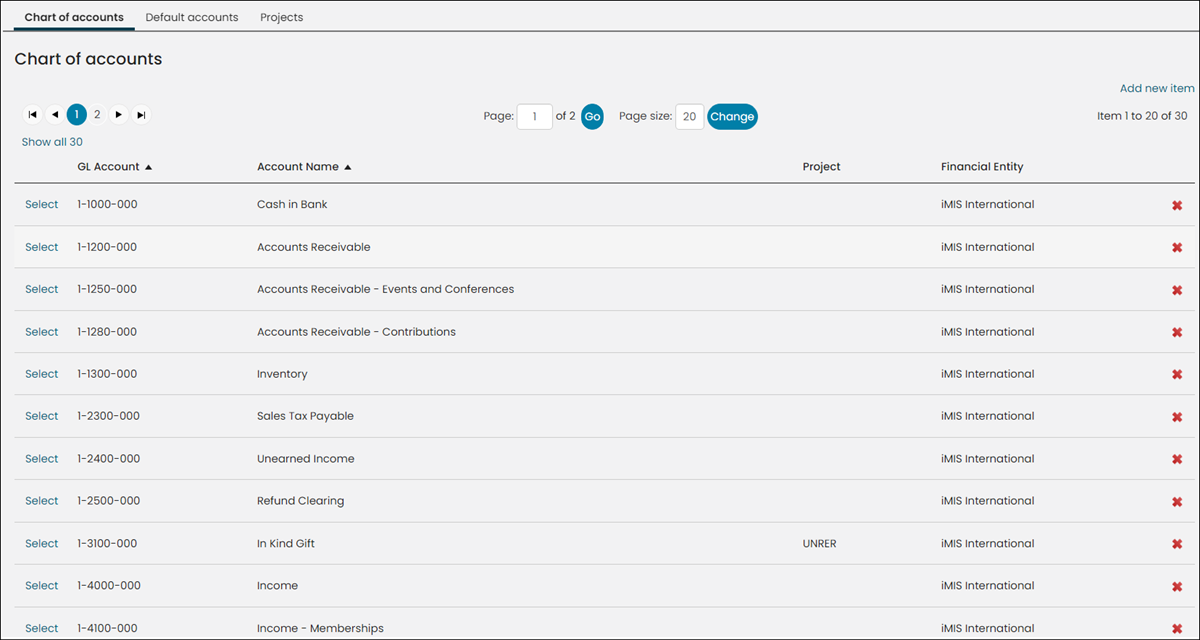
WarningAfter the accounts are defined, the next important step is to assign the default accounts. From the same window, click the Default accounts tab. Each account must have a real, legitimate account number assigned to them. A legitimate account is an account that is correctly defined in your Chart of accounts.
Understanding what happens in the default accounts are unassigned or incorrectly assigned
If a Default account is unassigned or incorrectly assigned, meaning the account entered is not defined in the Chart of accounts, the accounting entry goes to a fallback, made-up account 9-9999-999. For example, the default Cash account is not populated and the Cash account on the Payment method is also not populated:
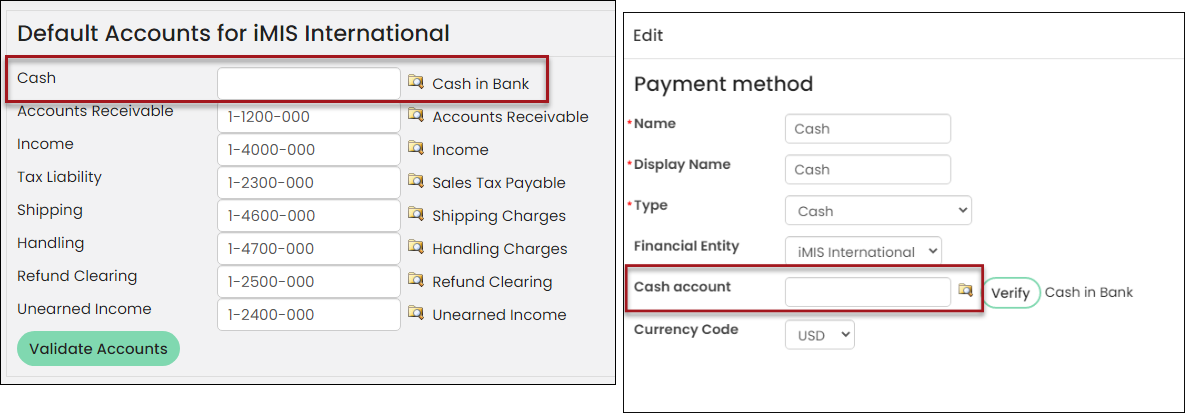
WarningWhen the associated payment method is used, the transactions are associated with the 9-9999-999 account. This is not a legitimate account and must never be used or defined in any window throughout iMIS.
It is best practice to:
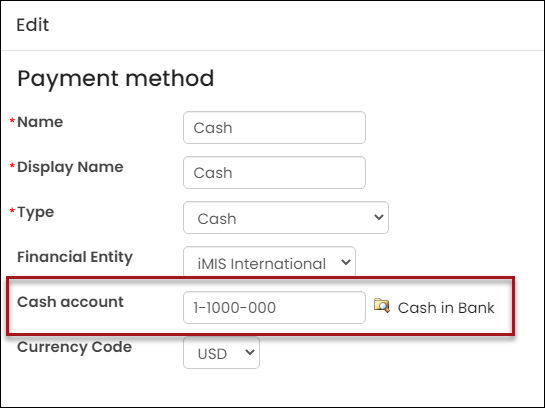
- Populate the Cash Account for a payment method with an account that is defined in the Default Accounts, or
- Leave the Cash Account blank, so that the payment method uses the Cash default account.
Updated 5 months ago