

Examining the Membership dashboard: Total members
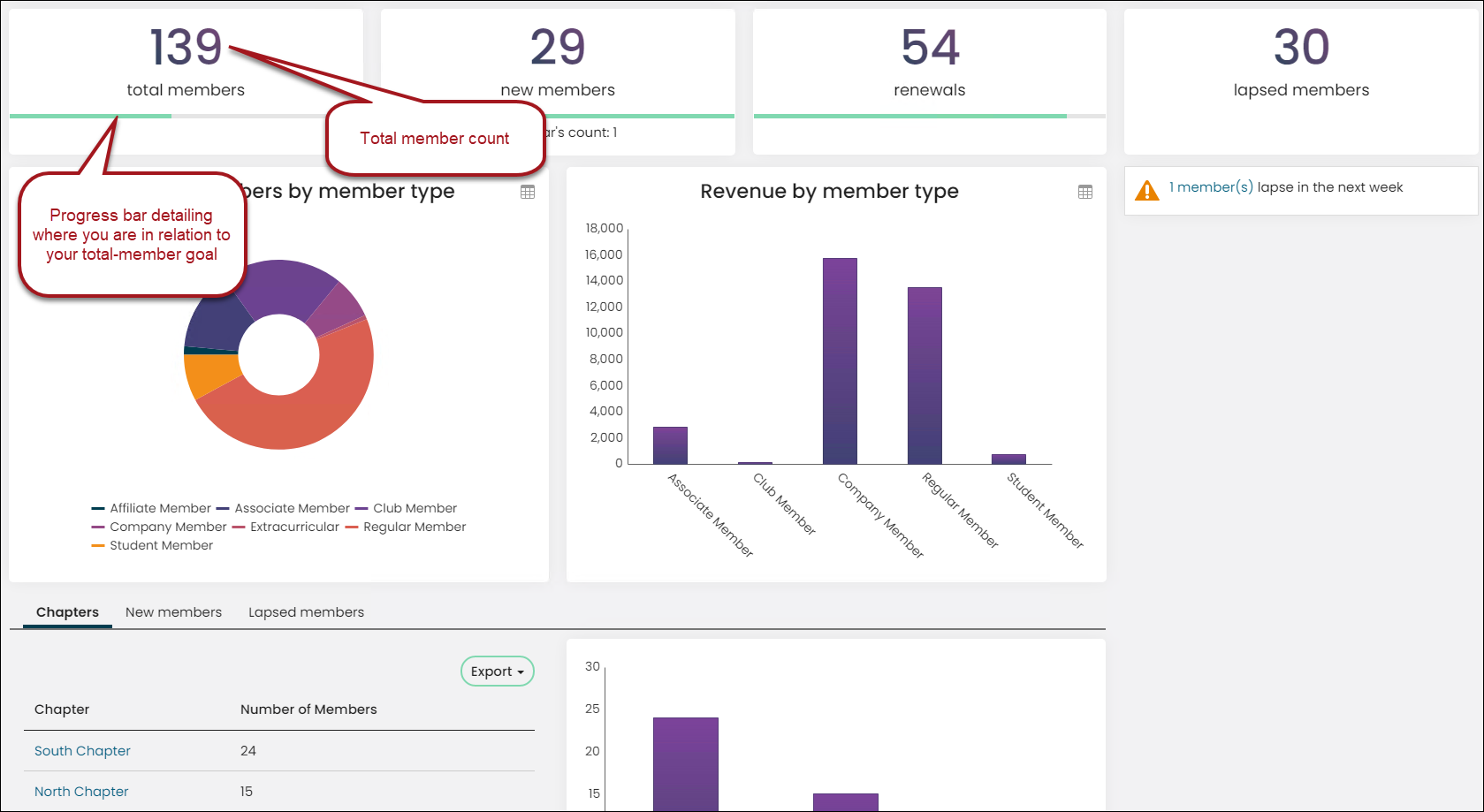
The Membership dashboard displays a Total members count, along with a progress bar that details how close you are to meeting your total-members goal.
The underlying query for the total-member count is located at $Samples/Dashboards/Membership/Progress Tracker – Number of Members. This query uses a Function of Count in the Display tab to count the number of members and display the total on the dashboard. When the query is run, it displays the goal as 300 (that is what CAST(300 AS INT) is doing). Basically, it is telling the system to display 300 as an integer and hard coding the goal amount into the query.
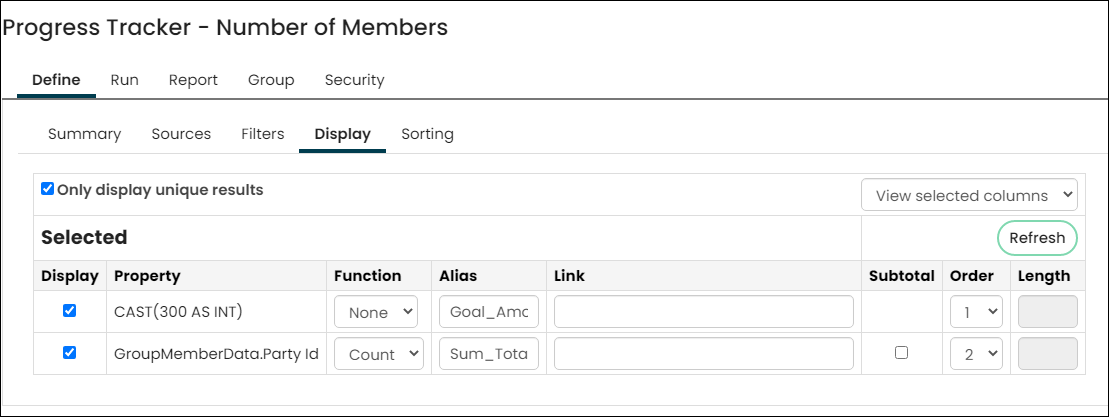
The Function of Count for the GroupMemberData.Party Id property tells the system to count the number of unique PartyIds and to display the count under the heading of Sum Total. The results of this query display the member count, along with the desired goal of 300.
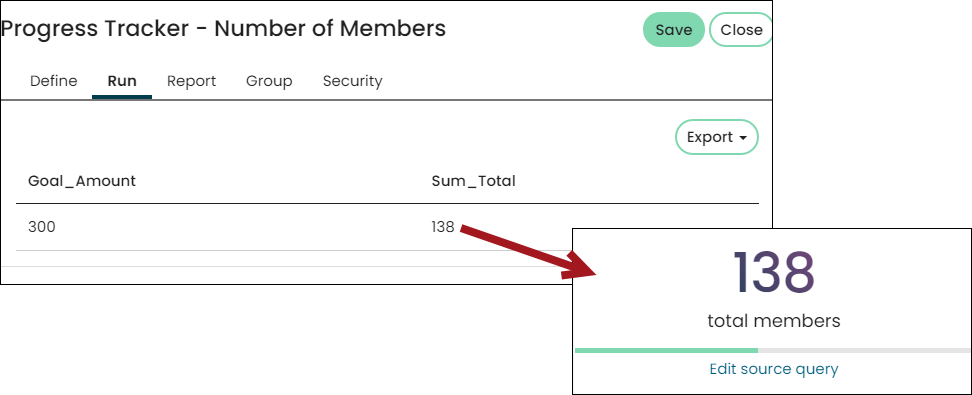
The results are displayed on the Membership dashboard using the Progress Tracker content item. The Progress Tracker is configured to just display the Sum Total and is not configured to display the Goal Amount.
The Progress Tracker – Number of Members query is using a query called All Members. The All Members query is located at $/Membership/DefaultSystem/Queries/All Members.
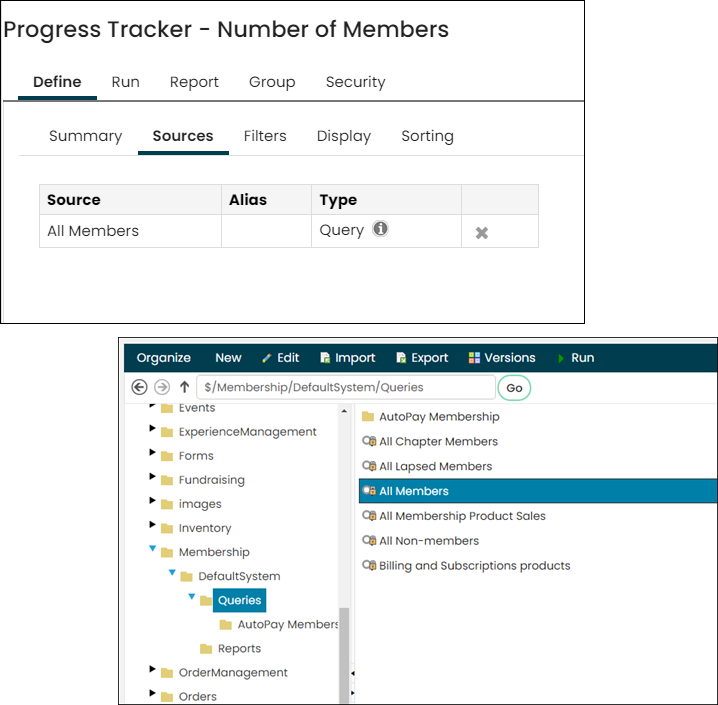
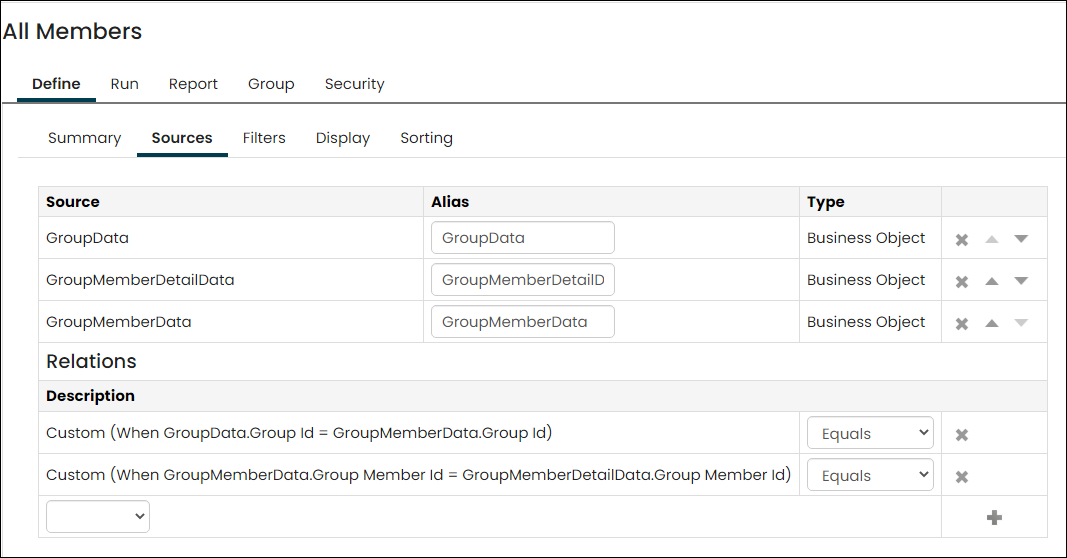
Open the All Members query to view the sources. The All Members query uses the following sources:
- GroupData
- GroupMemberDetailData
- GroupMemberData
The sources are related in the following ways:
- When GroupData.Group Id = GroupMemberData.Group Id
- When GroupMemberData.Group Member Id = GroupMemberDetailData.Group Member Id
The query contains the following filters:
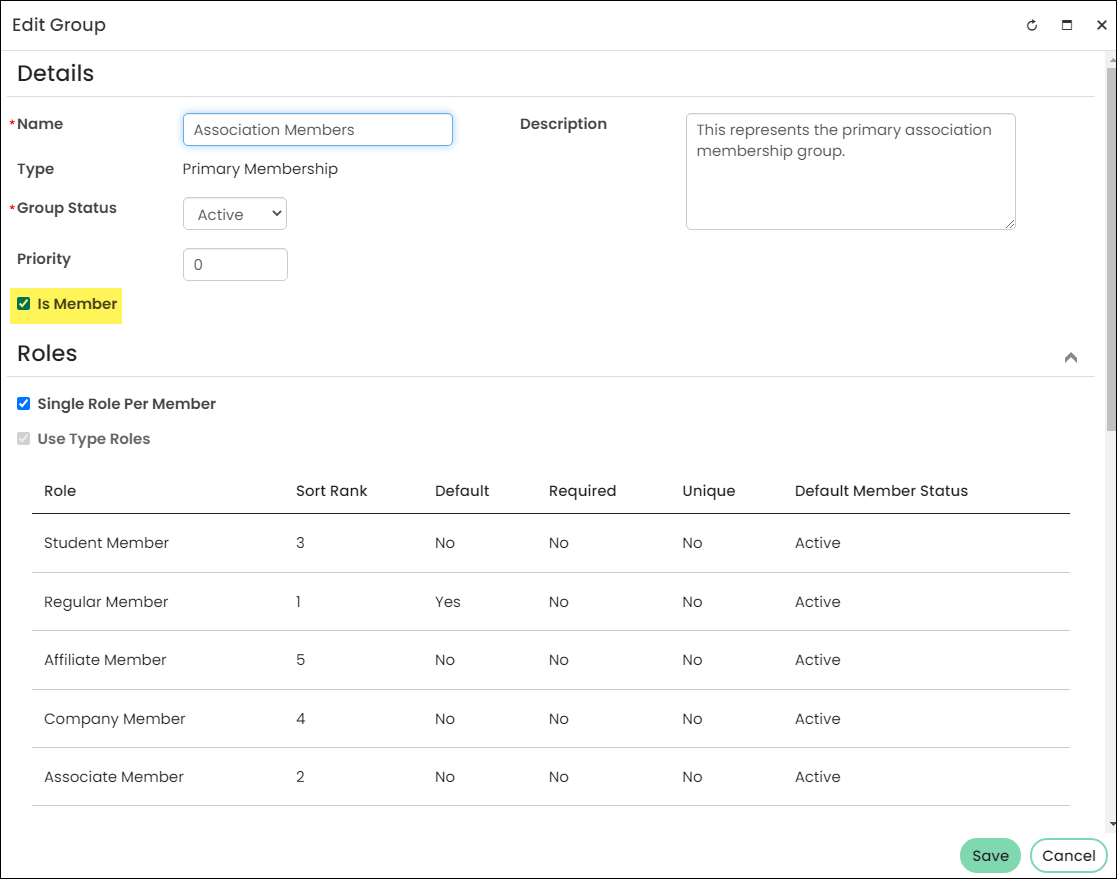
- GroupData.IsMember = Yes
This filter means the query is looking for any group where the Is Member option is checked.
- GroupMemberData.IsActive = Yes
- GroupMemberDetailData.IsActive = Yes
The two above filters are searching for active membership terms. This means that the term begin date is less than or equal to today,
and the term end date is greater than or equal to today.
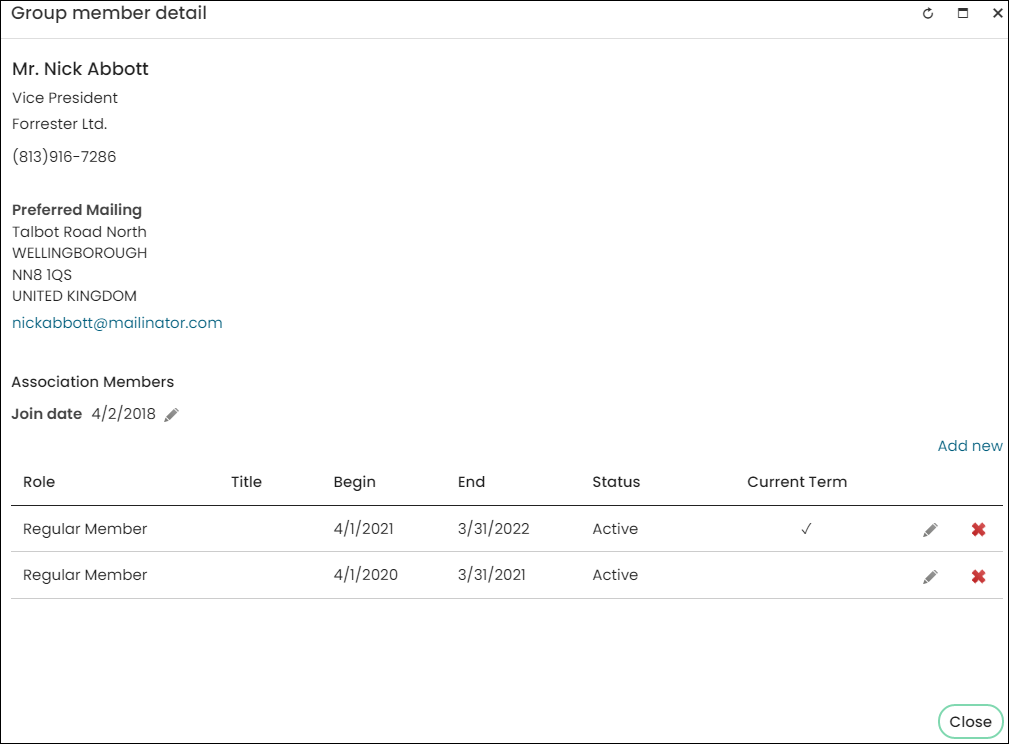
Nick is a member of the Association Members group, which is an Is Member group. The system will assign a value of Yes to the fields GroupMemberData.IsActive and GroupMemberDetailData.IsActive for the row in Nick’s group member detail highlighted in yellow because the begin date is less than or equal to today, and the end date is greater than or equal to today (today being Mar 13 2019). The row below not highlighted will have the values of No for both of those fields.
For more information on Progress Tracker queries, see Building Progress Tracker queries. For more information on the Progress Tracker content item, see Progress Tracker.
Updated 5 months ago