

Recording a payment reversal
A payment can be reversed whether or not it is currently applied to one or more invoices. If a payment is applied to one or more invoices at the time the payment is reversed, those invoices have an open balance. If an accrual payment is applied to one or more invoices at the time the payment is reversed, those invoices have an open accounts receivable balance.
You can record reversals for check payments that have been returned for insufficient funds or for credit card chargebacks.
A reversal is used if the payment was either never deposited in the organization’s bank account, or if it was temporarily deposited but removed. Reversing a payment negates the original payment and reverses the original payment for the full amount.
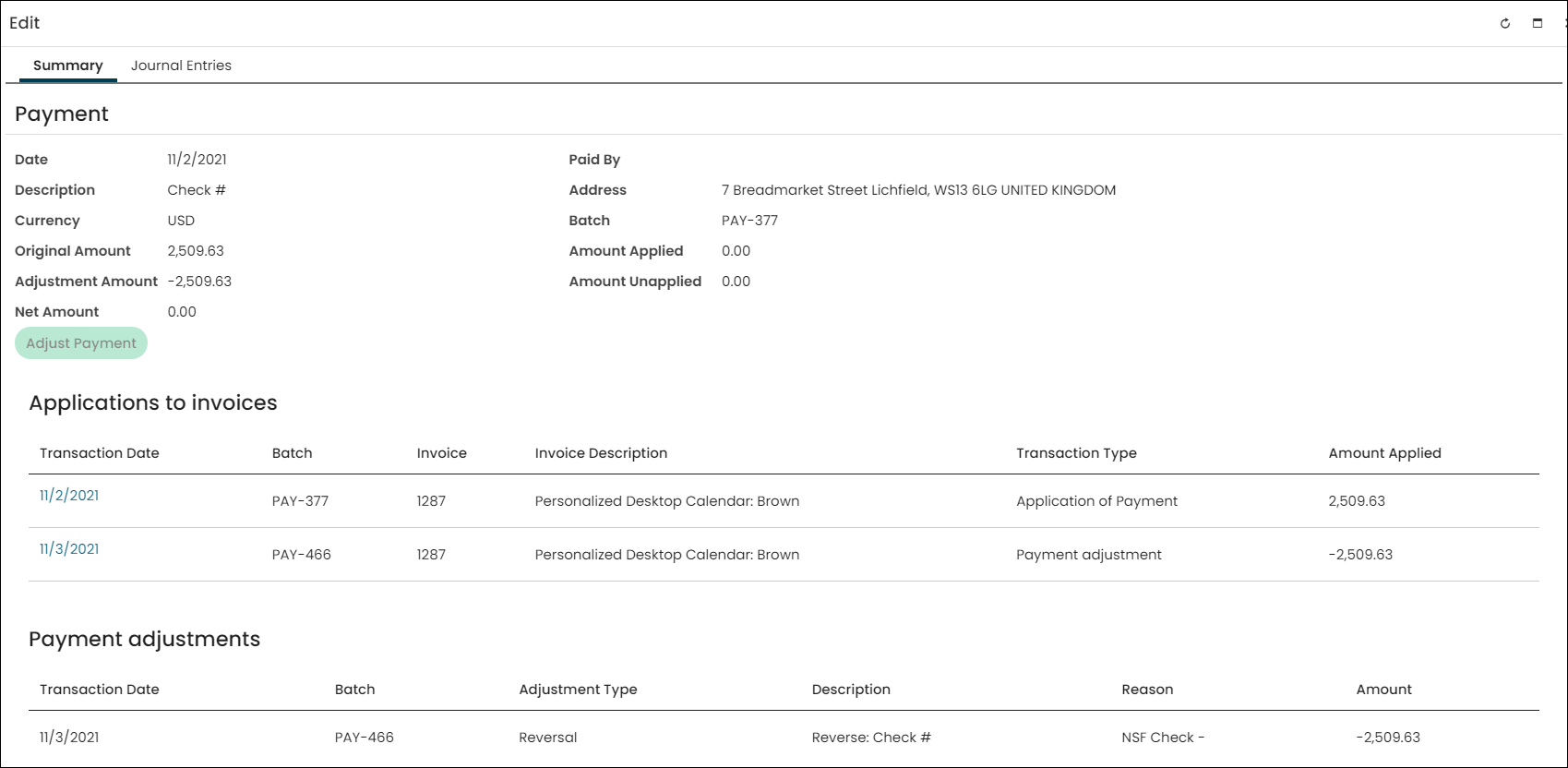
You can record a reversal that applies to an individual payment from within the payment inquiry window. After submitting a record of the reversal, the payment inquiry window displays any relevant changes to the Amount Applied, Amount Unapplied, Adjustment Amount, and Net Amount.
System administrators and staff users with a Finance: 4 module authorization level have access to reverse a payment.
WarningPayment reversals cannot be undone once they are submitted.
Do the following to reverse a payment:
- Go to Finance > Pay Central> Find payments.
- Select the payment you want to reverse. The Edit window for that payment opens.
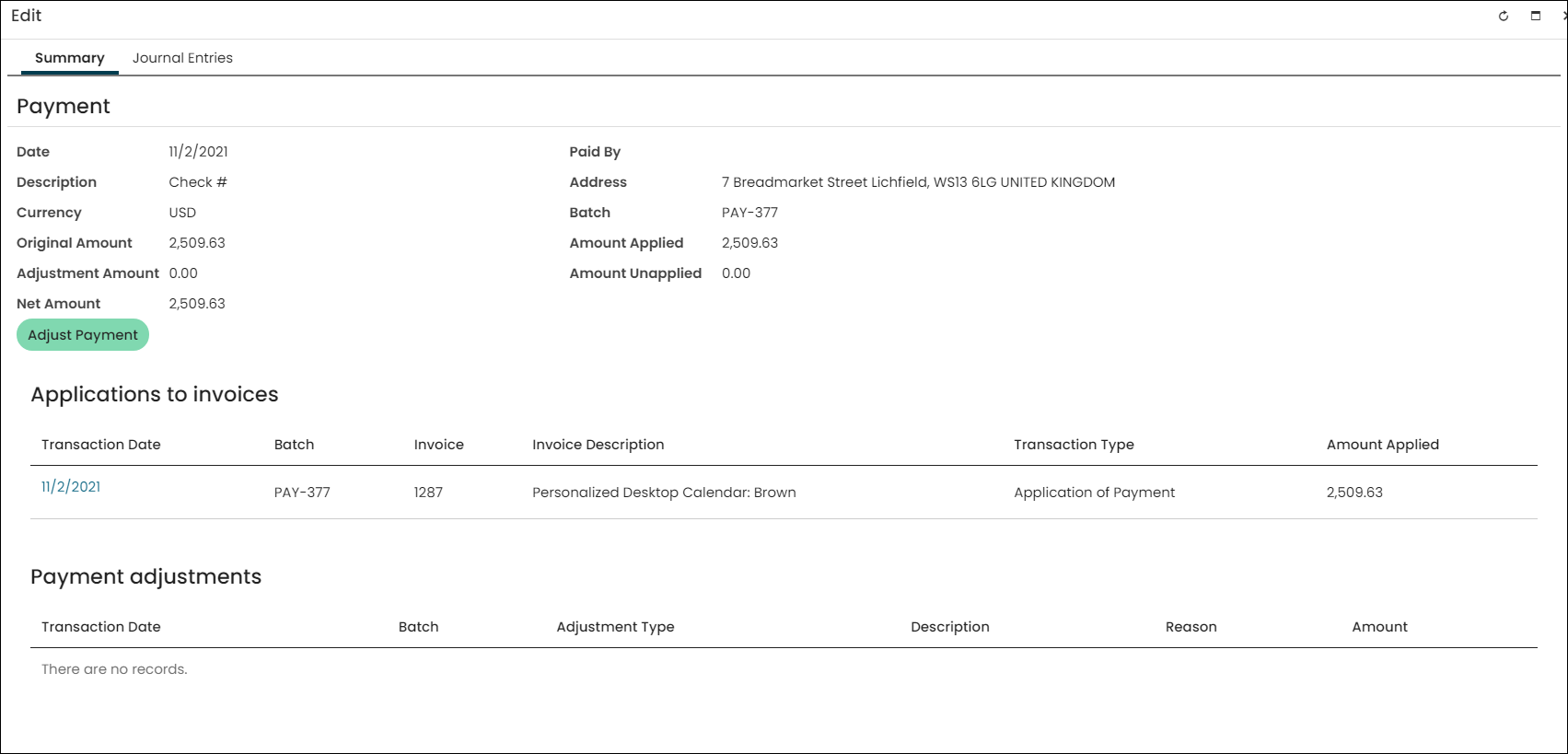 3. Click Adjust Payment.
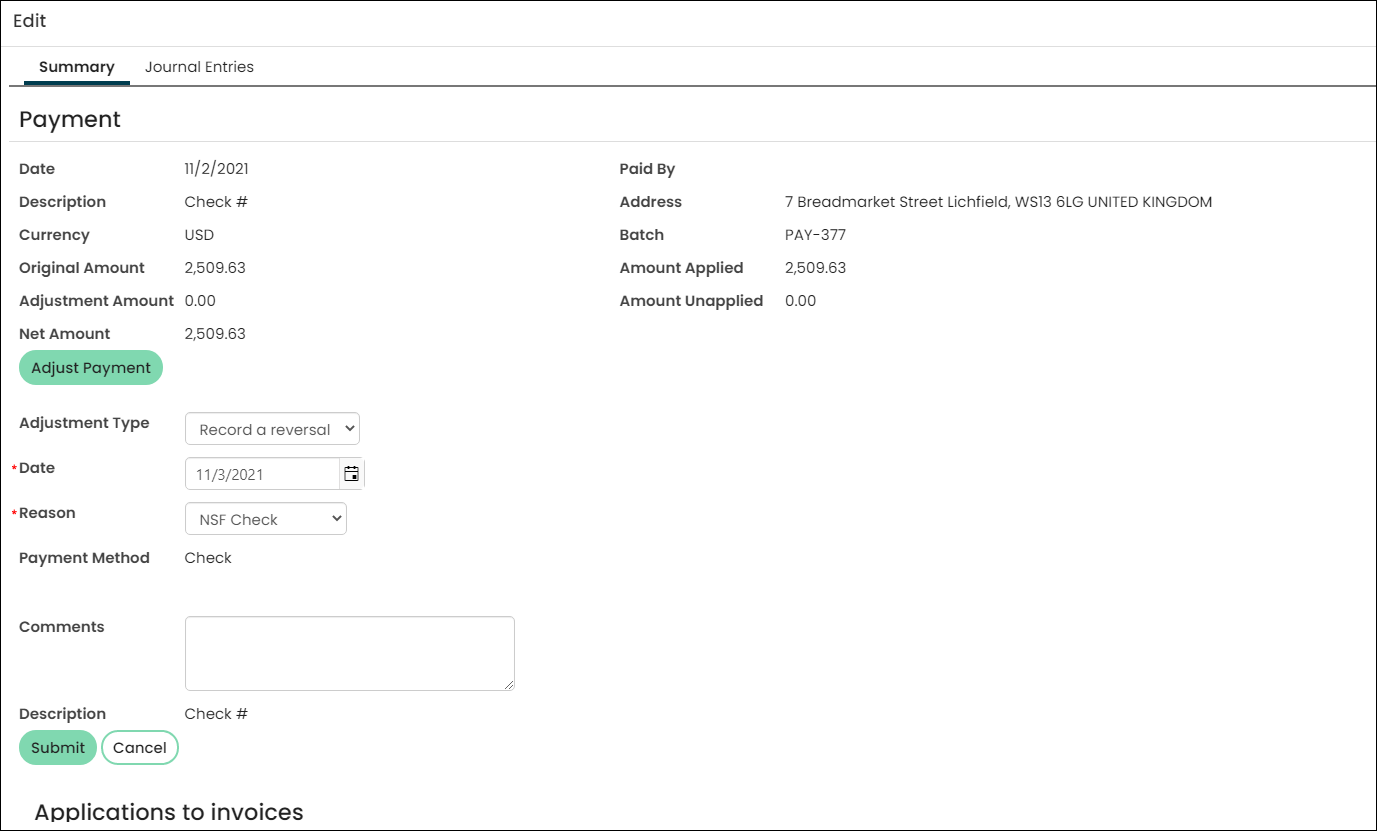
- From the Adjustment Type drop-down, select Record a reversal.
NoteIf there have been any partial or full refunds applied to this payment, then the ability to reverse the payment is unavailable.
- Select the Date for which you want to record the reversal. The default is today's date, but you can select any date in the past between the date of the payment and today's date by entering it directly or clicking on the calendar icon and searching for it.
- Select a Reason for the reversal. You can add Comments about the reversal.
- Click Submit.
NoteThe offset to cash depends upon whether the payment is applied, in whole or in part, to one or more invoices (it is entirely possible to reverse the payment before reversing the invoice transaction). If the payment has existing monetary applications at the time of its reversal, the monetary applications are reversed, and in the process, the amounts are debited to accounts receivable if the invoice to which they were applied was processed on an accrual basis, or debited to income if the invoice was processed on a cash basis.
After your reversal is submitted, it will appear in the Payment adjustments panel.
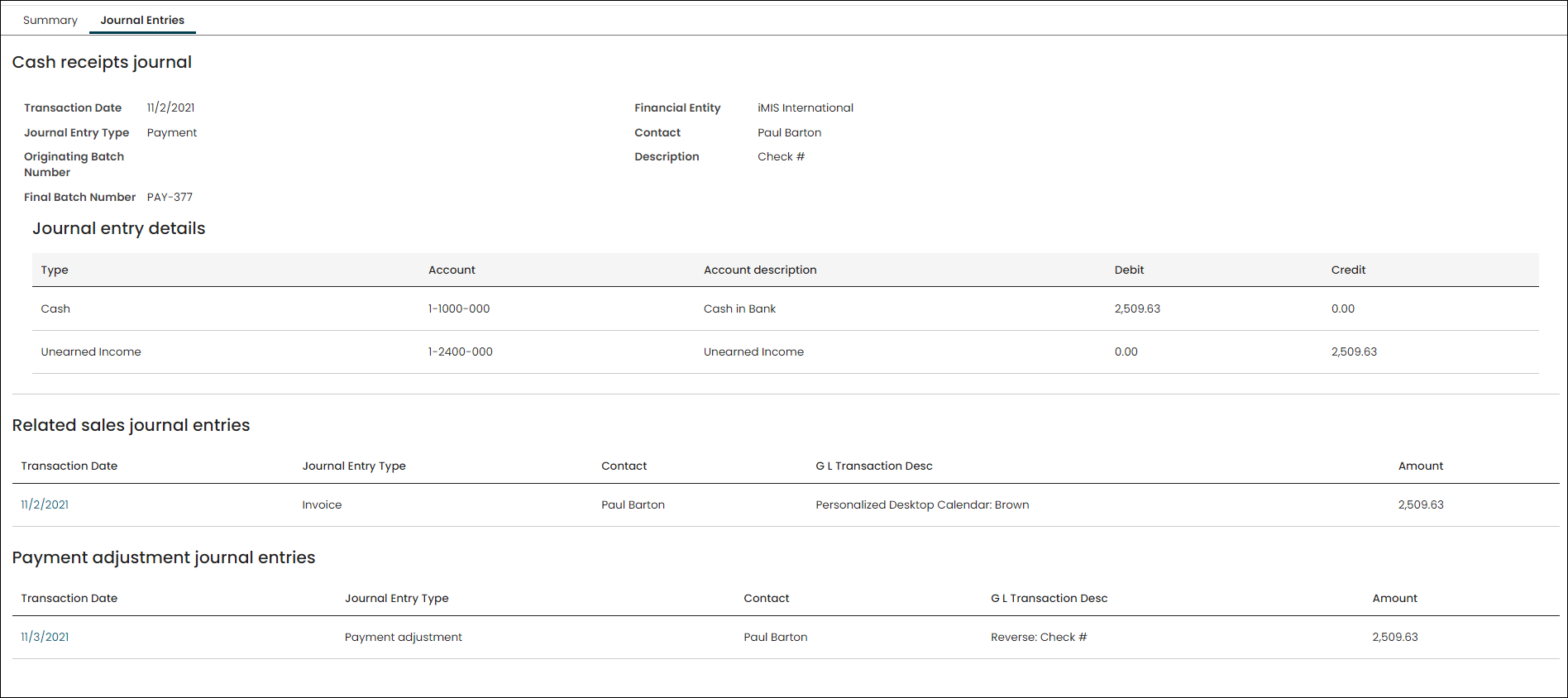
Adjustments will also appear in the Journal Entries tab as a Payment adjustment journal entry.
Updated 5 months ago