

Understanding how recurring donors are billed
Recurring donors are billed through one of the following processes:
- Manual – Manually process payments for recurring donors from Fundraising > Automatic payments > Process payments. Any donor with a term end date before the entered Run date is picked up in this process and an invoice is generated for them.
- Automatic – Automatically process payments for recurring donors when the Process recurring donations and Retrieve processes payments from Pay Central tasks are enabled (RiSE > Process automation). When these process automation tasks are enabled, the tasks run on a schedule (user defined) and generate invoices for all donors that have a term end date before the date the task is run.
WarningIt is highly recommended that donors are not billed through the automatic process until staff users have manually generated invoices for several donation cycles and feel comfortable with the invoices being generated.
Both processes use the Recurring Donors Group to know which donors are picked up for their next recurring payment.
Understanding the Recurring Donors Group
The Recurring Donors Group is where a staff user can review and update a donor’s next collection date.
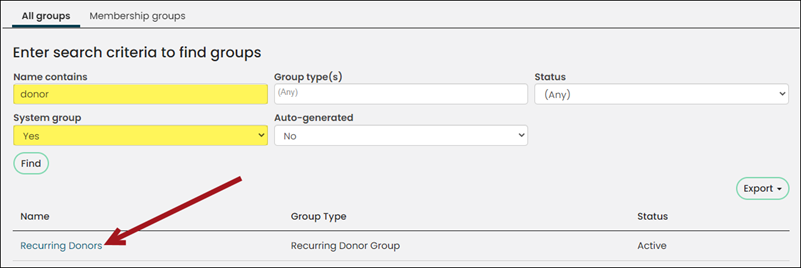
To find the Recurring Donors Group, go to Community > Find groups. Search for the group in the Name contains field and set System group to Yes.
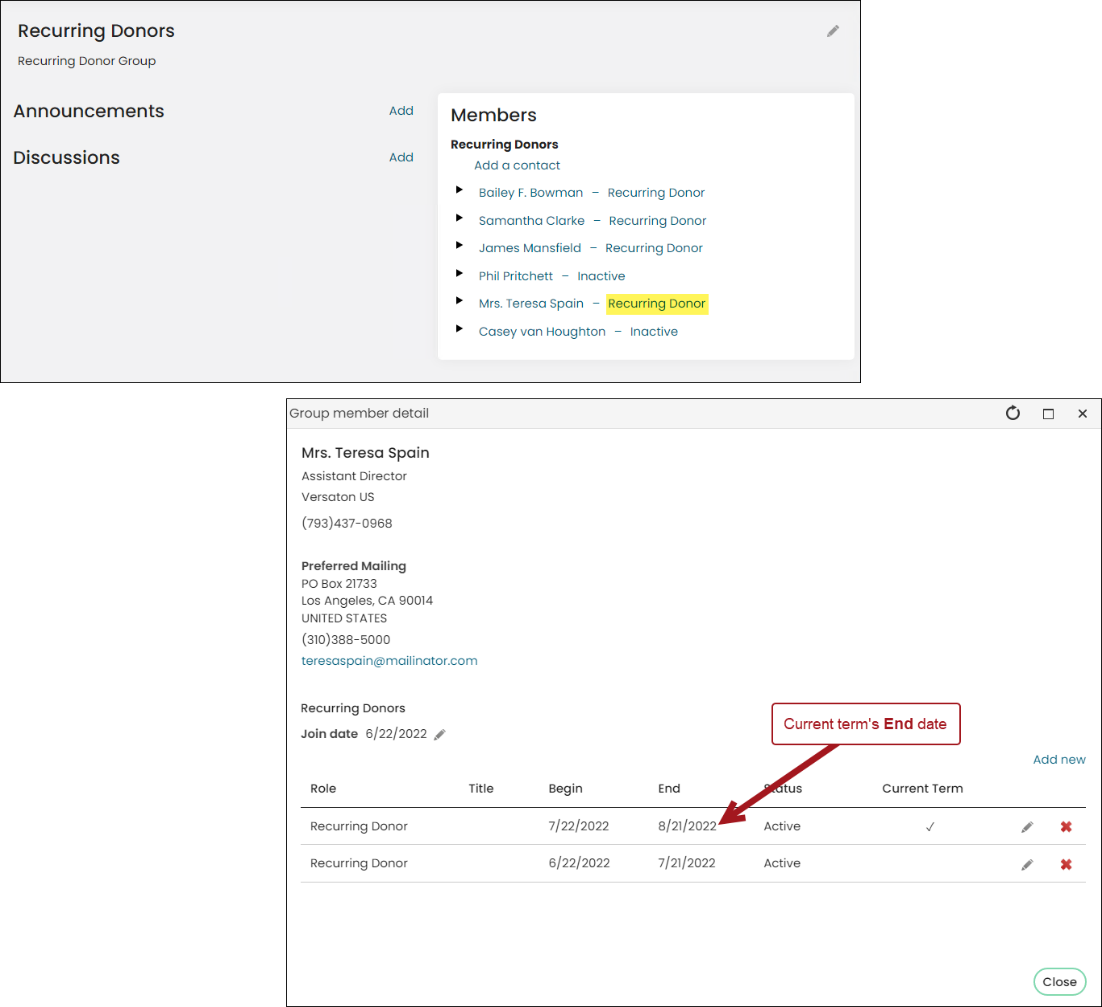
Selecting the donor’s “role” in the group opens their group detail. The group detail is where staff users can:
- Review and edit donor’s next recurring payment date (Current Term’s End date)
- Review donor’s last recurring payment date (Current Term’s Begin date)
- Review all previous recurring payment schedules (Any non-Current Term row)
Understanding who is picked up for billing
If the donor’s End date is before the date the invoices are generated, then they are picked up for billing.
Example
| Donor | Current Term Begin Date | Current Term End Date | First date they are eligible for billing | Date they would both get picked up for billing |
|---|---|---|---|---|
| A | January 11 | February 10 | February 11 | February 12 or any date after. If you are using the automatic process and the tasks were enabled for the 15, both donors would have their invoices generated on the 15. From that point forward, Donor A would always get billed on the 11th of the month and Donor B would always get billing on the 12th of the month if the automatic process is scheduled to run daily. |
| B | January 12 | February 11 | February 12 |
Overview of the manual process
From Fundraising > Automatic payments > Process payments, staff users enter a Run date on the Generate invoices tab.
The Run date is used to gather all invoices due up to the date on which you want to process your open pledge invoices. The Run date uses the Recurring Donors Group to determine when someone is due for their next donation payment.
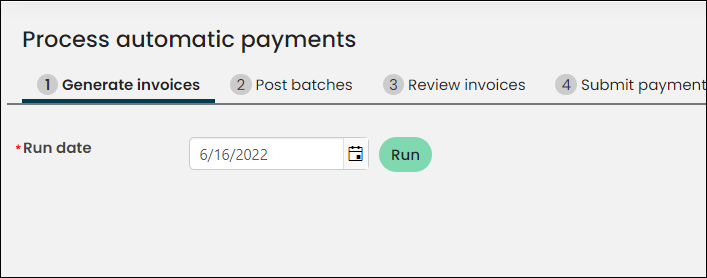
The staff user continues through the remaining steps on the Process automatic payments window:
- Posts the associated batch
- Reviews the invoices to confirm everything is correct
- Submits the invoices for payment
- Retrieve the processed payments
Overview of the automatic process
The automatic process consists of process automation tasks:
- Process recurring donations – This task automatically performs steps 1, 2, and 4 on the Process automatic payments window. All invoices are generated using today’s date.
- Retrieve processes payments from Pay Central – This task automatically performs step 5 on the Process automatic payments window.
NoteIf the gift item is set to the cash account method and a payment has already been sent to Pay Central but not yet retrieved, the most recent row in Recurring Donors Group for the donor will have a status of Pending with no end date. If this occurs, you must retrieve the processed payment (step 5) before editing the donor’s group member detail record.
Updated 3 months ago